

I Tested Hyundai's 2026 Palisade Calligraphy's High-Tech Features: Here's What's Actually Useful
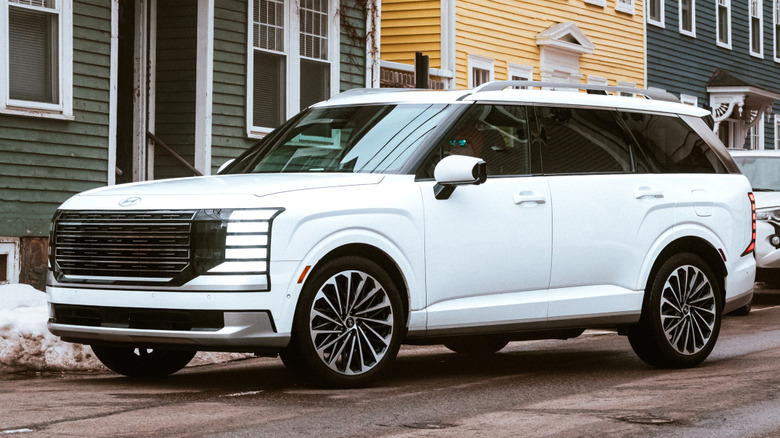
Back in the day, having a week to dive deep on a new car may have been enough time to get a full understanding of its technological capabilities. But with the Hyundai Palisade Calligraphy, it felt like I barely scratched the surface. Fresh-faced and slightly longer, the second-gen 2026 Palisade arrives looking to threaten luxury rivals, like the Range Rover, at least from a styling perspective. Positively stuffed with high-tech content and sitting atop the Palisade trim hierarchy, Calligraphy models make a hard push into the luxury space.
Every new Palisade is nicely outfitted with a panoramic infotainment interface, triple-zone automatic climate control, and a stack of advanced driver aids, but the roughly $59,000 Calligraphy dials the fancy up a peg or two. Content exclusive to this model includes a full Nappa leather treatment as well as front seats that massage your backside and offer extendable lower leg support. Not to mention a "Relaxation Mode" for the second-row captain's thrones that'll have those passengers thinking you're the chauffeur. Beyond that, though, it was the next-gen technology in the Palisade Calligraphy that really jumped out at me.
Key fob-operated self-parking capability, a huge heads-up display with all the information you could possibly want, a clever analog-meets-digital rearview mirror, and the ability to change lanes semi-autonomously are a few of my favorite things about this big SUV.
Highway Driving Assist 2
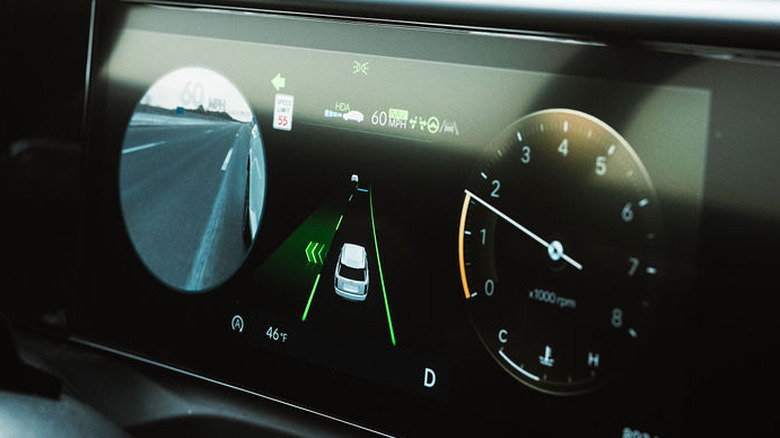
Highway Driving Assist (HDA) comes standard on the 2026 Palisade, and it's a well-executed advanced driver-assistance system (ADAS). The lane-keeping aspect of HDA comes on automatically at 40 mph and involves steering wheel nudges to keep you from drifting across lane lines. Press the adaptive cruise control (ACC) button on the steering wheel, and HDA comes to life. It blends ACC with lane-keeping and lane-centering.
All I can think of when running HDA is bumper bowling. Your hands need to remain on the steering wheel, but I found myself hovering more than holding to see how effective HDA really is. The result is uncanny. At a 65-mph cruise, the system will smoothly run you down straight sections and around curves, all while keeping the Palisade — one of the most successful models in Hyundai history — centered. But if you want to give as much control to the car as possible, Highway Driving Assist 2 is the way to go.
Only found on the Calligraphy variant, HDA 2 is a little different from HDA in that it adds in a lane-change assist component. Once activated by clicking the turn signal stalk, the lane-change assist will make up its own mind whether the maneuver is safe, and then go for it. It's a wee bit terrifying, at first, feeling the car make a decision and then move across lanes at highway speed mostly of its own accord. It did come as some comfort knowing that the system cannot change lanes unless first physically activated by the pilot of the vehicle first. Each time I tested this system, HDA 2 worked remarkably well.
Blind-Spot View Monitor
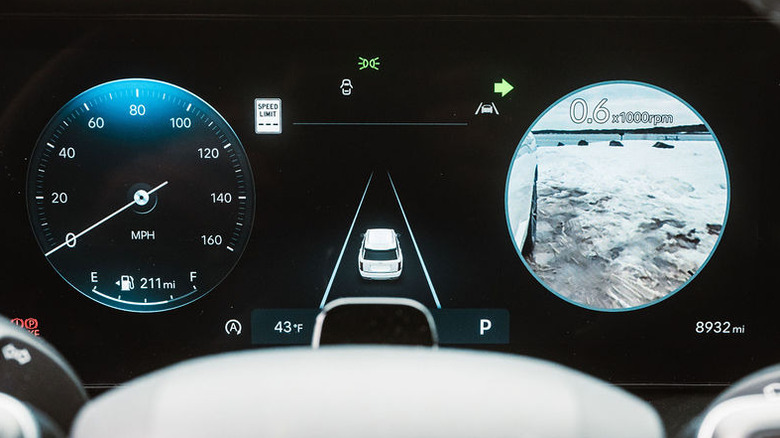
Like many of the high-tech features on Hyundai's new Palisade, working with the blind-spot view monitor (BSVM) is jarring at first. Any time you activate the turn signal, a large circular window pops up in the gauge cluster. This window shows a live feed from a side mirror camera. At highway speeds, this view is largely a speed-blur of everything running alongside you — hence the startling sensation. To be honest, I thought the BSVM was a bit gimmicky at first, sort of answering a question no one asked. And yet — after spending time acclimating to this interesting bit of tech — I started to like it.
When changing lanes on the highway, I normally do a check of all three mirrors to prep, and then throw a glance over my shoulder to confirm it's safe to go. Some cars are especially bad at this, but as any driver knows, there are instances where anyone will flat-out miss another car in their blind spot.
No doubt, given the moniker, this is where the idea for the blind-spot view monitor came from. And it works in execution, too, as I quickly added the BSVM feed into my list of visual checks before making a move. However, it's equally handy in tight reversing situations, like backing around a telephone pole and a big chunk of granite into my driveway, alongside a busy road. It's a great place to jack up a wheel or scrape a mirror, but not with the BSVM doing its thing.
Head-up display
Oldsmobile brought head-up displays (HUD) to the masses in 1988 with its Cutlass Supreme Indy 500 Pace Car. That car used a vacuum fluorescent display tube and reflective optics to project vehicle speed onto the windshield. Nearly 40 years later, HUDs remain on the automotive periphery, often fitted to specific models, as is the case with the Palisade Calligraphy. But in doing so, Hyundai also makes a case for mandating them.
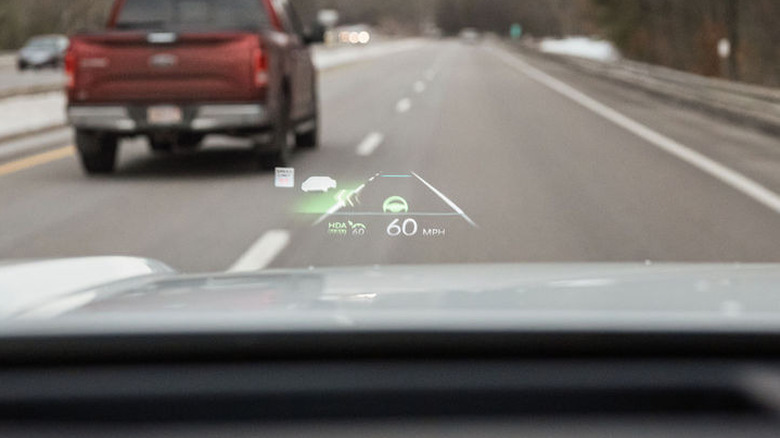
A small recessed screen on the dashboard projects the information onto the windshield, but to the driver, that info appears to be floating off the front of the hood. Beyond your current speed, the Palisade HUD can be configured to show ADAS alerts, turn-by-turn directions when the navigation is running, and details on who's calling. You can also adjust the height and brightness of this info. While ticking all the data boxes may be overkill, simply showing how fast you're going is a game-changer for minimizing distractions.
Rather than looking down at the gauge cluster to check your speed, that figure is hovering just outside your peripheral vision. Like the now-mandatory backup camera, this strikes me as the kind of thing worth making standard across the board, given how easily it delivers quick updates on all the many distractions of modern cars. I found it to be a well-executed and very useful piece of tech, but while the info shows up clearly on a cloudless day, polarized sunglasses dramatically reduce readability.
Remote Smart Parking Assist
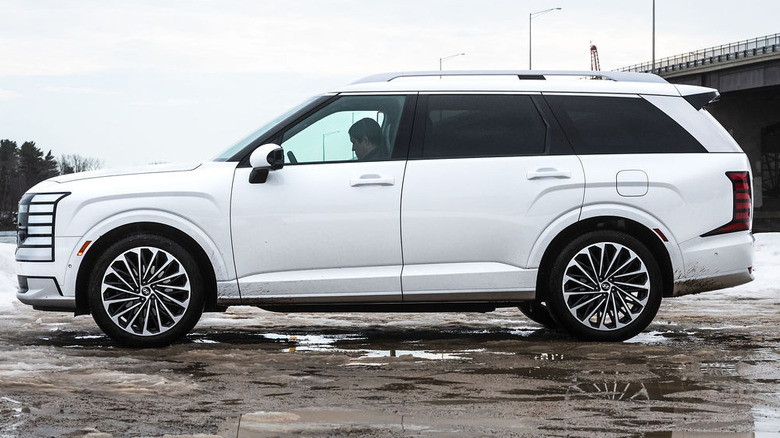
Self-parking cars have something of a marketing problem, if Ford's decision to can its Active Park Assist system is any indication, so Hyundai might want to consider renaming the Remote Smart Parking Assist (RSPA) feature found on the Palisade Calligraphy. It won't tuck you into a parallel or perpendicular parking space. Rather, RSPA simply rolls the Palisade forward or backward in a straight line to get out of tight parking lot jams.
We've all been there. You get back to your car after a shopping trip, and some nitwit has positioned their car inches from your door. Depending on the day and car you're piloting, there's an argument to be made for doing whatever it takes to get your door open, no matter the level of dings and dents incurred. You might, however, be less likely to go that route if the car in question had a $59,000 price tag and a fancy Creamy White Pearl finish like my example. This situation is worsened when you've got little kids in tow and bags of groceries in hand.
Enter Remote Smart Parking Assist. Activate the engine remotely via the key fob and then simply press a button on the side — one to go forward, the other backward. It's a simple solution to an aggravating problem, and it works well. The Palisade stops on a dime when you release the fob button, and Hyundai incorporates a short digital leash on how far you can move it. I did try to drive the 4,872-pound, 16.5-foot-long SUV as though it were a remote-controlled Target toy, but alas, that part didn't work.
Ergo-Motion and Relaxation Mode
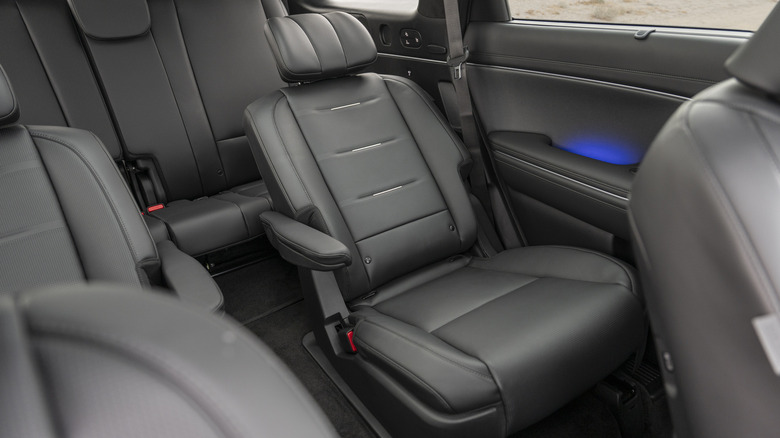
I'm petitioning Hyundai to rename this Palisade trim from "Calligraphy" to "Chauffeur," as it goes well beyond plebeian front seats and second-row captain's chairs. Up in the first row, occupants are treated to heated and cooled cushions with a choice of massaging functions, including "Whole Body" (Hint: This is the one you want). There are many buttons and sliders mounted alongside said thrones, which take much trial and error to master.
Get it right, however, and you are treated to what Hyundai calls "Relaxation Mode." The bottom cushion tilts up, the top half leans back, and a little thigh cushion presents itself. Good for taking naps while waiting impatiently for children to finish up practice, this vibe continues in the second row. Massaging is absent, but back here you have more room to stretch out. Choose the passenger-side position, and you'll have the option to slide anyone in the front seat out of your way in the name of legroom.
Everyone who tried out this kingly function told me that it was surely what being chauffeured about entails. Heck, even those relegated to the far back will find heating and adjustability, eliminating one of the main downsides of SUVs with third-row seating. Really, there isn't a bad seat in the whole of the vehicle, and though some of the power-operated movement is painfully slow, this is the kind of creature comfort-focused tech I can get behind.