

This Portable Laser Engraver Is The Best DIY Tool You Didn't Know Existed
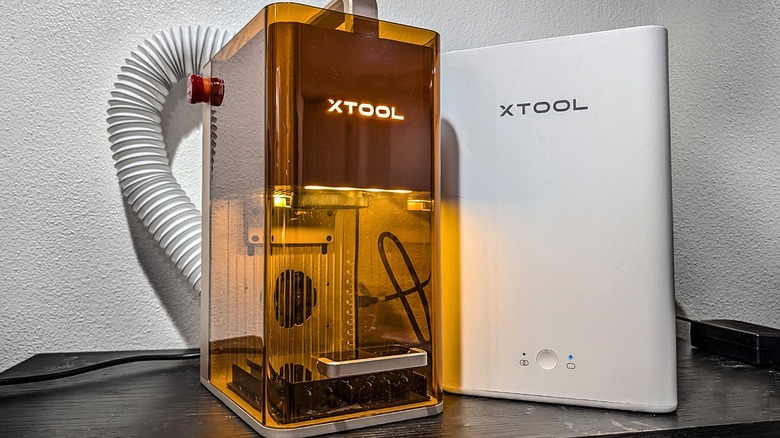
The XTool F2 is just about the most user-friendly electronic design/art tool I've ever tested — and I've worked with more than my fair share. Testing and design tools, methods, and mediums — that includes laser cutters. I've tried a variety of laser cutters — most of them quite massive. As such, I was excited to hear from XTool that they had a compact, carry-friendly laser cutter with a removable bottom and the name XTool F2.
A removable bottom means my potential for etching targets is far larger than it's been with all fully-enclosed laser cutters of this sort. Because this laser cutter is so small (and since it works with a standard easy-carry handle on top), it's begging to be brought along to events and used on special projects. This laser cutter expands its user's DIY scope — it's like opening a trap door to a far larger world of possibilities.
That door was what caught my interest in the first place — beyond that, though, I've found that this machine is a highly versatile, fast, precise, powerful tool that's also quite easy to work with. Using this laser cutter makes me feel a bit like I did when I first had access to my own laser printer: I didn't realize what I was missing. Now that I have one, it would feel like I'm losing a vital tool if I had to go without it.
Learning Curve And Ease Of Use
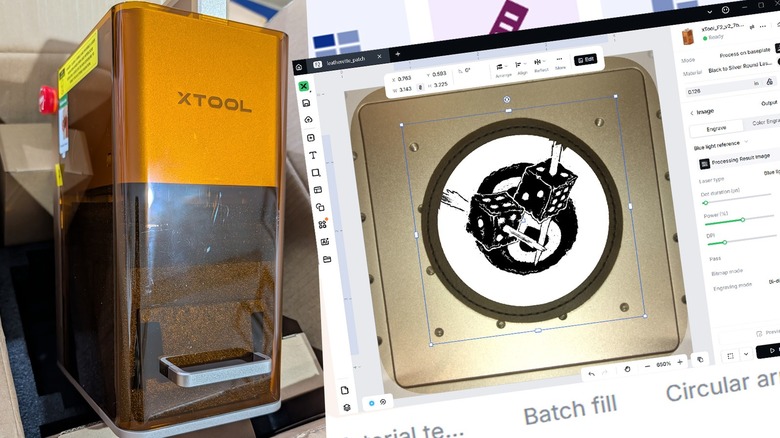
If you've used effectively any XTool laser cutting machine (or any similar machine, for that matter), working with the XTool F2 will be extraordinarily easy for you. The software is relatively straightforward and should work well for you whether you're a beginner or a veteran. If you've worked with 3D printers before, this is simpler — if you've printed documents on paper before, this is ever-so-slightly more complex a process.
This laser cutter comes almost completely pre-constructed, requiring from the user only a cord (or two) to connect and a lens cap to remove before the hardware is prepped. You'll be connecting with your desktop computer (more than likely) with a USB cord and using the software "XTool Studio" to get up and running in a matter of minutes.
While you might not need it, I also connected to the XTool Desktop Air Purifier right off the bat. This isn't a must-have accessory — you can use the laser cutter without it — but you'll be glad you have it, especially if you plan on using the laser indoors without ventilation to a nearby window.
XTool Studio can be used without an XTool account. There are elements within the system that will cost you money if you want to use them (mainly features that require processing power offsite via XTool's online servers). If you want to generate things with XTool's AI or do some advanced automatic tracing/calculations, that'll cost you. You do not need to pay additional money to use the hardware's primary functions.
Here's what the XTool F2 Can Do
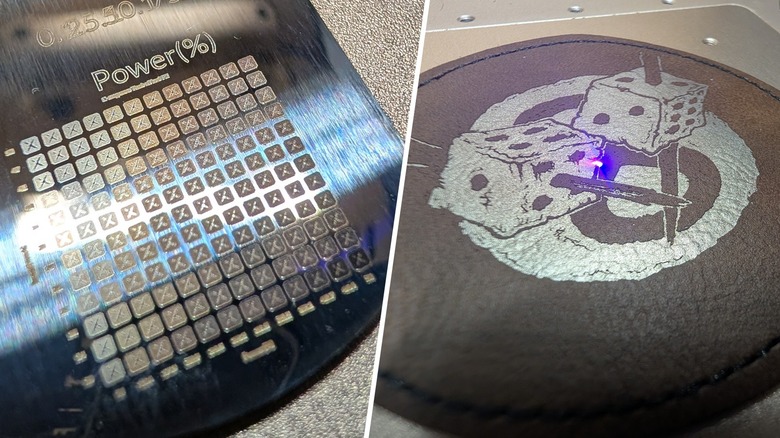
The XTool F2 is a laser cutter capable of engraving and cutting materials. Before you consider cutting anything it is of extreme importance that you learn your limits. If you start blasting hazardous materials with lasers, you can release hazardous particles into the air. You could absolutely endanger yourself and those around you, relatively easy, if you don't KNOW FOR CERTAIN that you are laser-cutting materials that XTool has approved.
That's not to say that you need to use the materials XTool recommends and sells. They do an excellent job of making it very easy to get some very nicely packaged high quality products, but you CAN use your own. Just be sure you know what you're cutting into. Some things are better left cut by your at-home CNC machine.
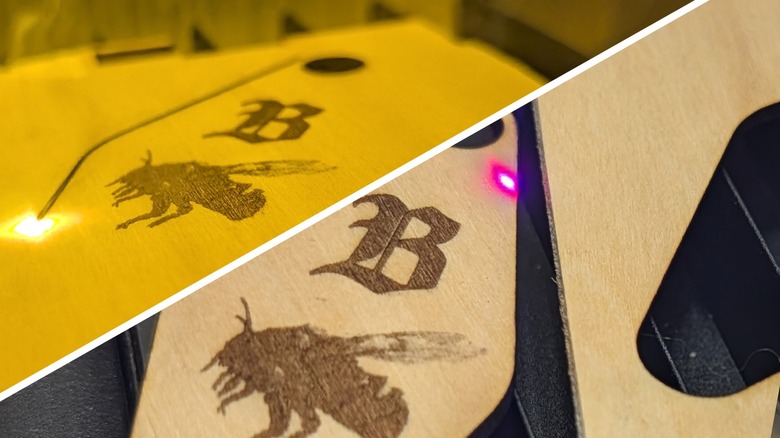
Because the XTool F2 works with a 15W Diode laser and a 5W IR laser, it's capable of working with wood, acrylic, glass, slate, and a variety of metals like stainless steel, aluminum, silver, brass, titanium — and that's only a sampling of the full list. It can etch these materials — but it can also cut through some of them.
If you've got an extraordinarily tight shape that needs to be cut clean out of a wooden board, this machine can also do that — it'll just take a little longer than your average etching job.
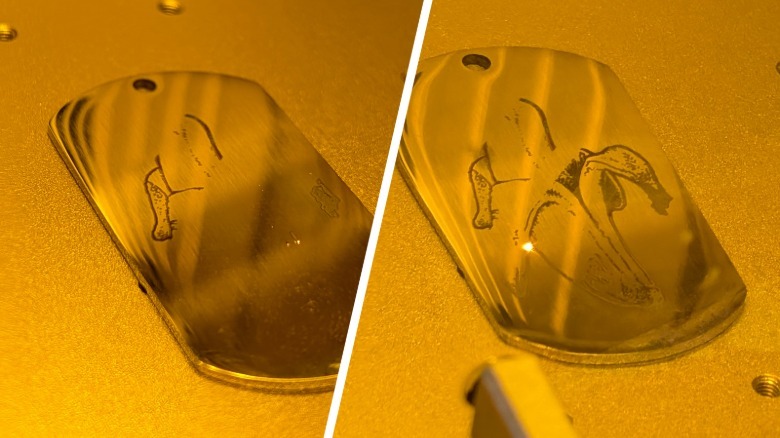 Chris Burns/SlashGear
Standard engraving on a wide variety of materials is shockingly simple. Above you'll see a simple banana illustration in the process of being etched into a metal dog tag.
What's So Special About This One?
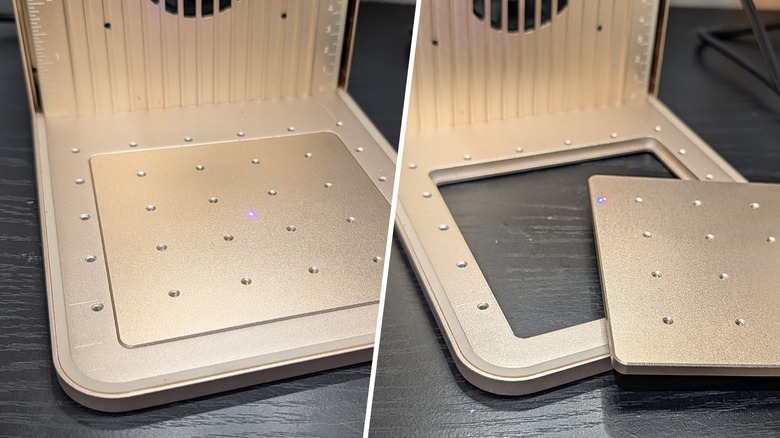
Because the XTool F2 has a removable bottom panel, you can (potentially) engrave any surface — so long as the machine can rest on it, above it, or against it. So long as the F2 has the laser power to cut the target, the F2 can make it so. This ability to remove the bottom panel, along with the size of the device and the handle at the top, makes this laser cutter feel mobile.
I can liken it to having the ability to pick up a laptop computer and work wherever I want (where a larger laser printer is akin to a desktop PC that usually just stays in one place).
This device working with XTool Studio gives you a vast library of default settings according to material. You get this same feature with any other XTool laser cutter, but this easy access could make all the difference when using the F2 on the go.
Imagine you're at an outdoor craft/art festival and you want to do custom etching jobs for people who come to your booth. When you're selling a service like this, speed is vital. With the F2 and this software, I can import a design or create a new design in XTool Design, pick a material preset, click the software's auto-distance-measure button, place the design where you want it, hit the Process button, hit the Start button, hit the physical confirmation button on the laser cutter, and you'll have that etching started in a matter of minutes.
Value, Pricing, Add-ons
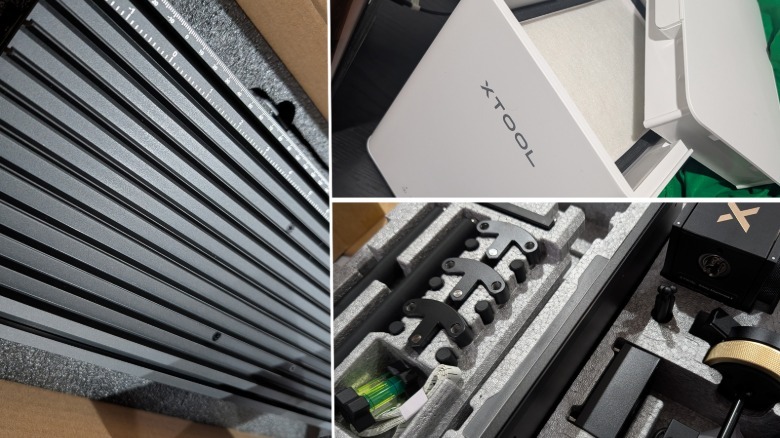
You can purchase the XTool F2 in the XTool Store Online for approximately $1,419 USD. You can also purchase a few add-ons and accessories that'll expand the abilities and/or usability of the device, including an XTool F2 Slide Extension (the same extension model as the F1, mind you — if you already own an F1 and were wondering).
The XTool Slide Extension is a simple piece of hardware that allows you to work with a larger platform under the laser — this bridges the gap between this otherwise quite small work area and the much, much larger area provided by a device like the XTool P2 (a monstrously large machine). Connected with the F2, the XTool Slide Extension moves its entire staged working surface back and forth automatically as necessary.
 Chris Burns/SlashGear
There's also an XTool MagSwap RA3 Rotary device that works with the F2 — so you can engrave all manner of objects with curved sides — baseballs, cylinders, and the like. It holds the product and turns when its time to turn. It works like magic.
You can get XTool's Desktop Air Purifier — an essential part of the equation if you ask me. You might be engraving and cutting the tiniest of objects with this machine, and you might not feel the need to worry about what laser engraving releases into your home or workshop — but it's there. If you're only using your XTool F2 near a window, by all means, use the (included) extension tube to blow the dust out the window. Otherwise, the Desktop Air Purifier is a simple device that filters out the vast majority of particulates from your otherwise perfectly breathable air.
I'd recommend you try to base model before you buy anything else — it might very well be all you need. But if you're looking to expand — you've still got plenty of options.