

4 Of The Worst Places To Put Your Laptop (And Why)

We may receive a commission on purchases made from links.
Whether it's for creative work, gaming purposes, or professional use, a laptop is a pricey investment. Even the best cheap laptops worth buying will stretch well into four figures, so it's probably a good idea to look after it. If you want your next purchase to last you for years, keep up with basic PC maintenance, like keeping your device dust-free and clean, and checking for program updates. But beyond that, it's also wise that you avoid other bad tech habits that can lead to costly repairs or outright failure over time.
Something as simple as placing your laptop in the wrong spot might seem harmless at first, but its compounding effect can be much more serious. For instance, it may seem tempting to just put your laptop next to a printer. Though the impact won't be visible, over time, the heat dispersed by the printer will affect your laptop, and it may lag due to overheating. If you want to preserve the lifespan of your Mac or Windows device, here are spots that you'll want to avoid.
In a closed bag while your laptop is still turned on

There are things you can do to help your laptop live a long, healthy life, like buying a good-quality laptop backpack to protect it from physical damage. But even if you've got a premium backpack, the problem is, you might still unknowingly put your device at everyday risk.
There are a few do's and don'ts you'll want to keep in mind when carrying your laptop. Don't put your laptop in a closed backpack without shutting it down first. Even with the lid closed, your laptop will still generate heat if you haven't powered it off. Since you'll block the vents the moment you place your device in a closed bag, you'll restrict airflow, trap heat, and potentially damage heat-sensitive internal parts. This can reduce your device's performance and damage delicate components.
Another thing you'll want to avoid is placing your laptop in a bag overstuffed with add-ons like water bottles, chargers, and keys. If the bag is too full, objects could squeeze your laptop, and you may end up with a shattered screen.
In direct sunlight
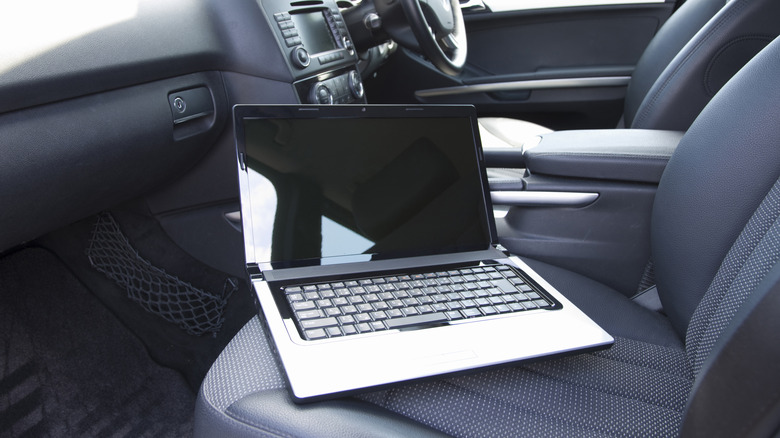
If you're a digital nomad, working outdoors under direct sunlight might seem like a logical way to be productive. But it's not a good idea. While you soak up the sun's rays, your laptop will, too, and it doesn't fare well under direct sunlight. Prolonged direct sunlight can cause overheating. Ideal temperatures for a laptop to run comfortably range from about 10 to 35 degrees Celsius (50 to 95 degrees Fahrenheit). So, if you leave your machine to bake under the sun, the extra heat can be enough to push it above those temperatures, causing your laptop to overheat and no longer work as it normally does. It might lag because of thermal throttling or, in the worst-case scenario, shut down abruptly.
Leaving your laptop in a parked car when the temperatures are extremely hot is not ideal for your machine's battery either. Most laptops run on lithium-ion batteries. This means that even if you use a laptop with the best battery life possible, when operated under direct sunlight, the battery's ability to hold a charge will diminish. In extreme cases, your laptop's battery may swell, or even worse, catch fire or explode. It's best to avoid using your laptop outdoors or leaving it next to a window when it's sunny.
On your lap

Given its name, many of us might be inclined to place a laptop on our laps, but it's not the best place for it. There are actually many health risks associated with doing so. For men, studies confirm that the heat emitted by a laptop can cause infertility. You could also suffer from various skin conditions, including toasted skin syndrome. Using a laptop on your lap can also encourage poor posture, leading to muscle strain, fatigue, and throbbing neck and back pain.
Apart from health risks, your laptop might fall victim to overheating because you'll probably block the air vents. There's also the risk of your laptop falling and ending up with a cracked screen or a more expensive repair. So, instead of risking your health and laptop, it's best to invest in a laptop stand, designed for working from your bed or sofa. It will prop your device at a comfortable angle, providing a pain-free working session.
On soft surfaces, like a blanket and a sofa

Placing a laptop on your couch, bed, pillow, or a similar soft surfacemeans killing your laptop slowly. That's because soft surfaces are notorious for accumulating dust, debris, and pet dander. Most electronic devices are vulnerable to these things, and your beloved laptop is no exception. Dust and other crud can gather inside the fans and act as an insulator that traps heat. Not to mention, you'll reduce airflow because some laptops have their vents on the bottom.
That said, if you're unable to resist the temptation of sitting on a couch while you're working on your laptop, it wouldn't hurt to invest in a cooling pad. Laptop coolers can actually make a huge difference, especially if you have a powerful gaming laptop. They have built-in fans that will keep your device operating at an ideal temperature. Also, some models like the Havit Laptop Cooling Pad have adjustable height settings that raise your device, taking the strain off your back and neck when you're typing.