

5 Apps You Might Not Want To Use With ChatGPT Right Now
If you're a ChatGPT user, you can now integrate third-party apps directly into your AI chats. OpenAI launched this feature in October 2025, and it's available on all types of ChatGPT accounts, including the free one. While there were only a few options at the start, there are now dozens of apps available, including TripAdvisor, OpenTable, Photoshop, Dropbox, Microsoft Teams, and GitHub. To see the full list, just open ChatGPT and select Apps on the left-hand menu.
To connect an app, click on the one you want, then select the Connect button on the next screen. Some apps — like Canva and Gmail — require you to already have an account and to enter your sign-in details. Others like Tripadvisor and Coursera will connect immediately. If you later want to disconnect, you can do so from the same screen. However, if you're concerned about security risks in ChatGPT, you might want to steer clear of using apps, which introduce a new set of vulnerabilities, as your personal data is being shared and could potentially be breached.
OpenAI says, "The magic of this new generation of apps in ChatGPT is how they blend familiar interactive elements–like maps, playlists and presentations–with new ways of interacting through conversation." So how well do they actually work? Are they indeed magic? I tested some of the apps and found the experience was disappointing and often frustrating. I wanted to like it, but I found that many of the features are not worth bothering with. There's an explanation of how I carried out the testing at the end of this article.
Spotify
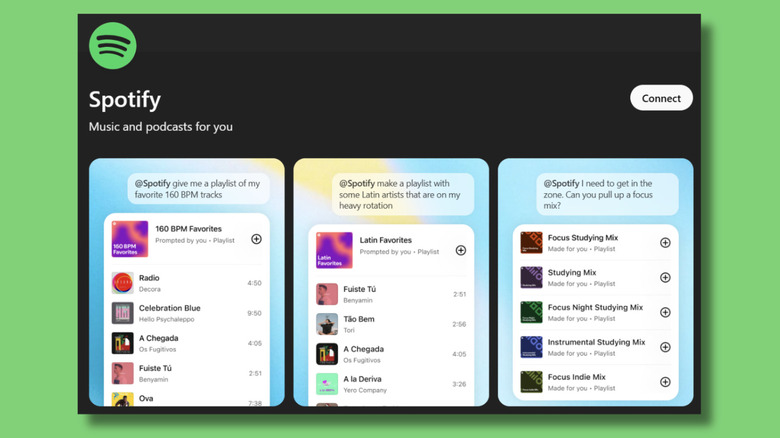
The Spotify app was the best of the bunch, but it's not without its limitations. First, let's look at what it does well. It turns out that chatting to ChatGPT is a good way to find podcasts you want to listen to. I've been relying on recommendations from it, with a sneaking suspicion that there's probably better stuff on there if only I could find it. I still had to go in and search for each podcast in Spotify and click Follow, so it didn't feel particularly integrated. I could have asked ChatGPT for recommendations without using the app, but this way, it could see what podcasts I've been listening to lately and base its recommendations on those.
If you want a more integrated Spotify experience with ChatGPT, then getting it to create music playlists is the way to go. I asked ChatGPT to create a "rainy day" playlist and it came up with an interesting selection of moody songs. I could then simply click on the link, and the playlist appeared in Spotify, ready to go. Unfortunately, although it works for broad requirements, the whole process comes unstuck if you want to make your criteria more specific.
The rainy day playlist wasn't my first attempt. Originally, I asked ChatGPT to create a Spotify playlist of lesser-known but critically acclaimed 1990s songs from UK artists, and it couldn't get the hang of it at all. It took six attempts, and it still didn't get it right. In the end, ChatGPT suggested that I manually create the playlist myself, or edit the latest version in Spotify to remove the songs that didn't fit the brief.
Canva
Like with Spotify, my first attempt at using Canva via ChatGPT ended in failure. I wasn't trying to break things, I thought of something that would be genuinely useful and set about trying to achieve it. I wanted it to replicate one of the designs I already have, keeping the layout and design but with different text. The annoying thing was, ChatGPT kept telling me it had done it, directing me to my Canva folders, and giving me links that didn't work or just contained the original design. In the end, it admitted it couldn't do what I wanted and told me to make the changes myself in Canva.
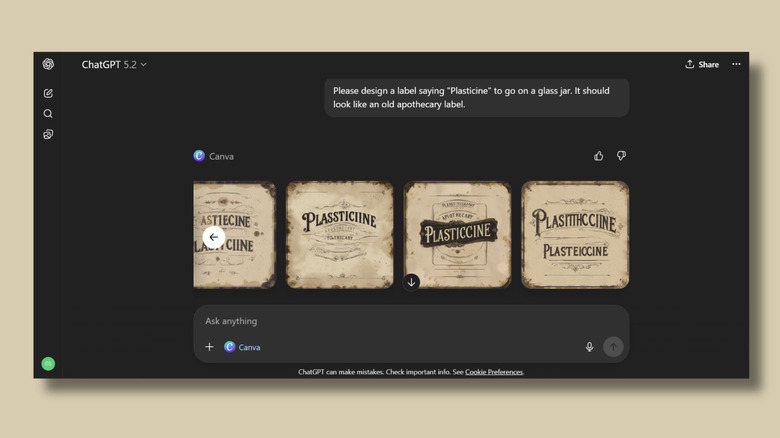
So I tried something more straightforward. I asked it to design a vintage-looking label for a jar of plasticine. Although it got the vibe right, it seemed to have forgotten how to spell. Come on, ChatGPT, this isn't early 2025 anymore, you stopped using made-up words like "Plasitthcciine" after the version 4o release of the image generator. I wasn't sure whether these images were being created by ChatGPT or Canva's AI, so I put the same prompt into each separately, and the spelling was fine. I was left with the impression that working together somehow made both image generators worse.
That being said, what exactly can you do with the ChatGPT-Canva combo that you can't do better using either app on its own? You can ask ChatGPT to create something like a flyer or an invitation and then open it directly in Canva. Things like headers, text, and background images are all saved as separate elements, so it's easy to edit the bits you need to directly in Canva. You'll almost certainly need to do this, because ChatGPT will likely mess it up.
Booking.com
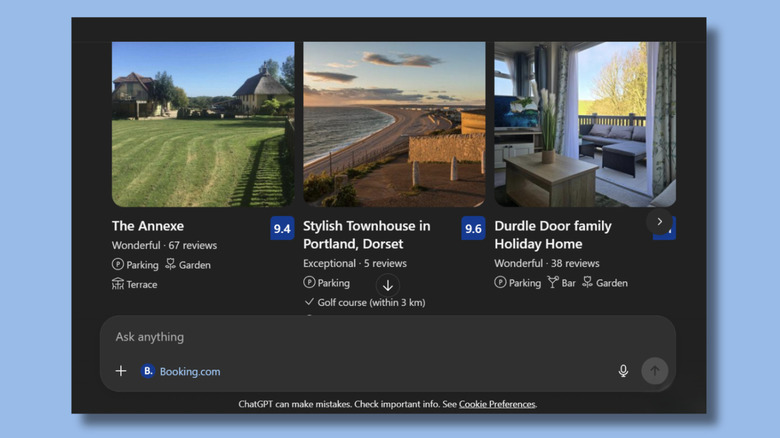
Using the integrated Booking.com app in ChatGPT was a lot messier than just using either application separately. I started with a real-world query. I want to book a week away this spring. If I go to the Booking.com website, I can find some suitable holiday rentals within a couple of minutes. The site lets you choose flexible dates, so you can just look for availability for a week any time in April, for example. I could select that I wanted it near a beach, that I wanted the entire property, and what my budget was. There's even a smart filter on Booking.com that ticks the AI box.
Alternatively, you can try to do this same process by installing the Booking.com app and talking to ChatGPT, which takes a lot longer and is way more confusing. Throughout my needlessly lengthy conversation with ChatGPT, it ignored previous instructions, suggested places that were unsuitable, gave incorrect information about property sizes, and told me that one place was booked up for the whole of April when the website showed that it was still available. It also wouldn't show me any photos, so I had to hop onto the Booking.com site anyway to see what the bedrooms looked like.
What ChatGPT is good for is the broader picture. Tell it, "I want these sorts of things from a holiday. Which destinations should I look at?" and it'll give you a good place to start. Of course, you can do that perfectly well without the app integration.
Gmail
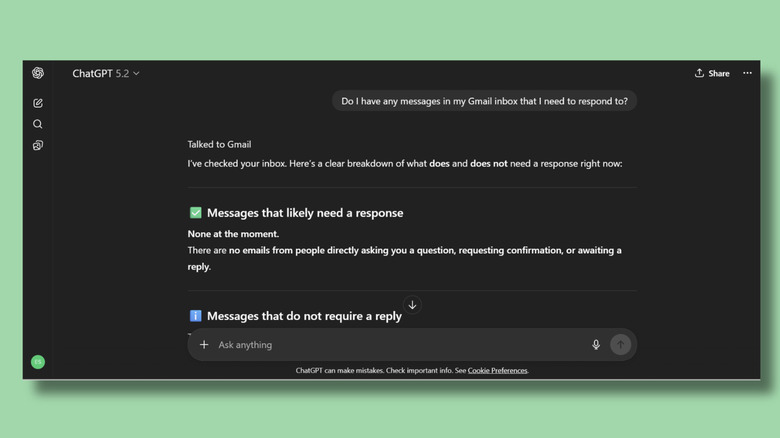
The Gmail app in ChatGPT can search your inbox and other folders and read any emails you've received and sent. It can also access your profile information. What it can't do is move things into other folders or send emails on your behalf. I was a bit disappointed about that, but given all the teething problems we've found in the other apps, it's probably for the best.
Unlike Canva or Spotify, where ChatGPT can create things you can open directly on the application, with Gmail, the communication is all one-way. Although ChatGPT can't really do anything with your emails, it can summarize them for you and help you draft replies, which you can then copy and paste into Gmail.
However, it wasn't able to read documents that were attached to emails when I asked it to. The thing is, if you're really keen to have a robot write your correspondence for you, that functionality already exists in Gmail, where you can ask Gemini to compose your email responses and then stick the text straight in.
The app felt a bit basic, but I did find it quite useful for asking ChatGPT for tips on organizing and tidying up my overly full inbox – although I had to carry out all the recommendations manually in Gmail itself. While I could have done this without the Gmail app integration, having it there meant I could reference specific emails, senders, and folders.
Coursera
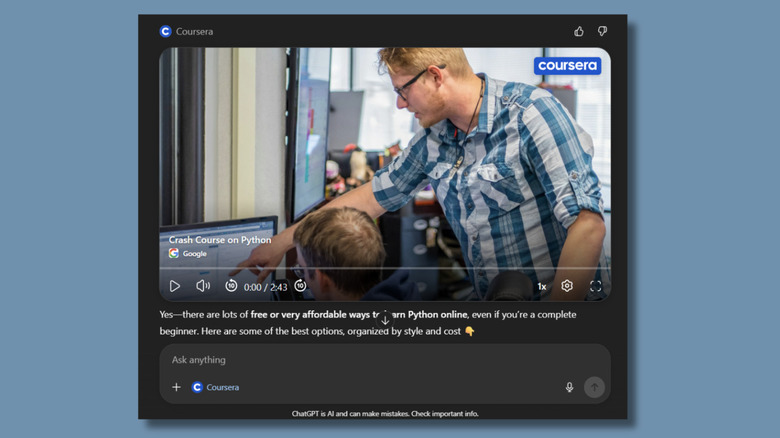
The Coursera app integration is an excellent example of why a company would be keen to get its app working alongside ChatGPT. When you're connected to the Coursera app in a ChatGPT conversation, you can ask about beginner-level Python training, and it'll give you a link to a course that matches your requirements.
So, it's very tempting just to click it and enroll. It certainly saves a lot of time. This is all very beneficial to Coursera, as people are more likely to hand their money over to them than competing educational institutions or online course providers.
The advantages to the end user are less clear. I could have simply gone to Coursera's website and searched for Python courses. To be honest, by this stage, I was quite disheartened by the whole ChatGPT app experiment. I don't dislike ChatGPT, and I wasn't expecting to find using its apps as annoying as I did. In Coursera's case, it just felt like I was volunteering for direct marketing.
To OpenAI's credit, when I started a new conversation with ChatGPT that wasn't connected to the Coursera app and asked about game design courses, it didn't favor Coursera over other training providers in its response. So getting your app included on the Apps board doesn't seem to get you preferential treatment in general chats. However, there has been plenty of speculation about whether OpenAI will start including advertisements or promoted links in its responses. It certainly has the technology to make that possible, and some of the apps I tested felt like this might be the first step in that direction.
How these apps were tested

I connected to and tried several of the apps from ChatGPT's App list. In addition to the five above, I also tinkered with others. Zillow and TripAdvisor provided results and frustrations similar to those of Booking.com. I couldn't get Outlook to work at all. I have a ChatGPT Plus account, which I used here, but a paid subscription isn't necessary.
I should be clear that I wasn't getting the full experience of using these apps because I have all the Memory settings turned off on my ChatGPT account. This means that ChatGPT doesn't save or reference any previous conversations. I also don't have any information about myself in the personalization settings. If you have these things switched on, then ChatGPT can use what it knows about you to tailor recommendations about things like courses and holidays.
My testing consisted of around three — often lengthy — conversations with ChatGPT for each app, in which I tried to achieve specific outcomes. Due to the limited nature of the process, the results are naturally subjective, and your experience might be quite different.
The guidelines for developers planning to submit a ChatGPT app state that it should "provide functionality or workflows that are not natively supported by ChatGPT's core conversational capabilities, and that meaningfully help satisfy common user intents expressed in conversation." This is the criteria against which I tested the apps, and many of the existing apps available for ChatGPT integration, in my experience, weren't actually providing much meaningful help.