

3 Popular Apps You Still Can't Use With Apple CarPlay
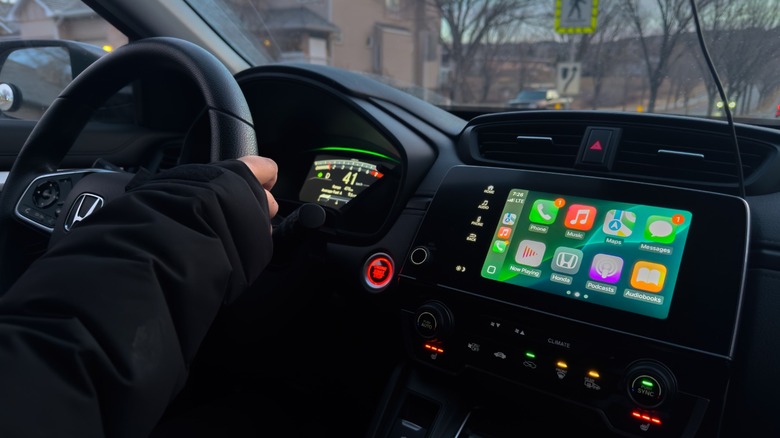
Modern infotainment systems in cars cover all the essentials, ranging from navigation to music control. However, the consensus among car owners hasn't changed much — many people still find the built-in infotainment systems to be underwhelming or downright frustrating to use. Luckily, you're already carrying a much better solution in your pocket — your iPhone. CarPlay is a feature that lets you mirror your iPhone to your car's display, allowing you to use all of its smart features.
Compatibility is wide, but you can also add CarPlay to any car by installing a new stereo and screen. Some of CarPlay's best features include better navigation with Apple Maps, smoother music control with services like Spotify and Apple Music, and the ability to make or answer phone calls without fiddling around with your iPhone. CarPlay also works with Siri voice control, keeping you from losing your focus while driving.
If that weren't enough, you can add third-party apps to CarPlay — after all, not everyone uses the default services that Apple provides. There are essential CarPlay apps like Spotify, Audible, and Waze that can be added to your car. The selection of apps compatible with CarPlay is decent, but there are a few notable omissions that we would love to see eventually pop up in a car environment — here are a couple of them.
YouTube
YouTube is the second most-visited website globally, behind only Google Search. It's been installed billions of times on both Android and iOS devices, and chances are that you have the app pinned on the first few pages of your iPhone's home screen. Yet, there's no official YouTube app for CarPlay. This makes sense because having a video being played while you're driving is a terrible idea — but that's not the only time you might be seated in your car. Tesla has this figured out and allows users to watch YouTube videos only when the car is parked.
YouTube isn't the only video streaming platform that's missing on CarPlay — it'd be nice to have Netflix, Amazon Prime, or other services available on the infotainment screen as well. Being able to catch up on your favorite sitcom while you're waiting for your friends to hop in the car is a fair ask. Watching YouTube on CarPlay is still achievable if you're willing to jump through a few hoops.
iOS 26 introduced a new feature to its CarPlay suite that lets you stream videos from your iPhone to your car's display via AirPlay. However, support for this feature can only be unlocked if individual automakers enable it and push it via an update to their cars.
GasBuddy
One of the best iPhone apps for saving money on gas is GasBuddy. It has amassed close to 450,000 reviews and a 4.7-star rating on the App Store — saving users over $3 billion since its inception. If you've never used the service before, GasBuddy uses your phone's GPS to search for nearby gas stations and sorts them by distance or price. This lets you make an informed decision if you're looking to save some money on gas.
It's a community-driven service, meaning the app relies on real-time information shared by other GasBuddy users. You can scan receipts or find deals daily to unlock rewards within the app. Users with the GasBuddy+ card get discounted prices at select gas stations, which the app highlights during your search. You can also plan trips using the app and get accurate cost breakdowns, including the amount of gas that needs to be pumped in.
The smartphone app already makes it easy to find cheap gas prices on the go, but built-in CarPlay integration would make it so you don't need to pull over and look for nearby gas stations on your phone. Users have been asking for CarPlay compatibility for GasBuddy for years now, and although alternatives exist, they lack the discount benefits that GasBuddy already offers.
Discord
Discord is one of those apps that you either have never used before, or one that's single-handedly holding all of your online community chats together. You can create servers, start private conversations with people, initiate voice or video calls, or even share your entire screen on Discord. There are other Discord features you're missing out on as well, but alas, the lack of CarPlay integration means you're locked out of Discord while driving.
Discord actually does feature support for Android Auto, though it's pretty barebones. You're only notified of messages that you receive during your ride session. That way, you're not tempted to scroll through the chat or get distracted by the dozen other things the Discord app on your phone throws in your face. Adding support for placing or answering voice calls via Discord on CarPlay could keep you from missing conversations with your friends. You can already use iMessage on CarPlay, so being able to reply to incoming texts on Discord via voice commands could come in handy too.