

5 Of The Best Cheap Laptops That Are Worth Buying
We may receive a commission on purchases made from links.
When shopping for a laptop, most people want the most bang for their buck. However, chasing that goldilocks zone can be a headache. After hours of squinting at the fine print on spec sheets and comparing different deals, it's tempting to throw up your hands. The goal is to find something that will last without emptying your wallet, but everything has tradeoffs. Should you compromise on the display? The battery? The processor? Choose wrong, and you may find yourself wishing you had spent more.
To make things easier, we dove deep into the vast selection of laptops on offer. As it turns out, a smaller budget can still get you a whole lot of computer if you know where to look. After covering laptops for years, I'm still surprised by just how much the low end of the market is catching up to the middle of the pack. We found five laptops in particular that we can confidently suggest to those hoping to minimize spending on a new clamshell.
With that said, a cheap laptop is not the same thing as a cheap bag of groceries; it's going to be relatively expensive even on the budget end. With some of the most premium laptops reaching multiple thousands of dollars these days, we consider any laptop under $1,000 to be cheap for the purposes of this article. We've aimed to keep things as far under that mark as possible, though. Keep in mind, as well, that the prices listed are from the time of writing and may fluctuate over time. Now, let's take a look at some of the cheap laptops we recommend.
Apple M4 MacBook Air 13 (2025) — $999
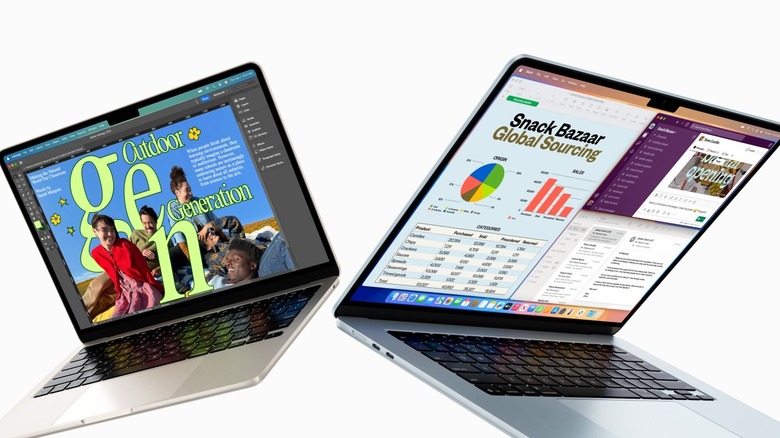
Apple's M-series processors have proven to be one of the biggest tech coups in recent history. When the company shifted away from Intel processors in favor of ARM chips it designs in-house, it proved that its already premium laptops could be lighter, faster, and last longer on a charge than the competition. Moreover, the days when buying an entry-level MacBook meant dealing with a crummy, low-end chip are over. For $999, the base model M4 MacBook Air is one of the best laptop deals on the market.
In 2025, Apple doubled the RAM on the base model MacBook Air to 16 GB in order to accommodate Apple Intelligence, which might be the best thing about Apple's AI. You'll have to settle for 256 GB of storage, which is a bit frustrating given how cheap flash storage is these days. If you can handle those limitations, though, you'll be hard-pressed to find a better laptop under the $1,000 mark, especially given how well the M4 chip performs.
SlashGear's MacBook Air review found a lot to love in this thin-and-light device, including its solid construction, fantastic battery life, an upgraded webcam, and the great trackpad and keyboard MacBooks are known for. Along with a vibrant, sharp display, it all added up to a review score of 9/10. Although Apple itself doesn't tend to have sales, those in the market for a MacBook Air should keep an eye out for deals elsewhere. We recently saw Amazon put the 512 GB model on sale for $999 while the 256 GB model was reduced to $899.
Samsung Galaxy Book5 15.5 — $999
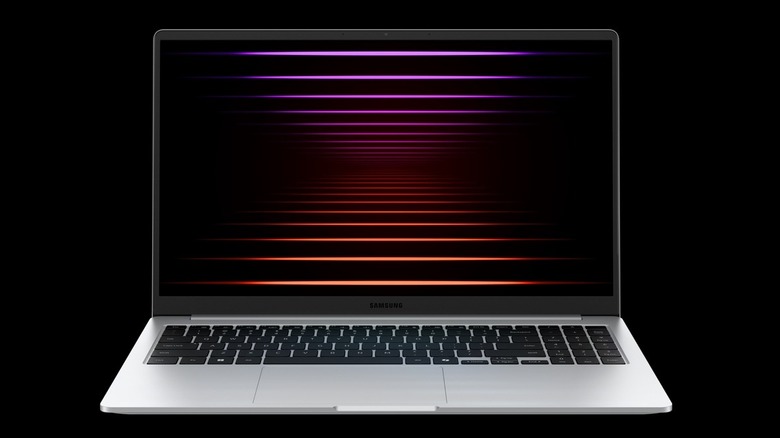
If you're looking for an affordable laptop with a big screen and beefy specs, you might find yourself staring at an array of creaky, plastic laptops that don't exactly inspire confidence. For something a bit more sturdy with an aluminum case, Samsung has you covered. The base model Samsung Galaxy Book5, which is priced at $999 on the brand's website, offers reasonable specs at its sub-$1,000 price point.
The Galaxy Book5 runs Windows 11 on an Intel Core Ultra 7 (Series 2) processor and comes with 16 GB of RAM and 512 GB of storage. It may not come with a discrete GPU for gaming, but it's certainly got plenty of power for general work and school tasks. It has a robust selection of ports, including a 3.5mm headphone jack, HDMI output, and Ethernet, which makes it easy to use with a USB dock and external display. Thanks to the company's product ecosystem, those who already own other Samsung devices may find even more to enjoy: If you use a Samsung Galaxy phone or tablet, you'll also be able to pair it with the Galaxy Book5 to enable features like app continuity between devices.
Reviews for the Book5 have been solid, with Consumer Reports noting that it works great for everyday tasks, though it may not wow anyone with performance. That review also found the Galaxy Book5 to have admirable battery life of 14.75 hours for web browsing and 12.25 hours for 4K video playback. Speaking of which, the anti-glare, IPS display sports a 1920 x 1080 panel with Samsung's anti-glare coating.
ASUS Zenbook A14 (Snapdragon X Plus) — $899
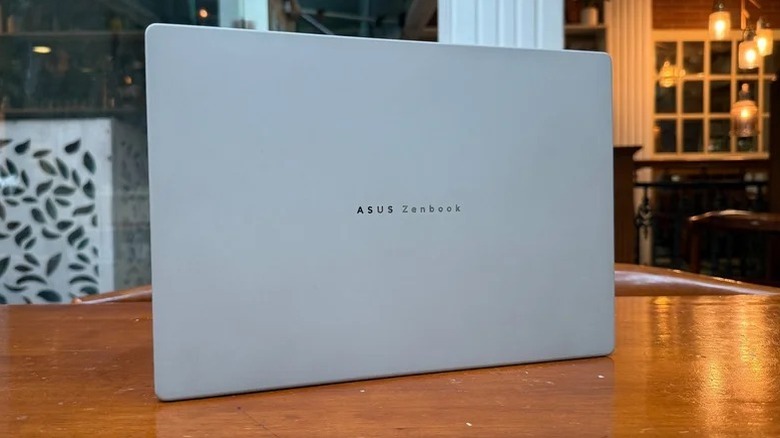
If you're looking for a real rival to the MacBook Air in a Windows machine, ASUS has a competitor in the Zenbook A14. At $899, I'd personally take this laptop over the Galaxy Book5 listed above, but there's a big catch for some users. This A14 runs on a Snapdragon X Plus processor, which is an ARM chip rather than an x86 chip of the kind made by Intel and AMD. That enables fantastic battery life (over 14 hours in our test) and a sleek, light design. However, it also means you could run into app compatibility issues with certain software. Before you spring for this computer, double check that all your usual software runs on ARM.
With that out of the way, the A14 is a shockingly great computer for its price. That Snapdragon processor is no slouch, and with 16 GB of RAM, it packs plenty of performance for daily work or school tasks. I/O includes two blazing fast USB4 ports, a USB 3.2 Gen 2 Type-A port, HDMI, and a headphone jack. An OLED display — difficult to find at this price — provides a superior experience for media consumption. Netflix and YouTube will pop on its 1920 x 1200 resolution. The laptop earned an 8/10 in SlashGear's Zenbook A14 review, where we noted that the display is a massive advantage over the MacBook Air.
The A14 also competes with the Air on design. It uses a metal alloy of ASUS' own invention. The company claims it has military-grade drop protection, but we didn't put that to the test for obvious reasons. With that said, our reviewer loved how the matte metal felt in the hand.
Acer Aspire Go 15 - $330
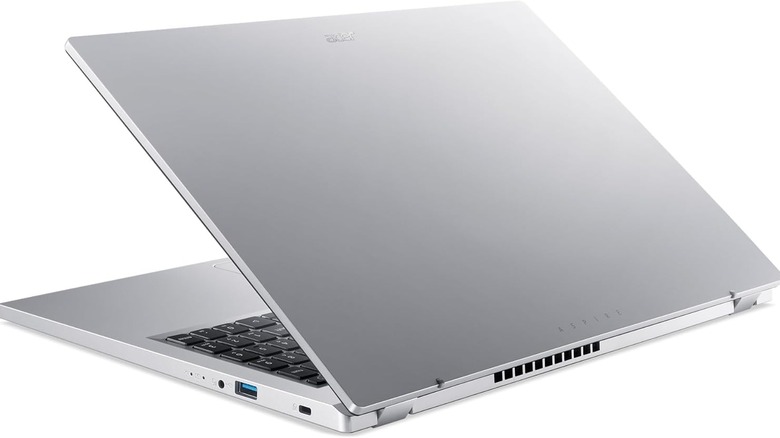
The Acer Aspire Go 15 is a solid contender for the title of "the most laptop you can get under $400." Powered by a slightly above average AMD Ryzen 3 7320U processor and 8 GB of RAM, the biggest weakness here is the paltry 128 GB of storage. Above the full-size keyboard is a large, 15.6" IPS display with a 1080p resolution. A robust port selection rounds out the package, with two USB 3.2 Gen 2x2 Type-C ports (in plain English, they're quite fast), two USB 3.2 Gen 1 Type-A ports (not as fast but still decent), an HDMI port, and a 3.5mm headphone jack. It's a utilitarian configuration that cuts away luxury frills for a low price of $330.
The Aspire Go 15 has received respectable (if measured) reviews, reflecting its reasonable performance for its price. Highlights mentioned include its attractive design, above average keyboard, and the fact that it can handle a normal workload at this price point without struggling too much. Battery life reviews were mixed, with some more impressed than others.
Ultimately, if you can't find a better laptop on sale (which you should try to do if you don't need to buy immediately — not because this one is bad but because much better ones go on sale quite often), the Acer Aspire Go 15 is a great option for the price. It's perfect for office and school work, as well as other everyday tasks.
Lenovo IdeaPad Slim 3 Chromebook
Windows might be the de-facto operating system for laptops, but it's a headache to deal with. If you don't play video games and don't need specialized software like Microsoft Office, there's no reason to deal with the endless updates, pop-ups, system bloat, and other irritating aspects of a Windows PC. For anyone who rarely ventures away from the web browser, Chromebooks have a lot going for them.
They're cheap, for starters. ChromeOS is very lightweight, so it doesn't need expensive components to run well. It's also more secure than Windows, not only because Google has done a commendable job with ChromeOS' security architecture but also because nobody bothers to make malware for it. On the off chance something does go wrong, its reliance on web apps and cloud storage means you can easily reset the computer without losing almost any data. Plus, Chromebooks are incredibly easy to use, making them a great choice for non-techy folks.
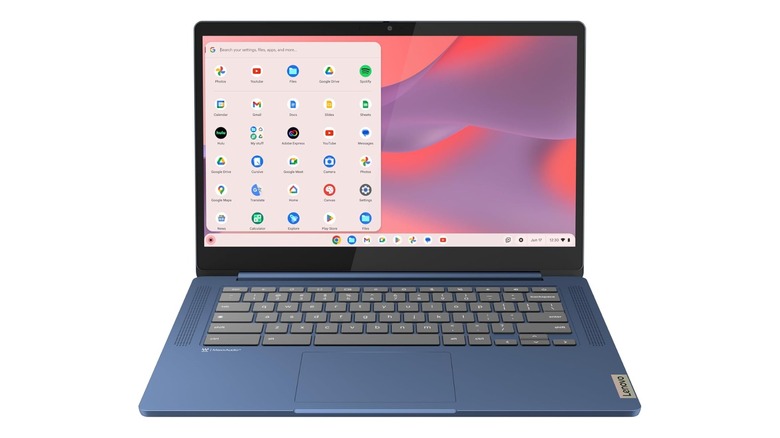
All of those factors are why it's easy to recommend the Lenovo IdeaPad Slim 3 Chromebook, a dirt-cheap option that covers the basics. Consistently found for under $200, this laptop impressed reviewers with great battery life and decent performance for the price. Its economical MediaTek Kompanio 520 processor and 4GB of RAM are best suited for single tasks, and although the 64 GB of storage may sting, the 1080p touchscreen should balm it over. This is a computer for those who want to get online, check their email and social media, stream video, or peck out a bit of work in Google Docs. It's also a great choice for kids who need Chromebook apps for school, or for people who generally find computers frustratingly complicated.
How we evaluated these cheap laptops

In accordance with SlashGear's rigorous editorial policies, all of the products highlighted in this roundup were selected based on multiple evaluation criteria. As mentioned, all offerings had to be priced under $1,000 to be included in this list. In addition to the price, we also weighed various factors like storage space, input capabilities, and processing speed. For those we did not have the opportunity to test or review in-house, a cross-sampling of professional reviews were referenced.