

10 Of The Best Laptops For Working From Home You Can Buy In 2026

We may receive a commission on purchases made from links.
People who dedicatedly work from home or have a hybrid structure set in place need a good laptop or desktop setup to stay as productive as they can be. Most people opt for the former, preferring a system that can be carried around and doesn't take up too much space in their home. Setting up a PC at home does have its perks — it's cheaper, has more longevity, and can be upgraded on the fly — but not everyone has the space or time to set it up. More often than not, people prefer a laptop that just works right out of the box.
2026 may not be the best time to purchase a laptop or computer, what with the era of affordable high-RAM laptops coming to an end. Chances are that things may get even worse price-wise as the AI industry causes an even greater shortage of PC components. If you need a good laptop to let you work from home smoothly without any distractions, these well-reviewed devices should be more than up to the task.
Apple MacBook Air (M5)

Equipped with the new M5 chip, the Apple MacBook Air is a popular option that any working professional can opt for. It's more expensive than the M4 lineup, with the base model retailing for $50 more at $1,149. As one would expect from a MacBook, the build quality is pretty good. The aluminum case both protects the laptop and serves as a novel way to dissipate heat. Since the laptop operates without a fan, you can expect it to be silent as you get through your workday. Its sleek design and snappy performance mean that anyone in the Apple ecosystem will find this — or any other laptop from the MacBook lineup, to be fair — to be a fitting purchase.
However, for people who prefer the freedom afforded by other operating systems like Windows and Linux, the MacBook Air is a harder sell, albeit not by much. It's a future-proof device that will last you for a long time and might just convince you to take the first step into the Apple ecosystem. Tom's Hardware praised the solid battery life, with the MacBook Air lasting for more than 15 hours in its tests. Another thing to note is that Apple has scrapped the 256GB models, with 512GB becoming the new baseline at its increased price. Given that the MacBook Air is expected to last for five to seven years with proper macOS support, this is a long-term investment for most working professionals.
Lenovo Yoga 7i 2-in-1
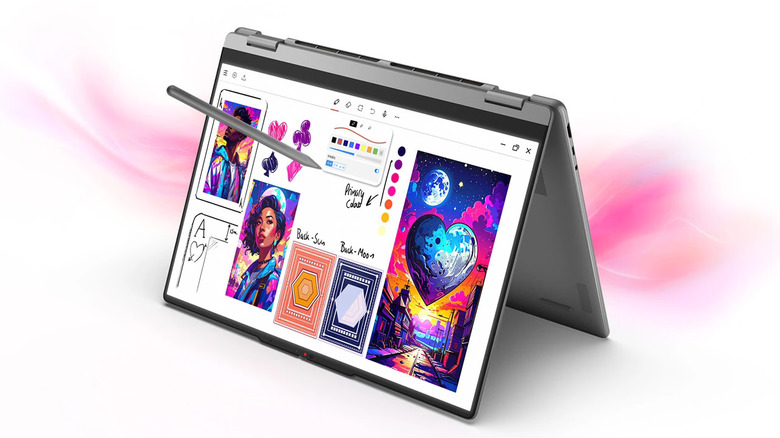
People who want a hybrid laptop-tablet for their work and entertainment purposes can check out the Lenovo Yoga 7i 2-in-1 laptop. Its design leverages its thin aluminum build, making it malleable enough for it to fold entirely across its hinge and take on whatever shape you want on a 360-degree axis. The 16-inch OLED display looks great, but there's a catch — multiple reviewers found its brightness to be a bit lacking. UltrabookReview noted that the display had a bit of a glossy finish as well. Thankfully, the form factor of the laptop is novel enough for most people to overlook this flaw.
It helps that the rest of the package is solid. People who don't want to be tethered to a charger when working will appreciate its 70Wh battery, lasting for almost 15 hours in CNET's streaming tests. The keyboard boasts a lot of real estate, and the inclusion of a numpad — something very unusual across most laptops — is neat. UltrabookReview did find the fans to be a bit loud when the laptop was plugged in, so keep that in mind if you prefer as little noise as possible when working.
HP EliteBook Ultra G1i
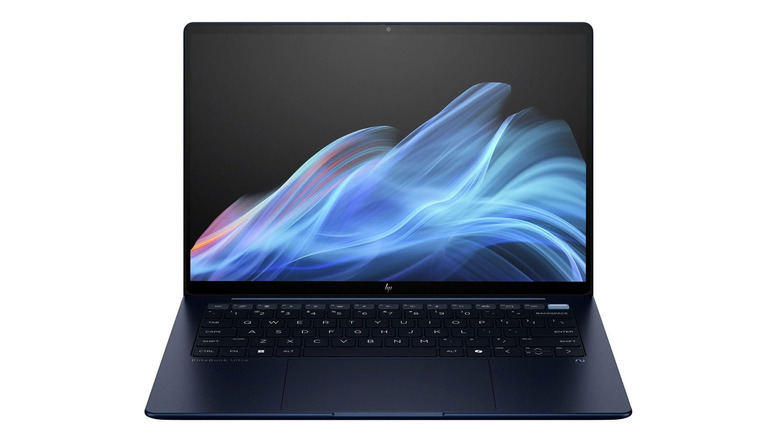
For $1,793.15 at time of writing, there's no denying that the HP EliteBook Ultra G1i is an expensive laptop. With an Intel Core Ultra 7 processor and 32GB RAM, this machine can multitask efficiently and deliver the swift performance you need to get through your workday splendidly. PCMag tested the device's battery life, which lasted for almost 17 hours. Suffice it to say, it'll have enough juice to get through a 9-to-5 and then some. With a weight of just 2.63 pounds and a thickness of just under half an inch, this sleek, ultraportable laptop is likely to be an excellent business accompaniment to take with you wherever you go.
The 14-inch 2.8K OLED screen won over multiple reviewers, who loved its 120Hz refresh rate, colorful display, and VRR support. The 9MP camera uses a shutter to maintain privacy while ensuring that your webcam footage looks good. As great as this laptop seems, it does have some puzzling exclusions. For starters, it lacks any HDMI or LAN port. You'll need a docking station for both, although you can use a DisplayPort connection to use a second screen. While 32GB of RAM is sufficient for most, we would've appreciated an option to upgrade. Perhaps this is for the best — TechRadar noted that the screws of the laptop's case were a bit annoying to open.
Dell 16 Premium
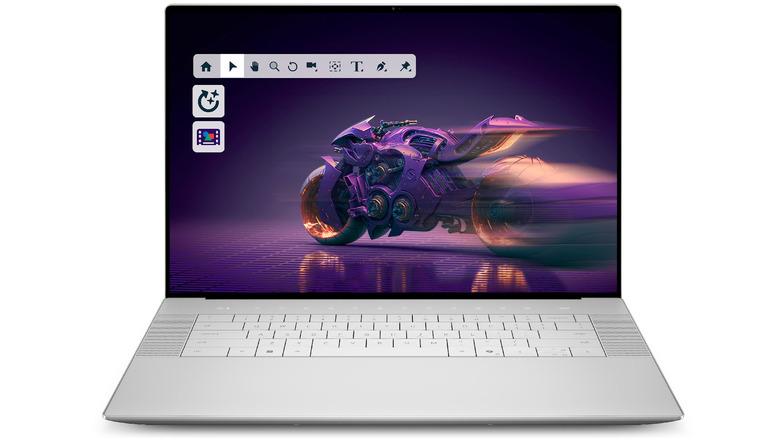
Speaking of expensive laptops, the $3,099.99 Dell 16 Premium is out of most people's budgets. While the Intel Core Ultra 9 285H, 32GB RAM, and a 1 TB SSD might somewhat justify this high price point, all of it becomes harder to stomach once you see that this laptop comes with an NVIDIA RTX 5060 rated for 60 watts. Anyone seeking out a work-from-home machine that can double as a gaming device will find this setup to be a bit underwhelming. That being said, the 16.3-inch AMOLED 4K screen looks gorgeous enough for reviewers to be swayed by this machine. Couple this with a sleek build that makes this look like a textbook Air alternative with Windows running on it, and it's easy to see why a working professional will get a ton of mileage out of this laptop.
For all its strengths, reviewers did point out some issues regarding this laptop. The lattice keyboard and seamless touchpad design look very modern at first, but they come with their fair share of issues. Some people will find it hard to get used to typing on a keyboard with no gaps between the keys. Meanwhile, the touchpad is so minimalistic that your fingers will just glide off the surface without you even realizing it. The lack of ports isn't all that great either — the Dell 16 Premium comes with only three upgradeable USB-C ports, a 3.5mm jack, and a microSD card reader. Finally, the battery life also didn't wow critics, with the laptop lasting for just under seven hours in Trusted Reviews' tests.
Apple MacBook Pro (M5)
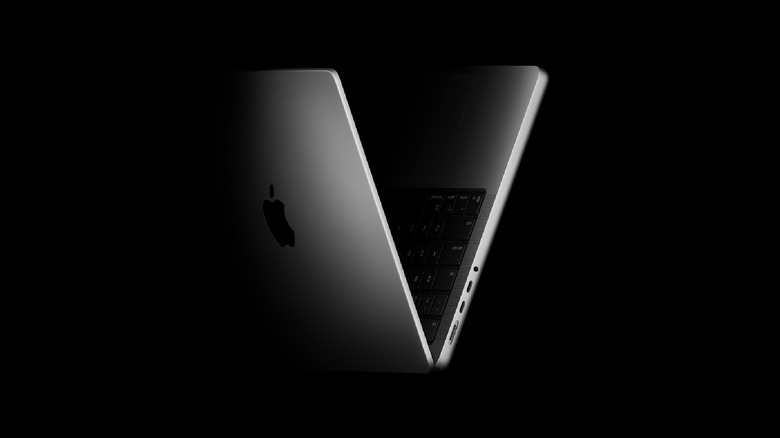
As beautiful a system as the MacBook Air may be, some Apple fans might prefer a system that is a behemoth in terms of specs. The M5-chip Apple MacBook Pro certainly fits the bill here. While an M6 variant was announced in late October 2026, people who don't want to pay full price on this device can choose to shell out $1,849 for its previous iteration instead. Performance is bound to be snappy, with the M5 chip wowing numerous reviewers in their tests. You'll need to make your peace with the 16GB RAM and 1TB SSD that come with this model, since these components can't be upgraded. Thankfully, given how impressed Tom's Hardware was with the SSD's improved read speeds, this may not be a major cause for concern.
Another thing worth noting in the MacBook Pro — given how critics have raved about it — is the nano-texture screen option, which helps this laptop's display look even better than before. You'll have to shell out an additional $150 for it, but the upgrade will be a worthwhile one, especially if you work in well-lit environments and don't want any glare on your screen. The battery life is also incredible, with the laptop chugging along for more than 27 hours in PCMag's tests. Forget all-day battery life — you can technically take this laptop to the office for three days and get all your work done before finally having to plug it in.
Lenovo ThinkPad X9 15 Aura Edition
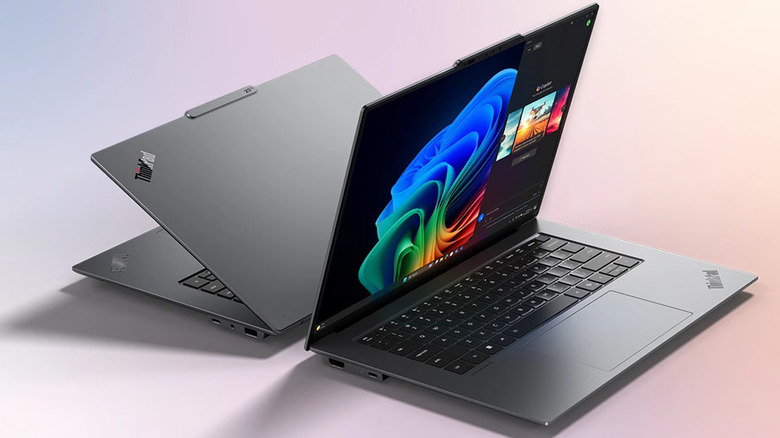
Whether the $1,869.99 Lenovo ThinkPad X9 15 Aura Edition is a worthwhile proposition for you or not depends on your needs. Do you want a laptop with decent upgrade potential? Well, you can only change the SSD of the ThinkPad X9, so you're out of luck in that department. Do you enjoy using Lenovo laptops because of the convenient TrackPoint placed at the center? It's not a part of this laptop, so either get used to the touchpad or attach a mouse to this device if you want precise pointer input. Prefer a laptop loaded with multiple I/O ports? The X9 only has two Thunderbolt 4 USB-C ports, one USB-A port, a 3.5-millimeter jack, and a slot to facilitate an HDMI 2.1 connection. This is good enough for most people, although the lack of a LAN port and an additional USB-A connection could be a problem for some.
Look past these issues, and the ThinkPad X9 15 Aura Edition is a very competent laptop. The aluminum body is thin and looks like it has done its best MacBook Air impression, the 2.8K OLED touchscreen looks so gorgeous that reviewers couldn't stop themselves from talking at length about it, and the Intel Core Ultra 7 does a lot of the heavy lifting to unlock snappy levels of performance. The 8MP webcam is great for work calls, and critics also praised the great performance of both the keyboard and the haptic touchpad. The cherry on top of this premium package is an 80Wh battery, lasting for 21 hours in PCMag's tests.
LG gram Pro 2-in-1 16

If the 360-degree hinge of the Lenovo Yoga 7i appealed to you, then the LG gram Pro 2-in-1 16 is another laptop-tablet hybrid that could be a good fit for you. It comes from one of the best major laptop brands on the market. The first thing you'll notice is a massive 16-inch touchscreen OLED with a 2,880x1,800 resolution that multiple reviewers highlighted for its vivid screen output. As an added bonus, this laptop comes with a stylus to make this device easier to use in tablet mode. The magnesium chassis feels premium and helps this device attain a thinness of just half an inch. For a hybrid device, the battery life impressed multiple critics, including Laptop Mag, who saw this device run for 11 hours in their tests. They didn't extend this praise to the touchpad, however, which lacked the feedback they desired when clicking on it.
At just over three pounds, it's one of the lightest work-from-home laptops you can get. It's also really expensive, as one would expect from a 2-in-1 laptop. A dedicated GPU would've been a welcome inclusion, but any working professional who won't be playing heavy-duty games won't mind the integrated GPU. To facilitate this new design, the port selection is also limited. People who pay an eye-watering $2,029 for this laptop would ideally prefer a wider array, since the laptop only has two Thunderbolt 4 USB-C ports, a 1st-Gen USB Type-A 3.2 port, a 3.5-millimeter audio jack, and a microSD slot. There's no HDMI or LAN port to speak of here.
Microsoft Surface Laptop (7th Edition)
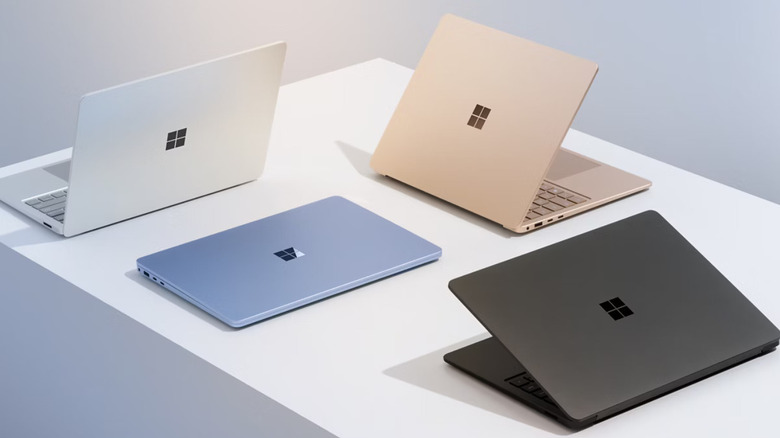
Another laptop with a touchscreen — this time, in the form of a 13.8-inch IPS display with a resolution of 2,304x1,536 and a 120Hz refresh rate — that is worth considering is the 7th Edition Microsoft Surface Laptop. We rated it as the best Windows on ARM laptop you can buy in 2026. Most people may find it odd that this laptop uses a Snapdragon X Elite processor instead of an Intel or AMD one, but don't fret — most reviewers found the CPU to boast an impressive level of performance, which is perfect for working professionals who don't want to deal with any lag or stutters during their work. Once again, this laptop comes without an Ethernet or HDMI port, so you'll need additional adapters to facilitate these connections.
Battery life impressed reviewers, with the laptop running for almost 19 hours in Windows Central's tests. CNET especially loved the haptic touchpad, which managed to be responsive no matter where you clicked on it. However, one thing to note about this laptop is the screen. Not only does the Microsoft Surface Laptop ship without an OLED option, but it also lacks an anti-reflective coating. Choose the best possible model with 32GB RAM, and the cost will also double to $2,199, which isn't feasible for most users.
Acer Swift Go 14
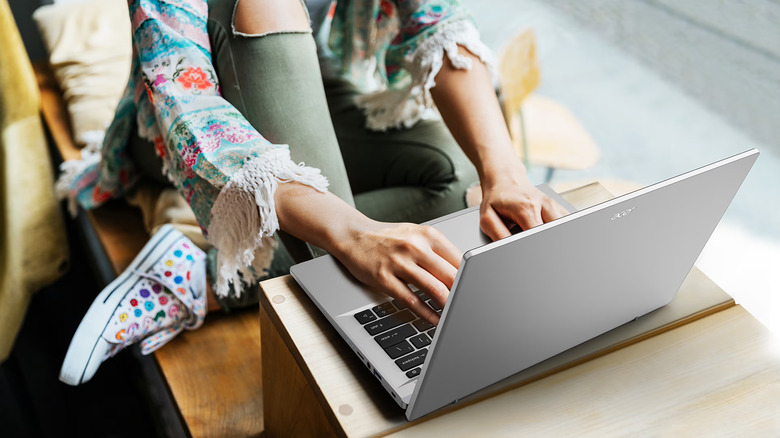
As brilliant as all the laptops we've mentioned before are for work-from-home purposes, people with stringent budgets will find pretty much every option to be a no-go. For people who don't mind a slightly thick laptop that lacks a touchscreen, the Acer Swift Go 14 is a very good option. The fact that this device packs a 2.8K OLED screen at a competitive $759.99 price point is genuinely impressive, to the point where most reviewers couldn't help but mention how vibrant and sharp the display is. Performance is another area where critics felt this laptop punched above its weight, with the Intel Core Ultra 5 doing a great job. Reviewers were also impressed by a great selection of I/O ports, including two 1st-Gen USB 3.2 Type-A ports, two Thunderbolt 4 USB Type-C ports, a slot for an HDMI 2.1 connection, a microSD card reader, and a 3.5-millimeter audio jack.
At this point, you may be asking — where does this laptop cut corners to fit into the budget-friendly segment? Well, for starters, the display isn't glare-free, and PCMag wasn't a huge fan of both the convex keyboard design and the small trackpad. Meanwhile, Laptop Mag had two major issues with this laptop. They weren't huge fans of the laptop's battery life, which ran for just over eight hours before it needed to be plugged in. People who care about their laptop's thermals will be worried that this reviewer mentioned how this laptop's underside could get really hot over time. Still, for minimalists, we find this to be one of the best laptops you can get in 2026.
Acer Chromebook Plus Spin 714
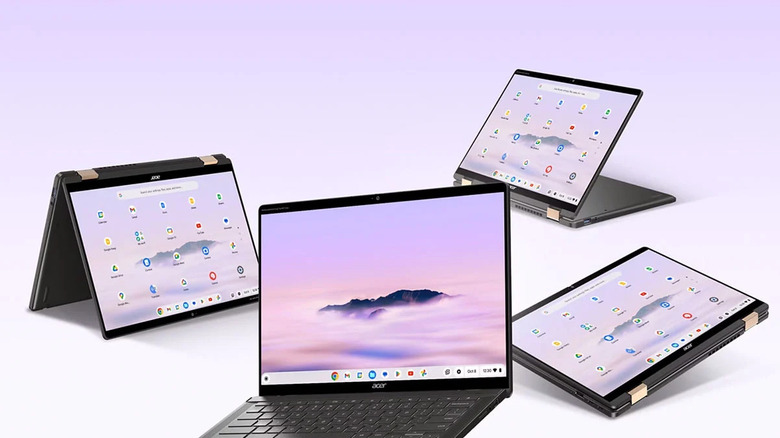
For the ultimate budget-friendly laptop that's perfect for people whose work isn't too intensive, the Acer Chromebook Plus Spin 714 is a good option. At $669, it's certainly more expensive than the average Chromebook, but the Plus Spin 714 does a lot to justify this price tag. The 14" 16:10 WUXGA IPS touchscreen projects a resolution of 1,920x1,200. The 2-in-1 design we've harped about before is present here, letting you use this device like both a laptop and tablet. This Chromebook also has an ultra-long battery life, lasting for almost 15 hours in PCMag's tests. TechRadar also mentioned that the device's hinge is competently made, which is important since you'll likely be switching between laptop and tablet mode multiple times while using this device.
The Intel Core Ultra 5 unlocks a level of performance that impressed multiple critics and is perfect for professionals working from home. Keep in mind that ChromeOS is nowhere near as versatile as Windows, so you should check out another option if your work involves a lot of third-party software that isn't necessarily supported by this operating system. The laptop doesn't have a fingerprint scanner, and multiple critics noted that the speaker system is subpar at best. Additionally, if you prefer using a hybrid laptop-tablet with a stylus, then you'll need to source one to use separately with this device.
Methodology

All the laptops mentioned in this list are suited for working professionals and encompass multiple budget ranges. Depending on your preference, a varied selection of operating systems (Windows, macOS, and ChromeOS) has also been chosen to cater to your requirements. Finally, to ensure that only high-quality laptops are recommended, we've only chosen laptops with positive review scores — such as 4 out of 5, 8 out of 10, or 80 out of 100 and higher — from numerous reputed publications. These outlets include PCMag, TechRadar, Laptop Mag, Trusted Reviews, CNET, Android Central, PCWorld, Tom's Hardware, Stuff, SMBtech, UltrabookReview.com, Notebookcheck, Windows Central, ITPro, The Guardian, Neowin, and LB Tech Reviews.