

5 Of The Best Apple HomeView Alternatives That Cost Way Less
We may receive a commission on purchases made from links.
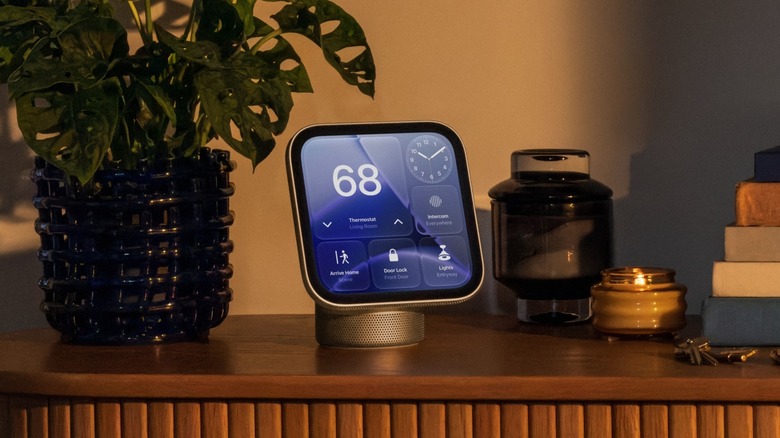
Apple finally launched a smart display of its own, and it calls it the HomeView. It goes on sale on November 13 for $299. The device gets a 7-inch Liquid Retina display, not OLED. It gets as bright as 500 nits, which would give you clear visuals inside a sunny or well-lit kitchen, and it dims to 0.3 nits for a dark bedroom. Powering the HomeView is Apple's A18 chip, plus its speaker base gets a woofer for deeper bass.
HomeView can recognize up to six people by their face. When you walk up to it, it automatically switches from the shared family screen to your own, with your apps and widgets, like your calendar or messages. Similarly, when someone else walks up, they see theirs. Notably, private things only show up when it knows your face and your iPhone or iPad is nearby and unlocked. That is plenty of tech for smart home management, but $299 is still a lot of money for a countertop.
That is not a new story since prices are soaring across Apple's line. The new HomePod Mini 2 costs $149, up from $99 for the original. But you don't have to shell out that much money for a smart speaker with a display. You can put your old Amazon Echo to good use, and even do a lot with your old HomePod, if you own one. And if you don't, here are five of the best Apple HomeView alternatives that cost way less.
Apple HomePod Mini 2
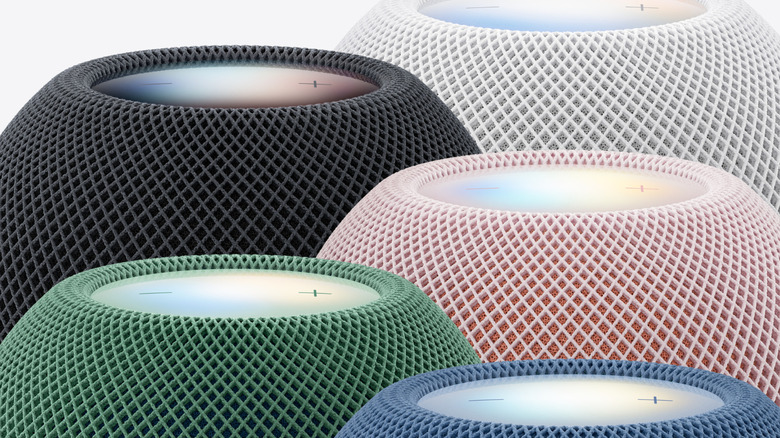
If you are in the Apple ecosystem and want to get another Apple device but don't want to pay the HomeView price, there is a cheaper option available. The HomePod Mini 2 costs $149 and will be available, starting on October 30, in five colors: pink, green, blue, white, and midnight. Although it gets a step up in price compared to the previous-gen HomePod Mini, it is still half the price of HomeView. The downside is that the device doesn't get a screen, but you can control your smart gadgets with just your voice.
The HomePod Mini 2 can also run automations across all of your connected home devices, completely hands-free. Sadly, the big Siri upgrade is not ready on day one and is expected to arrive later as a free software update. Apple hasn't given a confirmed date for the rollout, though. Once it arrives, pairing the HomePod Mini 2 with an iPhone or iPad that supports Apple Intelligence lets users tap into their personal context, like their calendar and messages, to help them find what they need.
You can ask for a timer, a song, or the lights without touching a thing. The mini can also send a voice message to another room to call the kids who have headphones on for dinner. That is one of several HomePod features most people never try.
Google Nest Hub Second Gen
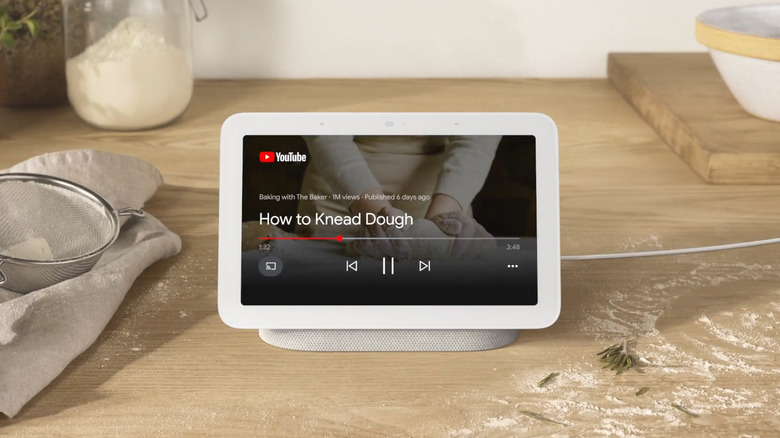
If you want a smart home device with a screen, then you can get the Google Nest Hub 2nd Gen. It costs $99, which is about a third of Apple HomePod. Tom's Guide called it the best smart display for your bedside. That title is quite apt for the Google Nest Hub because it even has a sunrise alarm that slowly brightens the screen, so you wake up gently.
One of the highlights of the Google Nest Hub is sleep tracking. It has a tiny radar chip that senses your breathing and movement, and it can follow one sleeper at a time without capturing anything for data. When you wake up, you are presented with a simple report on how long and how well you slept. While this is a great thing to have in your bedroom, Engadget called the Nest Hub a "mediocre sleep tracker." We would suggest you treat the numbers as a rough guide, not a doctor's report.
Keep in mind that sound quality is not the Nest Hub's strong point, but that's fair since it isn't sold as a speaker. It is a simple screen, which shows your photos, runs your timers, and turns off the bedroom lights when you say so. If your goal is a cheap smart display and you are fine with Google Assistant, the Nest Hub gets you most of the way there.
Amazon Echo Show 8
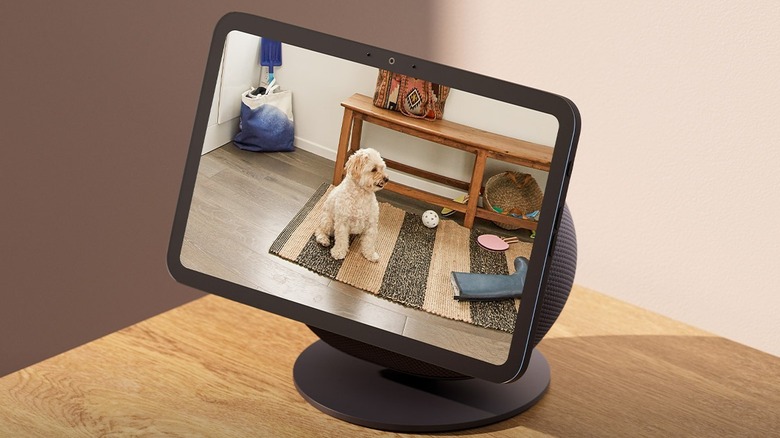
Most people use a smart display either in their bedrooms or in the kitchen, and that is where the Echo Show 8 fits best. You can get the Echo Show 8 for $199.99 for the 8-inch version, while the 11-inch display model costs $249.99. The newest Echo Show 8 smart display is offered in two color options: Glacier White and Graphite. Speaking of the price, it sits well below HomeView's $299, especially the 8-inch version.
You can use the Echo Show 8 for viewing recipes, setting timers, listening to music, making video calls, and also having a quick look at your front door camera. When reviewers put the newest model up against the previous version, they found that the Echo Show 8's screen was brighter and less yellowish. Additionally, the bass is stronger than on an Echo Dot. With Alexa+, you can ask the AI assistant to find specific photos and create a slideshow.
This smart display comes with a camera and a microphone. For an improved video calling experience, the Echo Show 8 comes with auto-framing and 3.3x zoom camera capabilities. You can stream content from Netflix, YouTube, Amazon Prime, and more. This is a major advantage over the HomeView, where streaming content is not possible since there is no App Store.
Amazon Echo Hub
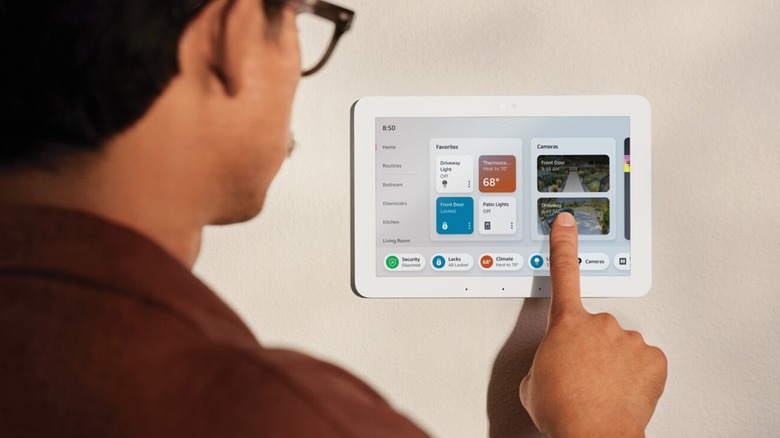
Another smart home device from Amazon is the Echo Hub. It isn't really a speaker or a family screen, but think of it as a light switch with a brain. You mount it on a wall, and it shows simple buttons for your lights, plugs, locks, and routines. The latest version of the Echo Hub costs $179.99, which is about $120 less than HomeView. It is a great device if you have more than a handful of smart home gadgets, and supports Wi-Fi, Bluetooth, Zigbee, Matter, Sidewalk, and Thread devices.
The screen lights up when someone walks to it, thanks to the sensor on the top, and the display switches from a clock and photos to the control panel. You don't get a lot of stuff inside the box, and setting it up takes only a few steps, since it pulls in the devices already linked to your Amazon account.
The Echo Hub does not solve the problem of smart home brands that do not talk to each other. It works well with devices that are compatible with it, and that is about it. The device has speakers but is not meant for music, and does only one job. So, if your house is filled with Alexa lights and plugs in every room, the Echo Hub is a real upgrade. For those living in the Apple ecosystem, this is not the screen for you.
Aqara Hub M3
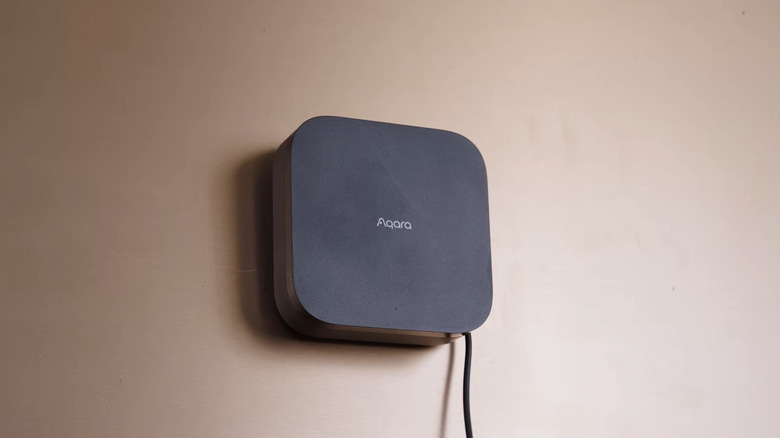
Another smart home device that skips the screen comes from a lesser-known company, Aqara. The Aqara Hub M3 is a small box that plugs in and connects to your sensors, switches, and lights. You can control them from your phone or Apple Home, since it supports HomeKit, Matter, and Thread. A counter screen is nice, but almost every home has a separate phone for every member of the house.
With Aqara Hub M3, you can control your air conditioner, light sensors, thermostats, door locks, robot vacuums, curtains and shades, pressure sensors, and much more, as long as the unit is in line of sight of the hub. It can manage up to 127 Aqara Zigbee devices and has a built-in infrared blaster. Treat it as the quiet brain that makes your other gadgets work together. It does come with a built-in speaker, but it's meant more for alerts and announcements than music. You can set custom ringtones without an internet connection.
However, you should know that the Hub M3 does not work with other brands' Zigbee devices, and PC Mag's review mentioned that some features feel unfinished. The review also warns that beginners may find the device confusing. If you own Aqara sensors and you don't want a screen, then the Hub M3 is one of the best smart home hubs that just works. It costs just $139.99 on Amazon.