

6 New Features Coming To Your Apple TV In tvOS 27.2
We may receive a commission on purchases made from links.
Apple TV is great as both a streaming service and a streaming box for your existing TV. You get to watch award-winning shows like Widow's Bay, Pluribus, and Slow Horses, while the device connects to your existing TV to run apps and games. And unlike Google TV or Roku, your home screen isn't just a large banner of ads. That's one of its biggest selling points, especially if you want a streaming device that doesn't constantly push content you have no interest in watching.
With iOS 27.2 and tvOS 27.2 now available, Apple is adding several useful features. You can finally select which photos you want as a screensaver, create and access Apple TV profiles from your iPhone, and get Find My support for Siri Remote. There's also the added sign language support for selected shows and movies, which makes the streaming platform more accessible. Here's a closer look at the biggest new features.
Siri AI
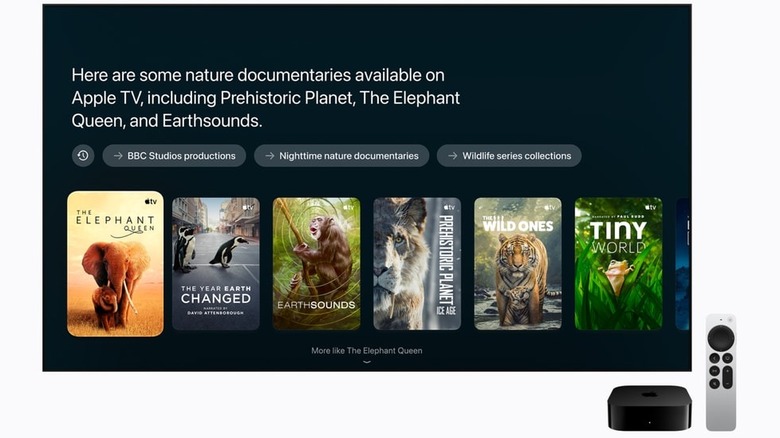
Siri has lagged behind competing voice assistants for years, particularly when it comes to understanding context and handling follow-up questions. So, when Apple announced another updated version of Siri, named Siri AI, not many had their hopes up. Well, the tide has finally turned, because Siri AI is really good. And while Apple said it was coming to your second- and third-generation Apple TV 4K with the tvOS 27.2 update, it's not here yet.
When the feature becomes available, you'll be able to use it with a supported iPhone (starting with the iPhone 15 Pro) to ask questions that rely on personal context. You can ask things like, "What was the series John recommended to me last week?" or "Find me the popular show where people separate their work and personal memories." Because using your private information to answer questions is sensitive, Siri AI uses on-device AI models. For more complex questions, it'll use the company's Private Cloud Compute, which doesn't store personal information. Just remember, the feature isn't available in the European Union.
User Profile Support & Customization Options
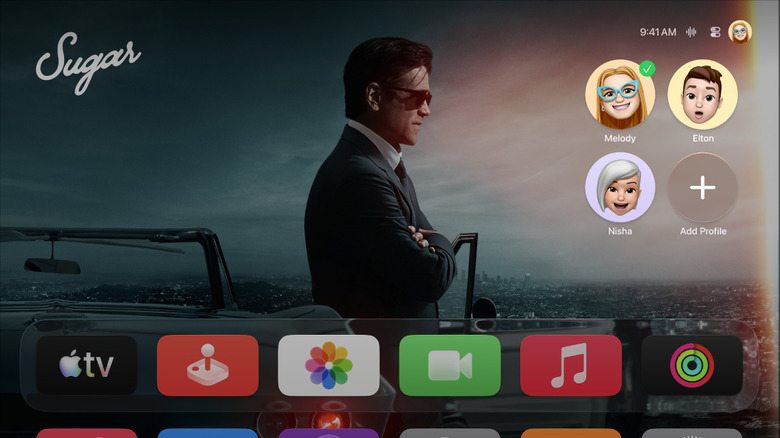
With the new iOS 27.2 update, the Apple TV app on iPhones and iPads will support user profiles. Yes, we know it already had profiles, but they weren't available on iPhone and iPad. Now you can set up five different personal profiles or a kids' profile that syncs recommendations and watch queues across supported Apple devices. It's a useful addition if you switch between your TV and iPhone or iPad while traveling. There are also new profile photo options from shows like Frog and Toad, Stillwater, and The Snoopy Show.
Keeping up with the customization theme, you can shuffle between different screensaver categories. Previously, you could only select one type, like Aerials or Portraits. If you'd like your Apple TV 4K to show photos of your loved ones as a screen saver, we have good news. Instead of giving your Apple TV access to your entire photo library, you can now use your iPhone to select specific photos for the screen saver. A welcome addition for a TV that sits in your living room.
Sign Language Support in Apple TV & FaceTime

Everyone deserves to enjoy movies and TV shows, and a big step toward that goal is making them accessible to deaf or hard-of-hearing people. Subtitles help viewers follow dialogue, but sign language can offer a different way to experience a story. It can convey emotions like humor, sadness, and despair much better than text. Following Netflix's recent change, Apple's latest update adds sign language options for selected titles, starting November 13 when "Being Heumann" debuts on Apple TV. The new feature will be available in American Sign Language (ASL) and British Sign Language (BSL). To enable it, open the sidebar in the Apple TV app and click Settings. In the Accessibility section, select Sign Language, and that's it.
While FaceTime on Apple TV has been a staple for the last few years, tvOS 27.2 adds much-needed closed captions and sign language support. With it, you can bring in a third-party sign language interpreter or captioning service to help make your calls more accessible. The update also makes it easier to join FaceTime calls directly from your Apple TV using shared links.
Find My Support for Siri Remote
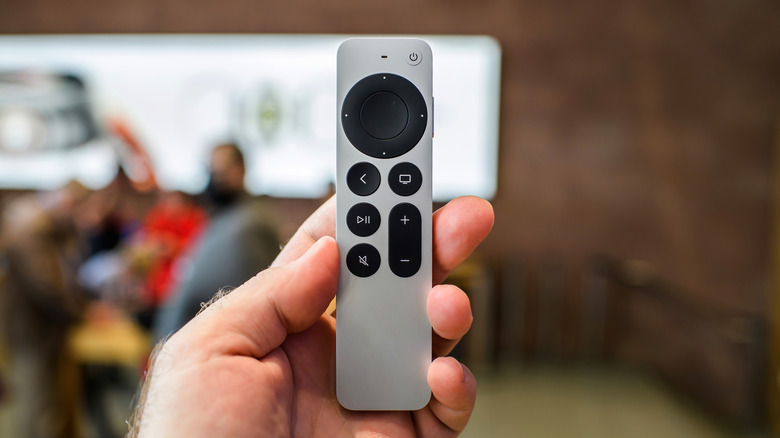
TV remotes are notorious for getting lost or stuck between the couch cushions. And finding them isn't always easy. While Apple users can find their lost Apple TV 4K remote with their iPhone, the option isn't in the Find My app, as common sense might suggest. Instead, you have to use the Apple TV Remote widget in Control Center, which is rather inconvenient. With iOS 27.2 and tvOS 27.2, second-generation and newer Siri Remotes can now appear in the Find My app.
However, if you'd rather have your remote play a sound or use precision tracking, then the new 4th generation Apple TV 4K could be worth a look. That's because it comes with the new Siri Remote, complete with a speaker that plays loud chirping music when you eventually lose it between the cushions. While all that does come at a higher $299 price tag, you can also just buy the 4th generation Siri Remote for $59 on Amazon, and it's backward compatible with older Apple TV 4K devices.