

How Much Of Your Personal Data Can iOS 27's New Siri Actually See?
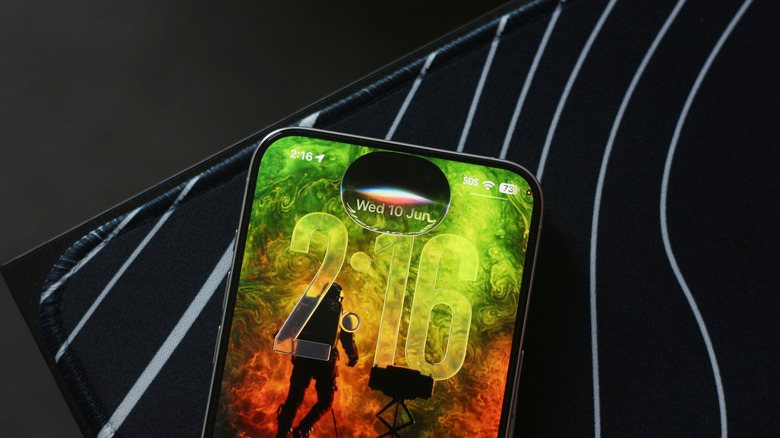
Beyond major performance improvements in iOS 27, we also finally have access to the supercharged Siri that was promised over two years ago at WWDC 2024. Siri AI can now tap into your messages, emails, photos, and other related information to answer your queries with better context. For instance, you could ask it to find tickets for a movie your friend was talking about — and it will do it. Of course, this means Siri is now able to access a lot more of your information, but there's probably no need to panic about Apple suddenly being able to read your emails or text messages — because it can't.
Siri AI uses on-device AI models to answer your requests as much as it can, and when it does need to tap into more powerful cloud-based models, it does so via Apple's Private Cloud Compute. To test Siri AI out, you will need to update your iPhone to iOS 27, which you can do by navigating to Settings > General > Software Update.
Only the iPhone 15 Pro and newer models are compatible with Siri AI. You can join the waitlist by navigating to Settings > Siri, then tap "Try Siri AI (Beta)". Apart from the new look, the Siri experience has been worked on from the ground up. It relies on Apple Foundation Models built in collaboration with Google's Gemini models to deliver a far more capable assistant.
Here's how Siri AI handles your personal data
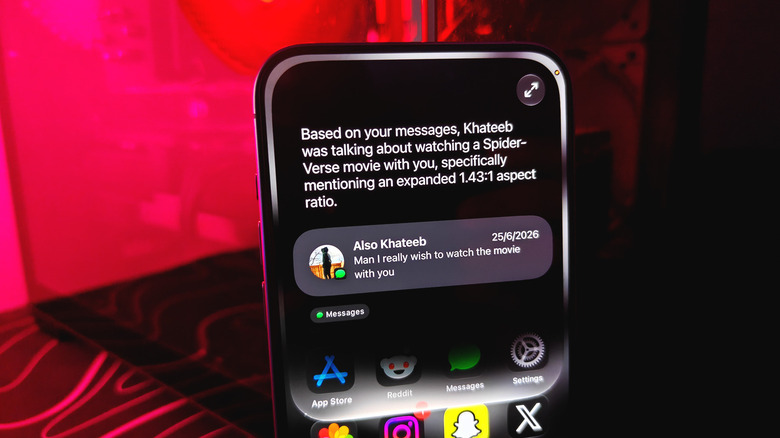
When you ask Siri AI questions that require personal context, it will often tell you where it is looking for that information, like messages and emails. While this means it is scanning your data, the processing mostly happens on your iPhone itself. Apple uses on-device AI models to handle as many tasks as possible, meaning your data never leaves your iPhone. In some cases, though, where queries are too complex for the on-device AI model to handle, they can be sent to cloud servers through Apple's Private Cloud Compute.
Apple claims it doesn't store any personal information when requests are handled by Private Cloud Compute. In fact, the company challenges outside experts to verify this claim, offering up to $1 million as a bug bounty.
Siri AI searches for personal context through the system orchestrator, and it uses it to "tap into core capabilities like the Spotlight index and App Toolbox, which work entirely on-device to keep users in control of their data," says Apple. What all of this basically means is that Siri AI's searching capabilities have never been more thorough, and it does most of the digging without sending your personal information off the device.
You can actually export reports showing requests that were sent to Private Cloud Compute from your iPhone by navigating to Settings > Privacy & Security > Apple Intelligence Report, selecting a duration, then tap "Export Activity".
Other ways to use Siri in iOS 27
Siri now being contextually aware means it can handle a lot more than just basic device commands. You can press and hold your iPhone's side (power) button to summon the assistant, but with iOS 27, you can also swipe down from the middle of the home screen to type to Siri. Apple has included a standalone Siri app that you can use to view older conversations, too. This is useful when you want to refer back to something Siri helped you with earlier.
Besides just starting fresh conversations with Siri, you can also ask questions related to what's on your iPhone's screen. For instance, if you're viewing an image of a laptop that you can't seem to recognize, Siri AI can help you with that. It's also powerful enough to handle a few tasks on its own, like creating a reminder based on information that's currently displayed on your screen.
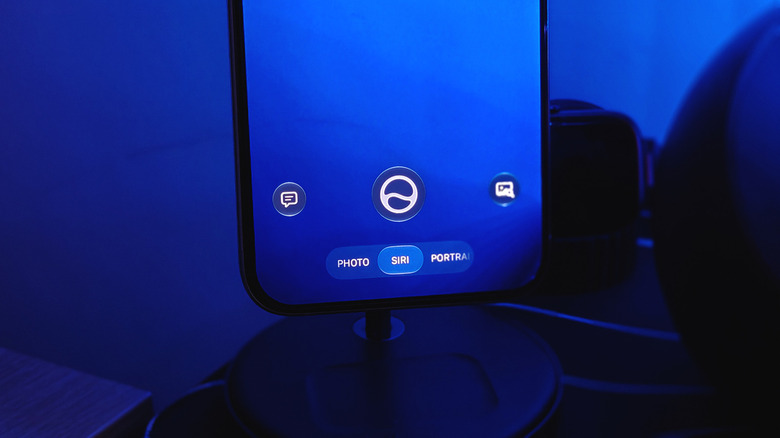
Siri now lives in your iPhone's camera as well. If you launch the camera app and swipe left at the bottom, you'll enter Siri mode, which uses Visual Intelligence to look at the world around you and answer questions about objects, text, and places. You can point it at some food and ask it to estimate its nutritional information, for example.
Once again, on-device AI is used for quicker tasks, while Private Cloud Compute steps in when you require "frontier-level intelligence while extending the privacy and security of iPhone into the cloud," as Apple puts it.