

The New Fitbit Edge May Actually Be Worth Buying Thanks To Its Price & Battery Life
I'm a fan of Google wearables, and I was (and am) a fan of the new Google Health app, with its Gemini-powered health assistant. My issue was with the hardware on which the new Google Health app debuted: the Fitbit Air and the Pixel Watch 5. There was (and remains) a large gulf between the two devices in both price and value. The Fitbit Air is a screenless little device you strap to your wrist that costs less than $100, and the Pixel Watch 5 has a round, stylish watch face, priced at $399.
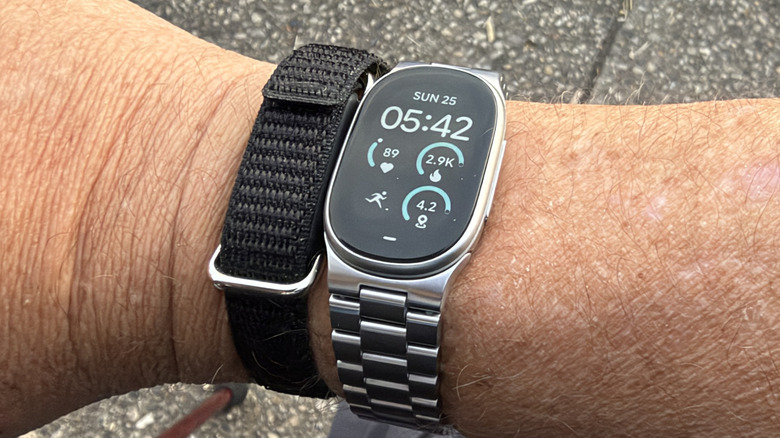
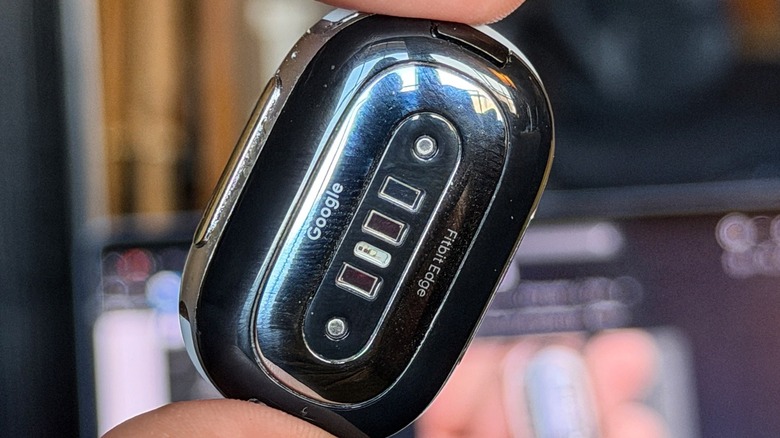
Now, here in the Autumn of 2026, Google's Fitbit brand has neatly slotted the Fitbit Edge into the middle of those two. It has the neat, classy look of the Pixel Watch 5, but it's narrow and light like the Fitbit Air. It still has a screen — an oval screen with no dome (sadly) but it still looks great.
What's missing when compared to the Pixel Watch 5, aside from girth, is the WearOS operating system. Instead, the Fitbit Edge runs Fitbit's OS. This is a case of taking the good with the bad — it's mostly good — but there are definite differences from a software standpoint to be aware of. I've been using the Fitbit Edge for around 10 days, and this is my full review.
Metal all the way
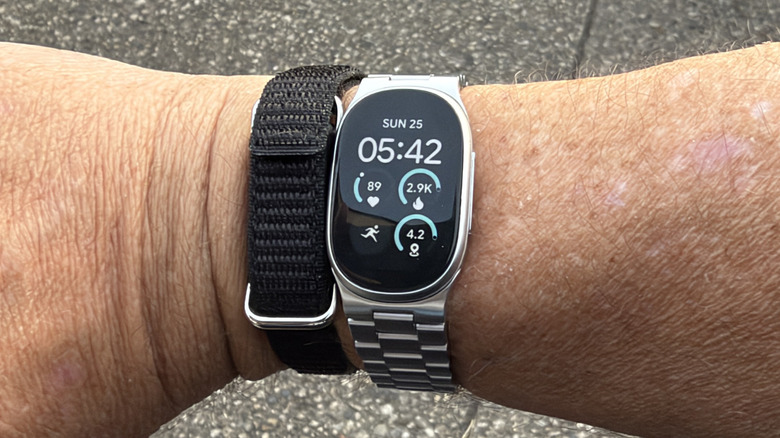
One of the biggest compliments I can give the Fitbit Edge is that it is the first wearable that I have spent any amount of time with while wearing a metal band. Google sent the Fitbit Edge sample with two silicon bands and a metal link band. Normally, I wouldn't give the metal band the time of day — I generally, aggressively do not like them. But the Fitbit Edge just looks really good with the metal band, so I wanted to try it out...and I never took it off.
I especially liked how easy it was to add and remove links from the band. The caps are spring loaded, so you can open around a dozen or so links and slide them on or off as you need to, which I thought was clever. In the past, adding or removing metal links usually involved a separate pin and a hammer. I was delightfully surprised.
Plus, the Fitbit Edge is incredibly light, and considering I've worn watches as chunky at the Samsung Galaxy Watch Ultra 2 and the Apple Watch Ultra, suddenly the Fitbit Edge with metal band doesn't seem so bad.
Battery life is great, unless you need AOD
Normally, the hardware and software are two different sections of a review, but in this case, they go hand in hand. As mentioned, this wearable does not run WearOS. Because we're using Fitbit's (much lighter) OS, the battery lasts for a long time. Google says you'll get about a week on a charge which matches my testing. The band, by the way, uses the same charger as the Fitbit Air, and it takes about 90 minutes to charge, so you're also losing out on the extremely short charging times the Watch 5 brings to the table.
The only caveat with this (highly decent) week-long battery life is that you'll need to have the Always-on Display (AOD) feature turned off.
When turned on, battery life is reduced to around two days, according to Google — also consistent with my testing. That is, to be blunt, very disappointing. I'm not sure what causes the disparity between the two, but it's disappointing to say the least. I generally prefer to have my watches with AOD turned on because I want to be able to glance and see what the time is, but losing five days of battery life for that didn't seem worth the sacrifice.
Software looks familiar
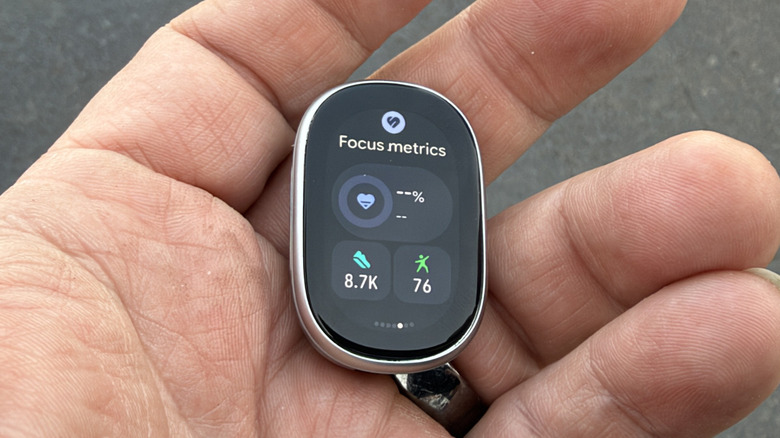
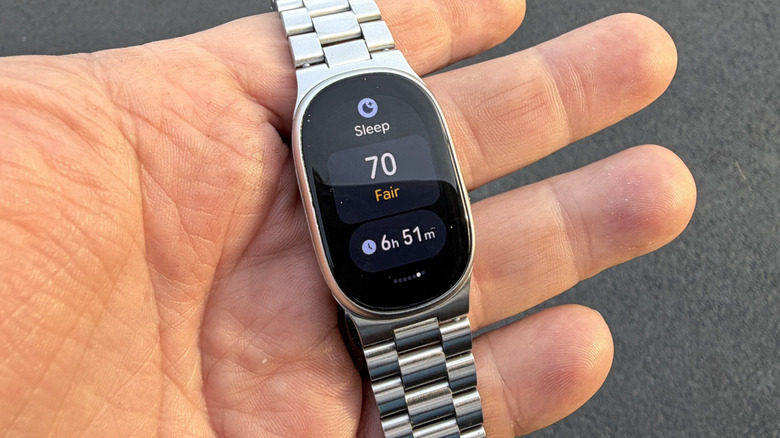
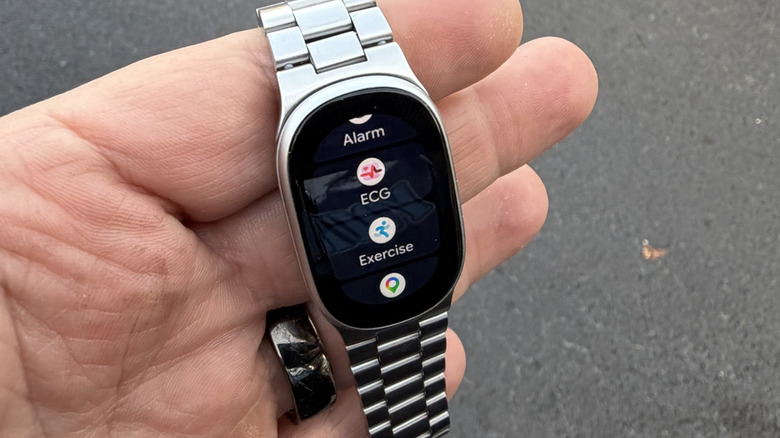
As for the operating system, it appears very similar to WearOS. You get the same concept of navigation and tiles. Swiping left and right bring up tiles you can use to launch health features or set a timer. What's missing are two big compromises — watch faces and apps.
The fact that there are very few apps probably will not surprise you — it didn't surprise me. But I didn't anticipate the lack of watch faces. There are a couple of dozen or so watch faces available to run on the watch, total. There are some really neat and stylish faces in there; don't get me wrong, but if you're expecting the absolute catalog of watch faces, you'd get from a smartwatch, you'll be disappointed. The complications are customizable though, which is a nice bonus you don't always see in fitness wearables.
There is also the issue of apps — there aren't any. That's not exactly true, but there are no third-party apps, nor an app store you can use to add new apps. You get the built-in apps — ECG, Google Maps, Media controls, and the like, and that's it. That's also fairly standard for fitness trackers, so no real surprises there, but it's important to know that the Fitbit Edge looking and behaving like a Pixel Watch 5 is only skin deep. It's the cost of having a battery that lasts a week.
Health tracking, notifications, AI features
The other thing that the Fitbit Edge gives you is access to Google Health and notifications on your wrist. If you read my review of the Fitbit Air, I talked in quite a bit of detail about Google Health and what it brings. It's like an AI-generated summary of your health stats, what they mean, and what you can do about it. I like this approach to health and wellness — it makes health stats more meaningful, more than "I got 10,000 steps today. Woot!"
Exercise detection is good — the wearable will take note when you exercise, but it doesn't always notify you when it's tracking an activity. The other day, I was walking around an amusement park and I got a notification indicating that the Fitbit was tracking a walk of mine.
Cool, but there are other times I'll hop on a bike and run to the store, and when I get back I'll have a summary in the Google Health app saying, "Hey that bike ride was good for you," even though the Fitbit never told me it was tracking anything. That's fine — as long as it tracks the activity, I don't necessarily need to know it's tracking it, but the inconsistency was a little annoying.
As for notifications, once I got them working, they worked great. SMS and messaging notifications can have quick replies, but those need to be customized in the app — there's no keyboard and importantly, no microphone on the Fitbit Edge. That means no dictating replies, no Gemini, and no phone calls with the tracker.
Fitbit Edge Price, Availability, and Verdict
The Fitbit Edge comes in at $179.99 from the Google Store and is available to order today. which is not a bad price for everything it offers. It slots very nicely in between Google/Fitbit's other offerings. This is a nice entry-level admission into the Google Health ecosystem while still getting a screen for time, weather, and notifications.
The Fitbit Air is nice — and by the way, Google Health works interchangeably between the Fitbit Air, Edge, and Pixel Watch 5, so feel free to switch things up...if you have more than one, that is — but having the screen plusses up the experience that much more. It's also noteworthy that, while I did all of my testing connected to a couple of different Android phones, the Fitbit Edge also works with iPhone if that's your cup of tea.
Plus, it's a personal milestone for me that I found a watch/wearable with a metal band that I enjoy wearing. The Edge is very light, and the metal band compliments it very well. Add in some of the more minimalist watch faces, and this turns into a fitness band that can hold its own at a marathon or a dinner party. Put simply, I really like Google's hardware, especially in the wearables category, and if you don't want to spring for the $399 Pixel Watch 5, I get it. With the Fitbit Edge, you get a nice compromise that keeps the value in the right places.