

5 Forgotten Windows Features That Are Pure Nostalgia
It's been over 40 years since the first version of Microsoft's operating system, Windows 1.0, was released. And over the decades, a lot has changed. From the user interface and features to built-in apps and core components, Windows has gone through a major transformation. Features that were once considered key parts of Windows are no longer included in the newer iterations. Back in the early days, Windows felt entirely different, and that was largely because of the apps and features that were included in the default Windows installation.
Apps like Windows Media Center and Movie Maker, products like Microsoft Bob, tools like Steps Recorder, and games like 3D Pinball, Minesweeper, and Solitaire were once synonymous with the Windows operating system. However, most of these are no longer part of Windows, and some that exist are not being actively developed and will soon be removed. There are others too, like Paint 3D, WordPad, the classic Start Menu and Control Panel, and Windows Messenger, which many of you may remember from the days of Windows XP.
It's also important to highlight that many of these features have been replaced, or are being replaced, with newer apps and tools. For instance, Microsoft is phasing out Steps Recorder in favor of Snipping Tool, Xbox Game Bar, and Clipchamp, alternatives that better fit modern Windows versions.
Windows Media Center and Movie Maker
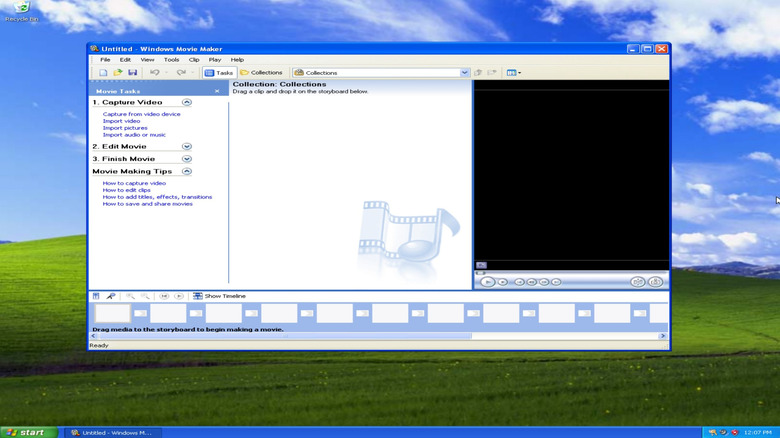
First on the list are two multimedia apps, the Media Center and Movie Maker. The Windows Media Center, initially exclusive to the Windows XP Media Center Edition, was a one-stop solution for all your media and streaming needs. It allowed you to view your collection of photos and videos, listen to music, watch movies, and even tune in to live TV. Not everyone used it, but for those who did, Windows Media Center was a valuable addition to the operating system. Over time, the app lost its relevance as better alternatives emerged and streaming became simpler. Microsoft ultimately removed it in Windows 10.
Similarly, earlier versions of Windows shipped with Movie Maker, a built-in, user-friendly video editor. The best part was that it was simple, unlike the modern, more popular video editors we have now. Anyone with a basic understanding of how things work could edit videos using Movie Maker. The app was discontinued in 2017, and its initial replacement, Microsoft Photos Video Editor, never really captured the same audience. Later, Microsoft Clipchamp became the default video editor in Windows.
If you are interested, you can still download and run the original Movie Maker. Since it's no longer officially supported, you may run into the occasional issue, but the app still works on Windows 10 and Windows 11. It's worth highlighting that Microsoft recommends against downloading Windows Movie Maker from third-party websites.
3D Pinball, Minesweeper, and Solitaire
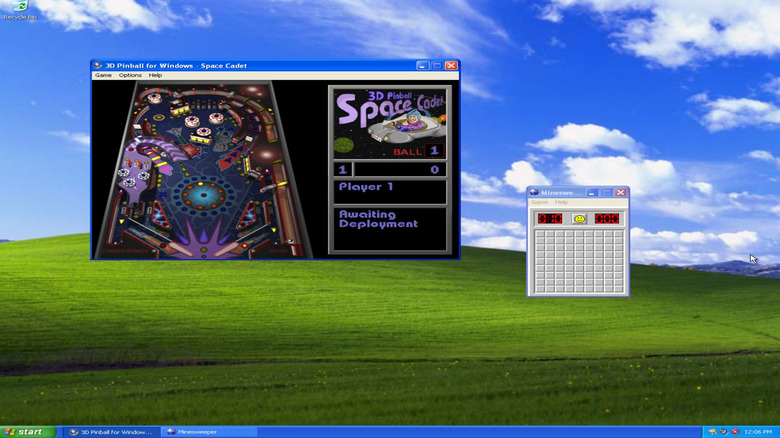
Next on the list are classic games from the early days of Windows. There were plenty of built-in titles, but three that almost everyone who had a Windows PC at the time would have played are 3D Pinball, Solitaire, and the Microsoft classic Minesweeper. And 3D Pinball is perhaps the biggest nostalgia hit of the three.
A major reason behind the popularity of these games was that they were incredibly simple, which made them appealing to almost everyone. Besides, back in those days, computers weren't as widely used for web browsing or other activities, making these games incredibly popular. If they had 5-10 minutes of free time, many users would launch 3D Pinball, Minesweeper, or Solitaire, and play a quick game.
Of the three, 3D Pinball is no longer a part of Windows, while Minesweeper and Solitaire exist in different, more modern versions. Microsoft dropped 3D Pinball in Windows Vista after running into problems porting the game to 64-bit Windows. The game apparently had a bug that the team couldn't fix since the original code was written by a different company, and they ultimately decided to get rid of it altogether. However, if you want, you can still play 3D Pinball in your browser. As for Minesweeper and Solitaire, you can download their newer versions from the Microsoft Store.
Microsoft Bob
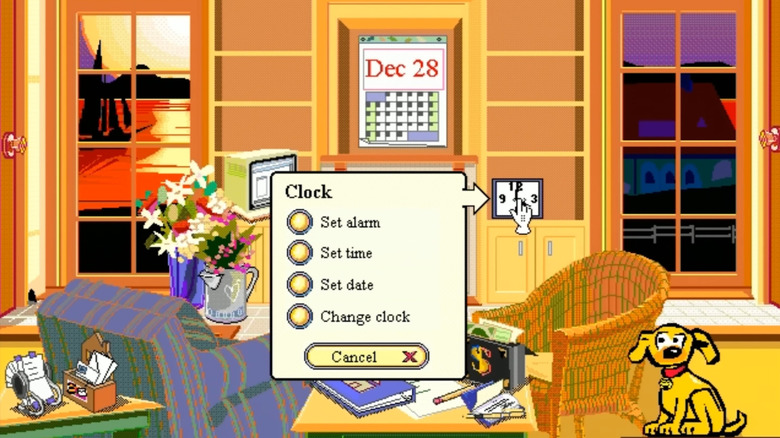
Microsoft Bob is often called one of Microsoft's biggest mistakes, and the software didn't even last a year. Released in 1995 for Windows 3.1, it was discontinued in 1996. The idea behind Microsoft Bob was simple: to help people use their Windows PCs, especially those who weren't comfortable with the user interface. It basically tried to streamline the Windows experience by making it more familiar for the average user at the time.
Instead of presenting the standard Windows interface, Microsoft Bob turned the desktop into a virtual house, and clicking on different objects opened different applications and utilities in Windows. For instance, when you clicked on the Clock, it would open up the native Windows Clock. You could even adjust how things appeared in Microsoft Bob, add rooms to the house, and make other similar changes.
However, Microsoft Bob never really took off. One of the major reasons behind the software's failure was the interface itself. Critics argue that its childish interface didn't really appeal to grown-ups. Besides, it wasn't as seamless, and users had to click several times to perform simple actions. Another problem with Microsoft Bob was that it presented too much information, and for someone just learning their way around Windows, this wasn't particularly helpful. Ultimately, the software got shelved, but it may have inspired Microsoft's later assistants like Clippy, Cortana, and finally, Copilot.
Briefcase
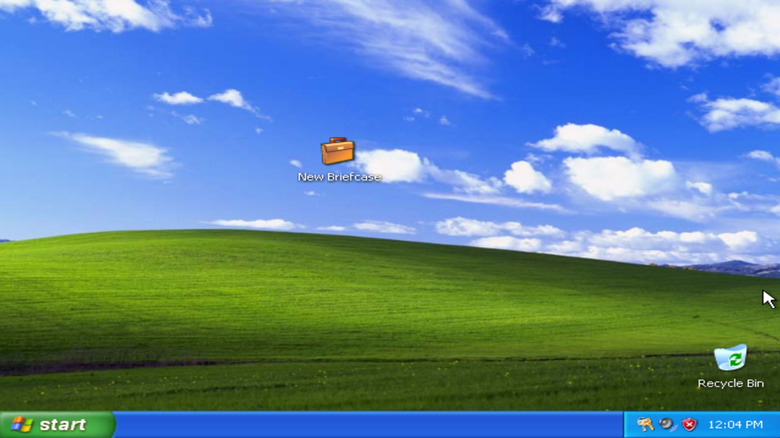
Briefcase is another nostalgic feature that was a part of the OS until Windows 7 and was completely dropped in Windows 10. Unlike the standard folder in Windows, Briefcase had a specific purpose that other services and high-speed internet rendered unnecessary. Simply put, the Windows Briefcase allowed users to synchronize files between a computer and a portable storage device. The idea was simple: instead of having to repeatedly copy and paste files, Briefcase let users synchronize them in one go. It was particularly helpful to people who worked on two computers, say, one at home and another at work or school.
As high-speed internet became readily available and cloud storage services like Dropbox, OneDrive, and Google Drive became mainstream, there was no need to manually synchronize files. Any changes made by the user were reflected in real time. Besides, a cloud service can synchronize files across several systems at once. That's why Microsoft deprecated Briefcase in Windows 8 and ultimately removed it in Windows 10. But for people familiar with Windows Briefcase, it was among the best and most innovative features of the time.
Steps Recorder
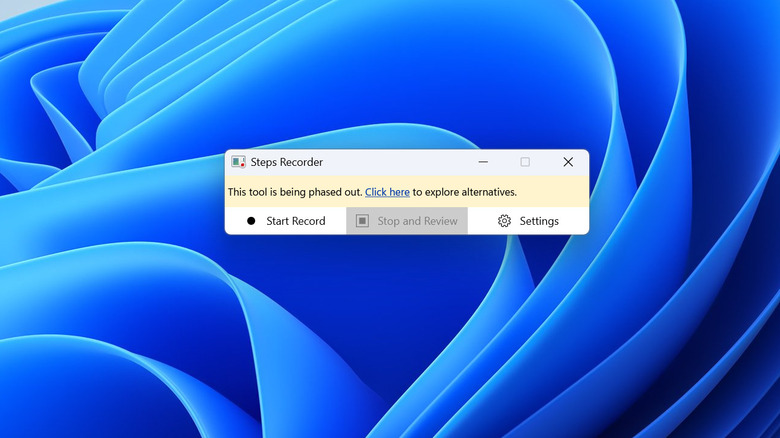
Steps Recorder is the only original feature on our list that still exists in Windows 11, although Microsoft is gradually phasing it out since better alternatives now exist. Steps Recorder, introduced in Windows 7, is a troubleshooting tool that basically captures your on-screen actions. It saves screenshots of the actions you perform along with descriptive text that clearly explains what happened, which allows support teams to recreate the problem and help the user fix it. So, if your computer didn't work properly, you could simply launch Steps Recorder, capture the problem, and share it with someone who could help you troubleshoot Windows issues. It was that simple.
However, over time, better solutions like Snipping Tool emerged, rendering Steps Recorder largely obsolete. You can now capture a video of the entire screen, which is more convenient than checking the file generated by Steps Recorder. So, in 2023, Microsoft announced that it would stop actively updating Steps Recorder, and it's only a matter of time before the tool is completely removed from Windows 11. If you launch Steps Recorder now, you may see a banner prompting you to explore alternatives since the tool is being phased out.
For those of you who are relatively new to Windows and haven't had the chance to explore other features on the list, Steps Recorder is an example of why features are deprecated in Windows and how the transition to modern, more user-friendly alternatives takes place.