

Pebble Time 2 Review: A Nostalgic Take On Modern Functionality
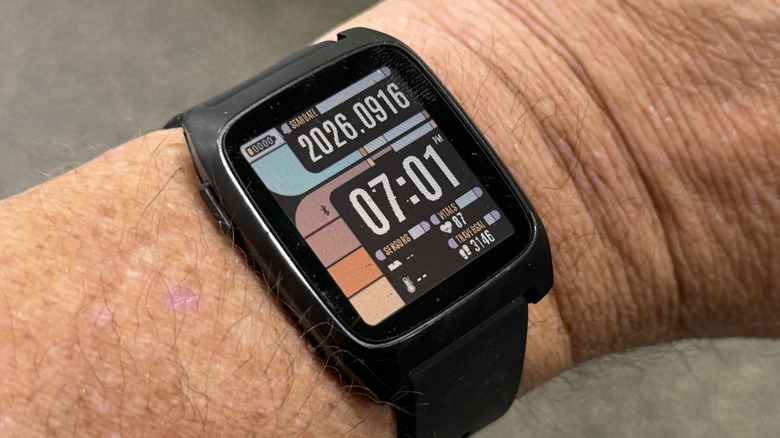
In 2025, a new Pebble smartwatch — ePaper display, battery lasts for weeks, and serves up notifications with fun little animations — would have seemed quaint, especially when compared to something like the Pixel Watch 5. But I've been wearing the Pebble Time 2 for a week, and it is anything but. There is a real value proposition here. It's everything you remember from the elder Pebble watches, and more.
The ePaper is still there. The fun animations are still there. The reliability — the rock solid reliability — is still there. The battery life is still there — I didn't bother to charge it when I took it out of the box. Now the watch also has a bit of health tracking and a touchscreen.
What's also there is the software; all of the previous apps and watch faces still (mostly) work out of the box. The operating system is the same, open sourced by Google, so there was no need to recode any of the apps or faces. So, now the question needs to be asked — should you buy a Pebble smartwatch in 2026? Let's find out.
The hardware is solid
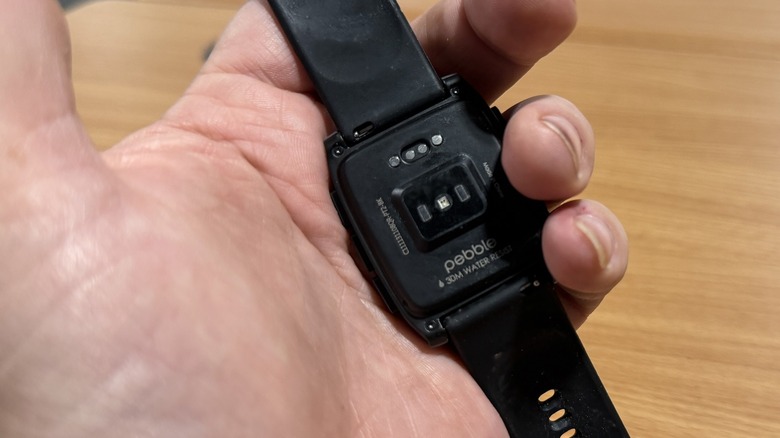
When I spoke with Eric Migicovski about the return of Pebble, he noted that the hardware wouldn't always have the same level of polish that you'd get from a modern smartwatch. I can put his fears to rest — the hardware is perfectly fine. If there is something in the fit or finish that isn't up to snuff, it will take a more discerning eye than mine to find. I have some notes though.
The Pebble Time 2 has a full color e-paper screen with a backlight, one button on the left of the face, and three buttons on the right. The watch can use any 22mm watch band if you don't want to use the included silicone bands. The overall vibe of the watch is basically the same as it was with the original extremely-repairable Pebble Time. The buttons are responsive with good travel. It's a very well-put together watch. The buttons are also programmable — you can press and hold them to set different functions to your taste. I love that.
I'm not a fan of the frequency that the backlight turns on — it's not often enough. There were times I would have trouble seeing the screen at night with dim lighting, until I tapped the screen to turn on the backlight. I would like that to be more automatic. The pogo charger dongle that ships with the watch has a USB-C plug on it — that's good — and a string tether, but I'd like to see a solid hook on the end to firmly attach it to a keychain or something, rather than just a loop of thread. It's a proprietary charger, so you don't want to lose it.
Beyond those notes, I really dig the hardware. There is one more note I could give...so I will.
The touchscreen could do more
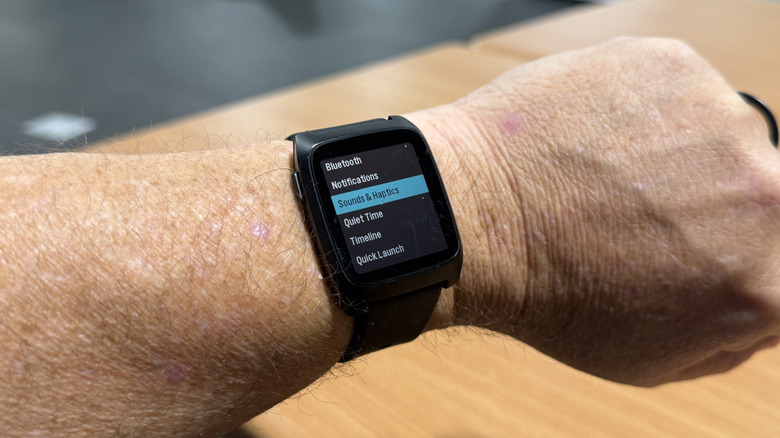
The Pebble Time 2 has a touchscreen, which is a great addition to the device. A left to right swipe dismisses notifications and serves as a back button. A double tap activates the backlight. You can also swipe up and down on menus, but that's it. That's the list.
Pebble is very reliant on its buttons to navigate. All of the gestures I described have button equivalents. That's also great — stay true to your roots and all that. But in the year 2026, a lot of us have learned that gestures are the way. A long tap on the screen could allow you to switch watch faces. A swipe down or up could allow you to go to the timeline to see those screens. A swipe one way or another could quickly access settings. None of those functions are there.
That's not a dealbreaker, of course. Pebble can have its watch to whatever it wants or doesn't want. That's fair. But for those who might be looking for a more touch-based interface, you won't find it here — but there are plenty of other options.
Software is a blessing and a curse
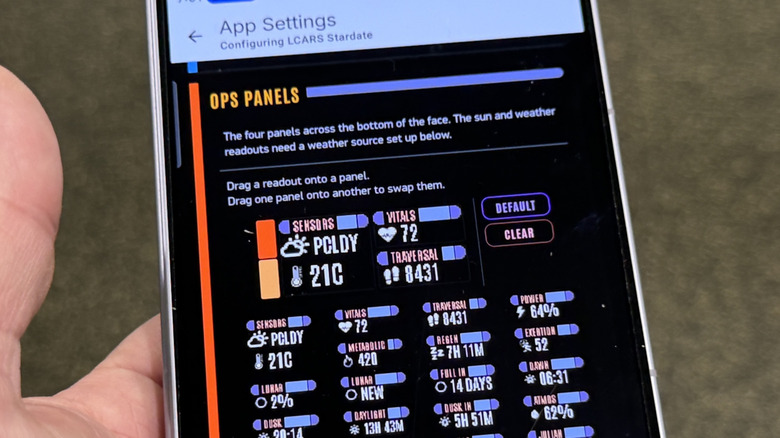
One of the best things about the Pebble Time 2 is that all of the apps and services are still there. The Pebble Time 2 uses the same software as its predecessors which means developers had to do basically no extra work to get their watch faces and apps to work. That's the good news.
The bad news is that many of those apps and services are no longer functioning at 100%. Notably, many of the watch faces that I downloaded have settings that either don't load or don't work when you change them. I suspect many of these apps and watch faces are simply languishing in the app store, forgotten by their developers. So, they're there, and they seem to function on a basic level, but any attempt to customize or change them simply won't work.
Again, that's not a deal breaker. There are plenty in that that still work fine. I think when/if Core Devices becomes a bigger entity than it is today, some kind of app store management system could be put in place to vet these faces appropriately — make sure they're being maintained, etc., — but the company isn't there yet, and that's something a consumer should be aware of going in.
Connectivity is great...on Android
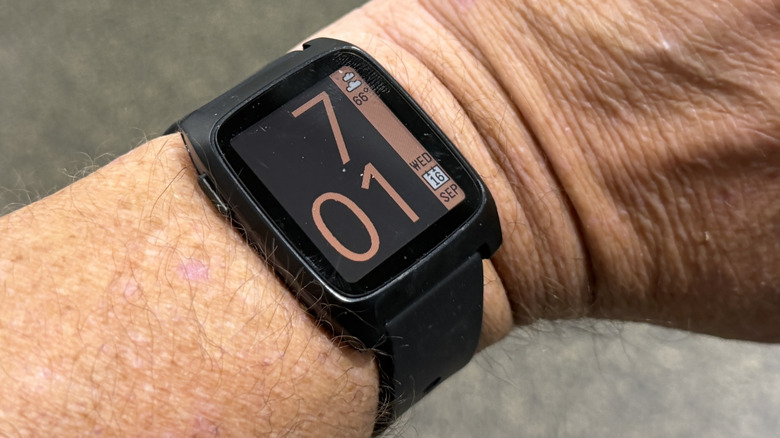
Like any other smartwatch, the Pebble Time 2 requires a phone app in order to connect to its host phone. According to Core Devices, the app works much better with Android than iOS because of the limitations that the latter puts on wearables by companies not named "Apple." I connected mine to my Samsung Galaxy Z Fold 8, and it worked great.
It should probably go without saying that there are no 4G options for this watch, so a host device is necessary. Anyway, that app works pretty well, and it adds health tracking to the watch this time around. You can sync your data to Google Fit, which can then sync its data to Google Health — Core devices might want to cut out that middleman at some point — so you can get your sleeper tracking, steps, and heart rate.
The charts that Pebble generates are fine and functional, but basic. There are some good ideas though. On any of the charts, you can drag your finger across them to see what you were doing hour by hour; it's very intuitive.
What you won't get is GPS, or any kind of exercise tracking. That's fine for me, but if you're a runner, or even someone who periodically gets off the couch, you'll want more.
Pebble Time 2 price, availability, and verdict
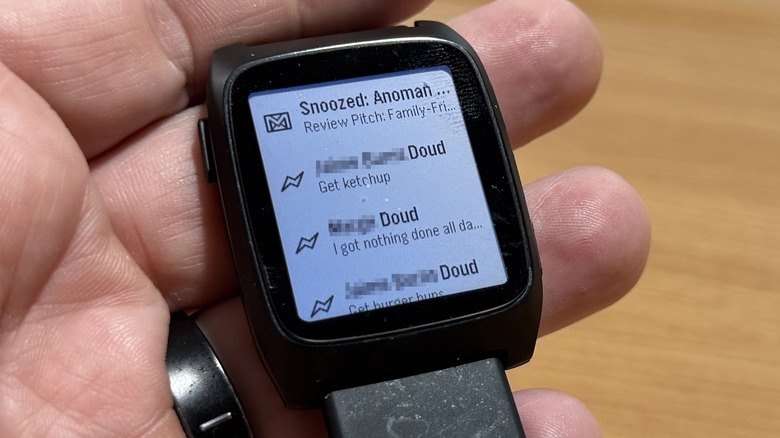
The Pebble Time 2 is available from the Pebble website for $225. It's available in four colors, and there are a variety of accessories you can get for it including the Pebble Index 01, which is a ring/microphone you can get to compliment the watch. I was not able to test the Index 01 in time for this review.
Overall, $225 is not a bad price for this smartwatch. It's fully functional and does 90% of what most other smartwatches do. The Pebble operating system is clean and efficient and doesn't feel scattered like RTOS, which is another popular OS that watch makers use because of its long battery life. Pebble was designed with intention, but it still has room to grow. I feel like you get more useful functionality out of this watch than you would on another RTOS watch that might cost a bit less.
The e-paper is novel, and the color is great. The functionality, battery life, and even the health tracking is right on. But with more advanced metrics coming down the pipe, like blood pressure monitoring, it's possible this watch won't be able to keep up in that regard. If you don't care about such things, that's fair, and this is a great watch. If you're of a certain age, those things might become more important to you. But that's future talk. For now, this is a great smartwatch that falls into a nice niche of nostalgic customers who still want current capabilities.