

MSI Crosshair A16 HX E8W Review: This Beast Is Thirsty
We may receive a commission on purchases made from links.
The best way to game at home is with a gaming PC. After all, not only do you get access to titles through Steam, GOG et al, but you can also emulate all of your favorite console titles (including those from decades gone by). Of course, not too many of us are going to LAN parties these days, and even if we were, lugging our setup around might not be the best proposition; you don't want to risk damaging your rig. Good thing we can also bring the gaming PC with us in a more portable form factor, then, yeah?
Today, you can bring those games with you on machines like the Steam Deck, Lenovo Legion Go S, or the MSI Claw 8 EX AI+, all in a size that easily toss-able into your backpack or purse. But there are a few caveats for such machines, from integrated graphics to being able to do everything else your gaming PC can do when not gaming (like photo and video editing, working on business reports, and reading reviews — like this one). Thus, the gaming laptop still has a place in the ecosystem. The best of both worlds, if you will.
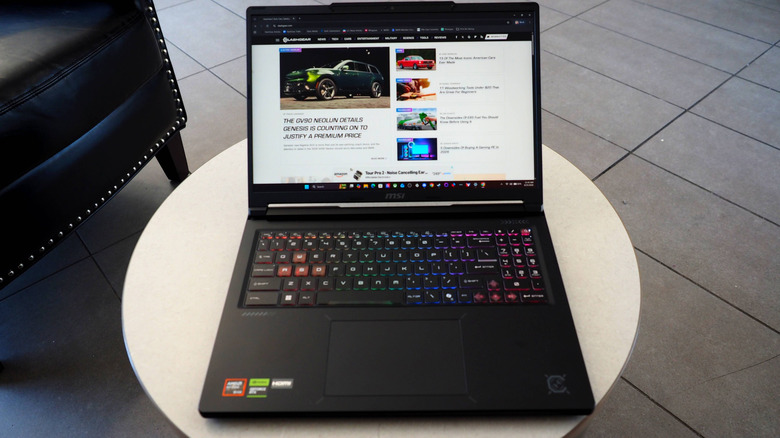
With all this in mind, the aforementioned MSI recently sent its big daddy of a gaming machine to my home for a couple of weeks of doing what I normally do in front of my built-for-me-by-a-friend gaming PC (which, by the by, was upgraded with an MSI Nvidia GeForce RTX 3060 back in 2024), in the form of the Crosshair A16. Could it handle the biggest challenges I could throw at it? Would it be something I'd consider as a possible option for my gaming life? Guess we'll all find out, won't we?
Price considerations from the outset
The MSI Crosshair 16 is part of the Crosshair family, which consists mostly of 16-inch-display machines (plus two 18-inch units) running either Intel or AMD processors. For the sake of simplicity for this review, I will only price out the one I reviewed, the AMD-powered A16 HX E8W, and its Intel-based compatriot, the 16 HX E14W:
- 16 HX E14W (Intel): $1,299 base MSRP.
- A16 HX E8W (AMD): $1,599 base MSRP, $2,999 as-tested in this review.
The duo has plenty of competition in this space, including the likes of the Lenovo Legion 5i ($2,277 base MSRP), Acer Predator Helios Neo 16 ($2,049), Asus TUF Gaming A16/F16 ($1,550), and the Gigabyte Gaming A16/A16 Pro ($1,550). The Lenovo is pricey, but discounts bring that price down to a more manageable level in a flash while delivering a 15.1-inch OLED panel to the party. The Acer brings a long battery life for serious gaming sessions. The Asus is ready for combat (in every sense of the word) with its military-spec chassis giving it a robust build quality. And the Gigabyte aims to be the entry point into the gaming laptop world.
I tried to find a configurator for the MSI Crosshair on MSI's store, but that appears to be limited to MSI's build-to-order gaming PCs. Thus, it's more of a "find the one you want" kind of deal for your Crosshair 16 of choice. Not to mention the various pricing and discounts you can find through your favorite storefront, too. Let's see what you get for that money, though.
A heavyweight with a heavy hit
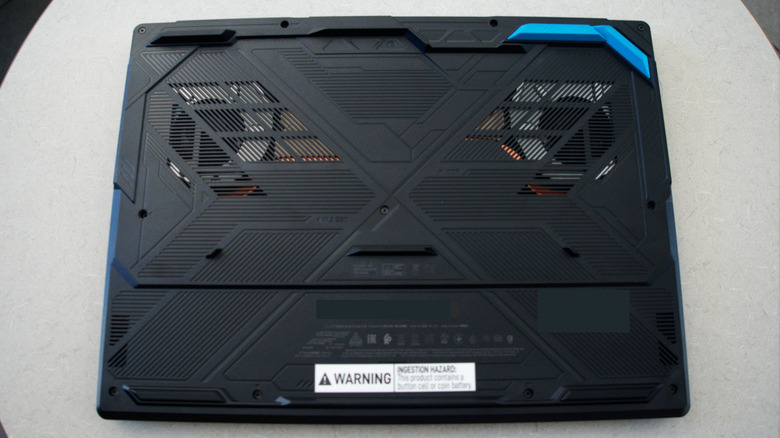
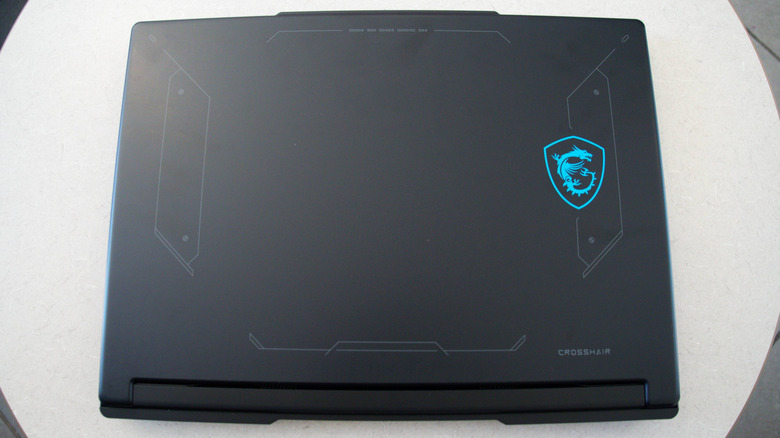
The MSI Crosshair A16 comes in a dark graphite gray with a blue MSI dragon badge and light gray markings on the lid. The underside is just as zazzy with its gamer-aesthetic design and a blue leg on an otherwise dark exterior. That underside allows you to see the dual-fan MSI Cooler Boost system, which you'll definitely hear while gaming, though it'll peak at 50 dBA, so it won't be too distracting (though noise-cancelling headsets will mitigate that even more).
The Crosshair A16 is a heavy lad, though, weighing in at 5.07 pounds. Dimension-wise, the gaming laptop is 14.29 inches wide, 10.62 inches in depth, and 0.86 to 1.01 inches in height (with lid closed) front to back.
On the back of the machine (behind the display panel, on the base), there's an Gigabit Ethernet port with a HDMI 2.1 port and one of the Type-A USB 3.2 Gen 1 ports. On the right, a dedicated charging port plus Type-C USB 3.2 Gen 2 ports and one of the side heat exhausts await some of your gaming peripherals. On the left are the other two Type-As and a 3.5-mm headphone/headset jack, as well as the other side heat exhaust.
That much horsepower needs lots of fuel
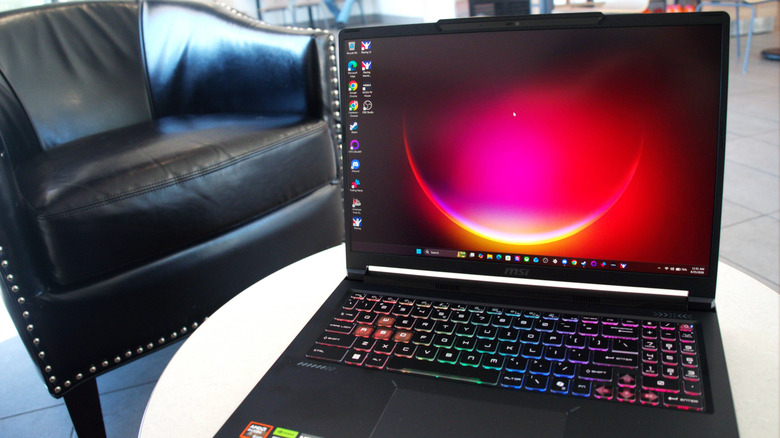
Under the RGB keyboard of the A16 HX E8W version of the Crosshair 16, processing is handled by an AMD Ryzen 9 8940HX CPU with 16 cores and 32 threads, holding a total cache of 80MB and rocking a speed of up to 5.3 GHz. For graphics, there's AMD 610 integrated chipset and a Nvidia GeForce RTX 5070 laptop GPU with 8GB of memory. Speaking of memory, the A16 HX E8W starts with 16GB of DDR5 RAM (a pair of 8GB sticks), but can go all the way up to 96GB (my example held 32GB).
Storage is handled by a 1TB NVMe SSD, plus an available slot that can hold either a Gen 4 or Gen 5 M.2 SSD slot. The onboard SSD comes with Windows 11 Home with Copliot. Finally, the view of your gaming session is covered by a 16-inch QHD+ (2560 x 1600 pixels) IPS display with a 240-Hz refresh rate. All of this fed by a four-cell 80-Whrs battery pack and a very important 240W adapter, which will likely be a permanent resident in the charging port more often than not.
Big shoes to fill
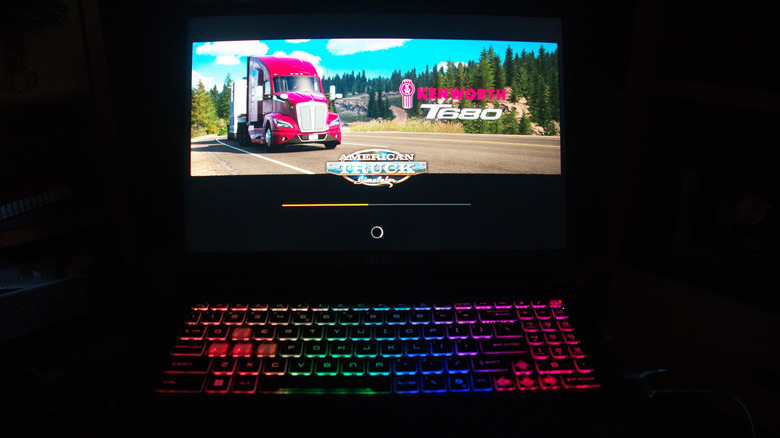
In the early 2020s, one of my friends built a PC for me so I could race in the 24 Hours of Lemons iRacing League (no guesses as to why that long-running grassroots mainstay started a sim league). It held 16GB of DDR4 RAM (two 8GB sticks), an AMD Ryzen 7 3700X CPU, and a Gigabyte Nvidia RTX 1070 GPU. A couple of years ago, I upgraded all of that to 32GB of RAM, a Ryzen 7 5700X, and the aforementioned MSI Nvidia GeForce RTX 3060 GPU. I also was gifted a Moza Racing R5 combo from another member of my league at around the same time.
Since that time in late 2020, I've added "American Truck Simulator" and other games to my library, among other fun things. So, during my short time with the MSI Crosshair A16, how would it handle most of my gaming adventures?
Putting the hammer down upon the virtual road and track
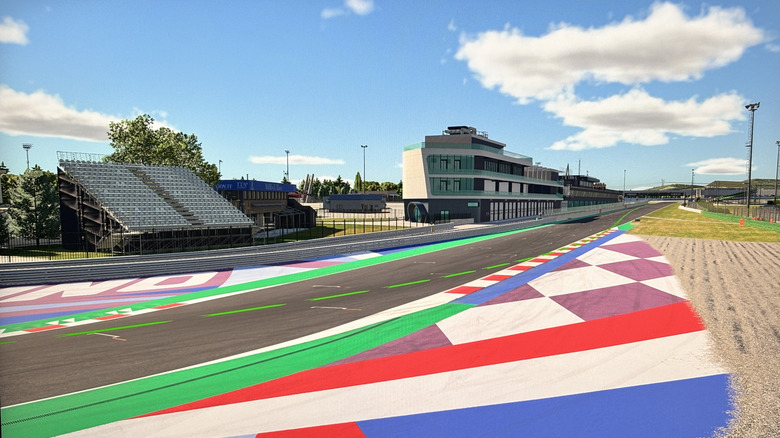
What better way to answer this question than by throwing the laptop straight into the fire with an 80-minute endurance event in my league at "iRacing's" copy of Misano World Circuit Marco Simoncelli's grand prix configuration in Italy with all of the Audis the long-running sim racing title had (I chose the R8 LMS EVO II GT3, by the way).
The big shock was how crowded all of my info boxes were on that 16-inch screen; yes, I could've used my bigger monitor, but I only had room for one thing, so the laptop took that monitor's spot. The colors were a bit faded, too (the blacks alone were more dark gray). Yet, everything else worked fine, from the laptop and my wheel/pedal working together to the action on the track itself. Even the SteelSeries Arctis Pro Nova OMNI headset (which I reviewed at the same time as the laptop) I used to talk to my fellow drivers in Discord was well received by the Crosshair A16.
How about the open road, though? No problems there, either. I took on a load in "American Truck Simulator" from Chicago to California, which takes two real-time hours to complete. The main UI was less crowded compared to "iRacing," while the scenery from outside of my Kenworth T680 (which I drove with a hard-wired Razer Xbox One controller) looked as great as a decade-old title can be.
(NOTE: Above you're seeing an iPhone-15-photographed photo of the display of this computer which, in turn, is displaying the Misano World Circuit Marco Simoncelli in the game "iRacing.")
Ready for play or work
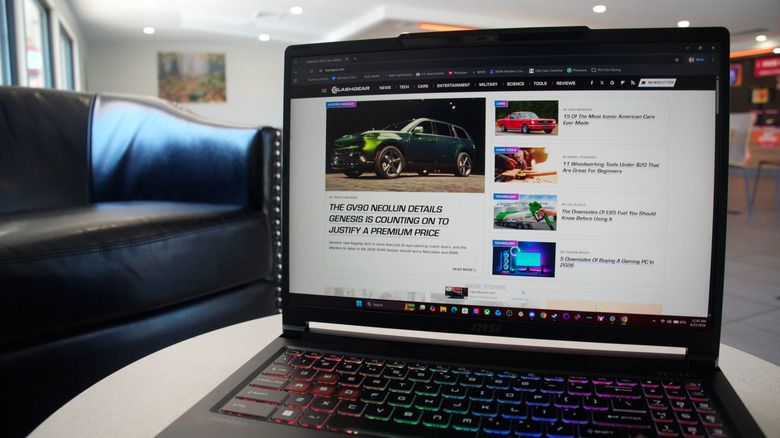
That was all gaming, though. How does the MSI Crosshair A16 handle everyday living? Well, to start, that battery has a big thirst. On economy mode, the laptop should last around two to three hours on a single charge, but just an hour when you're gaming; at some point, the battery also stopped charging all the way to 100%, falling around (and remaining at) 95% before putting everything back together. Combined with the size and heft, this was a machine I couldn't keep with me in my bedroom like my old ThinkPad T480; thus, it went off to live on my late grandmother's computer desk with the charger plugged in all of the time.
Sound-wise, its pair of 2W speakers sounded pretty good before switching to the headset. The RGB keyboard was quite nice to type upon, too, though I didn't do much of that once I sent it off to be my gaming PC for the remainder of my review.
Since we're on the gaming theme, though, here are this laptop's GeekBench 7.0.0 scores. For the AMD Ryzen 9 8940 HX, the CPU nearly matched the baseline AMD Ryzen 7 7700 2524 single-core score with 2428. On the multi-core end, it bested the 7700's 15441 score by nearly 1000 points, capping out at 16317.
The 5070's OpenCL score of 126538 blew away GeekBench's 100000 baseline score, set by the Nvidia GeForce RTX 4060. Its highest score was the Super Resolution score of 173095, rendering 319.3 Kimages/sec. You can definitely do some video editing if you wanted to on this gaming PC.
MSI Crosshair A16 verdict
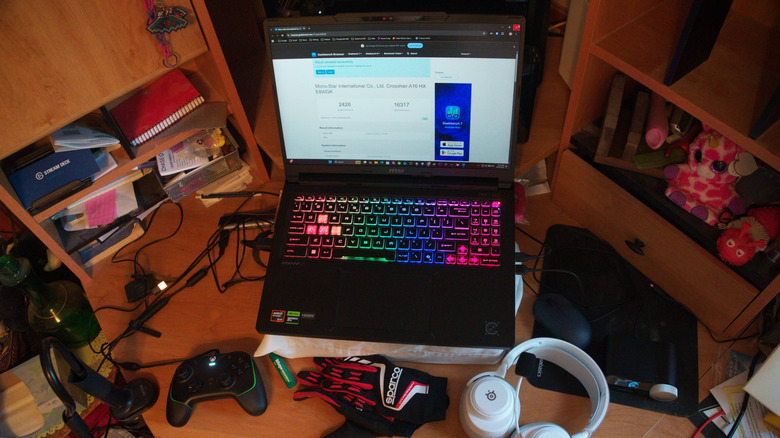
The MSI Crosshair A16 (available in the reviewed configuration on Amazon for $2,699 as of this writing) is a very capable gaming laptop, ready for everything from filing taxes to blowing up dudes, then making the clips to put on your YouTube Shorts channel.
It's a heavy guy with a thirst for electrons, but those of you who do use laptops like these are likely used to always leaving them plugged into the wall. The base 16GB of DDR5 RAM is solid enough, though it was definitely nice to have this one with 32GB. And if you've got the big bucks, you can upgrade that to 96GB to get the most out of everything you do at home, at work, at your next LAN party, and even on vacation.
The Crosshair A16 is in quite the competitive space in the mid-range gaming laptop race, though. It's hard to say what would make this stand out above the rest, but if there's one thing going for it, it's as a desktop replacement.
Just plug a bigger screen into the HDMI port, bring that RJ45 over to the Gigabit Ethernet port, add a USB hub for a few of your peripherals, and this laptop can be both your workstation and your battle station. Can't really beat that combination, in real life or in the virtual fighting arena.