

What Is An Ethernet Coupler Used For?
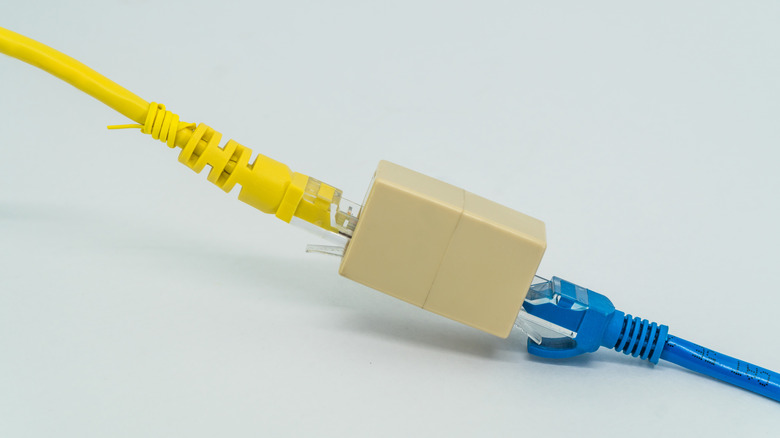
If you have two or more Ethernet cables that are, on their own, too short to connect the source to the device, an Ethernet coupler can help. Unlike ordinary electrical cables, you can't join Ethernet cables by simply twisting or soldering individual wires without compromising signal integrity. On the other hand, an Ethernet coupler lets you join two Ethernet cables, turning them into a longer cable, without needing other networking equipment like a modem or router.
An Ethernet coupler, commonly called the RJ45 coupler, has a female RJ45 or Ethernet port on each end, and this is where you plug in the two Ethernet cables. The best part about Ethernet couplers is that they are really simple to use, requiring no configuration on the user's part. All you need to do is plug a cable into each end, and that's it. The setup starts working instantly. Besides, Ethernet couplers are cost-effective, making them a convenient alternative to a longer Ethernet cable, especially if cost is a concern.
All that said, there are a few downsides to Ethernet couplers, primarily related to performance and reliability. While Ethernet couplers, when used in moderation, don't necessarily affect the connection's speed, they introduce an additional connection point or junction, which can increase the likelihood of failure. This is not a reason to outright reject the idea of using them, but it's something you must consider.
Types of Ethernet couplers
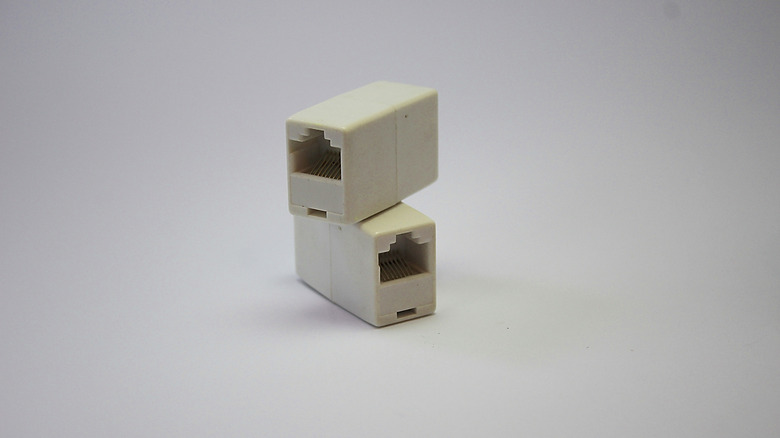
If you are planning to get an Ethernet coupler, it's important to pick the right one. There are quite a few options, with different designs for different applications. For instance, you have IDC (Insulation Displacement Connector) couplers that are used when the cables are not yet terminated, and RJ45 couplers that come into play when the cables already have RJ45 plugs.
There are also shielded and unshielded couplers, and indoor and outdoor couplers. Shielded couplers help when there is interference, as they can minimize its impact on the signals. Of course, the cables need to be shielded too; otherwise, the coupler alone won't do much good. Also, they are costlier than unshielded couplers, but if you prioritize performance and reliability, shielded couplers should be the top pick in spaces with high electromagnetic interference.
As for indoor and outdoor couplers, the names are pretty much self-explanatory. While an indoor coupler has exposed ends for the RJ45 plugs, outdoor couplers are designed with additional protection against moisture, water, and dust. So, always choose a coupler after carefully assessing your requirements and identifying where it is to be used. Also, when picking one, make sure the coupler is rated for the Ethernet cable type you are using. Anything higher shouldn't be a problem, though, since higher-category couplers are backward compatible.
Things to remember when using Ethernet couplers
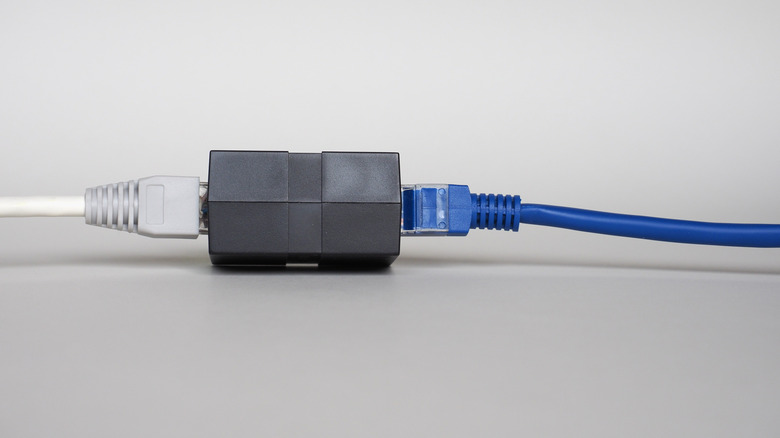
There's nothing inherently wrong with using couplers if you want to join two or more Ethernet cables. They are often more cost-effective than getting a new, longer cable. At the same time, you must understand that having too many couplers can negatively affect the connection's reliability and performance. While having one or two should have no noticeable impact, provided they are good quality, you should ideally keep the number of couplers to a minimum and never use more than three per cable run with Cat5e or Cat6 cables at 2.5Gbps or 5Gbps.
Apart from numbers, the quality of the Ethernet coupler is just as important. A low-quality coupler may result in a loose connection, which ultimately affects signal transmission. So, when you buy one, be sure you get an Ethernet coupler from a well-known brand. Additionally, the coupler will not reset the Ethernet run's length limit, which is 100 meters (328 feet). That means you shouldn't connect two 100-meter Ethernet cables using a coupler. The length limitations still apply, and anything above the acceptable range may result in signal degradation and other connectivity-related issues.
Lastly, you should consider using Ethernet couplers only when a more permanent setup can't be achieved. If you can use a single cable of the appropriate length, it's always the better choice, since there are fewer connection points and, subsequently, fewer potential points of failure.