

Eclipsa Video: What Is It & How Is It Different Than HDR10 Or Dolby Vision?
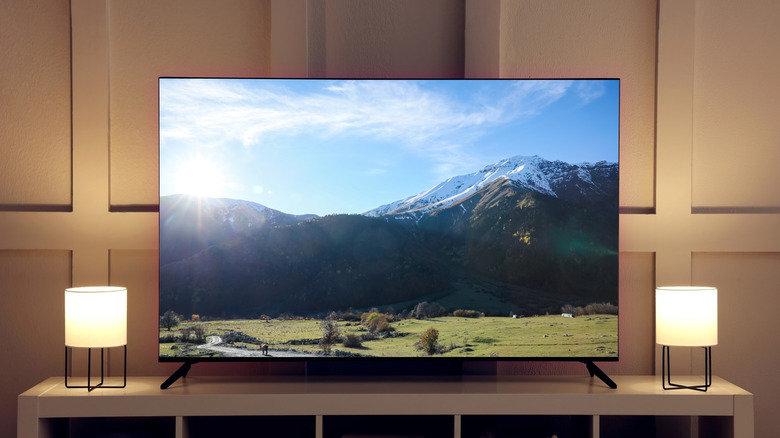
Eclipsa Video is a new High Dynamic Range (HDR) format that aims to make videos look consistent across different devices. The Eclipsa Video HDR format is based on the SMPTE ST 2094-50 specification, an open standard developed by Google alongside Apple and NBCUniversal. For the uninitiated, HDR is a technology designed to enhance picture quality by expanding brightness, contrast, and color to deliver a richer, more lifelike experience.
There are many different HDR formats on the market that aim to address the same issue of delivering more lifelike content, such as Dolby Vision, HDR10, and HDR10+. Despite that, the Achilles' heel of HDR is consistency, which is a bummer since it's one of the key features to consider when buying a new TV. As a result, a video might really pop on one device, like your phone, but look bland on another. HDR content might even vary on the best smart TVs.
And that's because there isn't a standard way of doing things to ensure consistent content presentation across devices. Factors like your hardware and how your device translates the HDR signal through a process called tone mapping can impact how the content looks. Using Eclipsa Video, Google says videos will look more consistent, and you won't even experience the sudden brightness spikes while switching from one video to another.
How Eclipsa Video works under the hood
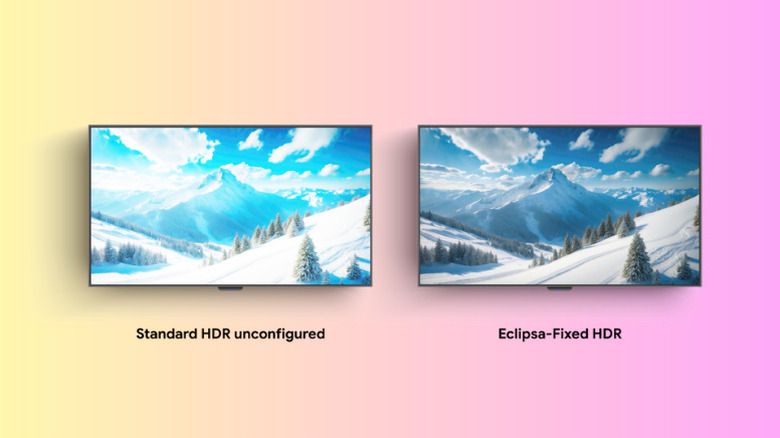
To understand how Eclipsa Video works, you need to get the hang of how displays handle HDR content. Typically, HDR content includes metadata that instructs your device's screen on how to accurately display the image, including the brightness and color space. Through tone mapping, your display interprets the metadata and decides how to display the HDR content based on its capabilities. Because of the difference in tone mapping and processing, the way the content looks will vary from device to device.
However, the Eclipsa Video HDR format takes a different approach to existing HDR formats. Instead of letting the display decide how to interpret a video's brightness, it includes "precise guidelines that tell compatible displays exactly how to render the image." Additionally, it allows displays to dynamically adapt content mapping depending on the ambient lighting conditions and the hardware capabilities.
Eclipsa Video HDR format does so by providing a consistent baseline for normal brightness called the HDR reference white, and leaves headroom for brighter highlights to be displayed dynamically according to the capabilities of each screen. This format also uses dynamic metadata, providing frame-by-frame instructions to the display to try and preserve the creator's intent as much as possible, instead of applying a fixed setting for the entire clip.
How Eclipsa Video stacks up against Dolby Vision and HDR10
Compared to HDR10, Eclipsa Video takes a different approach to handling metadata, which is at the core of most HDR content. HDR10 uses static metadata and serves as the basis of HDR signals. Because it uses static metadata, it applies a fixed set of instructions across an entire clip, making some scenes overly bright and others darker than they should be.
In contrast, Eclipsa Video uses dynamic metadata, ensuring that every scene is optimized to try to match the creator's intent. Compared to Dolby Vision, Eclipsa Video is similar because they both use dynamic metadata. As a result, both formats allow the display to optimize how each scene is rendered based on the content and the display's capabilities.
But of course, the intricate details of how Dolby Vision works under the hood are different from Eclipsa Video. As a side note, HDR10 and HDR10+ are not the same; the latter is an advanced format that uses dynamic metadata.