

12 Gadgets Under $50 That Can Elevate Your Home Office

We may receive a commission on purchases made from links.
Working from home has been the new normal for over 6 years now, with remote work being one of the few pleasures the average employee discovered at the height of the pandemic. Not having to clock in at an office miles away is still a treat, but as work moved into our homes, many of us found ourselves having to create ideal dedicated spaces for our jobs and careers. We all know too well the struggles of setting up one of these spaces.
However, turns out there are tons of things to buy to make your work life at home easier. On a high level, the main things to focus on are your lumbar support and your computer setup — and getting good options in both categories can drain a hole in your wallet. However, that's not all you need for a fully built-out home office. You need gadgets that will keep you sharp, focused, and stop you from taking multiple trips away from your screen so you can "lock in," as the kids say these days. At the same time, these are nice-to-haves and not necessarily essentials, so you don't want to spend a fortune buying them.
Trying to fit out your own home workspace? You're in luck; we've compiled a list of 12 gadgets priced under $50 a pop that can take your home office to the next level. Whether that's through ergonomic support for your body or keeping you comfortable through other means, you can't go wrong with any of these selections.
Tecknet Ergonomic Mouse

Chances are you'll notice a bump in productivity when you first transition from your laptop's trackpad to a regular mouse; suddenly it's the best thing since sliced bread. Unfortunately, the novelty wears off as you start logging long hours at your desk with your hand tilted awkwardly. Dull wrist aches may follow, and now scrolling through webpages and documents is one of the things you start to dread.
Ergonomic mice were designed to solve this problem by keeping your hand in a natural cupping position with your wrist flat against the table. For $26.99, Tecknet's Ergonomic Mouse keeps your wrist comfortable while also offering six adjustable DPI (dots per inch) levels up to 4800 DPI to choose from. In a nutshell, you can toggle the sensitivity such that you barely need to move your hands at all to go from one point to another on your screen.
Beyond this, the Bluetooth technology in the Tecknet Ergonomic Mouse lets you connect to two devices simultaneously. It also comes with a standard USB-A connection. Most pertinent to your focus level (and that of others around you), it's quiet, clicking nearly silently according to the manufacturer. When the battery gets low, you're not caught unawares either — the LED will blink to alert you.
Nulaxy Adjustable Laptop Stand
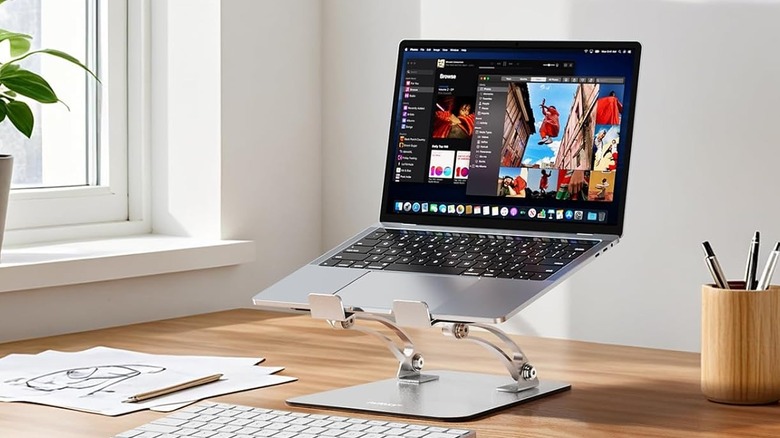
Laptops are great because they're portable. However, anybody who's ever worked with one for hours at a stretch knows it can be a great pain to maintain proper posture even if you're sitting in the best ergonomic chair money can buy. That's because, depending on the setup of your desk, you might find yourself slouching your shoulders or craning your neck slightly to assume a natural working position. Over time, you could end up developing an aching back — and that's a pain to get rid of (no pun intended).
Listed at $19.99, Nulaxy's adjustable laptop stand takes the slouching out of your workday by placing your computer at eye level. If you're worried about stability, it uses a two-rod design and anti-slip silicone pads to keep your typing and navigation wobble-free; it can support devices weighing up to 22 lbs.
To keep your laptop cool even during intensive tasks, Nulaxy's adjustable stand has a geometric heat vent on the upper panel, which helps with thermal management so your device doesn't throttle unexpectedly. As for compatibility, it fits laptops sized between 10 and 17 inches, and you can always fold it flat if you want to work on the go.
ErGear Monitor Arm
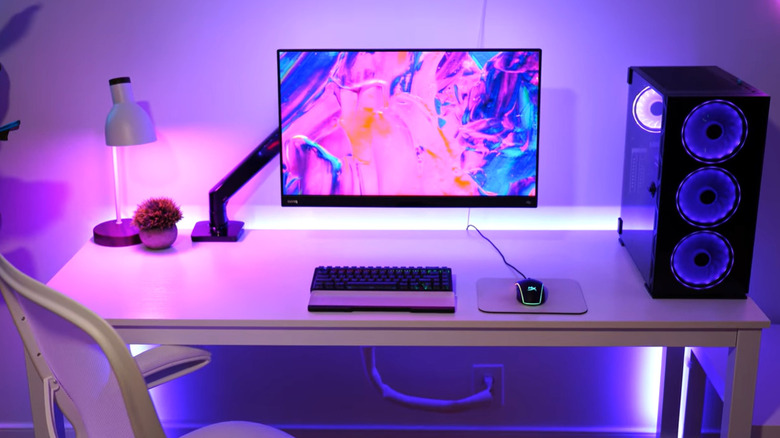
Laptops aren't the only screens professionals use these days; monitors are very popular today for their wider display. While you could theoretically place them on your desk and get right to work with them, that would be a precarious setup — the last thing you want is for your multi-hundred-dollar investment to take a tumble.
Monitor arms like ErGear's come into play here: they keep your monitor firmly in place. It's why they featured in our list of cheap gadgets you should have in your home. For $32.99, ErGear's monitor arm is compatible with most 13 to 34-inch flat and curved monitors, and it can support up to 19.8 lbs. With this monitor mount, you get precise height adjustment of up to 17.5 inches, and you can change any of the three angular configurations (tilt, swivel, and rotation) to achieve your ideal viewing setup. With ErGear's monitor arm and its 130-degree tilt, 180-degree swivel, and 360-degree rotation, you can place your screen in any position you like to help eliminate those annoying neck strains.
Logitech Brio 101 Webcam
Ever had the misfortune of being in an interview or an important meeting with a grainy image fed back over Zoom? It's something that can throw you off your game, especially if whoever is on the other side of the call comments on it. First impressions matter, and you really don't want to appear unprofessional in any form. This is quite common with older computers that aren't equipped with 1080P or 4K video recording capabilities, and shopping for one that does can be expensive. If you're looking to buy one, here's a selection of the best laptops with high-quality cameras; if not, thankfully we've got some alternatives.
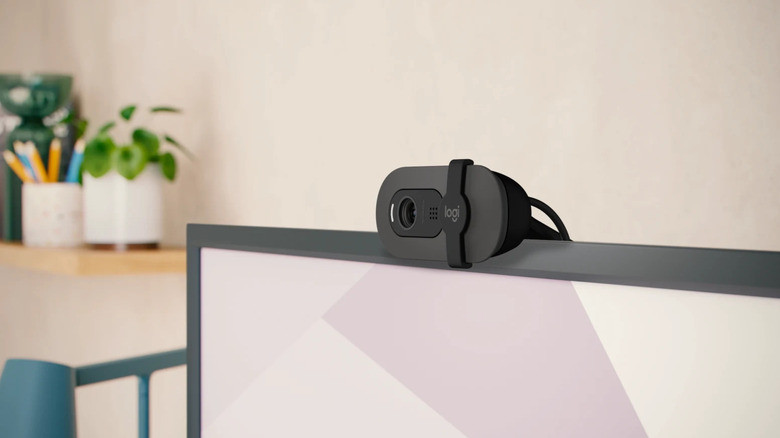
A webcam like the Logitech Brio is the perfect stopgap in such a budget scenario; it's relatively cheap at a listed price of $39.42, comes with 1080P recording, and has a host of other features that can help you look your best over an online call. All you need to do is hook it up to your laptop via the built-in USB-A cable, then if you feel like optimizing, you can customize your video settings like zoom and framing over the Logi Options+ app.
If making changes to the recording feed sounds like too much trouble, the Logitech Brio automatically boosts brightness by up to 50% to reduce shadows. Also, since webcams can give a security-conscious user pause due to privacy concerns, it comes with an integrated cover; just slide the shutter over the lens, and you'll have total privacy.
KVIDIO Noise Cancelling Headphones
Say you reside in a neighborhood that has a particularly loud profile. There could be construction over in the next house, toddlers could be on vacation doing what toddlers do best, and one of your green-thumb neighbors could decide to take their lawn mower for a spin when you're trying to focus — or worse, are about to hop on an important call. These are common annoyances at the minimum; at worst, you could develop an unwanted reputation or get skipped over during calls.
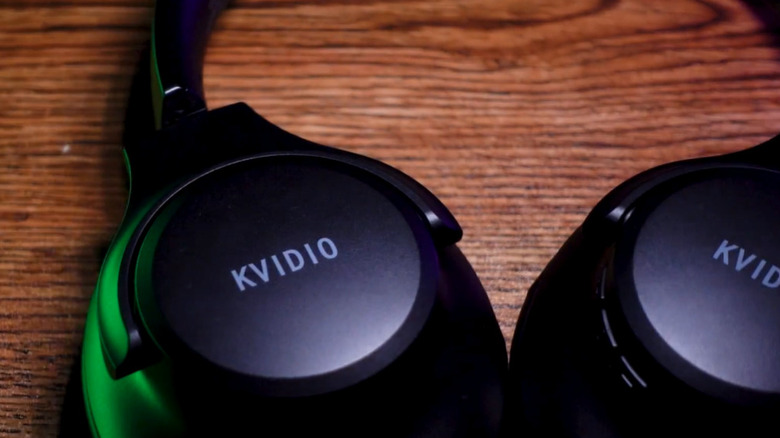
KVIDIO's noise-cancelling headphones could solve your problems, as they block out up to 95% of ambient noise. With this, any background sounds can fade into insignificance or, at the very least, be reduced to a tolerable level. Its earpads are designed to fit snugly over your ears with their soft texture, and if you don't want to exist in a completely noise-canceled cocoon, there's a transparency mode you can toggle to get a better sense of your surroundings.
As is standard nowadays, you don't have to plug in KVIDIO's headphones to enjoy the experience. On a full charge, the noise cancellation mode can last about 40 hours, and that number extends to 70 if you're using them in standard music mode. You also don't need to charge it for hours to use it; a five-minute charge fuels up to four hours of playtime. The KVIDIO noise-cancelling headphones are listed at $29.99 on Amazon.
GHome Smart Plug
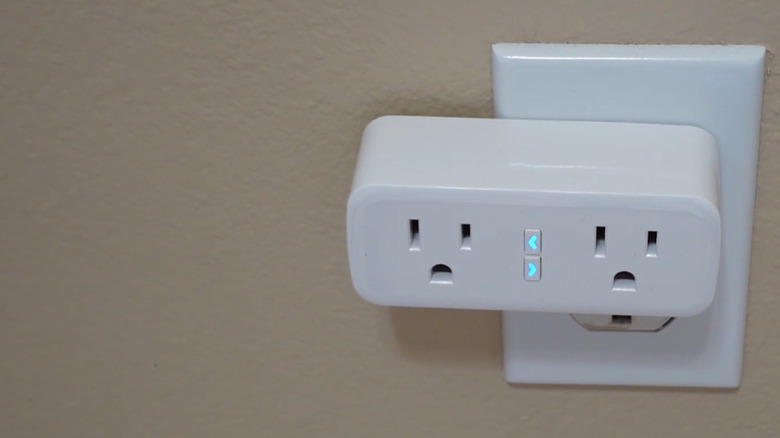
If there's one thing people are prone to do with electricity, it's waste it. As of 2015, American households spent an average of $165 per year on electricity for devices that weren't actively in use. That may not sound like a lot, but besides cost, there's a problem of safety consciousness; tools that aren't in use should not be plugged in, in case of power surges that could damage any devices, or worse, cause a fire.
Smart plugs can help curtail the waste and safety risks of regular power outlets. For $31.99, a GHome Smart Plug four-pack can take over the operation of power outlets around your home, and you can manage their use with a spoken command to your Alexa or Google Assistant-equipped device or through the app's remote control. This way, if you forgot to turn off your space heater before stepping out of the house, you can turn it off from your phone before any damage can happen.
That's not all; you can also set schedules and timers to automate the process, so at specific times of the day, your devices can turn on or rest as the case may be.
Iseyyox Multi-device wireless charging pad
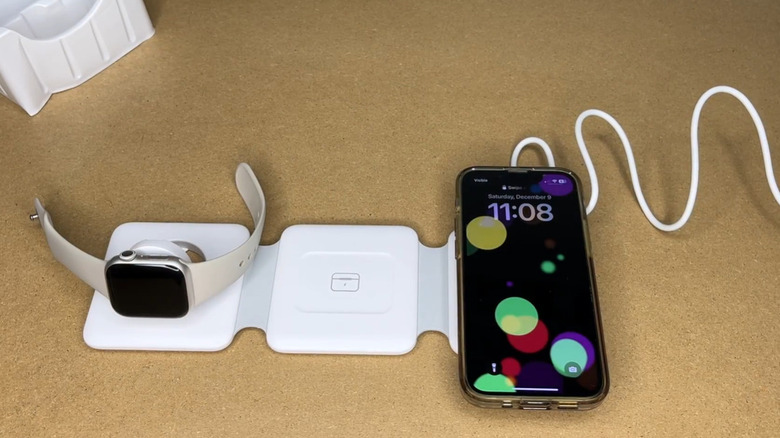
Charging your devices in a home office can be messy business. If you're not on top of your arrangement needs with a charging tray or another means of organization, wires will start crisscrossing every surface. Before you know it, an ill-fated tangle could cause one of your devices to take an expensive fall — and that includes you possibly tripping over it one of those power cords when you're not paying attention.
Wireless charging mitigates this to an extent. While it uses more power than regular wired connections, charging several of your devices in the same place in an orderly fashion is often worth it. Iseyyox's multi-device wireless charging pad is one possible solution: it's a three-in-one foldable charging station with built-in magnetic alignment. It supports Apple products, from the iPhone 12 series and above to Apple Watches and AirPods.
One of the best features of the charging pad is maneuverability; instead of setting your devices down flat, you can fold the pad so it doubles as a phone stand. The Iseyyox's charging pad is on sale on Amazon for $41.99, although at time of writing there's a discount that will let you get it for $26.55.
Levoit Humidifier
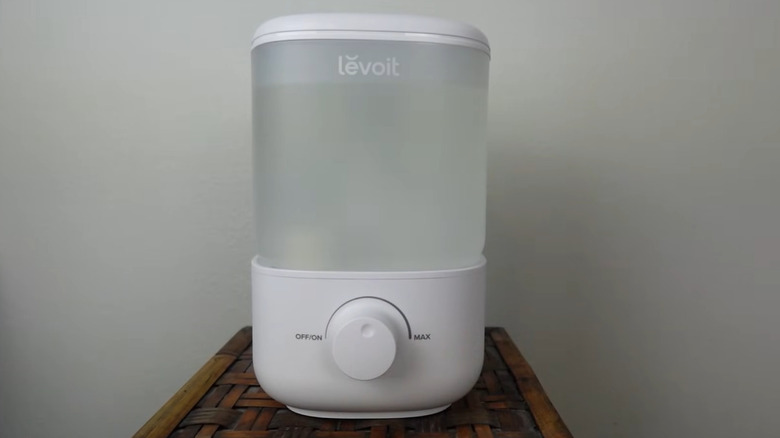
Staring at the many screens in your home office for long hours has all sorts of ramifications for your eye health, but the main risk you should be concerned about is eye irritation. Studies have shown that working with screens in areas with low relative humidity can cause symptoms of dry eye. It's not just eyes at risk either: Dry conditions affect the mouth, nose, and skin as well.
Mist humidifiers help stave off this effect. For $39.99, the Levoit Humidifier can supply your home office with humidity for up to 25 hours with its 2.5-liter capacity. All you need to do to get it up and running is fill the tank with water via the top-fill design and adjust the mist output using the knob. Its operation is relatively quiet with a noise level that runs as low as 26 dB, which suits the ambiance of your home office.
To clean the tank, you can reach through the same opening at the top. If any corners are difficult to reach, the Levoit Humidifier has a detachable base to let you disassemble the device and clean it thoroughly before reassembly.
Airlonv Adjustable Brightness Desk Lamp
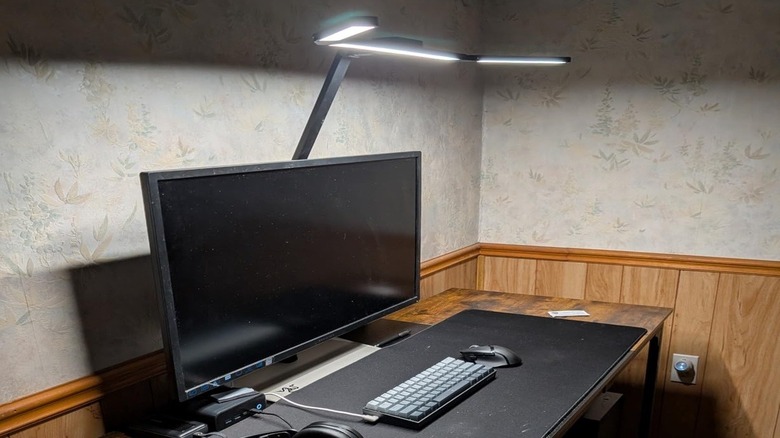
Lighting is one of the most important environmental conditions — but it's also one of the easiest to overlook. It's not enough to install a few lightbulbs in your home office to ensure it's well-lit; you have to take care of your eyes to protect them from glare. If you're going to be working in a room for hours on end under a constant level of brightness, chances are some form of eye irritation will happen along the way.
Airlonv's Adjustable Brightness Desk Lamp can help with that. Instead of using the same light intensity even when your eyes feel sensitive, you can dim the lights from full blast to a minimum of 1 percent. You can also switch color temperatures within the ranges of 2700K and 6500K. That wide range of light intensity should relieve your eyes from fatigue induced by constant glare. In terms of setup, the LED desk lamp has a 360-degree adjustable gooseneck that can extend up to 31 inches, meaning it can work with monitors sized 30 inches and below.
As for the lamp itself, it's a 17-inch wide bar composed of 100 lamp beads that use 85% less energy than traditional incandescent lamps. The Airlonv Desk Lamp has a listed price of $25.99 on Amazon, although at time of writing it's on sale for $20.98.
OnLyee Desktop White Noise Machine
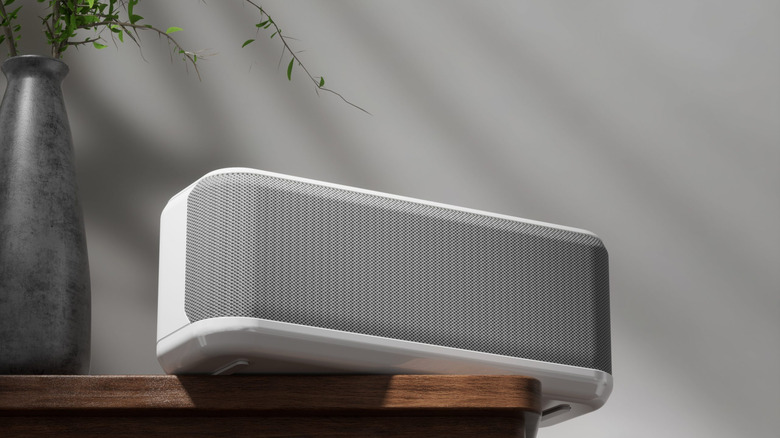
Ever found that you work and focus better with some background noise? A completely silent environment might be ideal for some people, but it could be unnerving to others. At the same time, intelligible background noise from interpersonal speech, TV sounds, or even traffic can be disruptive to deep work and bring about fatigue much faster than quiet environments. So, how do you find a balance?
White noise machines produce a soothing noise intended to calm the listener, and OnLyee's Desktop white noise machine has a selection of 42 non-looping sounds for you to choose from. From an operational standpoint, it has eight volume levels to drown out any conversations happening in the background, so you can stay focused on whatever tasks you're working on, along with a memory function that remembers your last setting for day-to-day use.
With a listed price of $27.99 on Amazon, you'd get all-day office use from the OnLyee desktop white machine on a single charge of its 3000mAh USB-rechargeable battery. Its compact design weighing less than 13 ounces means you can tuck it away into a bag if you feel like working on the go.
Arteck Wireless Keyboard
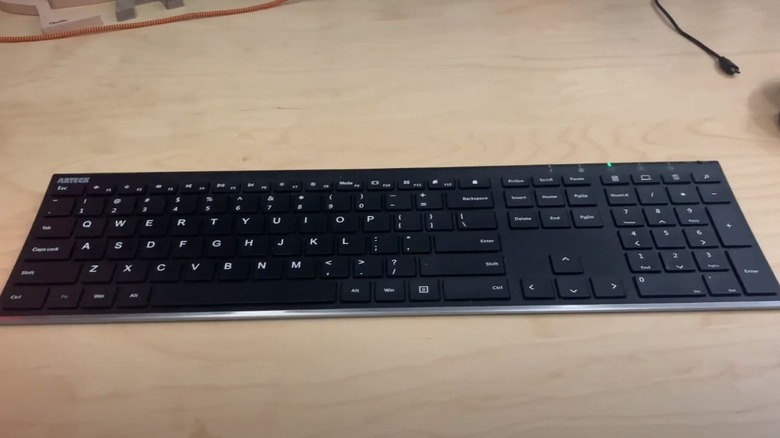
Most people use wireless keyboards for convenience in one way or the other. For instance, if your setup comprises a laptop stand and a monitor, you're not going to keep your hands elevated for hours on end; that would be impractical. The solution in such a case is to buy a separate keyboard, but if you opt for wires, things can get messy fast. Hence, wireless keyboards have become a pretty standard sight in modern home offices, although some old-school mechanical keyboards still do the trick.
When shopping for a wireless keyboard of your own, you want to watch out for durability and comfort. For $37.99, Arteck's Wireless Keyboard provides both, with a stainless steel material outline that should absorb sudden impacts and low-profile keys that translate to a quiet and comfortable yet firm typing experience.
This full-size keyboard complete with a number pad uses a rechargeable lithium battery that can last up to six months on a single charge with a two-hour daily usage schedule, so you won't have to frequently pull out the charger just to get some work done.
Honeywell TurboForce Tabletop Fan
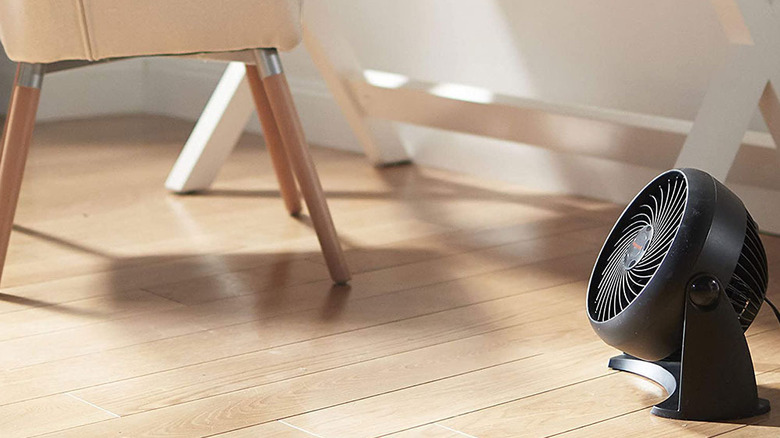
Maintaining a comfortable climate is just as important as any other variable when it comes to setting up your home office. You could fix lighting, posture, and add other forms of comfort, but if the temperature isn't right, working can become uncomfortable. The logical choice would be to invest in air conditioners or thermostats, but those can easily run into the hundreds of dollars.
A small tabletop fan like Honeywell's TurboForce could do the trick without breaking the bank. It costs only $18.79, but with three speeds and an adjustable head that can pivot 90 degrees, it's designed to cool your home office on a budget. Its aerodynamic turbo design works best in small to medium-sized spaces; you can feel its effect from up to 25 feet away, so you can rack up energy savings by turning off your air conditioning and letting the fan take over.
Crucially, it's 25% quieter than comparable fans if internal testing is to be believed, so the blast of air shouldn't pose any noise concerns for your working environment. Honeywell calls this fan its No. 1 top selling table fan, and the metrics bear that out: With 4.6 stars from over 158,000 reviews, the Honeywell TurboForce Tabletop Fan has the Amazon's Choice badge for quality.
How we chose these products

The first question we asked ourselves while compiling this list was whether each item demonstrably improved a home worker's quality of life. That is, the likelihood of every pick being used daily, how well it works, its operational simplicity, and what it would look and feellike working in an environment without the gadget.
These four factors formed the bedrock of our selection before we filtered based on user experience via accredited reviews. To make the best possible item choice, we set a benchmark of 4.0 stars and 1,000 reviews. Many of the items on this list far surpass those criteria, with numbers of ratings stretching into the hundreds of thousands. The overall outlook we wanted was quality performance for a large sample size.
Only when these criteria were satisfied did we filter by cost. Unless stated otherwise, each price discussed for the gadgets in this article is the official, non-sale listing on Amazon.