

4 Things To Consider Before Ditching Your Home Internet Provider For Starlink
When you look up at night, instead of seeing a shooting star or the moon, you may notice a steady white light or line of lights moving silently across the sky. This is likely a satellite, and it could very well belong to Starlink. Owned and operated by SpaceX, Starlink is the largest satellite constellation in the sky. It encompasses more than 50% of the active satellites currently in orbit, and it has one goal: providing high-speed internet, especially to users in remote or rural areas.
There are only a few other satellite internet providers, and Starlink sets its offerings apart by operating Low Earth Orbit (LEO) satellites. These orbit much closer to Earth than standard satellites, at about 340 miles above our heads. That distance, plus the number of satellites, means that the latency, or round-trip data time between you and the satellite, is much lower than other providers, resulting in faster service.
If you live in a rural area and don't have much choice when it comes to high-speed internet, you may be considering Starlink. It's easy to visit Starlink's website to discover the monthly cost and whether it's available at your address, but you should consider more than just price and accessibility. Here are four things you should know before you make the change.
There may be hidden equipment and installation costs
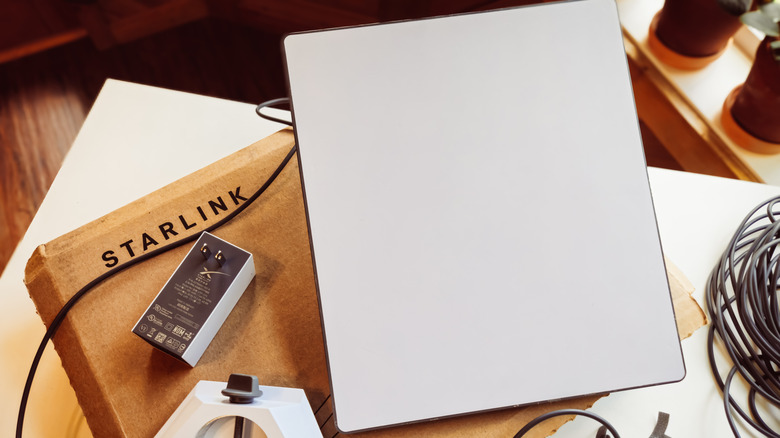
Starlink service is well-priced, especially compared to other high-speed internet services. The basic residential plan starts at $55 per month; the mid-tier plan costs $85 per month; and the top-of-the-line Max plan is $130 per month. The phrase "starts at" may slip past you, but they are two important words that could impact your total monthly cost.
Plan costs can vary by location, and some areas may have special promotions and discounts that other regions don't. Starlink also recently implemented a $10 monthly kit fee that all customers who rent their equipment must pay. Some new subscribers will not pay any upfront costs for hardware, though if you want it professionally installed, it costs $199. Other subscribers may not be so lucky and must purchase a kit. Standard kits cost $349, while the Mini kits cost $249.
Though some accessories may be useful, you want to be careful not to pay too much for additional equipment you don't need. A wall mount costs $67, while a pivot mount is $74. If you want to mount your equipment to a pipe, you'll have to pay $38 for a pipe adaptor. Finally, if you want to pause your service temporarily with Starlink's Standby Mode, you'll be charged a $10 fee per month. Reactivating your subscription may also cost you. According to a recent report by PCMag, one woman was charged $1,500 when she reactivated her subscription. Starlink's terms read, "Customers on Standby Mode for more than 12 consecutive months may, at Starlink's discretion, be required to pay a fee or upgrade to a different Service plan."
It's slower than fiber or cable
When it comes to download speeds, Starlink outperforms the other two major satellite internet providers, Hughesnet and Viasat. So if satellite is your only option, you should definitely explore Starlink plans. But if you're trying to decide between Starlink and fiber or cable options such as Verizon Fios, Xfinity, or Spectrum, it pays to do a bit of research and comparison shopping.
Fiber and cable are both faster than Starlink when it comes to latency and maximum speeds. You probably won't complain about the satellite provider's download speed, which averages at about 100 Mbps, though plans are available at up to 400 Mbps. Cable and fiber, on the other hand, offer download speeds up to 1,000 Mbps and more, depending on availability. When it comes to latency, or the time it takes for data to travel from your device to a server and back again, Starlink typically sees a latency range of 25-60 milliseconds. Meanwhile, fiber sits at 1-10 ms and cable 10-30 ms. Users may notice a delay with anything over 40 ms.
Upload speed is where you may notice a real, frustrating difference. This is how fast information travels from your devices, such as your laptop or mobile device, to the internet. It's especially important if you rely on video calls, like to play online games, or often perform file sharing or cloud backups. Starlink's upload speeds are typically between 15 and 35 Mbps, while fiber offers speeds anywhere between 300 to 8,000 Mbps. Cable is a slower but still typically offers faster upload speeds than Starlink.
Line of sight is important
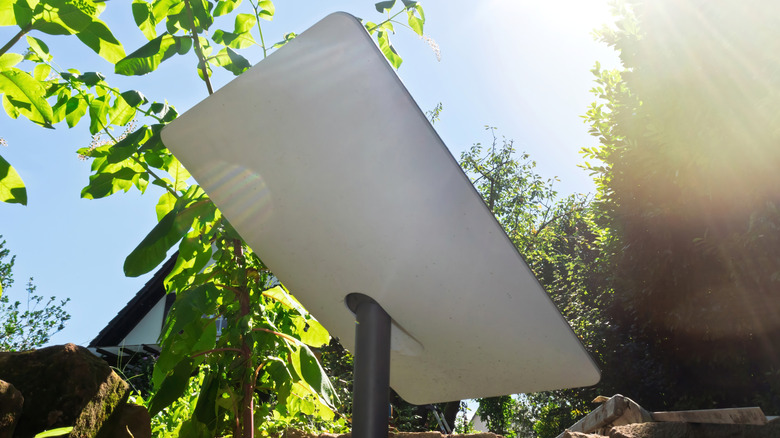
When you subscribe to a fiber or cable internet plan, you don't have to worry about a clear line of sight. The service is delivered to your home via fiber-optic or cable lines that are often buried underground. This is also why these internet services typically deliver faster speeds than satellite internet providers. Starlink, on the other hand, relies on satellite signals between the user, you, and those satellites in orbit around Earth. Because Starlink has such a vast constellation of satellites that are positioned close to our planet, it delivers better service than other satellite providers. That being said, your Starlink equipment requires a clear line of sight to the sky.
If you have a yard full of trees or plan to mount Starlink near a chimney or other buildings, you may experience connection issues. Starlink must have a clear view of the sky so that it can connect with the satellites as they move above you. This is why the company often recommends that you mount your equipment on a roof, pole, or wall. To make sure your preferred location will work, you can use the Starlink app to scan the area for obstructions before you commit to the service and order your equipment. If additional accessories are required for installation, such as special mounts or cable routing supplies, this will add to your overall cost. You can order accessories directly from Starlink after you set up an account, and they are also available from third-party sellers.
Customer support is reportedly frustrating
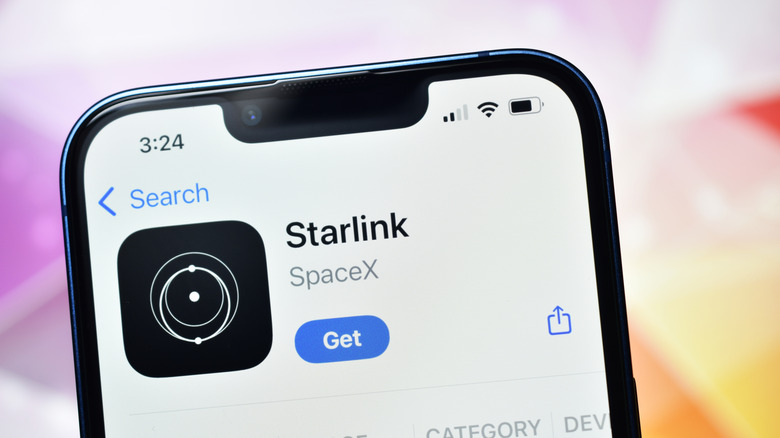
Many users report that Starlink's customer support is lacking. Despite the rise of AI and the frequent use of phone trees by large companies, most of us prefer to speak to a human being when we're experiencing a technical issue. If you're one of those people, you may find Starlink very frustrating.
If you experience a problem, the company first encourages you to troubleshoot it on your own. You can visit the Help Center online and search support articles. If that doesn't work, click on Additional FAQs for more support. If you're unable to resolve your issue, Starlink then encourages you to log in to your account and submit a customer support request, or ticket. Citing this as "the fastest way to receive a resolution," customers should include their account number and the phrase "Consumer Complaint" in the subject of the ticket.
If you're skeptical whether your customer support request will be addressed in a timely manner, you can try calling Starlink's customer support number. This number has not always been easy to find, though Starlink does now provide an 888 number on its website. You can call 888-GO-STARLINK (888-467-8275) 24/7 for customer support. You can also chat with a customer support representative via the Starlink app or on Starlink's website. If you have questions regarding Starlink and don't yet have an account with the company, visit its Guest Contact page.
Methodology

To select the points included in this article, we considered what's most important to the typical consumer when they choose an internet provider. This is usually speed, cost, and reliability. Many of us rely on our internet for more than just casual use and need a stable connection that doesn't experience frequent drops. There's also nothing more annoying than a buffering screen ruining a good binge-watching session. Upload and download speeds are critical, and consumers also want affordable and predictable pricing. Starlink is typically upfront about all of these considerations, but it's vital that consumers also do the appropriate research before signing on the dotted line.