

Why I Recommend These AI Voice Recorders For Interviews And Notes
AI goes beyond digital interfaces like ChatGPT and Claude and it's now showing up in physical productivity-boosting devices. One of the most useful examples I've found is the AI voice recorder. A device slightly larger than a credit card, an AI voice recorder captures, transcribes, and analyzes conversations in real time. It acts as your own personal automatic note taker.
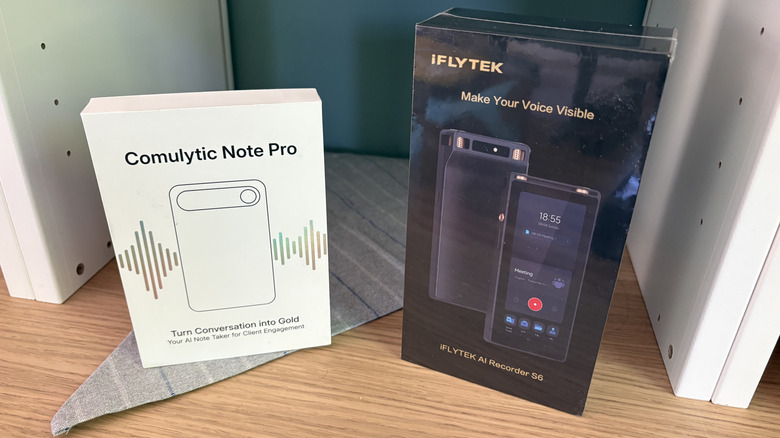
As a freelance writer and entrepreneur who has countless interviews, webinars, client conversations, and Zoom meetings each week, I've personally tried two AI voice recorders: the Comulytic Note Pro and the iFlyTek AI Recorder S6. And there are several other similar devices out there at varying price points. Each device is smaller than an iPhone 17 Pro Max.
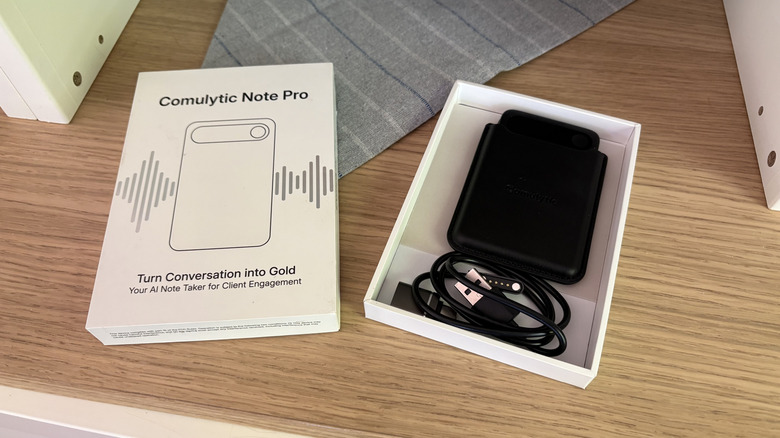
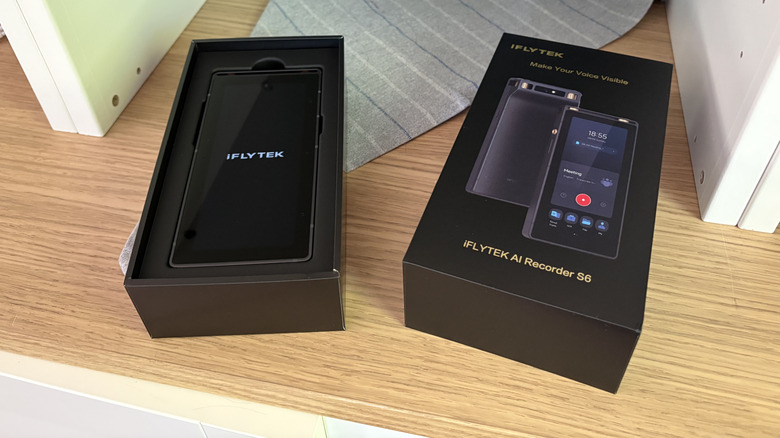
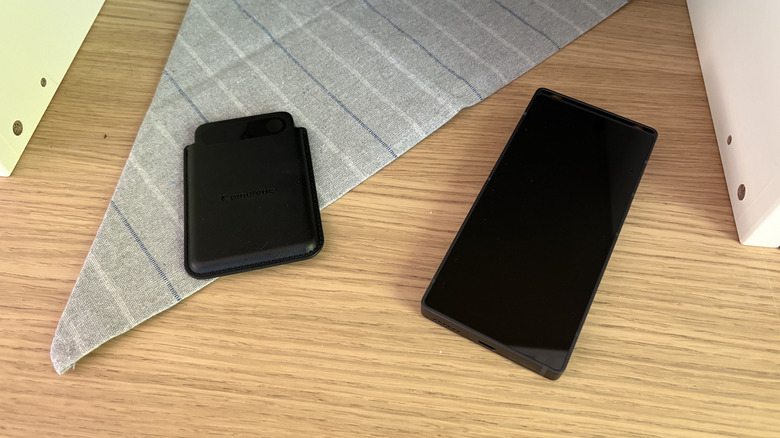
The Comulytic actually came with a magnetic case to fit onto my phone. That way, it's within reach and ready to record the moment I answer a call. It sends its recordings and transcripts to a cloud storage system, which I can access via an app. The iFlyTek AI Recorder S6 is a little larger and reminds me of the digital voice recorder I used in college 20 years ago. It's slim, rectangular, and a little smaller than my palm. Unlike the Comulytic, this one has a screen where I can see the transcription, AI-generated summaries, and other features. It can also record videos. The Comulytic and iFlyTek AI voice recorders have changed the way I do meetings and classes. Here's how.
I can engage in the conversation, not note-taking
Science says that handwriting notes is better for your brain compared to typing, which is why I still enjoy note-taking the old-fashioned way. However, in my line of work, where I'm spending most of my day writing and typing and talking, doing things the old-fashioned way can be downright painful at times, regardless of whether you've got one of the best and most reliable mechanical keyboards. I get cramps in my hands and wrists, even with proper form and daily stretching. And if I'm trying to take notes while in a client meeting or online session, I'm not able to give one or the other my full attention. Even with pages of notes, I still feel like I missed part of the discussion.
Using AI voice recorders to do some of the lifting has made my work easier, physically and mentally. Instead of dashing to take notes and pick out all the important details, I can be present in the conversation. When my wrists and hands are aching after a day of writing, I'm more selective about the notes I take. But using an AI voice recorder, I can focus on what's being said instead of how I'm capturing the information for later. It removes a lot of risk on my end because I know I will have all of the most salient pieces of information without having to pick and choose in the moment. Clients have to repeat themselves less, which saves us both time.
I receive an action-ready to-do list after the meeting
At the end of a meeting, I review my notes and figure out what needs to happen next, usually in the form of research, deliverables, or other tasks. My next steps are only as good as the notes I took, and again, if I miss a key detail or otherwise couldn't fully immerse myself in our conversation, the rest of the process suffers.
Both of my AI voice recorders analyze the conversations and present me with action steps, summaries, and follow-up items. I know exactly what needs to happen next based on the meeting. And it's in a digital form in the same place where I'm already doing my work. As a rule, I always end client meetings by repeating a summary and takeaways so that the client has the opportunity to clarify anything we spoke about or what our next steps are. I still do this, and AI picks it up and runs with it. I've discovered that taking notes doesn't have to compete with active listening. Conversations feel more natural since I'm not constantly staring at my keyboard or notepad. I love that my new process removes a layer of mental clutter and allows me to contribute in a more meaningful way.
I get clear, word-for-word transcriptions
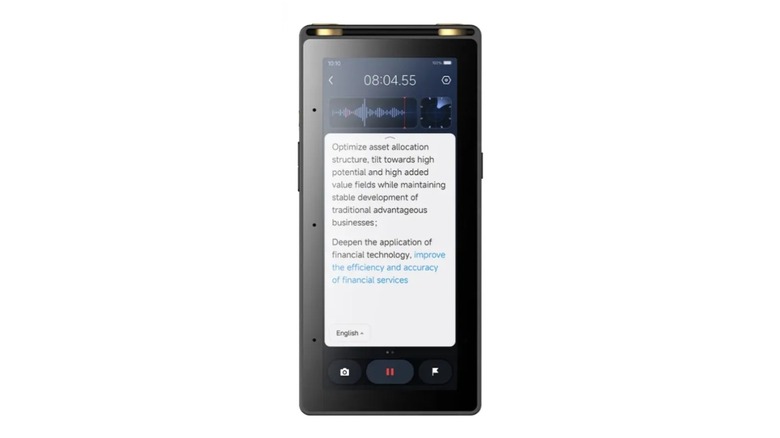
One of the most valuable features of an AI voice recorder for me is seeing what was said. This goes beyond basic call recording, which, truthfully, I loathe. I don't want to listen to a 30-minute phone conversation to find one key piece of information. When I have a digital transcript, I can use CTRL + F to search for keywords and find exactly what I need in seconds. Transcripts are a major time-saver for me, and AI voice recorders create them without a separate tool.
With the Comulytic, transcription is free and happens in real time. The iFlyTek does transcription too, but has a limit of up to 300 minutes per month. Beyond that, I need a paid subscription. With both devices, I can go back and look at notes from past calls and have searchable documents. It seems like a small convenience, but transcripts have become incredibly valuable to me over the years. Details that seem insignificant during a meeting might be important days or weeks later when I'm in a different phase of a project. I don't have to hunt through notebooks or the pile of sticky notes on my desk. All of my records are centralized in one place (well, two since I use two devices for different purposes). Plus, I save money by not having to upload recordings into separate software or transcription apps that convert audio to text.
I can take notes on calls or meetings when I'm on the move
When I'm not writing about tech or working with clients, I'm a travel freelance writer exploring mountain towns and hiking trails and unique attractions. And when I'm traveling, sometimes I still need to take client meetings. I used to lug around my laptop and pop into a coffee shop or cafe when I needed to take calls. The best note-taking apps were handy enough, but now I have an easy, one-touch way to record conversations without needing them. It takes notes on my behalf no matter where I am.
One of the biggest benefits is that these devices work offline. I don't have to be connected to Wi-Fi because each device has internal storage, and when I regain internet access, the content will sync to my account automatically. Even when I'm not speaking with clients or stakeholders, this makes AI voice recorders useful for capturing my own thoughts. Some of my best ideas come when I'm walking in the park or hiking to see a waterfall. Sometimes I meet people unexpectedly and want to get their story on the spot. I have come to appreciate how much flexibility an AI voice recorder provides. I don't have to plan my workflow around the availability of a laptop or internet connection.
Not everyone is on board with AI voice recorders, and here's why

As much as I appreciate AI voice recorders, I understand why some people are hesitant to embrace them. AI isn't perfect, so there's a risk of contextual misunderstanding. For example, AI might analyze your conversation and give an inaccurate summary or oddball to-do's. Hopefully you'll be able to spot this if you were immersed in the conversation, and it's an easy fix. I haven't experienced it (yet).
Some people are also put off by the idea of having AI listen to their conversations. Questions naturally arise about where the content is stored, who can access it, and whether the content is truly private. No one wants sensitive business information or client records on display, especially if it involves intellectual property. I believe transparency is essential. If I'm recording a meeting with AI, I let clients know. Most people appreciate being informed beforehand.