

8 Best Note-Taking Apps For Android Phones And Tablets
Sometimes it's tough to stay organized, but luckily there are plenty of apps out there that can help you stay on top of things. If you have an Android phone or tablet, you have a lot of choices when it comes to note-keeping apps. There are hundreds available through the Google Play Store, but they aren't all the same. First, there's the issue of quality. Some apps are bug-free and streamlined, while others are clunky and potentially dangerous. Then there's the question of functionality and purpose. If you just need a daily checklist, then a high-end app aimed at businesses is undoubtedly overkill. Similarly, if you're trying to keep a whole team organized, then you'll need more than a free app designed for shopping lists.
Then you have to consider the cost. All of the apps on this list, and the majority of note-keeping apps in general, are either free or have a free version of the app available. However, that free version is often limited. So we'll show you what you get for the money when money has to be spent. That said, there is one free app we'll discuss that has most of the features of professional note-keeping apps with none of the cost, none of the ads, and no data harvesting.
Google Keep
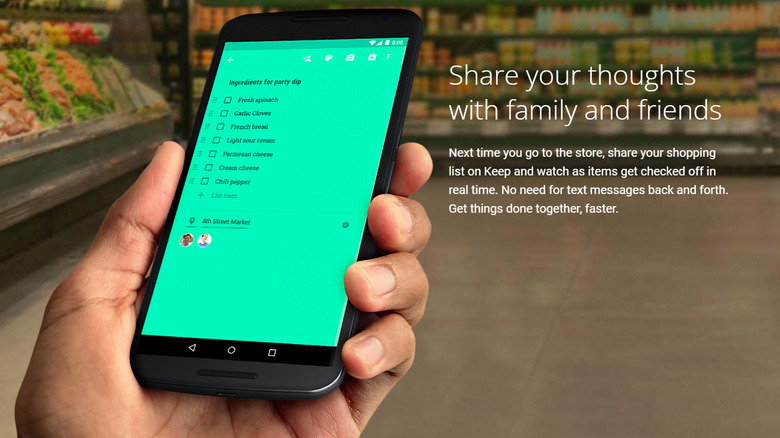
You may already have access to the free Google Keep. It's part of the suite of software that includes Google Docs, Google Sheets, and Google Slides, among other programs. There's also a good chance it is already on your phone if you're an Android user, as Keep and other Google apps tend to come packaged with the devices. Keep allows you to store notes, photos, checkable lists, and audio. As with Docs, this can be added online via your Google account and will also appear wherever else you are logged into Keep. Like other Google software, you can also add friends and family to individual documents, which is a pretty handy feature. For example, another member of your household could have the ability to add or remove something from your shopping list while you're already out shopping.
In terms of display, everything is laid out in a tile-like format. Images and the notes themselves are readily visible. It's an incredibly functional app and ideal for people who primarily use Google's ecosystem. So if Gmail is your primary email, you use an Android, Google Calendar keeps you organized, and Docs is your go-to for writing tasks, Google Keep is an ideal addition to the family. Add the fact that you don't have to download or subscribe to anything, and Keep becomes an even more obvious choice.
Microsoft OneNote
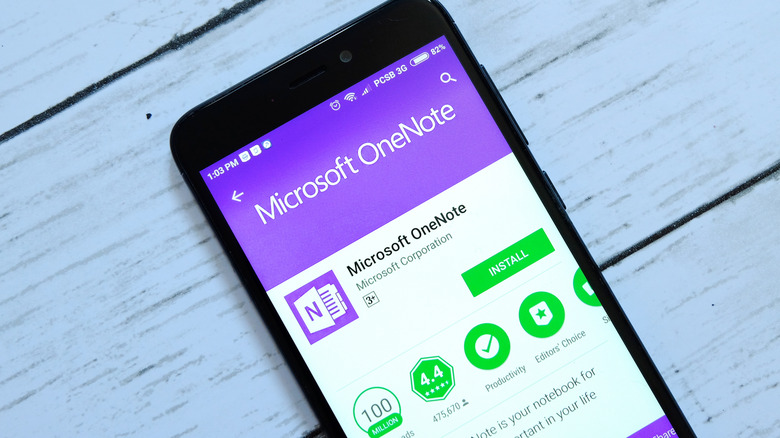
As Keep is to Google, OneNote is to Microsoft. The app will already be present on any Windows PCs, tablets, or laptops you own. A mobile app can also be found in the Google Play Store, which will sync with the other OneNote apps you have installed via your Microsoft account. The app currently holds a 4.7-star rating with over 1 million reviews.
Microsoft lost the Smartphone battle to Android many years ago, and now an Android device is likely the best option for a Microsoft fan who has notetaking needs. As with Google Keep, whether you should lean towards OneNote is a matter of what "ecosystem" you like to inhabit. If you have a lot of Microsoft products, OneNote may be a better choice for you, as it will allow for some level of synchronization between devices. The synchronization doesn't just happen between OneNote apps, either — the note-taking software is actually integrated into the Office 365 suite as a whole.
If you don't actually care about ecosystems, there are still a number of features that make OneNote worthwhile. It's not limited to text — you can add photos, use voice dictation instead of typing for notes, and even add sketches to the app. There's even a document scanning feature, which is similar to the one already present on most Android cameras. If you take a snap of a letter, ID, or business card, the software will recognize it as a document and suggest how best to crop it. As with other note-taking apps from big companies, OneNote is free, as are all of the app's own features. However, to get the most out of it in terms of integration, you'll need the other apps that come with the Office 365 suite — and that's subscription-based.
Simplenote
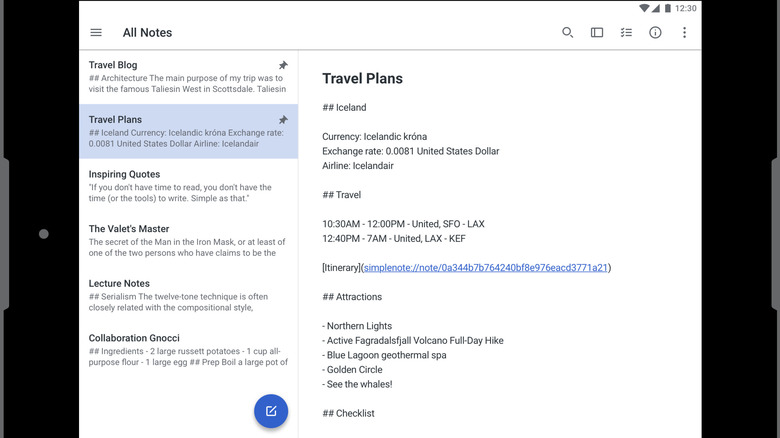
As its name may suggest, Simplenote isn't designed to be a complex app. Instead, it's billed as an easy way to keep yourself organized. Despite the focus on simplicity, Simplenote still manages to pack a whole range of features into its app. The app is also available on Windows, Mac, and Linux — so you get the added benefit of working between your phone, tablet, and PC, just like you do with OneNote and Google Keep. Tags can be added to tasks and entries, which helps users organize and find things more easily. Notes and entries can be shared between users, and files are automatically backed up so you're unlikely to lose your notes even if you use your device.
Simplenote is free, and none of its features are restricted in any way. There are no ads either, though the Google Play Store does have a note about the app being allowed to gather data on its users. If you want an easy, free note-sharing service that just works, Simplenote might be the one for you.
Evernote
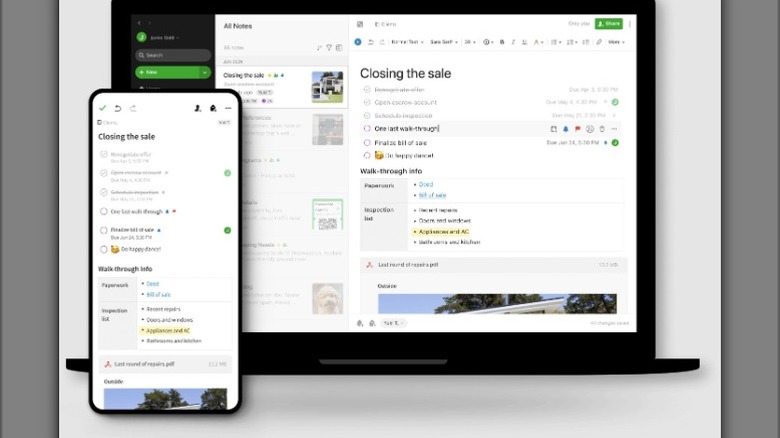
One of Evernote's more unique features allows users to take a snapshot of web pages, without any ads, that they can then annotate. It also works pretty well with Google Calendar, so reminders that are set in Evernote can still pop up on your phone or through anything else you've synced Google Calendar with. More common features are also there, like the ability to sync between platforms, search through previous lists, and scan common documents like business cards and identification.
Evernote offers a free version capable of syncing between two devices and offering 60MB of monthly uploads. The free version is extremely limited, with users unable to set reminders, create recurring tasks, and edit widgets. The paid versions offer increased functionality, higher upload limits, and the ability to sync your Evernote app between unlimited devices. Discounts are available for users who opt for the annual plan. It's worth noting that Evernote's free version used to be a whole lot better, but most of that functionality was stripped during a shake up a few years back. That move was controversial, and may have cost the app a large chunk of its previous customer base.
Notion
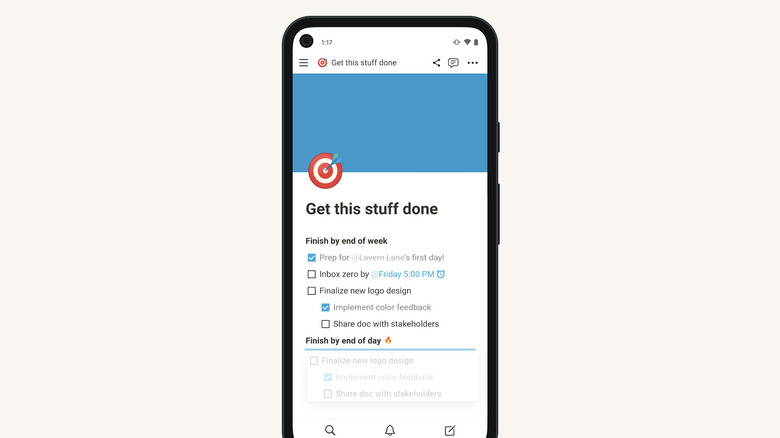
Notion is a business and productivity-focused note-taking app that can help keep teams and companies organized. It offers ways to archive things like meeting notes, work out a roadmap to your project goals, and keep things like workplace policy easily accessible. It claims to be ideal for organizing both your work and personal life, but looking at it I doubt anyone will use it to remind themselves to feed the goldfish and switch the laundry. While it's a bit much for personal business, it may be a good choice for actual business. It integrates well with other tools like Slack and Github. It also allows for "guest collaboration" on tasks and projects.
There is a free version of Notion individuals can use, with a "limited trial" for teams of two. The free version is pretty functional and contains far more features than the free versions of similar apps. You'll only really be hit on user count, upload limit, and length of your page history. This is also more evidence that Notion is really targeting teams and businesses with its product. Beyond that, the prices start at $10 per user per month for the "Plus" plan, and $20 per user per month for the "Business" plan. There are discounts available if users opt for annual billing instead of month-to-month. An "Enterprise" version is also available for larger organizations, but as is often the case, this will require a chat with a "sales team" member.
Standard Notes
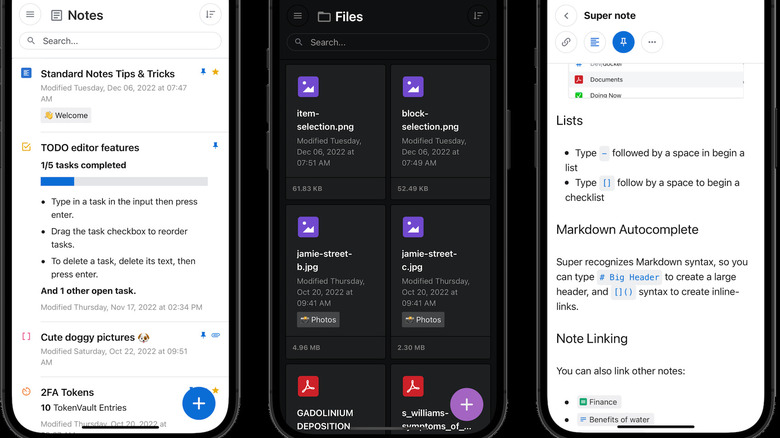
If your main concern is keeping your notes private and secure, then Standard Notes could be your best option. The app boasts "4x-audited industry-leading end-to-end encryption" which, the creators say, should be enough to ensure only you have access to the information you keep there. Standard Notes also boasts about being entirely user funded, having received no money from venture capital during its entire six years in existence. This, it claims, means its terms and privacy policies can have the users' interests at their core. While cloud backup exists, the app also keeps a version of your notes offline — so you can access them even if you're struggling to get an internet connection. Beyond just notes, the app claims it's ideal for storing copies of banking and personal documents, health records, passwords and keys, contracts, and other files.
Standard Notes is free, but there are also paid versions available that offer increased organizational options, more customization, and the ability to use the app as a two-factor authenticator. Prices for the paid tiers range from $90 per year for the "Productivity" version and $120 per year for the "Professional" tier.
Obsidian
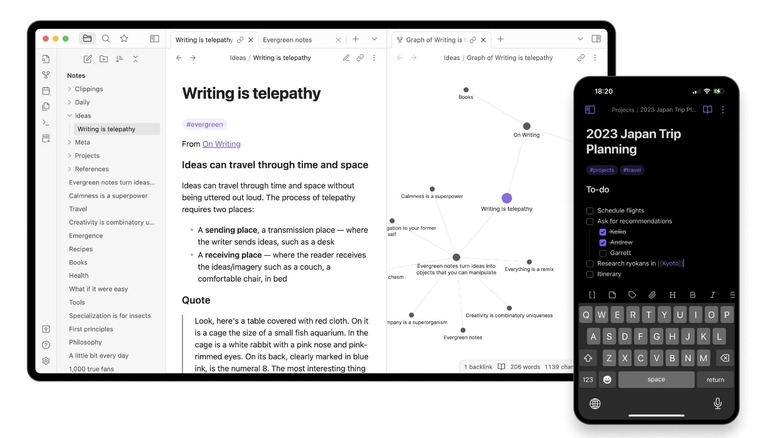
Obsidian is a very unique note-taking app that allows you to link different notes together over time. You can then select an option that allows you to see your notes in a graph format. The app itself takes inspiration from the neural links in the human brain. The "community" that uses Obsidian has also created a variety of plugins for the app, so you can add things like a calendar or templates without much trouble. If you know your way around a bit of code, you can also design and use your own plugins to further customize your app and extend its usability.
The app itself is free for non-commercial users, with the Commercial version costing $50 per user per year. If you want to help fund its development, you can still give Obsidian money. The "Catalyst" plan requires a one-off payment of $25. For this, you get unique community badges and early access to newer builds of the software, along with access to a development channel. There are also specific features you can add on for a price. For $8 a month, you can unlock syncing which makes your notes appear on all platforms where you have the app installed. There is also a "publish" add-on for those who want to post their notes directly to a website. "Publish" costs $16 per website per month. The purchase of any add-on unlocks priority email support.
Joplin
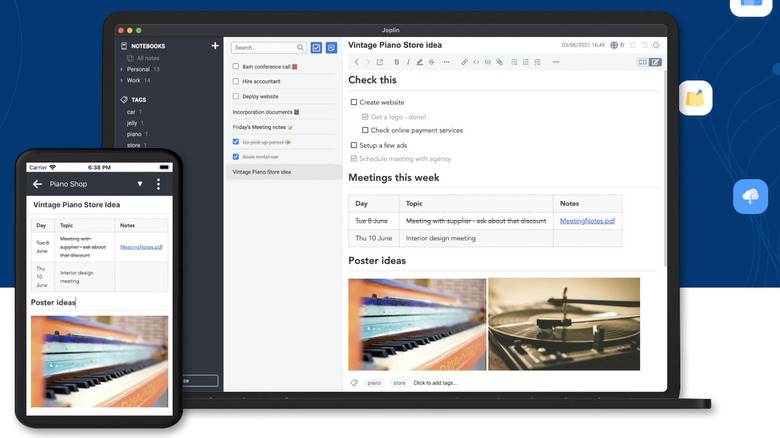
Not all note-keeping apps cost money, but most of them are there to make money. While some companies won't charge you, they will bombard you with ads or harvest your data. Joplin doesn't do any of that and doesn't rely on a subscription, either. Instead, like Linux, it relies on the open-source principle. Anyone can work on it, and everyone benefits from that work. It offers much of the same functionality that paid note-keeping and organizational apps can charge over $100 a year for. So you can collaborate, work between devices, scan documents, save clips of websites, and more without forking out for a subscription.
Joplin has been around for a while and was seen as a solid open-source alternative to Evernote when the latter stripped functionality from its free service in an attempt to get more users to subscribe to its paid options. Joplin, if nothing else, is at least worth a try. It's a highly functional piece of software that's upgraded regularly. And you have absolutely nothing at all to lose.