

How Much Battery Does Samsung's Always-On Display Actually Use?
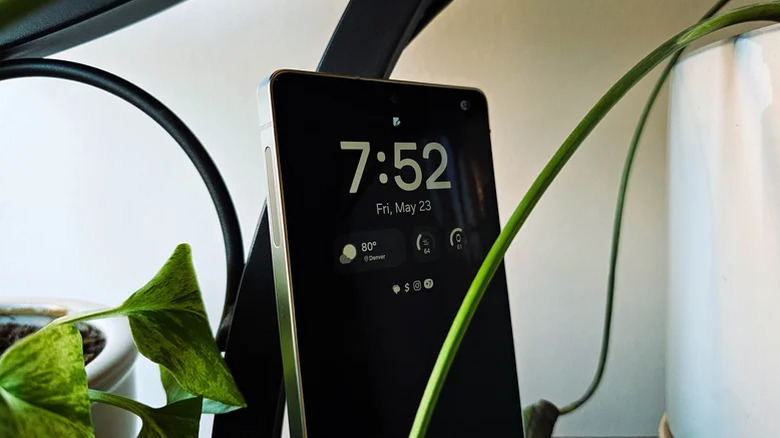
Samsung may have introduced the always-on display (AOD) with the Galaxy S7 lineup back in 2016, but the feature was pioneered by Nokia well over a decade ago and standardized in the Lumia series of Windows Phones not long after. However, AOD has existed ever since OLED displays showed up on Symbian phones of yore. It resonates with smartphone users so well that it's a staple on most premium Android smartphones. This explains why even Apple was compelled to embrace it in 2022 with the iPhone 14 Pro and Pro Max.
Always-on display is a convenient way to tell the time and monitor notifications at a glance, without having to physically interact with your smartphone. It leverages the ability of OLED displays to switch individual pixels on and off, which minimizes battery drain by lighting up only a small portion of the pixels required to render the clock or notifications. While an OLED display might be more efficient than its LCD counterparts, it still can't be left powered on indefinitely like an E-ink display.
Not surprisingly, the feature increased battery drain by almost four times when DXOMark tested the 2022 flagship smartphone lineup consisting of the Samsung Galaxy S22 Ultra, iPhone 14 Pro, Google Pixel 7 Pro, and Xiaomi 12S Ultra. The Galaxy S22 Ultra lasted 417 hours without AOD, but that dropped down to only 136 hours with the feature enabled. That's between 10% and 15% battery drain across the day, or approximately 1% per hour. It would be fair to imagine that the impact of AOD will be different depending on whether you're considering the flagship Galaxy S26 series with more efficient displays, or the lower-end A57 and A37 variants. The actual test results, however, defy that logic.
Samsung's flagship LTPO displays didn't improve AOD battery efficiency
We know that Samsung rated the battery impact of AOD at under 1% per hour when it debuted in 2016 with the Galaxy S7 lineup. Although marketing claims are meant to be taken with a grain of salt, independent testing undertaken in the same year by TechSpot supported Samsung's claims. But nothing underscores the futility of comparing AOD power draw between different devices more than the DXOMark testing conducted more than half a decade later, which found the battery impact virtually unchanged at the same sub-1% per hour mark.
In fact, both the 2016 TechSpot and 2022 DXOMark tests, carried out under similar conditions with the phone radios switched off in airplane mode, pegged the flagship Galaxy S7 Edge and S22 Ultra to last roughly around the 130-hour mark. To put this into perspective, the S22 Ultra is equipped with an LTPO display that reduces power consumption by a whopping 22% over the typical AMOLED screen. It's hard to find reliable AOD power consumption data for modern Samsung Galaxy flagships, but the power efficiency of smartphone displays has remained largely unchanged since DXOMark tested the LTPO-equipped flagship smartphone lineup back in 2022.
We haven't considered user reports because the wildly diverse conditions evident in user testing make it futile to compare deviations across devices, especially when the impact of AOD on power consumption doesn't exceed the 1% per hour mark. A typical smartphone modem itself draws twice as much power as the display, which gets significantly worse with poor signal reception. In other words, your proximity to a cell tower has a greater bearing on your smartphone's battery life.
What about the cheaper Galaxy A-series smartphones?
While the AOD battery consumption figures for the Galaxy A-series haven't been thoroughly researched in the vein of DXOMark's and TechSpot's endeavors, PhoneArena's testing pegged it at the familiar sub-1% mark for the Galaxy A5, which received the feature for the first time alongside the Galaxy A3 and A7 variants back in 2017. Meanwhile, user accounts for the more recent Galaxy A54 peg the AOD power draw at approximately 1% per hour as well.
The data available so far suggests that the always-on display feature will consume anywhere between 10% and 15% of your battery charge for a typical 14-hour workday. And this figure seems to be consistent whether you're using Samsung's feature-rich Galaxy S-series smartphones with power-efficient LTPO displays, or the cheaper A-series phones without them. This can be explained by the lower resolution (2.5 million pixels) of the A-series displays playing a role in achieving battery efficiency parity with the higher resolution (4.4 million pixels) of flagship Galaxy S-series units, despite the latter being equipped with power-efficient LTPO display technology. After all, each red, green, and blue sub-pixel is controlled by an individual transistor, which increases the display's power consumption in proportion to its resolution.
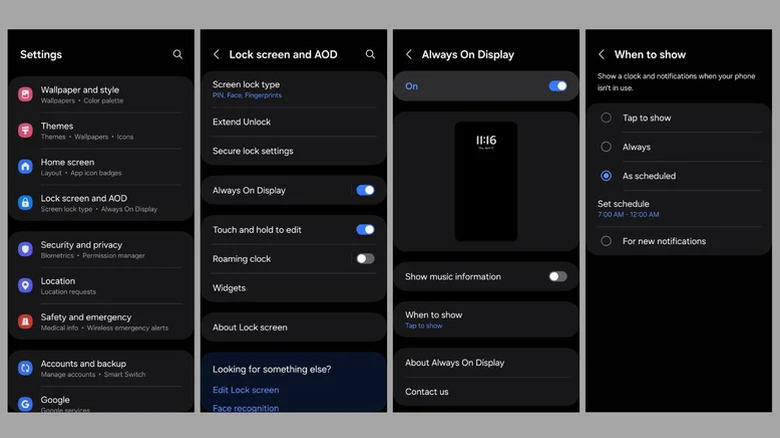
Having said that, if sacrificing 10% of your battery reserves for AOD sounds wasteful, you can always change its behavior to show the AOD content only when the smartphone is tapped or moved. Both Android and iOS support this behavior, and doing so significantly reduces battery drain by forcing AOD to remain inactive until you passively interact with the phone.