

How Often Should You Fully Restart Your Smart TV?
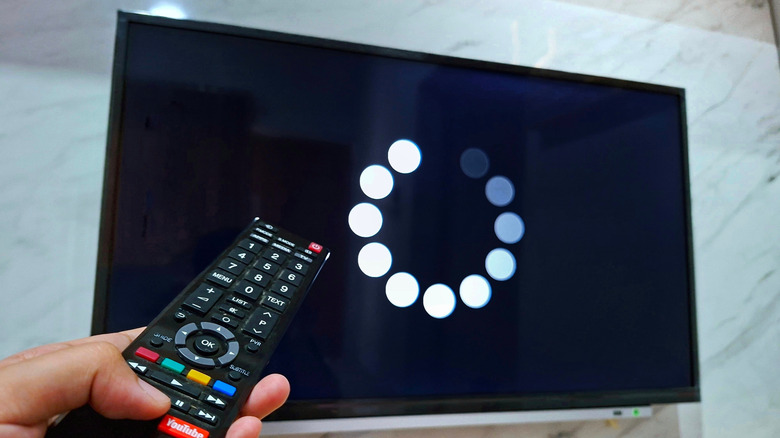
Long gone are the days when monolithic CRT-based TVs dominated living rooms, with their thick beveled glass now a vestige of a bygone era. These days, that sleek flat screen TV adorning your wall or TV stand is essentially a computer with a specialized operating system – like Android TV, Tizen, WebOS, or Roku OS. And just like any other computer, rebooting or restarting your smart TV is – or should be – part of a regular device hygiene routine to keep it performing at its best.
As for how often you should perform a restart, the consensus seems to be at least once per month. Just as restarting a computer clears out memory, closes background processes, and reinitializes the operating system, the same is true for restarting a smart TV. This process can improve performance, resolve a variety of minor problems, and ensure that OS and firmware updates are installed properly. Even the best smart TVs should be restarted once in a while.
What smart TV manufacturers won't tell you
Most smart TV manufacturers don't seem to publish any strict guidelines for how often you should restart your TV. Rather, they tell you when to restart it, treating it as a troubleshooting step when problems arise. Samsung does recommend restarting Galaxy phones regularly, but doesn't seem to offer the same guidance for its TVs. "Have you tried turning it off and back on again?" may be your first port of call when something isn't working properly, but restarting devices regularly can confer other benefits beyond just fixing the occasional hitch. Making a habit of restarting your TV once a month, or even once a week, can keep it running smoothly and help mitigate minor hiccups.
An easy way to do this is by using smart plugs to control the smart TV and set up an automated restart schedule. Many of the best smart plugs don't require a smart home hub, are compatible with multiple smart assistants, and simply need to be plugged in and set up within the appropriate app. An added bonus of using a smart plug with your TV is the ability to rein in phantom power, as many smart devices are energy vampires due to always being in standby mode.
Soft resets, power cycling, and factory resets

Soft resets, power cycling, and factory resetting are all slightly different methods that can be used to address common problems with smart TVs. A simple restart, which can be done by holding the power button on either the remote or the TV itself, is also known as a soft reset. By doing this, you are essentially rebooting the TV and allowing the operating system to reload. There is an important distinction between pressing the power button and holding the power button. Simply pressing the power button typically doesn't turn the TV off, but puts it in a low-power state so the TV can quickly resume later. Holding the power button for several seconds actually forces the TV to restart. Many TVs also have a restart option found within the settings menu.
Power cycling, on the other hand, is more of a cold boot and is usually reserved for more persistent problems. This method involves turning the TV off, unplugging the device from the wall, and then holding the power button on the TV itself for several seconds. This effectively discharges all of the internal circuitry, like capacitors, within the TV and gives it a clean start. A factory reset can also address more serious issues, or get the TV ready to sell or recycle. This option is usually found in the TV's system menu and will revert it to its factory defaults — meaning all apps, data, and user information are purged. While this process looks a tad different depending on what OS your TV is based on, they are largely similar. All of the big names have documentation on how to perform a factory reset on their support pages.