

Can A Samsung Tablet Replace A Laptop?
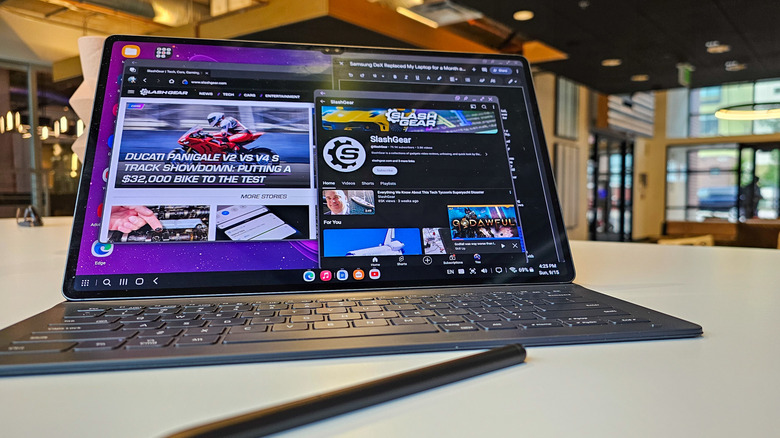
The gap between a laptop and a tablet has never been smaller. In 2026, Apple is out here selling a laptop with a smartphone processor in it — the MacBook Neo — while also selling the iPad Pro, a tablet with a PC chip at its heart. The A18 Pro chip at the core of the Neo, the same chip which powered the iPhone 16 Pro, is more powerful than an Intel Core i7 processor from a decade ago. But while the iPad Pro may run laps around many laptops in sheer performance, what if you don't want to be locked to the Apple ecosystem? Can a Samsung Galaxy Tab tablet replace your laptop?
No beating around the bush: a high-end Samsung tablet can easily replace a laptop for a large number of people. For the past two years, I've replaced my Windows laptop with a Samsung tablet. When I first embarked on what was, at the time, a bold experiment in my personal computing habits, I wrote that I was shocked at how capable Samsung tablets were but that there were still a few quirks. In 2026, I wouldn't say all the kinks have been ironed out, but there are fewer of them with easier workarounds.
Crucially, I'm using a Galaxy Tab S10 Ultra, a beast of a tablet with a 14.5" display and a Mediatek Dimensity 9300+ processor. I would strongly caution against trying to replace your laptop with one of Samsung's budget tablets, as it simply won't have the necessary power or display real estate. So, if you're wondering whether your next computer should be a Samsung tablet, here are the pros and cons I've found after making the switch.
Samsung's tablets are more laptop than ever
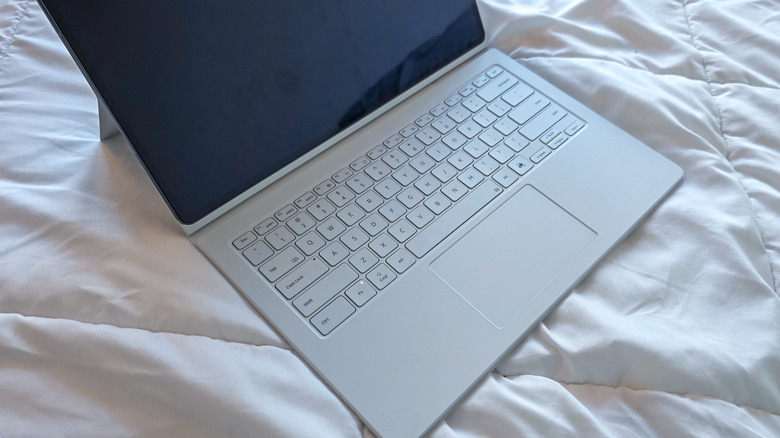
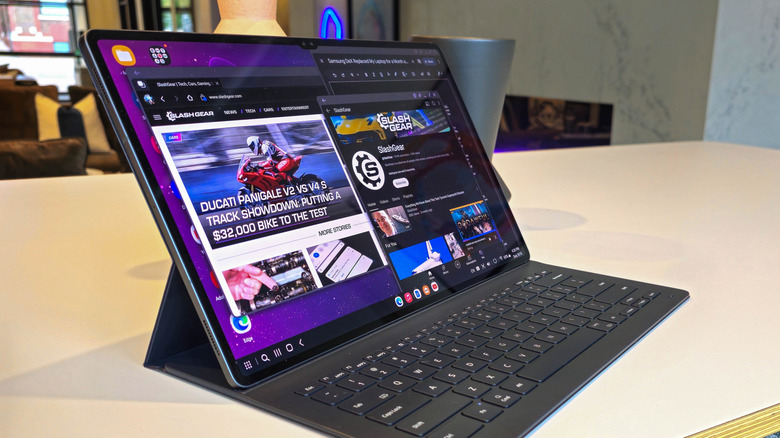
With the right accessories, Samsung's most powerful tablets are easy laptop replacements. My current setup uses a Galaxy Tab S10 Ultra — a 14.5" AMOLED display makes it bigger than some laptops, and much nicer to look at, too — paired with the official Book Cover Keyboard. A trackpad and backlit keyboard snaps magnetically into place and folds up like a laptop when not in use. Other times, I'll opt for a mouse and a low-profile mechanical keyboard, bringing it closer to a desktop experience.
DeX, the built-in desktop mode, is Samsung's secret sauce on the software side. Sure, you can use the Tab S10 Ultra in normal tablet mode, but with multi-monitor support and virtual desktops added in Samsung's One UI 8.0 Android skin, DeX is now closer than ever to mimicking the functionality of a laptop without detracting from the Galaxy Tab's strengths as a tablet.
Moreover, Samsung's tablets are in a Goldilocks zone. No other device I own is so well-suited to both productivity and leisure. I can write articles like these with Google Docs, a web browser, and Slack open onscreen at once, and I can easily move from the desk to my bed if I want to kick back and enjoy an episode of "The Boys" using the tablet's lavish display and shockingly good quad-firing speakers with Dolby Atmos support.
I've even had a blast gaming on my Galaxy Tab. Local titles like "Destiny: Rising" are a treat on the large screen, and I played through most of "Cyberpunk 2077" in the cloud through GeForce Now. It's not the same as playing on my Windows gaming rig, but it's remarkable that a device as thin as its own USB-C port can deliver these laptop-grade experiences.
Galaxy tablets still have some pain points compared to PCs
Not everyone can replace their laptop with a Samsung Galaxy Tab. If you're a visual creative who often edits video, you'll need to make do with mobile editors like Lumia Fusion or the endlessly buggy CapCut. That's a non-starter for most who need pro-grade creative tools like Adobe Premiere Pro. Avid gamers are in a rough spot, too. Running mobile games on a 14.5" tablet is ludicrous fun, but for AAA titles, you'll have to rely on cloud streaming through a service like GeForce Now, which requires a constant Internet connection.
Even run-of-the-mill office work can be a slog if you're not willing to adjust to Android's limitations when figuring out how to turn your Android tablet into a laptop. If you use Microsoft Office 365 software like Word or Excel, you'll find the Android apps are extremely limited. You'll either need to run the web app versions in a browser or opt for something like Google Workspace which works natively. As a freelance writer, I switched from Word to Google Docs, and sync everything through Google Drive. That works perfectly for now, but if I want to switch to open-source solutions like LibreOffice, I'll be back in a tough spot.
Still, these are all software limitations. The hardware itself is remarkably capable. In fact, I recently converted a decade-old laptop running an Intel Core i7 Kaby Lake processor to Fedora Linux and have been using it alongside my Galaxy Tab S10 Ultra. The laptop is no slouch, but the tablet still puts it to shame. As time goes on, you can only expect tablets to become even more performant. In the very near future, it may finally be time to redefine the boundaries between mobile and desktop hardware.