

5 Of The Coolest iPhone Widgets You Didn't Realize Existed
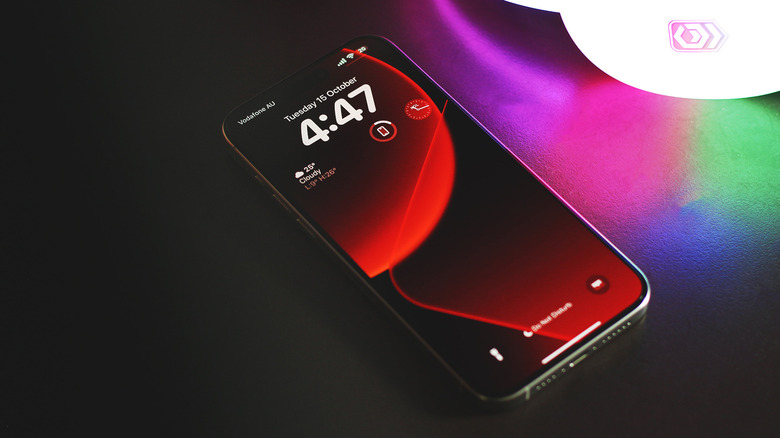
Slapping a case on your iPhone is a good way to add some flair to your purchase, but it isn't the only way you can make it your own. Changing the wallpaper, selecting custom ringtones and notification sounds, and rearranging the icons on your home screen are all effective ways of customizing your iPhone. Widgets for both the iPhone and iPad were introduced in iOS 14. They are a great way to access information from apps on your home screen without launching them.
The built-in apps on your iPhone already offer a good selection of widgets. Examples include widgets of different sizes for the Weather, Clock, and Music apps. However, true customization begins when you start leveraging widgets from the third-party apps you have installed on your device. For instance, if you use Spotify instead of Apple Music, pinning a widget to your home screen can help save a few taps.
The quality and usefulness of widgets depend on how well an app developer has tuned them for the home screen experience. If you've been on the lookout for some cool ways to add both style and function to your iPhone, here are five cool widgets you might want to give a shot. Do note that a few of the picks have features locked behind a paywall, but we've made sure to list what features you get for free.
FocusPomo
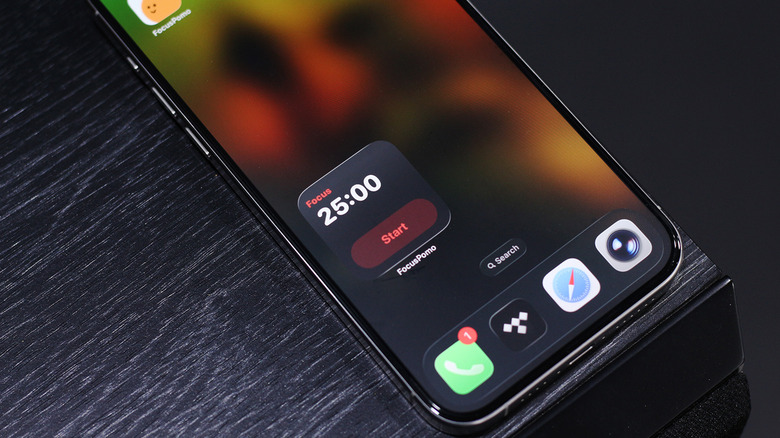
If you find yourself being distracted a lot, you'll be glad to know the App Store has a good selection of apps to help you improve focus. A popular technique in time management is the Pomodoro method. It involves blocking out all distractions and doing focused work for 25 minutes, after which you get a 5-minute break. This repeats until you've hit your productivity quota for the day. FocusPomo is one of the most popular apps available on the iPhone for this technique. It also has a few widgets you can pin to your home screen to get in the zone even quicker.
The simplest of the lot is the interactive timer widget. It lets you start and stop a Pomodoro timer straight from your home screen. For iPhones equipped with the Dynamic Island, the app displays live activities that show more information. If you have different focus timers created and set, the multi-task timer widgets in the premium version take up more space on the screen, but get you more control. You also have a few weekly chart widgets that display your total focus time across different categories.
The app itself is very well designed and utilizes the iPhone's haptics to deliver a tactile experience. If you own an Apple Watch, you can control and monitor your focus sessions straight from your wrist, too. There are a handful of premium features like an app blocker or iCloud backup, but they're locked behind a paywall.
Batteries widget
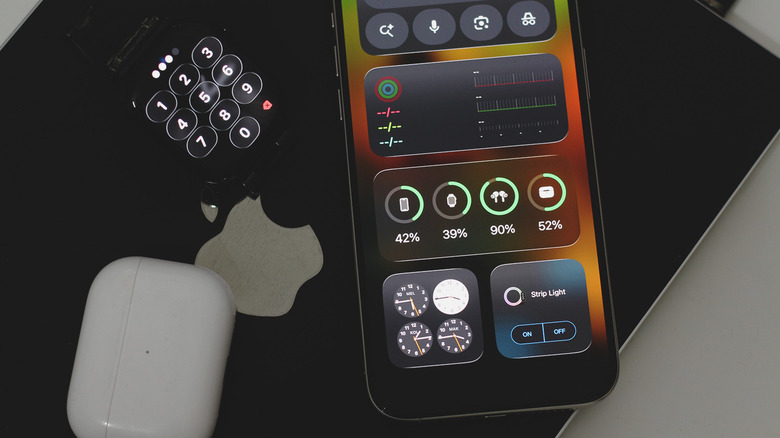
If you own a couple of Apple devices besides your iPhone, like an Apple Watch, a pair of AirPods, and an Apple Pencil, you know how frustrating it can be to keep everything charged. Some of the best wireless chargers address this by letting you charge multiple products at the same time. Yet, it's never a pleasant experience when you take your AirPods out right before a long commute only to find out they're completely drained. While you can see battery percentages by opening your AirPods case near your iPhone, a more convenient way to do it is by pinning a widget to your home screen.
You don't even need to look for third-party options — Apple offers one that's built into your iPhone. It's called "Batteries" and comes in three widget styles. The first one has a compact design that displays the icons of connected Apple devices alongside the battery percentage represented by a green ring. The medium-sized widget takes up more horizontal space but lists the exact percentage below every connected device. If you have more than four Apple devices you wish to monitor, the large widget is your best bet.
You can also pin a tiny battery widget to your lock screen. It dynamically switches between displaying your iPhone's battery percentage and whichever accessory is currently connected or charging. The only thing it's missing is customizability or the ability to see the battery percentage of devices like your MacBook or iPad.
Widgy
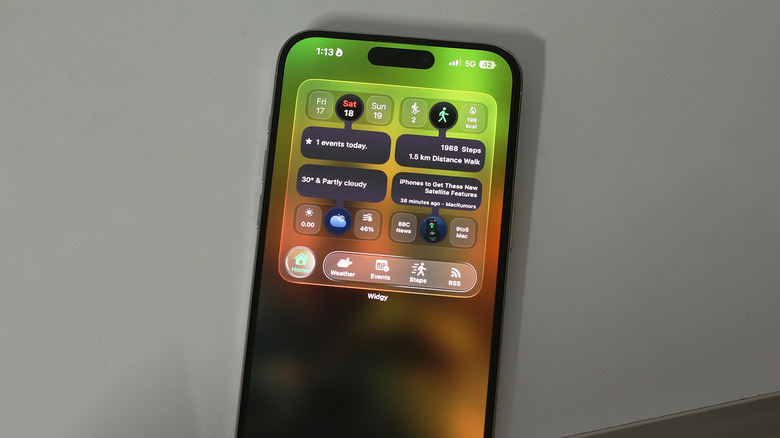
App developers often do an okay job of making sure their widgets don't stand out like a sore thumb on the iPhone's home screen. However, if you want total control over how your home screen looks, perhaps give Widgy a shot. Think of it as the ultimate widget creator. It's community-driven, so if you're not too fond of spending hours crafting the perfect functional widget, you can simply borrow someone else's layout and tweak it to your liking.
Of course, you can create widgets of your own from scratch. Once you're satisfied with the layout and elements, the "Manage" tab lets you load one of your creations in a widget slot, which you can then add to your home screen the traditional way. Widgy also lets you create transparent widgets — you simply need to upload a screenshot of your wallpaper for this to work. This can look quite good, given how iOS 26's Liquid Glass is all about transparency effects now.
The free version of Widgy is powerful enough to help you craft just the widget you need. However, it only allows you to add one widget to your home screen. If you wish to add more, a one-time payment is required. There is a bit of a learning curve when it comes to making the most out of Widgy, but once you get comfortable, customization with this app is limitless.
Ambient Music
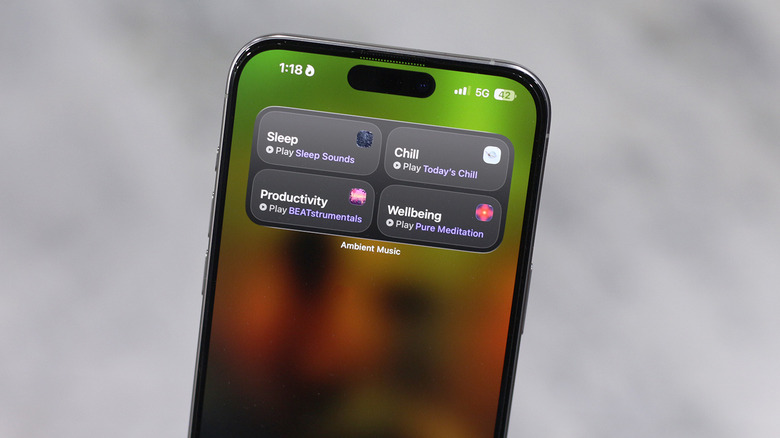
There are a few good hidden features in iOS, but did you know that newer builds of the operating system come with built-in ambient tunes to help you focus or relax? For this to work, you need to update your iPhone to iOS 26.4 or newer. Although Ambient Music was a feature that was rolled out with iOS 18, it was only accessible via the Control Center up until this point. You can now add a widget to your home screen by searching for "Ambient Music."
You can either add a small widget that gives you play and pause controls for a single mood or select a medium-sized widget that gets you four genres to pick from. Once added, you can further customize the widget by selecting specific playlists for each mood. Apple has a few on offer that you can choose from, but you can also pick any playlist you have on Apple Music. Starting an ambient music session is as simple as tapping on the widget.
If your iPhone has a Dynamic Island, it will display the music as a live activity that you can quickly control. Alternatively, you can play, pause, or skip tracks via the lock screen. Interestingly enough, there's no dedicated Ambient Music app on the iPhone, but when you tap on the now-playing controls, it opens a user interface that looks like a stripped-down version of Apple Music.
Forest
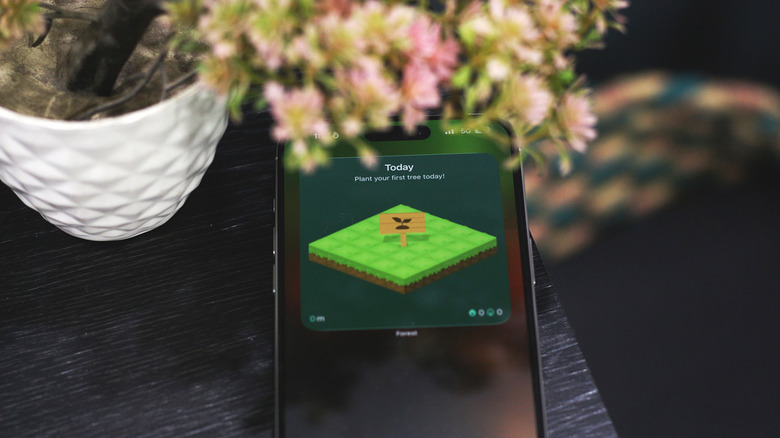
There is no shortage of productivity apps you can try, but a few make the journey to self-improvement more fun than others. Forest is one of those apps. It gamifies productivity instead of making it feel like a chore you need to check off before the end of the day. It's similar in principle to FocusPomo and pushes you to concentrate for short bursts of time. Every time you want to accomplish a task, you can select and plant a tree. Forest lets you add tags so you can separate your activities.
Once you've planted a tree and started the timer, it will continue to grow. If you manage to avoid using your phone for the entire duration, you will have successfully planted a tree in your forest. However, if you choose to stop the timer or get distracted and use other apps on your phone, your tree withers, and this, too, is reflected in your forest.
Forest offers a couple of home screen widgets you can pin to quickly take a peek at your collection for the day. Despite not being interactive, the widget does exactly what the app promises — it keeps you from doom scrolling by adding a sense of accountability. Forest is free to use, but the premium version does unlock more trees, lets you create a whitelist for apps, and gets rid of ads.