

4 Little-Known iOS 26.4 Features You May Have Missed On Your iPhone
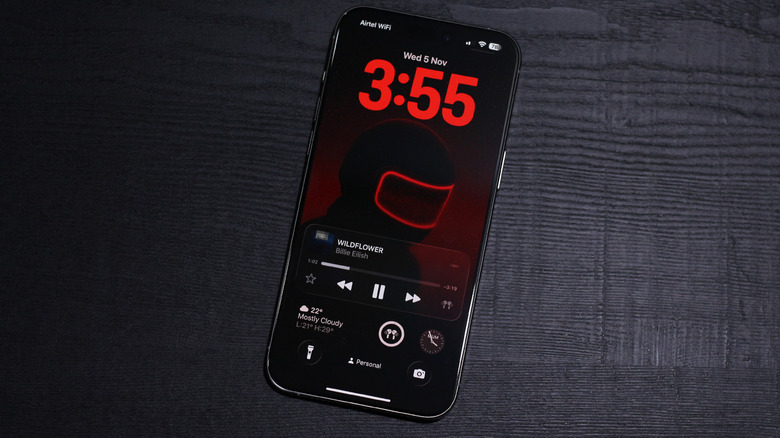
When Apple took the stage in 2025 for its WWDC event, it unveiled what was perhaps the biggest update to iOS in a decade. Liquid Glass is a new design system that all of Apple's operating systems have adopted, but it's best experienced on the iPhone, in our opinion. Everything has a transparent look, menus and buttons react to taps in a manner that's more expressive than ever, and the entire user interface simply looks gorgeous.
Of course, there has been a big divide in opinion. Some users appreciate how fluid everything appears, while many others complain about accessibility concerns, and rightfully so. Since then, Apple has used the last few betas and stable releases to try to find a better balance with the transparency effects. The new updates have also addressed common iOS 26 issues like battery drain, performance slowdowns, and connectivity issues.
Apple also drops new features quite often with minor updates. Some of these make headlines pretty quickly, but a good chunk of them slip under the radar. At the time of writing, compatible iPhones can be updated to iOS 26.4, which is the latest stable version of the operating system. The update brings an app redesign, feature additions, bug fixes, and an assortment of smaller improvements that aim to refine the overall experience. You can check for updates on your iPhone by navigating to Settings > General > Software Update.
New tidbits in Apple Music
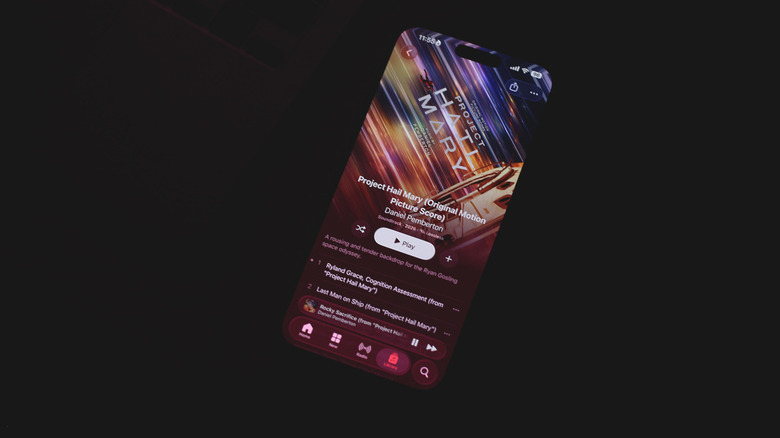
Apple Music has been a staple of the iPhone experience ever since its launch in 2015. It comes preloaded as an app on all Apple devices and is a direct rival to the likes of Spotify and YouTube Music. For whatever reason, though, it doesn't receive updates via the App Store like all other apps on the iPhone. Instead, the Apple Music app gets feature additions with system updates for iOS.
The newest build comes with a redesigned look for albums and playlists. The predominant color for the artwork is now used to fill the rest of the UI elements, including the background of all tracks. This makes every album or playlist feel more personalized and visually distinct. That said, if you're a dark mode user, you might want to be prepared for albums with artwork that features a lot of bright colors.
Then there's a completely new feature dubbed Playlist Playground. It leverages Apple Intelligence to build you a playlist based on your query. For instance, you can have Apple Music craft a tracklist for a weekend family getaway. To access this feature, head to the Library tab, tap on the New Playlist icon, and select "Create New Playlist." The feature is currently only available in the U.S. Another quality-of-life improvement is the ability to add selected songs to more than one playlist at a time. Apple Music now also shows you concert information within the app itself.
Easier way to play ambient music
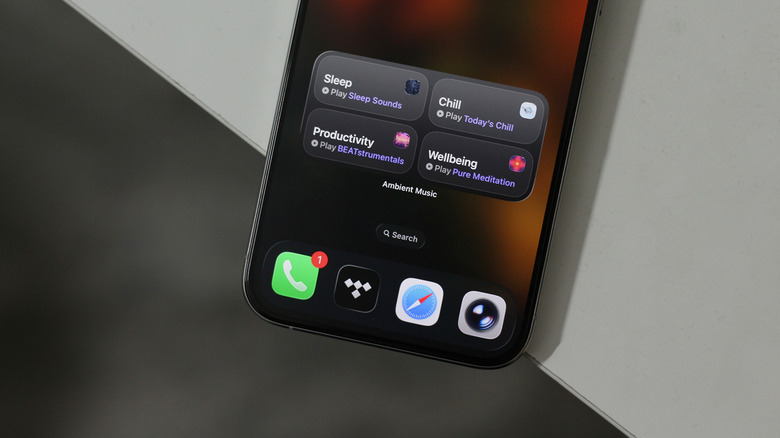
There is no shortage of apps to help you improve your productivity, but if you fall into the camp of people who can't seem to get any work done without a constant stream of background audio, Apple has you covered. Ambient Music was an addition to iOS 18's feature set. It lets you play music of four genres: Sleep, Chill, Productivity, and Wellbeing. Despite being genuinely useful, it was hidden behind several taps. The only way to access it was to add it as a toggle in the Control Center. With iOS 26.4, there's a more elegant way to start listening to ambient tunes.
You can add a widget directly to your home screen by tapping and holding an empty space, tapping on "Edit," and then "Add Widget." You can either add a small widget that you can swap the music genre for, or a medium widget with all four genres available with a single tap. When editing the widget, you can select which playlist each genre picks its tracks from. Apple has designed a few to match each mood, but you can also pick any playlist of your own from Apple Music.
When a track is playing, you can open the Ambient Music app by tapping on the Dynamic Island or the music notification on your lock screen. It resembles the user interface of Apple Music quite a bit, but you get no controls other than the ability to skip, play, or pause tracks.
Better typing accuracy
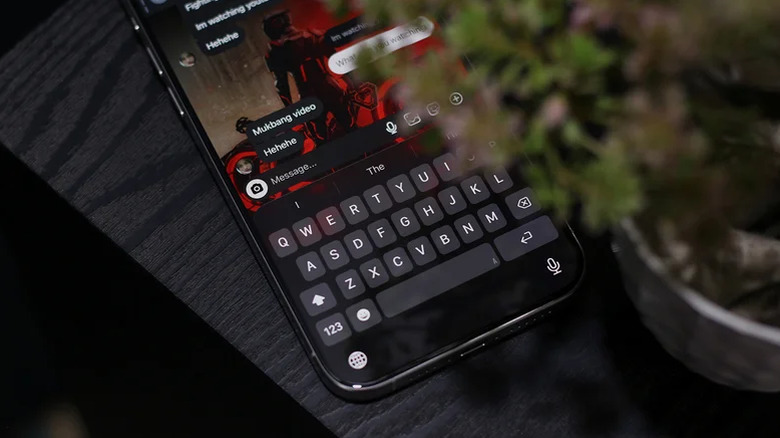
Not every changelog entry is about the addition of new features. In fact, bug fixes can be considered more vital since they directly improve system stability. iOS isn't perfect by any means, but if there's one complaint that has consistently been echoed by users in recent years, it's the terrible keyboard experience on iPhone. It's one thing to lack useful features like a dedicated number row or built-in translation support, which rival services like Gboard offer. The issue, however, goes beyond missing nice-to-have features.
People have reported lag and stutters when typing with the stock iOS keyboard. Autocorrect has been atrocious for a while now, but most importantly, users have recently reported how the iOS keyboard quite literally registers the wrong characters when typing. It may have taken Apple too long to address this, but iOS 26.4 finally brings improvements to keyboard accuracy.
This might not be something you notice at first, but if you're a fast typist, you definitely feel an improvement. There are noticeably fewer typos in our experience in the latest build of iOS 26. The annoying occasional lag doesn't seem to have gone away, though. Certain apps that haven't adopted the Liquid Glass aesthetic still use the older keyboard, which does feel a bit sluggish in our opinion. Here's to hoping the next few updates of iOS truly revamp the typing experience.
A sprinkle of other features
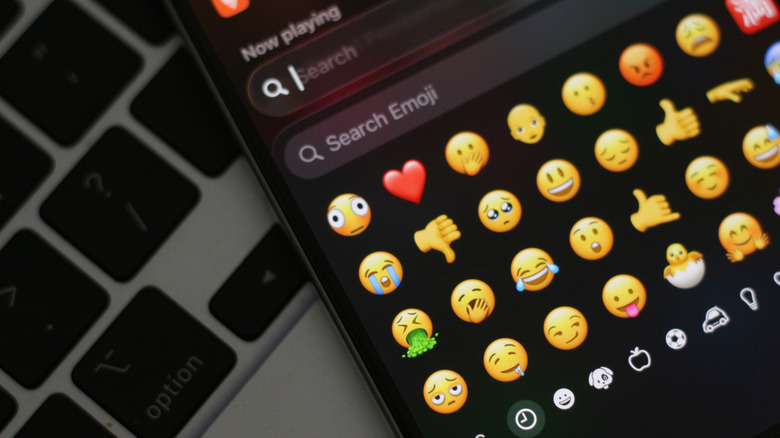
There are a lot of major iOS 26 features for you to try, but point updates like this one add niceties that don't usually take center stage. The iOS 26.4 update follows the same pattern. There are a handful of smaller, yet useful, additions you probably should be aware of. A fun one is the inclusion of a few new emojis, eight to be exact. These include a treasure chest, a landslide, an orca, a ballet dancer, a hairy creature, a fight cloud, and everyone's favorite — a distorted shy face emoji. Since emojis are proposed and approved by the Unicode Consortium, Android users with updated software may also be able to join in on the fun.
Stolen Device Protection is a feature that's not new to iPhones, but is now turned on by default starting with iOS 26.4. The feature recognizes when your iPhone is away from a familiar location and adds additional verification steps for actions that can only be completed using biometrics. You can still turn it off by navigating to Settings > Face ID & Passcode > Stolen Device Protection and flicking the toggle off.
There's a "Reduce Bright Effects" toggle within Accessibility > Display & Text Size. If you're not a fan of the glow and highlights of Liquid Glass, this feature tones things down considerably. We're still hoping for a system-wide Liquid Glass intensity slider — perhaps iOS 27 could finally deliver one.