

5 New Productivity-Boosting Gadgets To Try In 2026

We may receive a commission on purchases made from links.
For many, the first part of the year is all about change. People want this year to be different; they're on a mission to do more, and do it better than before. They want to cut corners without cutting quality. If that sounds like you, then a few productivity-boosting gadgets should be on your radar.
Technology should make our lives easier. It helps us be more efficient with our time, but let's face it: not all tech gadgets live up to expectations. Some are more clunky and complicated than they're worth, and give you the opposite of productivity. However, these five gadgets are different. They create shortcuts without adding extra steps or bloat. They're easy to set up and use. Most importantly, they do what they say.
If your goal is to get organized and make real progress, consider these five productivity-boosting gadgets.
AI Voice Recorder
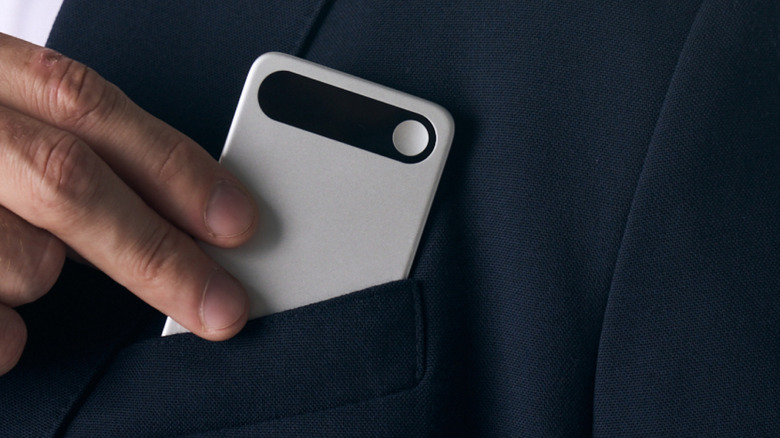
AI is changing the way we handle many everyday tasks, like taking notes during meetings. AI voice recorders act like a personal assistant. It records conversations during live meetings or phone calls and automatically generates a transcription. You'll remember what you talked about without having to jot down notes in real time.
Devices like the Comulytic Note Pro and Pocket AI aim to organize and analyze recordings on your behalf. Instead of sifting through pages on a legal pad, you'll have a digital file of each meeting or conversation. Even better, AI features review the data to pick out the most important information, such as action items or future meeting dates. These devices are smaller and thinner than the average smartphone. Press a button to record and it should automatically sync with the companion app on your phone. For anyone meeting with clients, holding sales calls, working with committees, or even sitting in lectures or classes, automated notes and recordings can be a huge timesaver.
Extendable Laptop Monitor
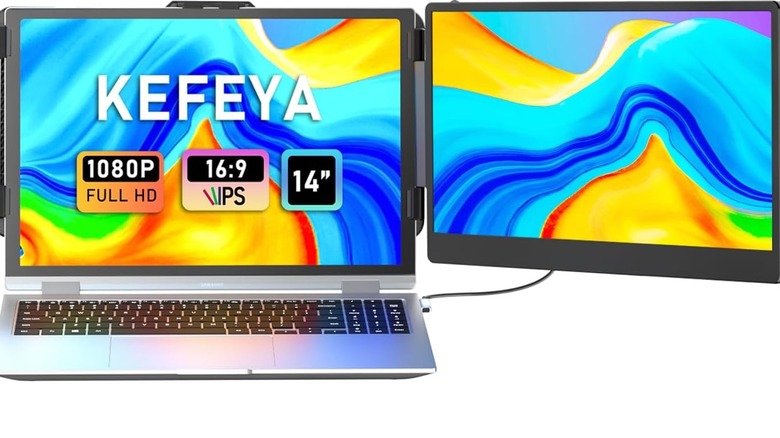
For digital nomads or anyone who works on the go, a laptop is a lifeline. It powers the work-from-anywhere lifestyle, so businesses can keep going. Despite their portability, they can also limit productivity if you're used to working on two monitors. Dual monitor setups reduce the back-and-forth of tab switching and window toggling.
In the past, taking an extra monitor with you wherever you go wasn't feasible. But times have changed, thanks to laptop screen extenders. These screen extenders are made to fit over your laptop's built-in screen and offer a second "window." They're thin and slim like a laptop, so they'll easily fit in your carrying case. The extended screen connects to your laptop via a built-in port and cable. Just like with a regular dual monitor setup, you can choose how to display your content on the second screen (e.g., mirror, extend). Kefeya's laptop screen extenders come in various sizes, starting at 14 inches, so you can create a setup that closely matches your current laptop size. If two screens aren't enough, some brands offer a triple-screen option.
AI Notetaking Device
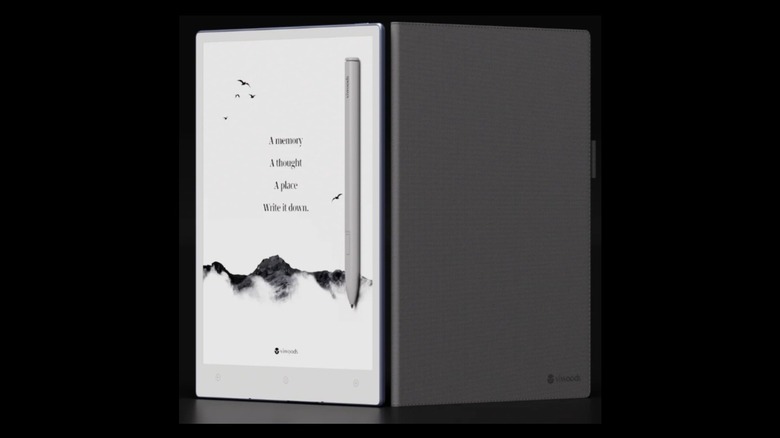
Many people still prefer taking notes by hand. But notes can get messy, and if you need to transfer those notes to your computer, you'll have to do so by hand unless you're using an AI notetaking device. Paper tablets like reMarkable 2 or the Viwoods AI Paper give you the feel and heft of pen and paper with the added convenience of digitizing your words automatically.
As you write, AI notetaking devices turn your words and doodles into a digital format. The screen is supposed to feel like paper, but you never run out of room to write. Instead of a pile of balled-up papers near your trashcan, you have a never-ending notepad that's always ready for more. Digitizing the notes makes them searchable, in case you're looking for that needle in a haystack amongst your scribbles. Beyond notetaking, you can also use paper tablets like real tablets. Read news articles, check email, edit your calendar, or use third-party apps, and annotate all of your content without having to jump through hoops.
Laptop Docking Station
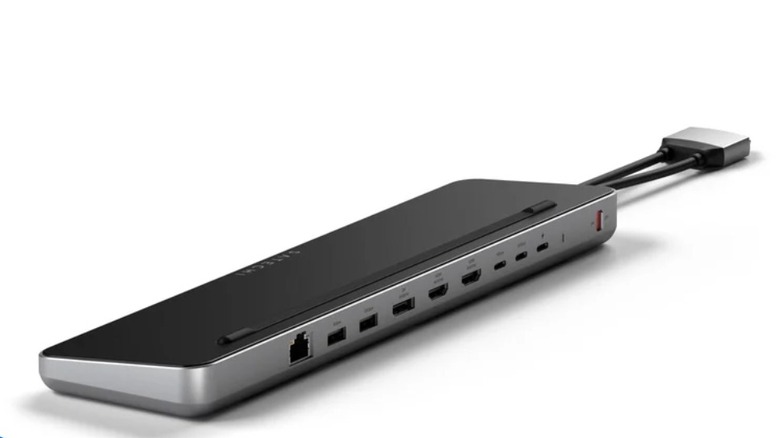
Bluetooth technology has helped us cut the cord in more ways than one. It's given us wireless headphones, wireless computer mice, and wireless printers, for example. But for all the wired connections that Bluetooth has made disappear, there's still a real need for physical connections while you work. From connecting second monitors to charging devices and transferring data, most of us haven't cut the cord entirely. However, that hasn't stopped laptop manufacturers from reducing the number of ports and slots on their devices.
If you're tired of wasting time playing cord roulette, a laptop docking station may help. Docking stations expand your device's ports (or lack thereof) so you can plug in the things you need without sacrificing others. Docking stations give you extra ports to charge devices or connect more devices to help you work, such as hooking up to a projector or extending your laptop screen to external monitors. They're lightweight and portable, so you can take your docking station wherever work calls you. You can get docking stations in different sizes, port types, and price points, from basics like this one from Amazon for $53.99 to this higher-end version from Satechi for $169.99.
Smart Calendar

Calendars keep your life from turning into a scavenger hunt, but they can be a pain to keep up with. You put events, reminders, to-do lists, birthdays, special occasions, and appointments on paper, but then forget to check it or otherwise can't access it. Digital calendars like Google aren't much better. Even though you always have it on your phone, all that typing and sharing is prone to errors. You expect your calendar to give you order, and if you want to eliminate the blind spots of regular calendars, it might be worth trying a smart calendar.
Smart calendars like Skylight or Cozyla give you the best of both worlds: a physical calendar with digital capabilities. A smart calendar holds your commitments while also helping you plan dinner, create chore charts, make grocery lists, and even turn physical documents into calendar items. Many calendars also offer color-coding systems so you can see at a glance what the day holds and who's starring in it. You can access the calendar via an app or a physical monitor in your home. Each calendar has its unique set of features and costs, some of which require an annual subscription to unlock all the features. Still, if you're constantly on the go and forgetting your engagements, a smart calendar might be a worthwhile investment.