

Changing These 5 Settings Will Immediately Make Your Home Theater System Sound Better
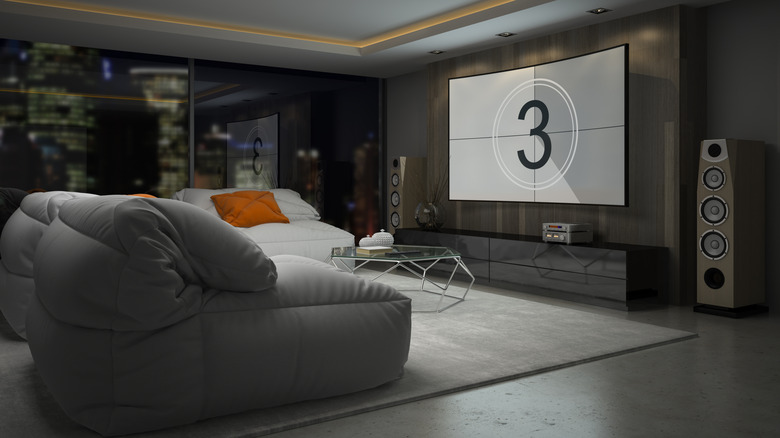
Setting up a home theater system can be one of the most thrilling things audio enthusiasts can do. It can also be a confusing, and sometimes even frustrating task for many, if only because there are so many potential mistakes to avoid when trying to optimize your home theater experience. That list, of course, includes obvious things like the brand of audio equipment you're using, the components you need to achieve your audio goals, and how you lay out the speakers in the space itself.
Once you have made those vital decisions and meticulously placed your speakers in the best possible locations to maximize their effectiveness, there's no guarantee that the sound you hear coming out of them is going to be what you actually want. Indeed, the decision-making surrounding your audio setup is far from finished once you've powered it up, as there are still dozens of audio settings you can choose from if you want to tweak the sound.
If you've ever even casually glanced at your receiver's settings menus, you know that sorting through the various audio settings for your home theater system can be legitimately dizzying. But fine-tuning your home theater's audio output doesn't necessarily have to be an intimidating task. And if you don't want to get too deep into the audio rabbit hole, you should know you can likely boost your sound quality on the fly by adjusting these settings.
Run auto calibration on your system

Assuming you've gone all-in on setting up a legit home theater system in your home, then you likely dropped some coin on a top-line receiver that will allow you to alter and adjust sound settings to whatever you want them to be. While we fully encourage you to dig into those settings and adjust the sound to your needs, we'd also suggest that you run the system's auto-calibration function before you do.
If you're unfamiliar with auto calibration, the function is included on most modern audio and home theater systems you'll find on the market. As for what it does, the name is relatively self-explanatory, as auto sound calibration essentially runs white noise or test patterns through your surround system to provide balanced sound. It does so based on factors like the placement of speakers and the properties of the room itself, with Marantz calling it Audyssey, Pioneer dubbing it MCACC (Multichannel Acoustic Calibration) and Sony labeling it DCAC (Digital Cinema Auto Calibration).
Whatever it's called on your system, you should be able to access the feature by navigating to the menu of your audio receiver. Some higher-end systems may require the use of a microphone placed in a prime seating location to triangulate the best sound. Other systems may also ask that you manually enter the distances between speakers and sitting positions during the process. Rest assured that when the process is complete, your home theater sound should be perfectly balanced. And in the home theater game, that's the first step to audio bliss.
Select optimal sound presets
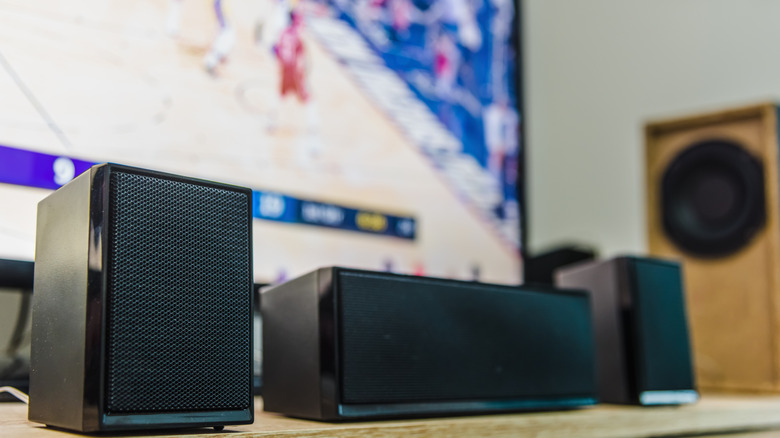
On the subject of modern home theater sound systems, it should be worth noting that many of the major manufacturers have, in essence, taken sound matters into their own hands by taking the guesswork out of audio setup for consumers. They've done so by building preset sound presets into their audio platforms. Most modern televisions have taken a similar approach, allowing users to select from a list of event-specific audio presets for things like sports, movies, and live music, among others. While most home theater systems offer similar presets, they tend to be far more specialized, as said systems tend to boast higher-quality speakers than most televisions.
There are, obviously, more speakers to utilize as well, making it all the more important for users who prefer to use the preset audio settings to ensure they've selected the right one for the occasion. Even still, some might argue that a more important factor to consider than choosing a preset audio package is what surround sound format your surround system is set up to support. These days, the biggest players in that arena are, arguably, Dolby Atmos and DTS:X. Those formats actually stack up pretty well against one another, which is why many of the modern home theater platforms actually support both.
To that end, those platforms also tend to select the surround sound format based on the content you are screening, particularly when it comes to movies. However, some home theater platforms allow you to select that format for yourself, and doing so may make all the difference in how you experience content.
Check the Crossover levels
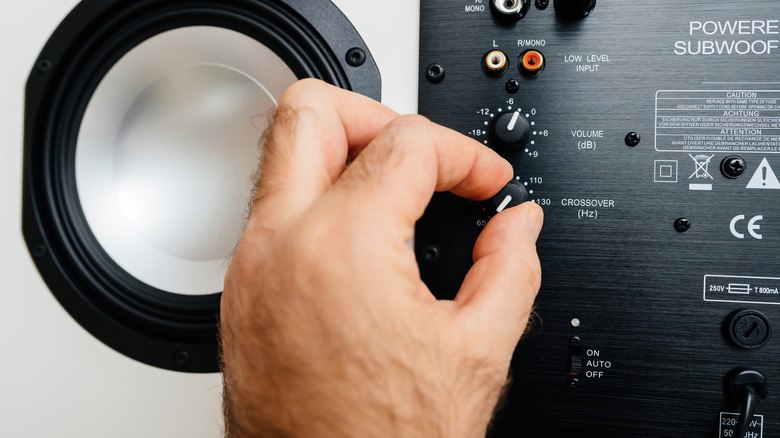
For certain parts of the population, the term "crossover" refers to an ankle-breaking maneuver performed by basketball's elite players. But in the audio arena, the word means something completely different. And if you're looking to make an immediate impact on your home theater setup, adjusting the crossover is a good place to start.
It is, however, a feature that not every home theater enthusiast might be immediately aware of. If you're not sure what your system's crossover does, the feature is a sort of filter that takes a single input signal and converts into multiple output signals with separated high, mid, and low-level frequencies. It then directs those signals to the appropriate speaker drivers. It does so to prevent drivers in your system's tweeters, midrange and woofers from trying to reproduce sounds they're not designed to handle properly.
The purpose of that is to limit distortion and thus bolster the clarity of sound from your system. Depending on your system, you can either adjust the crossover manually via a knob or access the feature through one of your system's settings menus. The levels you land on will, ultimately, depend on what sounds best to your own ears. But according to some audio professionals, if you're looking to make adjustments to your system's crossover, 80hz is the consensus starting place for larger speakers and subwoofers. If you've got a few smaller speakers in the mix, as most home theaters do, some suggest you bump the levels up to 90hz or 100hz.
Check the system's surround sound settings

As we've already touched on a couple of times, the placement of speakers in your space is, arguably, the most important factor in making sure your home theater system is delivering the audio punch you want. That is particularly true of the system's surround sound package, as those often pint-sized speakers carry a lot of weight in reproducing an authentic theatrical experience in your home.
Even still, it's worth noting that, once you've got those speakers properly placed, you still need to make sure that you've got them running on the correct audio setting to actually reproduce the authentic surround sound they're designed for. You may not realize it if you set your home theater audio up yourself, but many systems come with a default setting of Stereo sound straight out of the box. And if you don't change the setting to surround yourself, you're likely only getting two-channels of sound from the system instead of the multi-channel blend you want with a surround sound setup.
Thankfully, switching over to surround sound is pretty easy in most modern receivers. You will, however, need to navigate to the audio menu on your device, and locate the section that allows you to make the change. This will typically involve a simple switch over from Stereo to some surround sound feature, though that option may also be listed as bitstream or under the name of the surround sound format featured by the system. You may also need to go into each individual input to make system-wide changes.
Try using Dynamic EQ
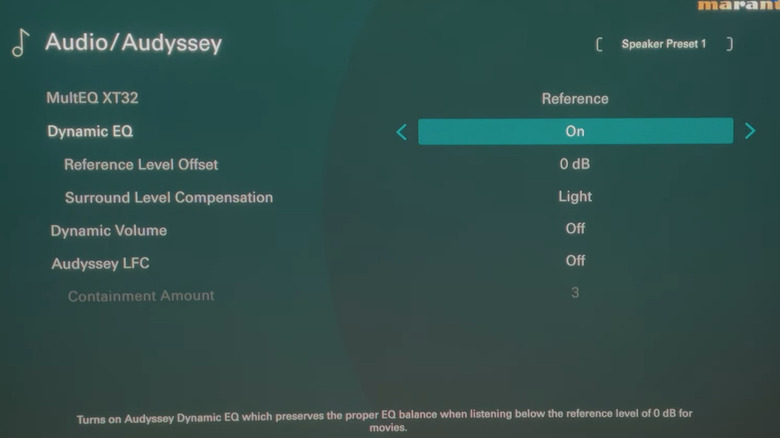
Once you navigate to the receiver's audio menu and start searching through the options, you might feel a little overwhelmed by how many different ways there are to fine-tune your home theater's audio setup. While each of those settings is designed to, in some way, enhance your aural experience, one that can easily bolster your home theater's sound is dynamic EQ.
For those not in the know, dynamic EQ is a smart audio feature found in most modern audio receivers. Its purpose is to automatically adjust bass and treble frequencies in your surround sound system based on the volume levels, essentially attempting to compensate for how human ears process sound at different volumes. It does so by monitoring those levels in real-time and intelligently boosting or lowering bass and treble levels based on volume and audio output. This can be particularly useful in a home theater system if you often adjust the source level volume, as it's designed to ensure certain audio details from the woofer and surround speakers are not lost or distorted in the mix.
Just FYI — the name of the feature might be different depending on the brand of your receiver, so you may need to consult your user manual to determine how to use it in your home theater setup. We should also note that, according to some audio professionals, the feature is perhaps best utilized at lower volume levels. So, if you like to crank the volume when your home theater system is engaged, it might be wise to turn the Dynamic EQ feature off.