

How To Set Up A DIY Home Security System On A Budget
We may receive a commission on purchases made from links.
There is a balancing act to be done when setting up a home security system. On the one hand, you obviously want your home to be as secure as possible. On the other hand, budget constraints are an unavoidable fact of life and have a major impact on most people's choices when setting up a home security system. As someone with personal experience, both in commercial situations and more recently, my personal domestic situation, I understand how to install security systems that work, and how to do so within budget constraints.
Luckily, today's IoT connected devices have made this easier (although without the right approach, your expenses can quickly mount). The quality of the hardware that you get for your money is also better than just years ago, with far easier installation processes thrown in for good measure. For instance, a few years ago, I set up a multi-camera system for a dog boarding business. The job involved running hundreds of yards of coaxial cable and connecting them to a central control unit. If you wanted cloud storage or remote access, this had to be set up through third-party providers and proxy net addresses. Not ideal.
More recently, I decided to boost my home security from a couple of weather-beaten cameras to a reliable and cohesive system. This was a project I undertook with more than one eye firmly fixed on the budget. Here, I use years of knowledge to explain how to set up a home security system on a budget.
Planning your home security setup
The first step is to work out what level of security your home actually needs. This will vary wildly from household to household; an apartment will need an entirely different approach from a detached house sitting in its own garden. This is the stage that I used to see the most mistakes.
I start by looking at how a property can be realistically accessed. For most homes, this includes the front and back doors, ground-floor windows, and any side access that's hidden from view. These are the key areas, and the critical point is to make sure that no matter what your budget is, these areas should be covered. Another factor that's critical for your budget is to consider what hardware you already have. This even applies if you have no existing security system. For instance, smart home devices like Amazon's Alexa or Google Home can act as central hubs.
Just as important as working out what your home needs is figuring out what it doesn't need. There is little point in shelling out on window sensors if you live on the third floor, unless, of course, Spiderman is active in your area. On the other hand, windows are often seen as weak points in ground-floor properties. The point is to be aware of how you're going to approach this before you begin.
Additionally, you also want to make sure to future-proof your system so that devices like smart locks or additional sensors can be added.
Choosing the right cameras
Security cameras are going to be central for most security systems. The good news is that a reasonable quality camera isn't going to break the bank and still delivers HD footage, sound recording, motion detection, and night vision (although it's best to be wary when buying security cameras that are too cheap). However, the cost of the camera is just the starting point; there are also a couple of expenses that are often overlooked.
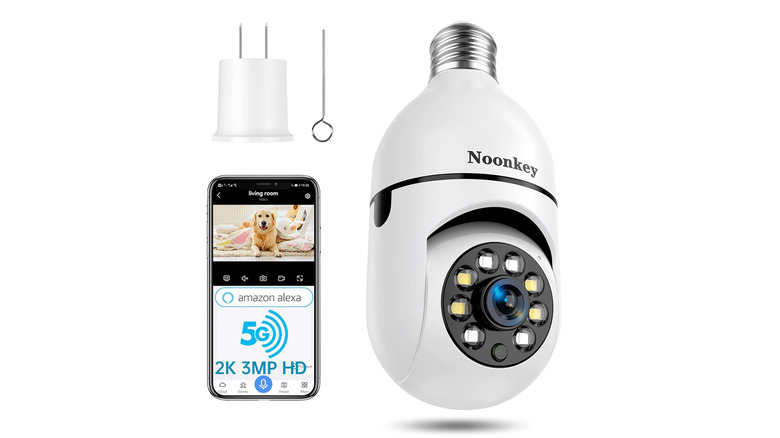
The first is wiring, I've been asked many times to install a pre-bought hard-wired camera at a location that is far removed from any power source. Okay, so for a standard household, power isn't going to be far away, but wiring costs money, and the time spent running wires (and possibly the cost of a professional to do so) can be prohibitive. I worked around any cabling issues by opting for cameras that screwed directly into E27 light sockets. This negated the need for any wiring. Using the app, I was able to schedule the camera to act as the external light it replaced when needed, and as a motion sensor light at other times (although I did have to tape the light switch to prevent it from being carelessly turned off). The Noonkey 2K/3MP light bulb security camera costs around $24.99, is compatible with Alexa, and offers SD card or cloud storage. Other options that avoid wiring include battery-powered cameras like this battery-powered 2K UHD camera or solar options like the DIDseth 2K HD camera.
Finally, cloud storage fees are another consideration..
Don't neglect the sensors
Security cameras are usually the more public-facing element of a security system, and their very presence is often enough to deter would-be thieves. However, sensors are often overlooked and are what can make a system genuinely useful. Rather than recording video, sensors are designed to detect and react to specific events. These "passive" devices monitor doors, windows, and movement, triggering alerts when monitored devices are accessed or movement is detected.
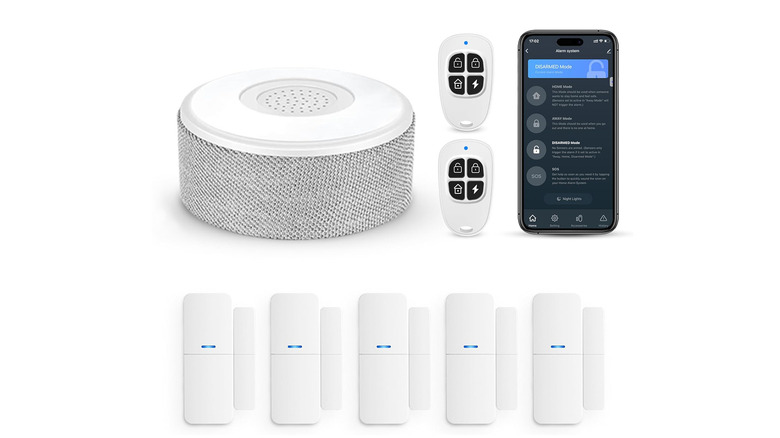
In my experience, only a small number of sensors are worth considering for home security. Motion sensors are best suited to entrances, hallways, or exterior areas where movement itself is the key concern. Even simpler are door and window contact sensors, which send alerts when an entry point is opened (or closed). For a real budget option, the latter can be bought as standalone alarms in their own right, i.e., each sensor works in isolation and will sound an alarm if triggered. However, I opted for smart devices that would connect to a hub (including Alexa and others) and opted for an eight-piece door sensor kit with Wi-Fi, a central alarm, and AC power with battery backup. Slightly extravagant, but not a deal breaker at $54.99.
At its most basic, a set of 10 'dumb' sensors will cost less than a camera and can make enough noise to deter would-be thieves. It's also worth remembering that certain Alexa devices have built-in motion sensors that can be used in your system.
Bringing it altogether
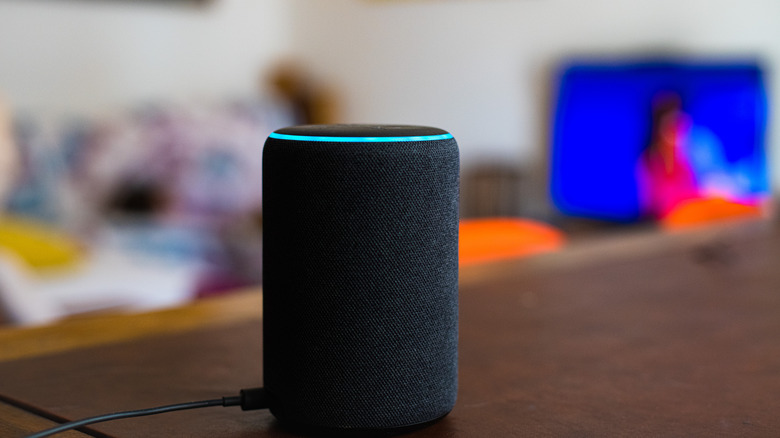
We could just plug in our cameras and sensors and let them get on with the job. There is no reason at all why this wouldn't work, but it's more of a random collection of security hardware than a system. To be called a system, the components must all work as a cohesive unit, preferably through a central hub. In practical terms, this will act as the brain of your setup. It receives alerts from devices, decides what should happen next, and can trigger responses such as notifications, lighting changes, or other routines.
From a budget perspective, many homes already have such a device. Smart speakers & displays can often act as lightweight hubs, allowing cameras and other security devices to work together through a single app. I ran a system like this through Alexa for a while. It's also worth noting that any smart light bulbs already working through these devices can be scheduled to come on and off as required and act as a simple but effective deterrent. What is important if you go down this route is to make sure that the hardware you opt for works with your existing ecosystem.
However, if you don't have such a system, all is not lost. The option is always there to buy one, but that goes against the grain of this article. In my case, I use an open source system running on an ancient laptop to control my security setup.
My own budget home security system
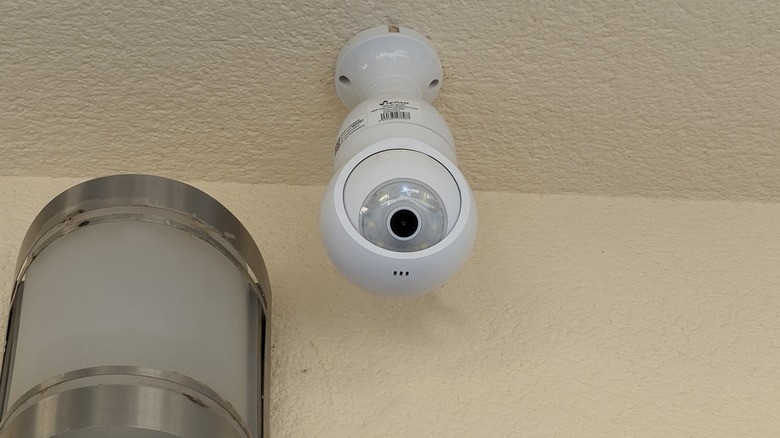
So, how did my project go? I started by buying three cameras (always take advice on choosing the best smart security camera). Two of these were of the lightbulb-type fitting mentioned earlier and were literally running in a few seconds. I positioned these at the front and back of the house. The third camera was positioned close enough to an outdoor outlet that I was able to buy a mains-powered camera. I purchased these from a local hardware store for about $90. However, I did compromise and pay for a cloud-storage subscription that costs a few dollars per month, not absolutely necessary, but peace of mind and all that.
As noted, I also bought a set of eight sensors costing $54.99, and I ended up using six of them in total. That was pretty much it for the hardware expenses, but I also recommend adding some lighting automation to the final setup. I already have smart lightbulbs that I use for this purpose, it's always worth factoring in a few of these or some smart plugs into the cost.
Finally, for my smart hub, I already had a setup using an old laptop and open-source software called openHAB. This was an evolution of a system I set up when creating an offline smart home. In my experience, a little technical expertise is required to get it running. But, for those who like to tinker and want a budget home security setup, this and other similar options are worth considering. Stay safe!