

What Is The eSATA Port On Older PCs For?
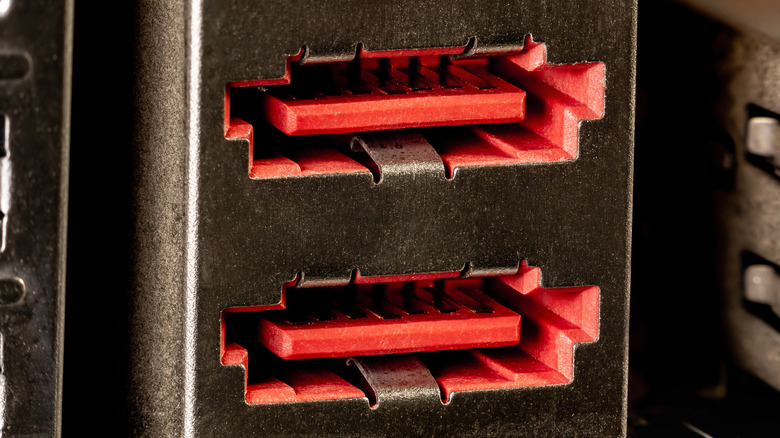
Computer technology changes fast, and we older generations (but not too old!) have seen several ports, storage devices, drives, and more become obsolete over the past 10 years. Remember the eSATA port? It's OK if you don't, since, like the computer serial ports before it, eSATA was phased out by newer and faster technology. So what was it used for? Well, the eSATA (short for External Serial ATA) port was used to connect external hard drives or other SATA storage devices to a computer. Outside of hard drives, the latter include solid-state drives and optical drives, such as DVD and Blu-ray.
That said, if you have an older PC lying around with an eSATA port, you can still make use of it, provided you have devices that are compatible with it. Do note that, with eSATA ports, the connected device will need to support the right SATA features for it to work. One of the main functions is hot-plugging, which allows you to safely connect and disconnect devices while the computer is running. Interestingly, even though eSATA is part of the SATA family, it uses a different cable plug and port. In other words, you can't switch between an internal SATA and an eSATA cable.
Why did eSATA disappear from modern PCs?
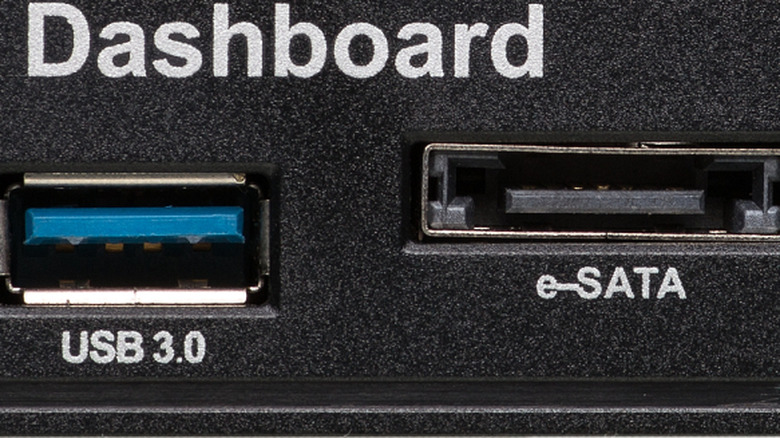
eSATA has its uses, but, as technology evolved, it was slowly pushed out. Nowadays, it's pretty much nonexistent on modern PCs. This is because newer USB ports are faster and more convenient. The USB format was present even when eSATA was prominently used, but eSATA was still faster than USB 2.0. eSATA's transfer speeds from 1.5 Gbps to 6 Gbps were a big advantage over the 480 Mbps that USB 2.0 had.
All that changed with the introduction of USB 3.0 and subsequent ports, including USB 3.1, USB 3.2, and so on. USB 3.0 launched in 2008 and grew in popularity in late 2009 and early 2010. It had a speed of 5 Gbps, which was already faster than all eSATA ports of that time. For reference, SATA 3.0 (the 6 Gbps one) was introduced in May 2009. But by 2013, when USB 3.1 launched and doubled the speed to 10 Gbps, eSATA fully lost its main advantage.
In addition, USB ports can supply power (up to 900 mA at 5 volts for USB 3.0), something eSATA can't do. This just adds to USB's convenience with features like the always-on USB port, which allows the port to keep supplying power even when you turn your computer off (provided the PC is plugged into a power source). Another bonus is that you can connect some cool gadgets to USB-C ports. Who doesn't like a desk vacuum?