

What Are The Purple And Green Ports On Older PCs For?
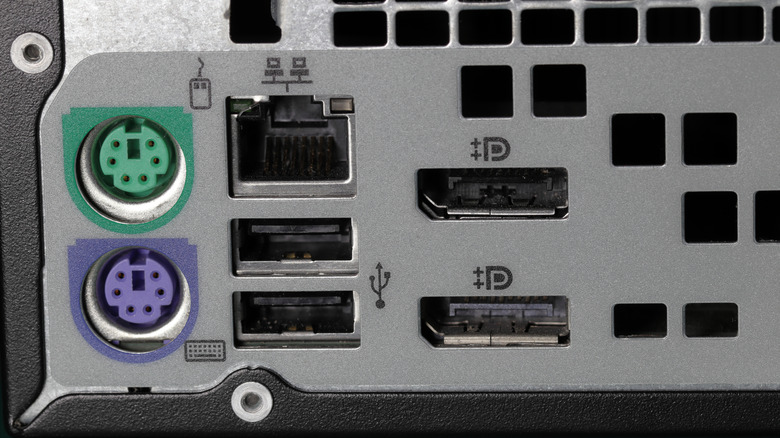
If you come across an old computer or have a legacy desktop PC lying around in your garage, take a look at the back panel when you have the chance. There, you might spot two interesting purple and green ports. Look at them closely, and you may see a tiny keyboard logo next to the purple port, and a similar mouse icon next to the green one. Before the advent of USB and Bluetooth mice and keyboards, these ports — which are known as PS/2 ports — were widely used to connect these important peripherals to the computer. Today, the very concept of having dedicated ports for the keyboard and mouse may sound strange. However, a large part of the millennial crowd grew up using these PS/2 mice and keyboards.
The PS/2 standard first appeared on the IBM Personal System/2, a desktop PC series launched by IBM in 1987. Because this connector was compact and more user-friendly compared to the mouse and keyboard ports in use back then, and because IBM PCs were quite popular, PS/2 gradually became the de facto standard for connecting mice and keyboards. This remained the case through most of the '90s, until the mid-2000s, after which the rise of the USB standard resulted in the PS/2 port being gradually sidelined.
Today, the PS/2 port is widely thought to be a relic of the past. However, the connectivity standard isn't completely dead, thanks to a handful of enthusiast motherboards and computer systems still using it for very specific use cases.
The chaotic mess before the PS/2 port
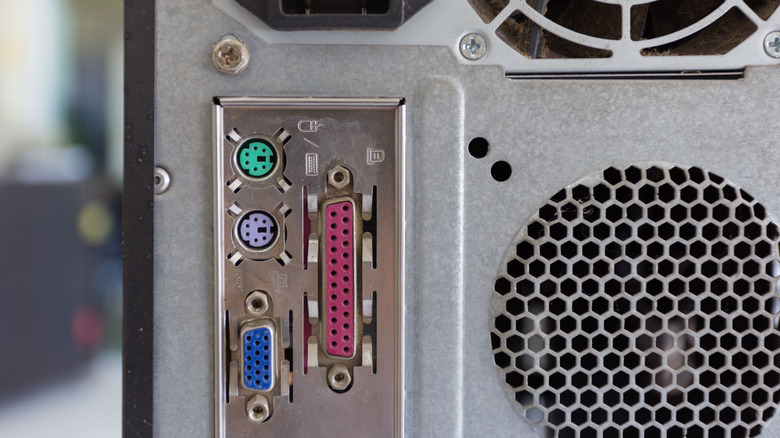
While the phrase "mouse and keyboard" is instinctively linked together, the mouse is a much newer invention from the '60's and wasn't common on commercial PCs until the early '80s. Because keyboards preceded the mouse, the first generation of mice did not use the same connectors as the keyboard. In the '80s, keyboards used something called the AT port to connect to the PC. In contrast, the first generation of commercially sold mice used something known as an RS-232 serial port. Because the RS-232 port wasn't used exclusively by the mouse, sacrificing an entire port for a mouse didn't appeal to many users. This led manufacturers to create an expansion card dedicated to something known as the bus mouse. This was essentially an add-on card that plugged into the computer's motherboard, allowing a mouse to connect without sacrificing a precious RS-232 port.
The arrival of the PS/2 standard immediately solved several problems. First, it freed up an RS-232 port, and second, users no longer needed to worry about using a bus mouse.
That said, not everything was perfect with PS/2. Since the two ports for the mouse and the keyboard looked identical, users could accidentally plug a keyboard into a mouse port (and vice versa). In the late '90s, as part of the PC 97 standard, PS/2 ports and connectors became color-coded (green for mouse, and purple for keyboard). Eventually, the PS/2 standard would take over and reign supreme as the undisputed king of PC input throughout the mid-'90s and 2000s. Though the PS/2 format was eventually replaced by USB, there's still a market for it.
Why some modern motherboards still use PS/2 ports
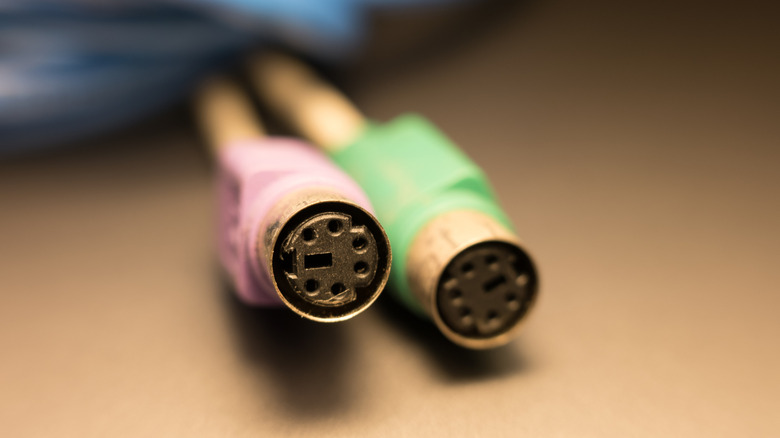
Strange as it may sound, the good old PS/2 ports that were all the rage in the late '90s are still in use today. In fact, you can buy brand-new motherboards that feature a PS/2 port alongside newer ports like USB-C and HDMI. Notable examples include the Asus ROG Maximus Z890 Apex, the Gigabyte B850 Gaming X Wi-Fi 6E, and the ASRock B860M-HDVP. If you noticed, many of these motherboards serve the enthusiast crowd, a section of users who tend to overclock their PCs. Now, one major side effect of overclocking can be an unstable PC. In such environments, the chance of USB devices failing to respond increases. Opting for a PS/2 mouse and keyboard (based on a different, unaffected connection system) lets the enthusiast crowd completely sidestep this possibility.
Another reason people still prefer PS/2 keyboards is their understanding of how they handle inputs compared to USB. PS/2 peripherals use hardware interrupts, which let the keyboard alert the computer whenever a key is pressed. USB, on the other hand, relies on the USB controller checking connected devices at regular intervals for new inputs. In theory, PS/2 has an inherent edge over USB because it doesn't have to wait for these checks. However, as things stand today, this advantage doesn't necessarily make it faster than modern USB keyboards, which have evolved and can respond extremely quickly.
Aside from the enthusiast crowd, there is considerable demand for motherboards with legacy port support from businesses that need to run older equipment. So, while PS/2 may seem hopelessly outdated to most PC users, it still serves a purpose for people who need it.