

What's The Difference Between Wi-Fi 6, 6E, And 7?
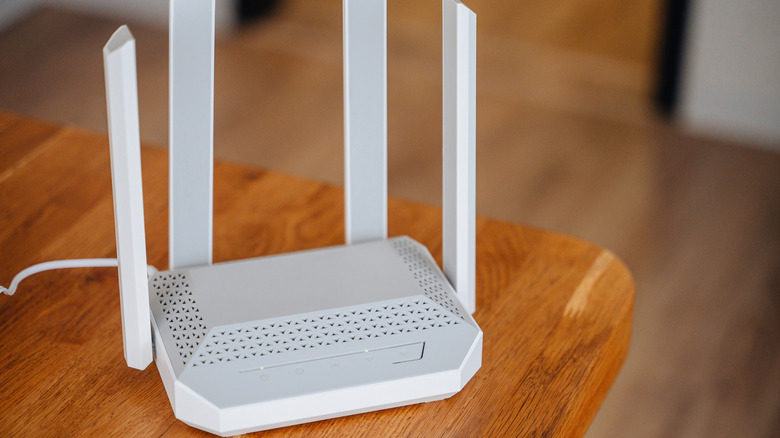
If you've been shopping for a new router recently, there's a good chance you've seen terms like Wi-Fi 6, Wi-Fi 6E, and Wi-Fi 7 in the wild. Much like cellular networks, Wi-Fi has changed a lot. Not so long ago, speeds of just 5 Mbps were considered fast, but now anything under 100 Mbps can feel sluggish. On paper, all three Wi-Fi versions look like the evolution of the same technology, and you wouldn't be wrong to feel that way. However, the differences go beyond just speed. Each standard changes the wireless bands and channel widths available, as well as how devices communicate with your router.
Even though some Wi-Fi 5 routers still exist, Wi-Fi 6 should be your starting point. Released in 2019, Wi-Fi 6 was a major upgrade. It can reach maximum network speeds of 9.6 Gbps, though real-world speeds will depend entirely on your internet service provider, router, and connected devices. With a 1 Gbps connection, you could be looking at 800 to 900 Mbps speeds. The network operates on two frequencies: 2.4 GHz and 5 GHz. The latter is faster but doesn't have the same range as the 2.4 GHz band. Since many smart home devices use only the 2.4 GHz band, Wi-Fi 6 becomes the obvious choice if you're on a budget.
In 2020, the Wi-Fi Alliance, the nonprofit consortium behind the technology, introduced Wi-Fi 6E. You still get the same 9.6 Gbps speed, just with an added 6 GHz band. The newer band has an even shorter range than 5 GHz, so don't expect your whole house to be covered. However, with three bands running simultaneously, devices can connect to different bands without crowding, thus giving you more stable performance.
What about Wi-Fi 7?

Wi-Fi 7 is much like Wi-Fi 6E, just a little bit on steroids. The newer standard bumps theoretical speeds up to 46 Gbps. Intel's real-world demonstration reached 5.8 Gbps on average, which should be enough to quickly download full movies. Beyond just speed, Wi-Fi 7 supports Multi-Link Operation technology. It lets a device connect to multiple bands and send data across them simultaneously. This means lower latency and congestion and could be particularly helpful for applications like gaming and streaming multiple 8K videos. Wi-Fi 7 also doubles the channel bandwidth and limits interference to specific areas of the network.
Given the benefits, opting for a Wi-Fi 7 system might seem like the obvious choice, right? Well, not so much. First, you must find the right internet service plan to take advantage of the faster speeds. Compatibility is another question. Flagship phones like the iPhone 18 Pro do support Wi-Fi 7, but many other accessories, including smart home products, aren't compatible yet. Those devices would default to the legacy bands. Also, while Wi-Fi 7 routers aren't particularly expensive, with many costing between $100 and $300, setting up a full mesh network can be a significant investment.
Which Wi-Fi should you get?
For a home network, Wi-Fi 6E has the best overall balance. It gets you a tri-band setup, which reduces congestion and works well with different smart home gadgets. You could also opt for Wi-Fi 7, but only if you have a fast enough internet connection and compatible devices.
If you already have a Wi-Fi 6E system, there aren't many reasons to upgrade to Wi-Fi 7, especially when Wi-Fi 8 is on the way. The new standard will have the same speed as Wi-Fi 7 but will enhance other important elements like improving reliability, reducing dead zones, and expanding coverage across larger homes. It'll also use technologies such as Distributed-Tone Resource Unit (DRU), Multi-AP Coordination (MAPC), and Enhanced Long Range (ELR) to reduce latency, cut packet loss, and improve signal strength.