

Will Any Projector Work For A Golf Simulator?
We may receive a commission on purchases made from links.
Thanks to modern smart technologies and more advanced sensors, golf simulators have grown increasingly more sophisticated in recent years. They can track the quality of your shots, ball speeds, launch angles, and so much more. With the right setup, it's like you're on an actual course or driving range, only indoors, and the projector is one of the most important elements for making it all seem realistic. If you're building something like this in your home or garage, the first obstacle you'll likely come up against is what projector you should use. Will any projector work for a homemade golf simulator? Do you need a more expensive variety? Oddly, the answer is both yes and no.
The reality is that any projector could work. However, there are some traits you want to be on the lookout for when choosing a model for golf shots and simulations. Throw distance or projector position (relative to the space inside the simulation area), lens brightness and color accuracy, aspect ratio, and maximum resolution are all very important. You also want to consider what type of lighting source the projector uses. Laser projectors offer the best experience overall, but they are pricier.
You will need additional equipment to establish a proper simulation, too. In many cases, the extra equipment comes in a kit that includes a projector to use, like the SKYTRAK ST MAX, which comes with either the launch monitor or a bundle with a projector. The Bushnell Launch Pro simulator bundle is the same idea. However, those full kits are also expensive, so if you want to save some money and get the projector and the rest of the gear separately, you can.
What type of projectors are best to use for a golf simulator?
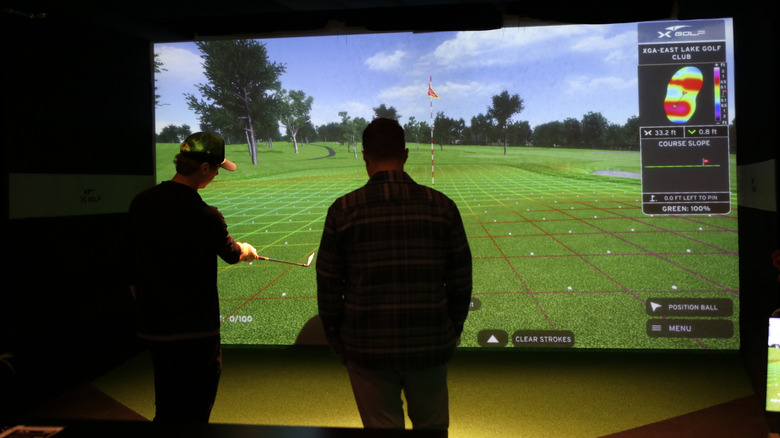
If you're choosing the projector, you really want to hone in on things like throw distance, resolution, and brightness. Right off the bat, short throw projectors are the ideal choice. They can be placed closer to the screen or projection surface without sacrificing quality, color, and brightness. Another big reason why short throw projectors are ideal, and why having them closer is the best option, is because it helps reduce shadows that would appear on the screen while you're swinging or moving. Shadows can get in the way of monitors and sensors, and big shadows also make it tougher to see what's happening when they fill the screen area.
Some recommended projector models include the BenQ AK700ST for screens bigger than 12-feet, the Epson PowerLite L795SE, or more recently, the Optoma GT2400HDR, which was reviewed by Wired and recommended for this very task. They all support high resolution viewing with accurate color representation, reliable brightness, and they're all short-throw capable. You don't necessarily have to go with a 2K or 4K projector, as 1080P projectors work fine and should even save you some money. BenQ's AH500ST is a great choice for 1080P, but you should be looking for that upper ratio of high brightness, clear picture, and good color representation.
While smart projectors are an excellent choice for replacing TVs and displaying golf simulators, a traditional "dumb" projector will work fine as well, as long as it meets the quality requirements and you can connect your computer or monitor, whether that's via HDMI or another connectivity option.
What do you need to build a golf simulator?
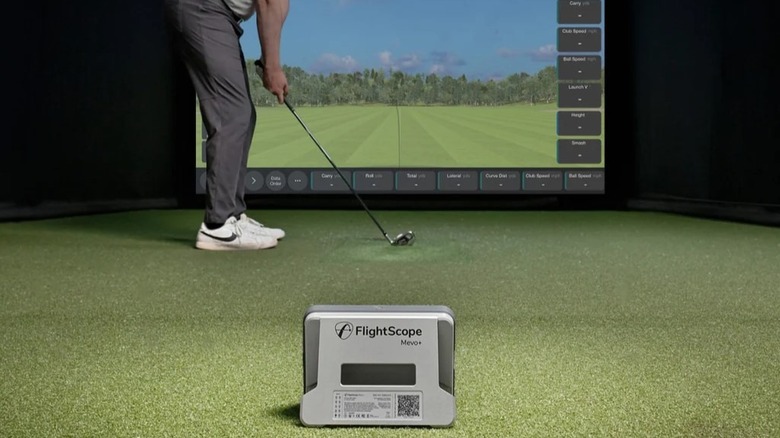
The projector and screen are important, as they handle the viewing part of the simulation, allowing you to see a course or projections for where your ball goes after a shot. The screen should be an impact screen or protected behind a net, so powerful ball strikes won't tear it. But you also need a central computer or tool to manage the simulation itself. The launch monitor or computer is the "brain" of the whole thing.
For this, you could use anything from a Garmin R10 to a Rapsodo MLM2PRO to track your shots in a budget-friendly simulator build. Or, you could go with the full kits from companies like SKYTRAK. Some DIY builds might include existing products like FlightScope or Foresight's GC3 launch monitor, while others might use a custom system. Then, you need a proper enclosure inside the room where you'll be playing, complete with turf floors, padding, and other considerations — you might want to install protection on the surrounding walls, too.
Most DIY golf simulator builds are quite the undertaking regardless of the total cost. It can be a rewarding project, or at least it seems to be for those who complete one, but it is an involved, multi-step process nonetheless.
That said, you don't have to build a full-scale simulator to achieve the same experience. There are also a ton of golf-themed devices you can use to track your shots and improve your game, many of which work on a live course. You could even go with something like the Phigolf 2 simulator, which works through a TV or mobile device — no projector or complex setup needed.