

Pixel Watch 5 Vs Fitbit Edge: Which Google Wearable Should You Buy?
We may receive a commission on purchases made from links.
I've enjoyed wearing the new Fitbit Air for a few months. It's a great screenless fitness tracker that quietly monitors my health without bothering me with notifications. Best of all, I don't have to charge it every day. But I still miss my smartwatch. It has a screen to start workouts quickly and to check important messages. So, when Google announced the new Fitbit Edge, it seemed like the best of both worlds. It has the same health-tracking experience as the Air, but adds a small display to check the time, start workouts, and view notifications.
But it's not easy to tell if you should buy the Fitbit Edge for $179.99 or spend the full $399.99 on the Pixel Watch 5. After all, there's little reason to spend an extra couple hundred dollars on features you might never use. That said, we've reviewed both the Fitbit Edge and the Pixel Watch 5, and things get interesting quickly. For example, the Fitbit Edge's claimed seven-day battery life only applies with the always-on display (AOD) turned off. Enable it, and battery life drops to around two days, which isn't far off the 36 hours (also with AOD on) we got from the Pixel Watch 5. Here's how the rest stacks up.
Design & Hardware
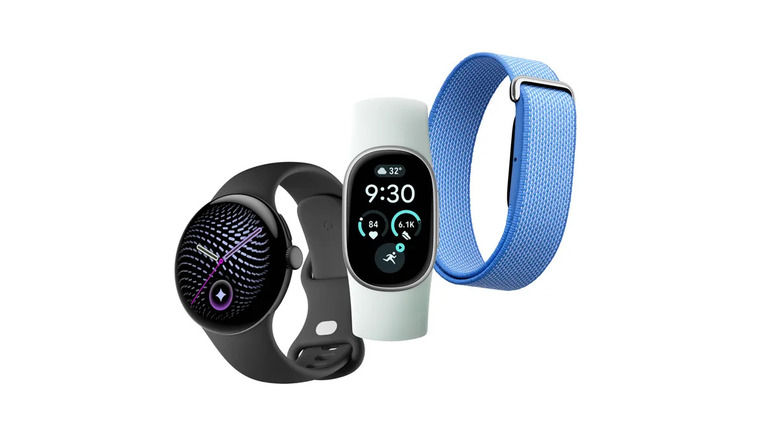
Design is one of the biggest differences between the Fitbit Edge and the Pixel Watch 5. The latter is a full-blown smartwatch, complete with either a 1.2-inch or 1.4-inch circular display curved around the sides. It has an aluminum chassis, with Gorilla Glass 5 protection. The display reaches up to 3,000 nits, making it easy to read outdoors, even in bright sunlight. There's also IP68 water and dust resistance, so you can take it for a swim.
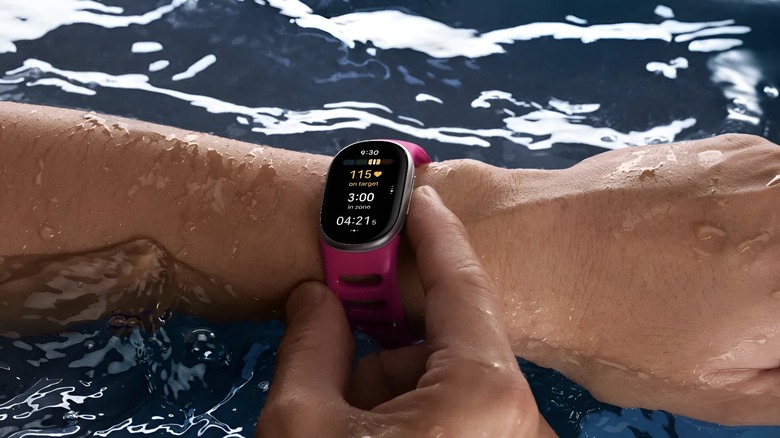
The Pixel Watch 5 sounds great, but it's big. Not everyone likes wearing what amounts to a full smartphone on their wrist. That's the Fitbit Edge's main selling point. It's incredibly lightweight at 17.7 g, compared with the Watch 5's 36 g (45 mm version). It's also barely thicker than the Fitbit Air, which is a plus if you don't like wearing bulky devices while sleeping. Swimming, thanks to the IP68 rating, shouldn't be a problem either. That said, the Gorilla Glass 3 protecting its 1.34-inch AMOLED display doesn't inspire much confidence. I'd be careful about scratches, especially if you're wearing it during workouts.
Health and fitness tracking

Health and fitness tracking is one area where the Pixel Watch 5 and Fitbit Edge have a lot in common. Both devices connect to the same Google Health app, which, if you haven't used it before, is like having AI (in this case, Gemini) analyze your health data to break down difficult topics. You can also pay for a subscription to access Google's Gemini Health Coach. In total, you can track 50 different exercises and metrics such as blood oxygen saturation, resting heart rate, and skin temperature. Both can also access Health Guardian features that measure insulin resistance and blood pressure trends.
Whatever you think about AI, the Fitbit Edge does a good job of tracking your fitness. In our testing, it automatically detected workouts and saved them without constantly asking for confirmation. You can also check basic things directly on the display. The Pixel Watch 5 has the same core health tracking but goes a step further. For example, the Fitbit Edge has GPS to track your running sessions, plus elevation and strides. At the same time, the Pixel Watch 5 can also measure vertical movement and ground contact time.
Wear OS or Not?
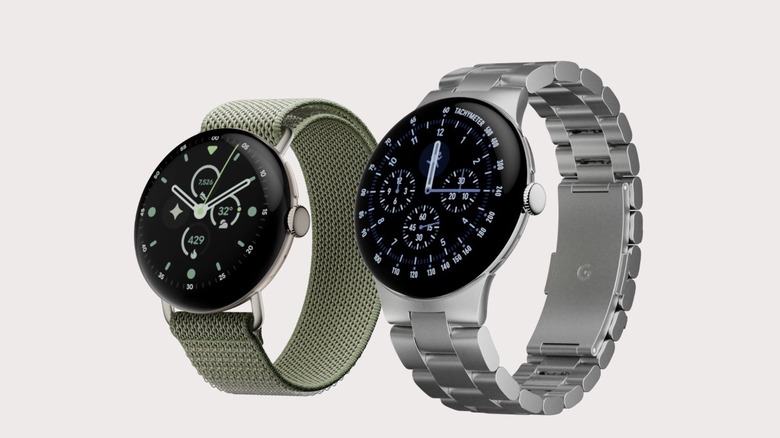
The biggest question when choosing between these two wearables is whether you actually need Wear OS. I'll be the first to admit that Wear OS wasn't particularly good a few years ago. It was bloated and very unoptimized. That's not the case anymore. In fact, Google's version of Wear OS is a fan favorite. You essentially get a smartphone on your wrist. You can respond to notifications, take calls, and install third-party apps directly from the Play Store. The Snapdragon W5 Gen 2 keeps navigation fast. The Watch 5 also lets you control smart home devices, interact with Gemini, track workouts, and customize your watch face.
The Fitbit Edge, by contrast, offers a limited experience. It has a display, but it's mostly for glancing at the health data. You can view notifications, but replies are limited to a selection of preset responses. Google Maps can give you turn-by-turn directions, but you'll need your phone to enter the destination. While Google's Material You theme is all over the UI, it doesn't support third-party watch faces. You also cannot make payments because the Edge doesn't have NFC.
These missing features aren't a deal breaker. It just means the Edge is designed more like a Fitbit Air with a display rather than a cut-back version of the Pixel Watch 5. If you don't need a larger display, third-party apps, or the ability to take calls from your wrist, saving $200 on the Fitbit Edge makes more sense.