

The 2-Room Rule For Mesh Wi-Fi Routers That Can Help Fix Dead Zones
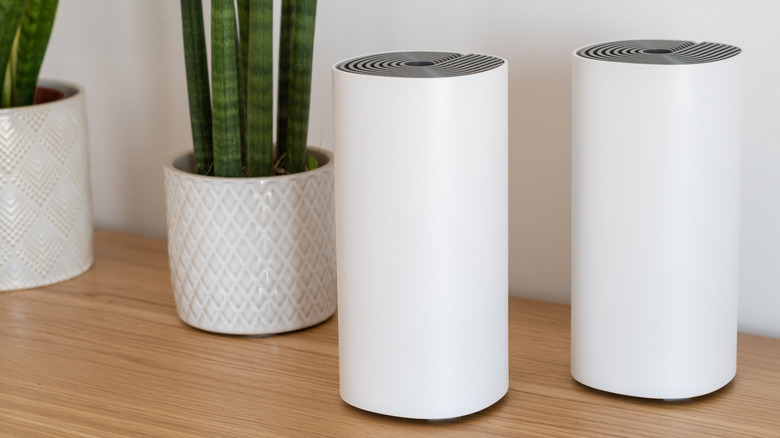
If you are setting up a mesh Wi-Fi system for the first time or adding additional nodes (or satellites to the setup), it's important that everything, including the primary and secondary nodes, is placed correctly. Optimal placement plays a key role in eliminating dead zones and providing seamless connectivity to every part of your home or office. With improper placement, you run the risk of poor signal strength and occasional drops, despite spending a decent sum on the mesh Wi-Fi setup. And the two-room rule for mesh Wi-Fi makes this incredibly easy for you.
The two-room rule is basically a guideline that states that the distance between the mesh Wi-Fi nodes shouldn't exceed two rooms. This is to give you a general idea of how far the nodes should be for optimal signal transmission and performance. Keeping them further apart affects the node's ability to connect to the primary mesh router. So while you may get better coverage by spacing out the nodes, the connection's reliability and performance suffer. Even when adding nodes, some dedicated apps for mesh Wi-Fi systems, like the TP-Link Deco, suggest placing them within a two-room distance.
Keep in mind that the two-room rule isn't the only thing that governs the distance between the mesh nodes or satellites. There are other factors worth considering as well. For instance, if there are several walls, especially those of brick or concrete, you may need to place the nodes closer than the recommended distance of 30 feet or two rooms.
Optimal node placement matters more than you think
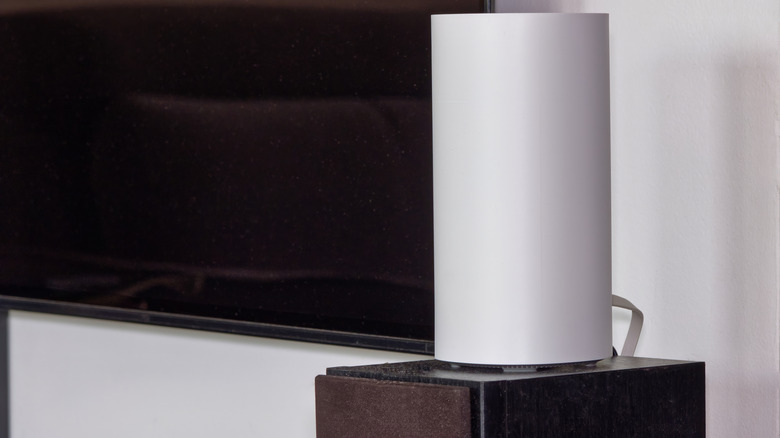
Like your main router, your mesh Wi-Fi nodes also need to be optimally placed for the best experience. And there are a couple of things worth knowing. Since mesh Wi-Fi nodes don't have external antennas, at least the vast majority of models, you will need to place the primary mesh router in a central location. With a router, you have the option to reposition the antennas for better coverage in a particular direction, but that's not the case with mesh nodes. Similarly, the nodes should be placed at a height, and the space around them should be clear. Placing nodes inside a cabinet or behind furniture can block Wi-Fi signals.
Apart from that, keep the mesh Wi-Fi nodes away from interference-causing home appliances and objects like microwaves, cordless phones, baby monitors, aquariums, and more. These negatively impact Wi-Fi signals. More importantly, never place the nodes directly in the dead zone. If your aim is to eliminate dead zones, position the node midway between the mesh Wi-Fi router and the dead zone. This is important because the node, when placed in a dead zone, can't reliably communicate with the router. So, you need to place it such that the node is both within the router's range and effectively covers the dead zone. Also, for better performance, you can connect the more important devices directly to the nodes using an Ethernet cable, provided both feature LAN ports.
If all this sounds too complicated, there's a more convenient option. You can use the mesh Wi-Fi system's dedicated app to check the signal strength for individual nodes. Many models have light-based indicators to highlight whether they are within the effective range of the main router.
Do you need a mesh Wi-Fi system?
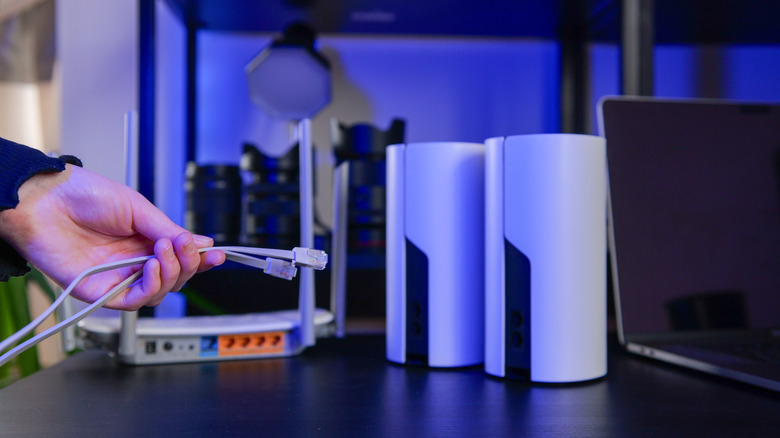
It's vital to know whether you actually need a mesh Wi-Fi system or if a simpler, cheaper alternative will do. Because let's face it, mesh Wi-Fi setups can be costly for some people. You should go with a mesh Wi-Fi setup if you want a single system providing Wi-Fi coverage in a large space. You don't have to switch between networks when moving from one part to another. Your devices automatically connect to the nearest node. They are also much more reliable and deliver faster speeds than Wi-Fi extenders. So, if that's what you need, a mesh setup will be a better choice for you.
However, if your standard router already covers most of the house or office but there's an area, say a single room, where the signal strength is extremely weak, an extender will perhaps be a smarter, more cost-effective option. As the name suggests, an extender simply rebroadcasts the signals from your existing router to extend its reach, although this can slightly reduce internet speeds. So, even if you try to connect multiple extenders to your router as a replacement for a mesh Wi-Fi setup, it won't be the same. You are most likely to get slower speeds.
All that said, if you go with a mesh Wi-Fi system, make sure to smartly place the nodes and keep them within a 30-foot or two-room distance. That way, the setup will be more stable, and you will get faster internet speeds across the space.