

Here's What Isopropyl Alcohol Does To A TV Screen
We may receive a commission on purchases made from links.
In the past, we've mentioned that one of the many things you shouldn't do while cleaning your TV screen is using alcohol. Many TV manufacturing brands, such as PRISM+ and LG, have consistently cautioned against the use of alcohol since it has been known to damage the screen coating. However, times have changed, and some television manufacturers have given the thumbs up to use them for specific models. In 2026, Samsung updated its TV screen guidelines, which cover its QLED TVs, Neo QLED TVs, MicroLED TVs, and Crystal UHD TVs. Its guidelines note that alcohol can be used for cleaning under certain conditions.
That said, it's important to note that Samsung recommends isopropyl alcohol only under two specific conditions. First, there are different types of isopropyl alcohol: 70%, 91%, and 99%. While the 99% dilution is often preferred for electronics, according to Right Path Industries, Samsung states that you should only use isopropyl alcohol that is 70% or less. While it doesn't disclose precisely why, it could be because the 70% option is known to be more effective at surface disinfection. Second, while isopropyl alcohol can be safely used on TV screens, the method of application can increase or decrease possible risks associated with it.
Here are a few tips for safely using it to clean your TV screen today, along with alternatives if you still don't feel comfortable using it.
The right way to use isopropyl alcohol on TV screens
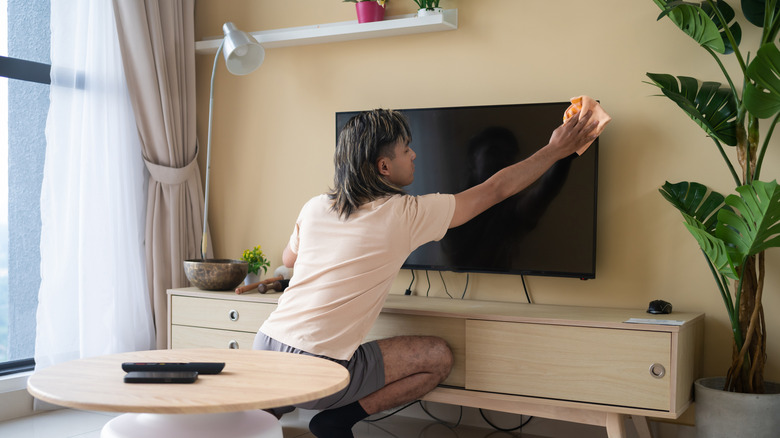
Before you use isopropyl alcohol on your TV screen, it's important to consult your specific model's manual or official blogs from the manufacturer. Even within the same brand, cleaning guidelines may vary because models may use different screen coatings. Once you are sure that your TV model is approved for it, always ensure you turn it off and unplug it before you even start to reduce electrical risks when cleaning your flat-screen TV. Whether it's water, alcohol, or other cleaning solutions, Samsung cautions that you should never spray any liquid directly onto the TV screen. Under certain circumstances, it says moisture can lead to safety-related issues, such as if it gets inside. Instead, it says you should spray on the cloth first.
Even when working with isopropyl alcohol, the same advice for only using a microfiber cloth still applies. In the same vein, you should still opt out of scouring pads or any rough surfaces, even when cleaning tough stains. To address fingerprints, Samsung recommends lightly dampening a section of a microfiber cloth with isopropyl alcohol. It says you should wipe in circular motions until the smudges disappear. It's important to do this gently as well as to avoid damaging the reflective layer. Lastly, it says to finish by buffing the moisture with a dry part of the microfiber cloth to reduce the chance of moisture, streaks, and residue buildup.
How to get the most of using isopropyl alcohol for TV cleaning
Once you're done cleaning your TV screen, you can use the same microfiber cloth with 70% isopropyl alcohol to clean your remote control too. It's a great way to get rid of oil buildup, bacteria, and dust, which tend to build up quickly since you tend to touch it more frequently. Similar to why monitors can't detect DisplayPort signals, dirty ports on your TV can impact connection quality and stability. Unlike your TV screen, you can use soft-bristled brushes and isopropyl alcohol to clean USB and HDMI ports on the TV without complications. Just make sure it's fully dry before connecting any devices. For people who own vintage TVs, The Spruce notes that you can also safely clean old glass tube TVs with a microfiber cloth sprayed with a little bit of isopropyl alcohol.
But if you want a brainless way to clean screens, the EVEO Electronic Wipes Screen Cleaner is designed for LCD, LED, OLED, CRT, and touchscreen displays. Apart from its alcohol- and ammonia-free solution, you don't have to worry about having a clean microfiber cloth on hand. With each pack having 40 wipes, you can get a 2-pack for $15.95 or a 4-pack for $24.97. Apart from your TV, you can also use it on your mobile phones, tablets, game pads, and keyboards. An Amazon's Choice product, more than 7,400 reviewers have rated it 4.4 stars on average.