

10 Of The Best Features Of AMD GPUs
NVIDIA might be the most popular GPU developer on the market, but anyone who wants a current-gen graphics card from this developer with more than 8GB of VRAM will have to pay more than $750, which is downright unreasonable. The AI-driven shortage of PC components is largely to blame, though many gamers also blame the company for spearheading this change in the first place, as seen when NVIDIA invested $100 billion in OpenAI while inflating GPU prices and failing to meet demand.
This is a major reason why most gamers have started switching over to AMD GPUs. A Radeon RX 9060 XT with 16GB of VRAM costs $519.99. Again, that's not great, but it's still notably cheaper than a similarly configured NVIDIA GPU. While AMD GPUs still have a long way to go to match the competition in upscaling, AI optimizations, and 4K gaming performance, they offer exclusive features that are great for dedicated gamers who want to squeeze as much performance as possible from their GPU.
FidelityFX Super Resolution (FSR)
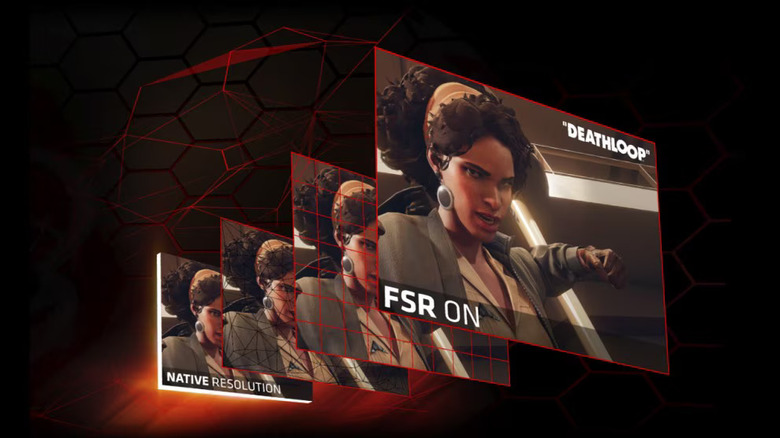
Deep Learning Super Sampling (DLSS) has been one of NVIDIA's biggest selling points, rendering games at a lower resolution and using AI upscaling to artificially increase it for better performance. AMD's response is FidelityFX Super Resolution, also known as FSR. While this upscaling tech hasn't matched NVIDIA's DLSS in quality, most people appreciated that AMD used open-source shader algorithms to make it compatible with a wide range of GPUs. This was true up to FSR 3, but AMD realized dedicated solutions were necessary to improve the performance of this upscaling technology.
As a result, FSR 4 used a dedicated, machine-learning-accelerated upscaling algorithm that could only be activated on AMD Radeon RX 7000 and RX 9000 Series graphics cards. Eventually, AMD rebranded this tech, integrating FSR 4 into the larger FSR Redstone suite. Along with this upscaling, Redstone also uses frame generation to insert AI-generated frames between actual ones to boost framerate, operating similarly to DLSS.
Ray tracing works similarly, with FSR Ray Regeneration reducing the overall rendering load with minimal impact. Finally, FSR Radiance Caching uses predictive technology to simulate how lighting affects a specific in-game scene, ensuring real-time global illumination runs efficiently without overloading the GPU.
Smart Access Memory (SAM)
Usually, a CPU can only access 256MB of a GPU's VRAM at a time. As limiting as it may sound, this was the norm for a long time and was enough to run most games. However, texture detail and overall graphical fidelity have reached a point where even 8GB of VRAM is no longer enough for high-end gaming. As a result, a processor accessing a GPU's VRAM in 256MB chunks at a time leads to lower performance. This is the bane of a video gamer's existence, especially one who wants their games to run smoothly at high frame rates.
Resizable BAR addresses this by letting the CPU access the full amount of a GPU's VRAM at once. AMD further optimized this technology, leading to the introduction of Smart Access Memory, or SAM. By facilitating these faster data transfers, you can enjoy a notable performance boost in games like "Hogwarts Legacy," "Alan Wake 2," and "The Last of Us Part I."
Infinity Cache
The previous point made it clear that uninterrupted access to a GPU's VRAM improves performance, but it still doesn't solve the problem of a CPU constantly accessing frequently used shaders and data from VRAM. Over time, this becomes inefficient and negatively impacts gaming performance. AMD addressed this with the Infinity Cache, a dedicated 256-bit memory bus that stores frequently accessed VRAM data so the CPU doesn't have to constantly scour the GPU.
Most modern AMD GPUs have a dedicated 256MB Infinity Cache to improve performance. This avoids the need to integrate an expensive 512-bit memory bus on the graphics card, which would've bumped up the cost quite a bit. Given the woes most gamers face with inflated GPU costs in the current market, AMD's efforts to reduce the overall cost of its graphics cards are admirable.
FreeSync
V-Sync is a graphics setting most people have seen in their favorite video games. It works simply: instead of letting your game run at a higher FPS than your monitor can display, V-Sync caps the frame rate to your monitor's refresh rate. This prevents the dreaded screen tearing that usually happens when refresh rates aren't in sync. This solution has a downside: your game can suddenly become choppy if its frame rate drops below your monitor's refresh rate. As a result, some people recommend turning V-Sync off altogether.
To prevent this issue, NVIDIA and AMD released their own vertical-sync solutions, G-Sync and FreeSync, respectively. Instead of locking the monitor's refresh rate, these adaptive solutions dynamically adjust your display's refresh rate in real time to match a game's FPS. This is a far more efficient solution that helps prevent frame rates from tanking, but keep in mind that FreeSync only works with a compatible monitor that supports the technology.
AMD MGPU
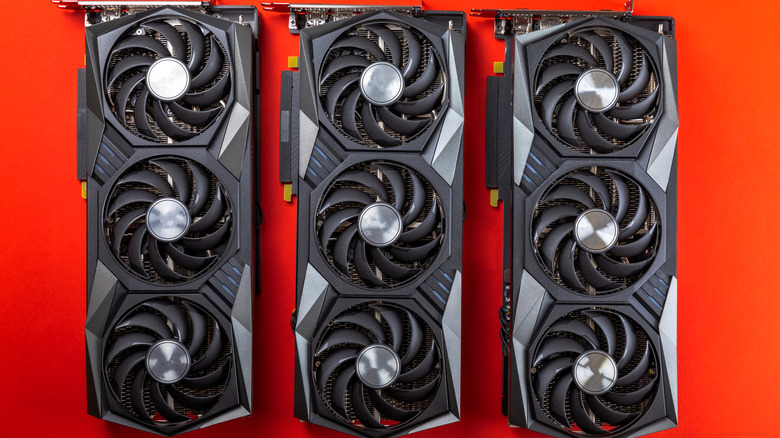
If you own two or more AMD GPUs from the RX 6900 series or lower, you can use AMD's proprietary Multi-GPU (MGPU) tech to combine their power. Formerly known as AMD CrossFire, MGPU can be enabled in the "Global Graphics" section of AMD Software: Adrenalin Edition. From there, you can also turn on "Frame Pacing" to reduce frame-to-frame time variance in games that support it. In layman's terms, this helps games run more smoothly, which is great for people who prioritize FPS.
To use this feature, first download AMD Software: Adrenalin Edition on your PC, which should be running Windows 10 at the very least. Puzzlingly, this tech isn't supported on the latest AMD GPUs, that is, anything from the RX 7000 series or higher. Finally, your computer's PSU should be compatible with MGPU. If you've checked all these boxes, you can unlock higher performance on older-generation AMD GPUs, helping you run the latest AAA games smoothly.
AMD Anti-Lag 2
Latency is the bane of any multiplayer gamer's existence. If their skills and reaction speed are on point, their system's input-reading speed will decide whether they get the drop on their opponent. Reducing latency during online gaming sessions matters for people who want to maintain a high K/D ratio in "Call of Duty" or reach a higher ELO rank in "Counter-Strike 2."
AMD aims to help multiplayer gamers with Anti-Lag 2. As the name suggests, this is an improved version of their Anti-Lag feature that can reduce latency by up to 10 milliseconds. This isn't limited to online play — if you play single-player games on the highest difficulty and want to minimize input lag, AMD Anti-Lag 2 can make your games feel more responsive. This tech works with a wide range of AMD graphics cards, starting with the RX 400 series.
AMD Radeon Boost & Chill
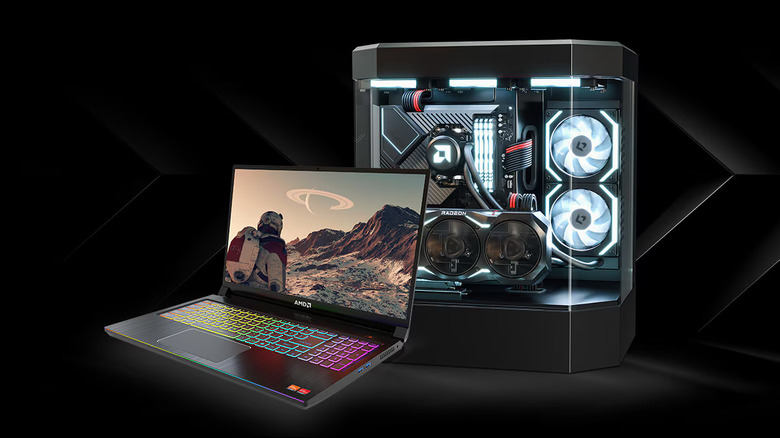
AMD includes two unique features to help boost gaming performance in specific situations. Radeon Boost detects when your player character is moving swiftly through an environment. Since you won't be analyzing the graphics quality when everything's moving at breakneck speed, this feature reduces the game's rendering resolution to increase FPS. It's great for racing games or action-packed titles that prioritize fast character movement, such as modern Doom games.
On the other side of the spectrum, Radeon Chill detects the player's movement, or lack thereof, to keep gameplay smooth without taxing the GPU too much. When you're moving very quickly in-game, FPS can ramp up to the frame rate cap you've set. However, if you're standing still, the FPS drops for better power management. Activate this only if you want to reduce overall power consumption and don't want your GPU running at full tilt all the time.
Radeon Image Sharpening (RIS)
Image sharpening has been a hot topic in TV debates, with most people turning it off outright to avoid artificial sharpening that creates distracting edge artifacts and, in their eyes, ruins picture quality instead of improving it. Keeping this in mind, it's easy to see why most people wouldn't be huge fans of AMD's Radeon Image Sharpening (RIS). That said, AMD has stated that its edge-sharpening tech doesn't cause any of these artifacts.
Ultimately, it's up to you to enable RIS and see whether it works for you. This contrast-adaptive sharpening algorithm can potentially improve the clarity of your game's visuals and can be enabled from AMD's application. You'll need an RX 5000-series graphics card or newer to use this feature. You can enable RIS globally or for specific games, and adjust a slider to control the strength of the sharpening. Just avoid enabling this feature for games that support FidelityFX Contrast Adaptive Sharpening (CAS), since it can lead to unpleasant over-sharpening.
AMD HYPR-RX
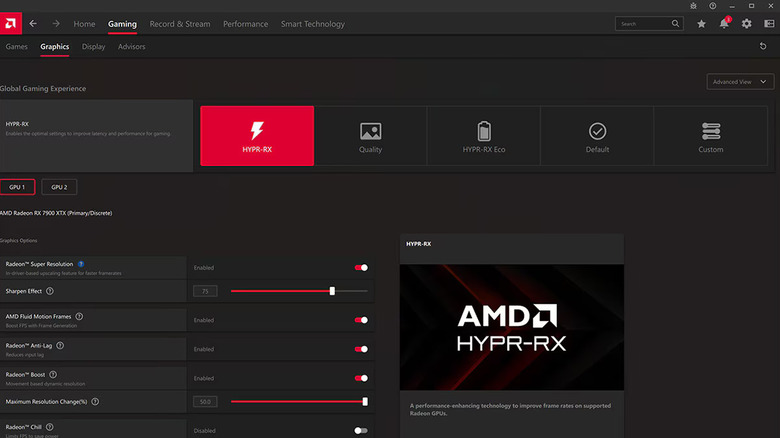
As convenient as AMD's features are, digging through the AMD Software: Adrenalin Edition app to activate them one by one can be a hassle. Instead of repeating this ordeal for each game, AMD offers a simple solution that lets you toggle some of its best features at once. This comes in the form of AMD HYPR-RX, a dedicated gaming profile that activates five of AMD's optimizations to deliver the best possible gaming performance.
We've already discussed three of these features at length, namely FSR, Anti-Lag 2, and Radeon Boost. In addition, AMD Fluid Motion Frames (AFMF) uses cutting-edge frame generation technology to boost your games' FPS, which goes a long way toward minimizing input lag and improving overall performance. The fifth and final feature activated via HYPR-RX is AMD Radeon Super Resolution (RSR). If a game doesn't support FSR, you can use RSR to get the benefits of upscaling instead.
If you want super-fast gaming performance without using too much power, we suggest the AMD HYPR-RX Eco profile. It uses AFMF and Radeon Chill to deliver improved performance without leading to a major spike in electricity usage.
Noise Suppression
Who said all AMD GPU features are meant solely to improve a game's visuals? With AMD Noise Suppression technology, you can reduce background noise when using a headset or earbuds. Just activate this setting from the "Audio & Video" section of AMD's software, and staying locked in when you're gaming online becomes a cinch. While you can activate this tech via your GPU, you can also use Noise Suppression if you have an AMD CPU.
Given this noise suppression tech's strengths, you'd assume it's also prudent to turn it on during a work call. While this may help you avoid unnecessary distractions, PC Gamer noticed that their mic quality took a hit whenever this feature was activated. That said, they also noticed that Noise Suppression worked on other mics' output as well. This way, you don't have to deal with that one "CS2" player who blares loud music during intense multiplayer matches.