

Why Did Old-School Computers Have Green Text?
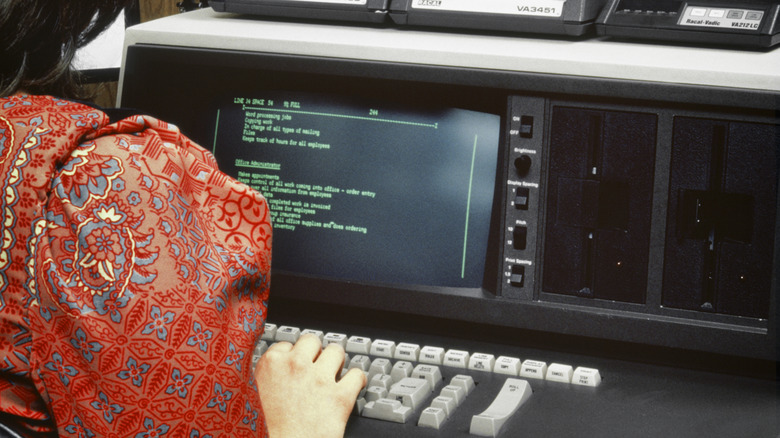
If you picture a computer terminal from the 1970s or 1980s, you probably imagine glowing green letters on a nearly black screen. It's embedded in popular culture, from the Mother computer in Alien to the digital rain in The Matrix, and for many of us, green text is simply how old computers are supposed to look.
There was a practical reason for it. Green wasn't the only color available, but green phosphors were particularly well suited to displaying text. They were bright, efficient, resistant to screen burn, and capable of producing sharp characters. It also helped that the human eye is especially sensitive to light in the green part of the spectrum, so a green display could look impressively bright without the CRT having to work quite as hard.
Monochrome was the standard for many computer terminals and early personal computers because, for displaying text and numbers, color was often an unnecessary expense. When IBM launched the hugely influential IBM PC in 1981, for example, a setup with 64 KB of RAM, one floppy disk drive and IBM's monochrome display cost about $3,000. IBM's color monitor didn't arrive until 1983, and cost hundreds of dollars more on top of the hardware required to drive it. If all you were going to be doing was staring at columns of text, green was more than adequate.
How did old-school monitors display text?

Cathode-ray tube screens work very differently from modern LCD or OLED panels. Inside a CRT, an electron gun fires an invisible beam toward the inside surface of a glass screen. That screen is coated with a thin layer of phosphor. When the electrons hit the phosphor, they transfer energy into its atoms or crystal structure. Electrons within the phosphor temporarily move into higher-energy states; when they fall back down, some of that energy is released as photons which is the glow you see on the screen.
"Phosphor" is a general term for substances that emit light when exposed to energy. The substances used in old computer monitors are more specifically cathodoluminescent phosphors: inorganic materials designed to glow when bombarded by electrons. They are made from compounds containing elements such as zinc, sulfur, copper, manganese, aluminum, and silicon. Change the chemistry and you change the color, brightness, and persistence of the glow.
One of the most common green CRT phosphors was P31, a zinc sulfide activated with copper. P31 produces yellowish-green light in a part of the visible spectrum to which human eyes are very sensitive. Human photopic — or daylight — vision reaches its maximum sensitivity at about 555 nanometers, right in the yellow-green region. Green light can create strong apparent brightness and contrast without requiring as much electron-beam current. Another advantage is that a lower beam current can help keep the electron beam tightly focused, producing sharper dots and more distinct characters. Back in the 1980s, user interfaces mostly consisted of letters, numbers, and blinking cursors, so clarity mattered a lot more than displaying lots of colors.
Why was green chosen over other colors?

Green wasn't the only option for monochrome monitors, but green phosphors, particularly P31, had an appealing combination of properties. A 1981 Hewlett-Packard catalog described P31 green as "probably the best overall choice down to 50 Hz." HP rated it highly for efficiency and burn resistance, both useful qualities in a monitor expected to display the same characters or interface elements for hours at a time. Screen burn was a real problem with CRTs, just as it can be with OLEDs today.
Persistence mattered too. Phosphor doesn't stop glowing at precisely the instant the electron beam moves away. Its light fades over time, and different phosphors fade at different rates. Too little persistence and the screen can appear to flicker, especially at lower refresh rates. Too much and moving or scrolling text leaves smears or ghostly trails behind it. Designers therefore had to find a useful compromise between brightness, flicker and responsiveness. Green phosphors happened to work very well for that job.
Amber monitors later gained a reputation for being easier on the eyes, and manufacturers often marketed them that way. Some models cost more if you wanted the amber option, rather than green. But by the late 1980s, it was becoming less important. Color monitors were getting cheaper, graphics hardware was getting better, and graphical user interfaces, desktop publishing, and games gave people increasingly good reasons to want more than one color. Green screens didn't disappear overnight. Monochrome terminals remained in offices, point-of-sale systems, and other places for years afterward. These days though you'll mostly see glowing green text in retro games and movie depictions of futuristic computer systems.