

Does Wrapping Your Phone In Aluminum Foil Really Block Wireless Signals?
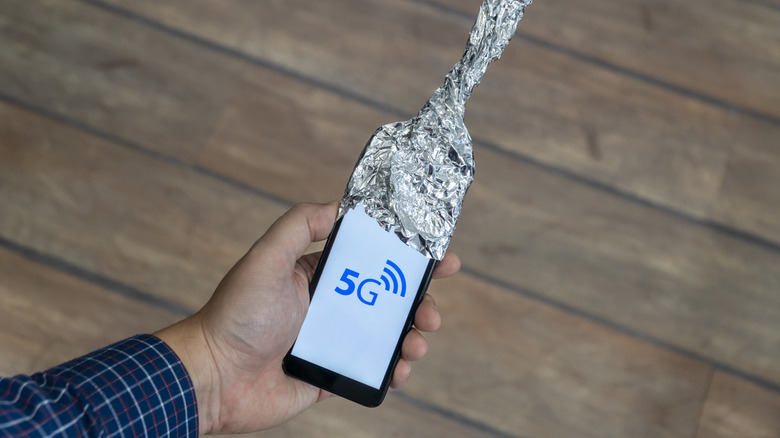
Of all the common smartphone myths floating around on the internet, you may be surprised to learn that wrapping your phone in aluminum foil to block its wireless signals isn't actually one of them. You may have seen this trick being demonstrated on social media platforms, and there's some very real science behind why it works — but let's first take a look at how the experiment is typically carried out.
A smartphone connected to the internet, Bluetooth, or a cellular network is completely wrapped in aluminum foil. A different phone is then used to call the wrapped device, but the call fails to go through. You can also test this by having a pair of Bluetooth headphones connected to the phone and playing some music before wrapping it up. The connection will eventually drop.
Of course, replicating this experiment isn't as simple as loosely wrapping your phone with a single sheet of aluminum foil. Even the smallest gap can let wireless signals pass through from the outside. The University of Iowa also suggests first putting the phone in a plastic bag, since direct contact with the aluminum foil could potentially make it act like an antenna extension.
As for why you might want to block your smartphone's wireless signals in the first place, there aren't many practical reasons to go this far. If you're looking to disable cellular connectivity, toggling on airplane mode is much easier and doesn't involve you wrapping your phone in foil.
So why does aluminum foil block wireless signals?
The only thing special about aluminum foil in the context of this experiment is that it's a conductive material that's cheap and flexible — making it the ideal household item to build a shield around your phone. Your phone's cellular networks, Wi-Fi, and Bluetooth all use invisible radio waves to send and receive information between the device and the cell towers, routers, or other devices. Because aluminum is conductive, it interferes with these electromagnetic waves by reflecting or absorbing them instead of letting them pass through.
This is why you need to properly enclose your phone in aluminum foil, rather than just creating a tall barrier between it and a connected device, since radio waves can still travel around and reach the phone from other directions. What you're essentially creating is a makeshift Faraday cage — a construction made out of conductive materials that weakens all electromagnetic fields from reaching anything inside the cage.
Theoretically, by blocking RFID signals and wireless signals for devices like smartphones, credit cards, and car key fobs, you're securing them against hackers who might attempt to intercept or relay those signals to steal personal information or gain unauthorized access to your vehicle. Amazon is full of affordable "Faraday bags" that claim to shield your device using the same principle, but you'll need to be careful about which one you buy, since many cheap options don't provide effective shielding.
Can aluminum foil boost wireless signals?
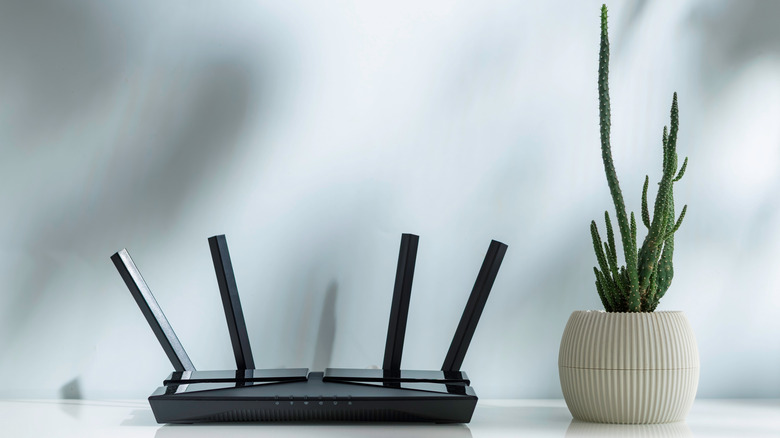
Besides blocking wireless signals, you may have also heard of aluminum foil being used to boost Wi-Fi coverage around the house. This isn't a myth either — it just requires a different setup. While aluminum foil acts as a shield when you enclose a device in it, it can also help redirect wireless signals in particular directions when placed strategically around a router.
That said, simply creating a circular reflector out of aluminum foil and placing it behind your router won't do the trick — you'll need a custom 3D-printed reflector modeled to fit your home's interior for an actual boost in coverage. Even then, you're not actually boosting your router's signal strength — you're just reflecting and focusing the signal in a specific direction. This may improve coverage in one area at the expense of another.
There are other ways to improve Wi-Fi coverage, like using an extender, repositioning your router's antennas, or simply placing it in a central location. As far as privacy hacks are concerned, you are better off using the security features already built into your Android or iOS device rather than relying on supposed Faraday pouches. To prevent keyless car theft, consider placing your key fob away from doors and windows, where thieves might have an easier time relaying its signal from the outside.