

What's The Minimum Size A QR Code Can Be And Still Work?
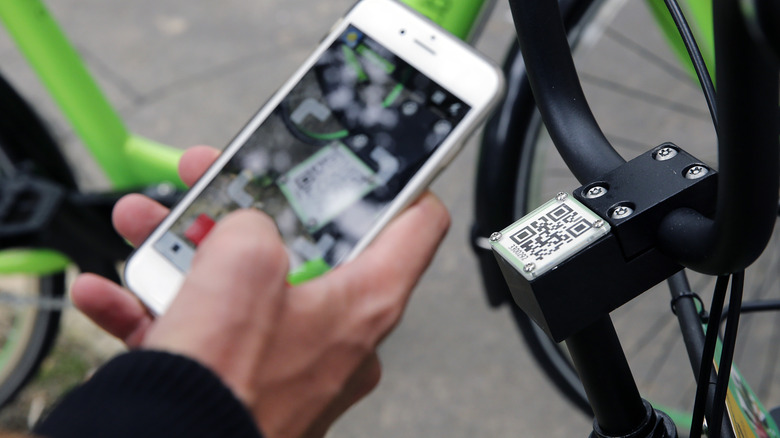
If you're putting a QR code on something, you want people to be able to scan it. The 'QR' in QR Code stands for Quick Response, so people expect to be able to do it with minimum fuss, and if your code is too small, too blurry, or otherwise unscannable, you've basically failed at the first hurdle. Most guides will recommend that you don't go smaller than 2 or 2.5cm (0.8 to 1 inch). Some even confidently state that 1cm squared is the absolute minimum workable size. However, QR codes can actually go much smaller than that.
The QR code that currently holds the world record for smallness is only 1.977 square micrometers. It's too small to be seen by the human eye, but can be scanned using "calibrated scanning electron microscopy", according to Guinness World Records. This particular example rather stretches the definition of "usable", though. So, what's the smallest you can print a QR code without needing to invest in specialist equipment to read it?
The inventor of the QR Code, a company called Denso Wave, created it so auto parts in its factories could be easily labeled. Denso Wave offers sizing guidance based on module size, rather than the size of a QR code as a whole. According to its website, the minimum size for a module is 0.17mm. The simplest standard QR codes are 21 by 21 modules. This means that with a good enough quality print, a good enough QR scanner, and the wind in your favor, the smallest workable QR code should be 3.57mm or 0.14 inches. I wasn't just going to take its word for it, though. I tested this for myself by shrinking QR codes to ridiculously small sizes, printing them out, and trying to scan them.
My tests showed that tiny QR codes still work
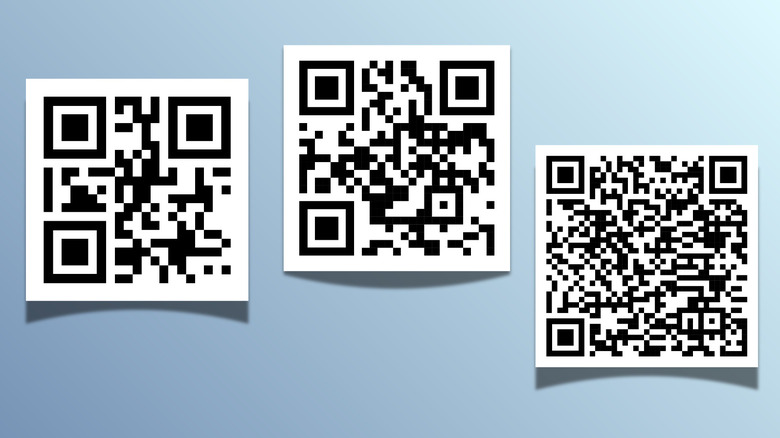
To create my QR codes, I used QRCode Monkey. I created three codes: one for SlashGear's home page, one for a specific SlashGear article, and one for the letter "a". The more information you embed into a QR code, the busier the design gets, so while the "a" code isn't going to take you anywhere interesting when you scan it, it demonstrates what the simplest QR codes look like. That one was just 21 by 21 modules. The other two codes measured 25x25 and 37x37 modules.
You can scan QR codes using your phone's camera or a third-party app. I used the Binary Eye app for scanning, which gave me more consistent results than my camera. The QR code with the most modules could be read at 5mm. After that, the scanner stopped recognizing it. The other two still worked at 4mm. Two of these results are actually better than Denso Wave's numbers of 6.29mm, 4.25mm, and 3.57mm. I might have been able to get below 3.57mm for the smallest one, but the measuring equipment I used (a ruler) didn't enable me to test to fractions of a millimeter.
This actually wasn't the result I was expecting. I expected my numbers to be higher than Denso's, due to the limitations of my home printer. When you're dealing with a printed code that's half the size of a Tic Tac, containing modules of less than a fifth of a millimeter long, things can get a bit blurred. The results show that even though Denso Wave gives much smaller dimensions than other sources, it's still a guide rather than an absolute minimum. With a better printer and a more precise measuring tool, I probably could have gone even smaller.
Micro QR Codes take things to the next level
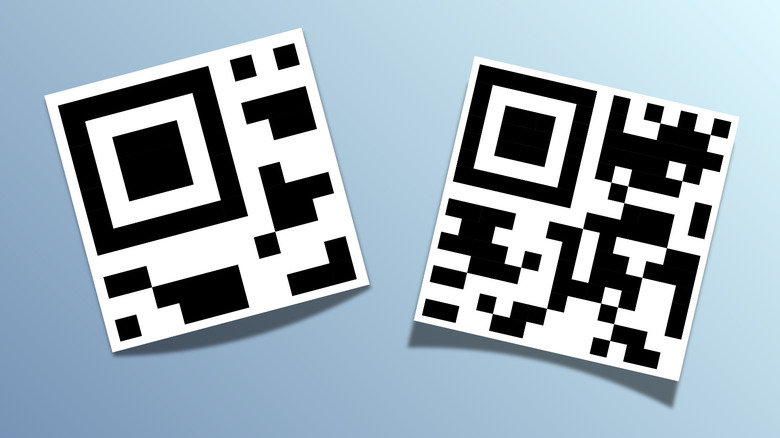
So far, we've only been looking at standard QR codes, but there's a way to get even smaller: Micro QR Codes. These were introduced by Denso Wave in 2004 — ten years after the standard QR code — and measure between 11 and 17 modules along each side. You can't get much on an 11x11 code — just five numbers. Using Rasteredge, I generated one micro QR code that just read "1" and one for "SlashGear.com", which is 13 alphanumeric characters and fits on a micro QR code 15 modules across. According to Denso's figures, these codes should still work at 1.87mm and 2.55mm. Unlike my previous experiment, I wasn't able to better Denso's dimensions, but I did just about match them. The more complex micro QR code worked at 3mm, and my simple micro QR code was processed by the QR reader even though it was only 2mm wide. That's less than a twelfth of an inch.
Admittedly, the simplest one just contained just a single number, so it was actually quite a complicated way of conveying that information. I could have simply printed the "1" as a 1.5mm high number, and had something that was both machine- and human-readable. The standard and micro QR codes that contained URLs were more useful and still worked with surprisingly tiny specs. My results show that anyone with a phone and a printer can make a functioning QR code measuring less than a fifth of an inch on each side.
I wouldn't recommend it if you're putting together a business brochure, though. While teeny, tiny QR codes are a technical possibility, they'd probably be quite off-putting to any potential customers. The whole point of QR codes is to make life easier, after all.