

You Might Be Using The Wrong Ethernet Port On Your Router
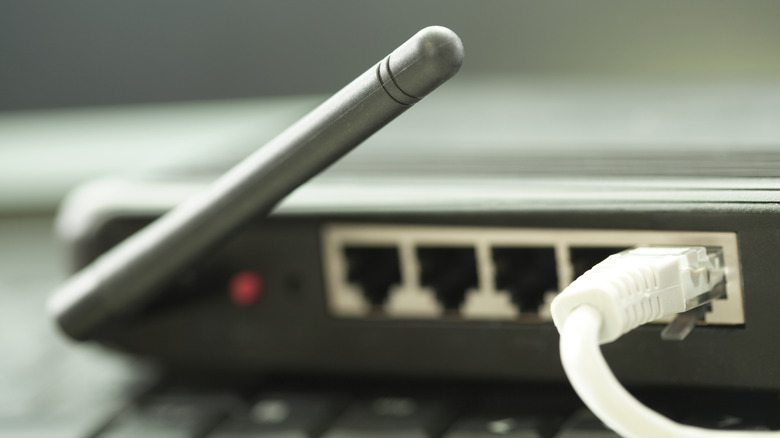
If you prioritize internet speed and stability over the convenience of Wi-Fi, connecting your computer or another device directly to the router with an Ethernet cable may feel like a smart choice. Modern routers usually have multiple Ethernet ports on them, but they're not all the same. The port labeled WAN or Internet, for example, is reserved for the upstream connection. Or, put simply, it's to establish a connection with the modem and provide internet access to all devices, irrespective of whether they're connected wirelessly or using a fast Ethernet cable. That said, there are exceptions where the Ethernet port acts as both LAN and WAN, but that's on a limited set of routers.
For computers, game consoles, TVs, and other devices, you'll use the LAN ports, which are often grouped together. Some routers do have two WAN ports, but that's to set up backup internet, among other uses. Additionally, even the LAN ports on your router can differ in functionality, with some capping your internet speeds and acting as a bottleneck.
Not all Ethernet ports are the same
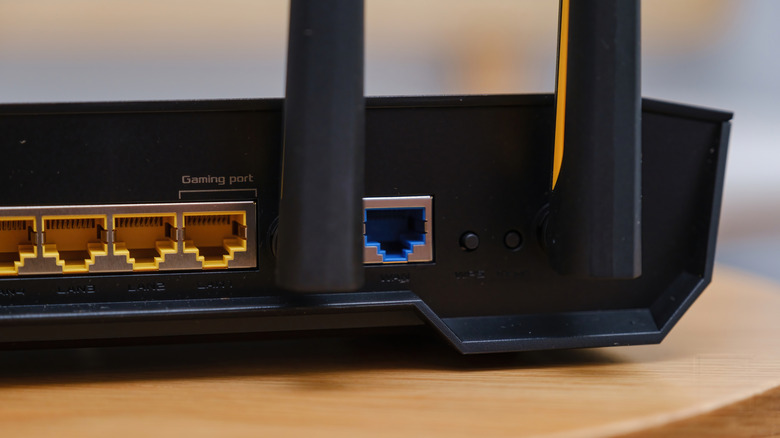
If you're paying for a 200-500 Mbps internet plan, but the speed you receive is under 100 Mbps, even when on a wired connection, it's could be that you're using a slower Ethernet port. Among the available LAN ports on your router, there's a possibility that not all are designed to deliver the same speeds. On older routers, for instance, some may be capped at 100 Mbps, which could be why your Ethernet connection can feel slower than your Wi-Fi.
A simple solution is to explore other Ethernet ports on the router and look for those that support higher speeds. You're ideally looking for Gigabit Ethernet ports that support speeds of up to 1000 Mbps or 1 Gbps. This should do the trick since that's the maximum Internet speed an average user typically needs. If, however, your router doesn't have any Gigabit Ethernet ports and all are capped at 100 Mbps, it's time to upgrade to a faster, more advanced router for the best experience.
If you're into gaming and are connecting a PC or gaming console to the router, look for a dedicated gaming port. Many gaming routers have one, and devices connected to this port are assigned a higher priority on the network, which improves the overall experience. Lastly, if your router has one or more 2.5GbE ports, use those over standard ports for the critical devices. Essentially, the idea is to identify the type of Ethernet ports you have and connect devices that actually benefit from it, rather than simply connecting devices and assuming it'll all work.