

What's The Fastest Speed Ethernet Cable And Is It Overkill For Home Use?
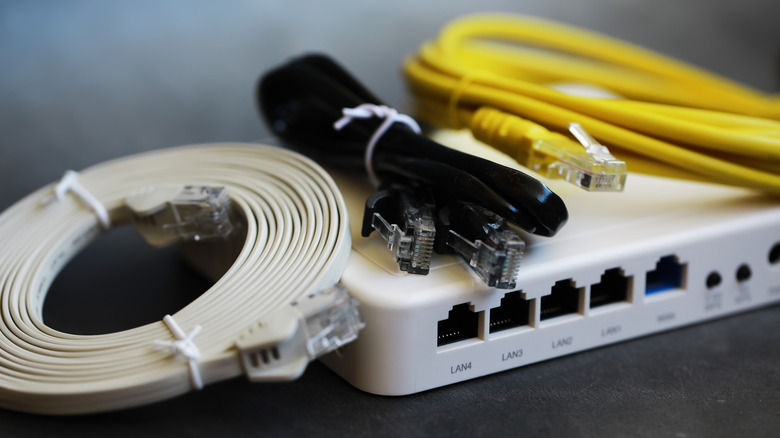
There is no doubting the convenience of Wi-Fi; it frees you up to roam around the house without interrupting that YouTube video or FaceTime chat. However, it isn't perfect, and sometimes Ethernet connections are a better option. So, if you're choosing the best Ethernet cable for gaming and Category 8, or Cat8's astonishing top speed of 40Gbps sounds appealing, I'm going to break down just why it isn't as simple as just choosing the fastest cable.
In my professional career, I have laid miles of Ethernet cable in both domestic and commercial situations. Situations where Wi-Fi — for whatever reason — just wasn't going to cut the mustard. In these instances, it was time to get the networking kit and start cabling.
The cables I mostly worked with were Cat5, Cat5e, and Cat6 cables, which were more than adequate for most networks. In speed terms, Cat5e is rated for speeds up to 1Gbps, with Cat6 taking this to 10Gbps but only on runs of up to 180 feet (55 feet). This limitation meant that, for a couple of specialized jobs, I had to reluctantly use Cat7 cables. These were difficult to work with, but could sustain the 10Gbps mark but over longer distances. However, the Telecommunications Industry Association (TIA) that sets the standards for Ethernet never officially ratified Cat7. This can be at least partially attributed to its non-standard connection types.
Cat8 cable would be what I'd use for such jobs today. It uses standard connections and replaces Cat7 as the fastest Ethernet cable on the market. However, despite the familiar RJ45 connectors, it's still a cable I would avoid in any domestic network. This article breaks down the reasons why this is so.
What is Cat8 Ethernet cable?
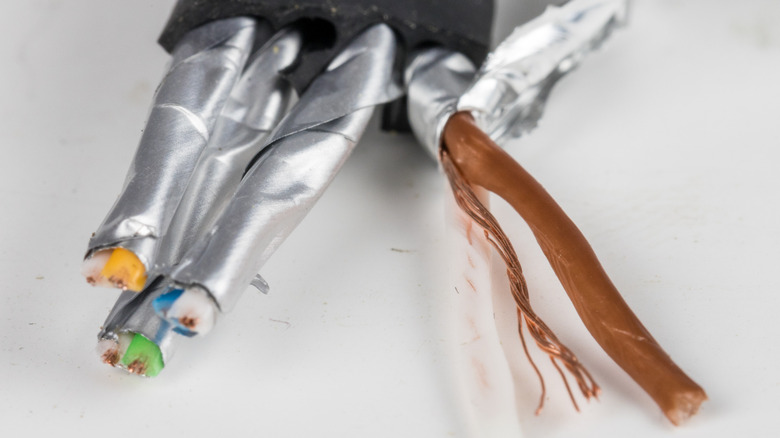
Let me start with some context — Cat8's maximum speed of 40Gbps is 400 times faster than Cat5 running at 100Mbps. Yet, essentially open both cables up, and inside you will find eight copper conductors (wires), arranged in four twisted pairs. Even as speeds ramped up, Cat8 cable uses the same architecture and the same color coding.
So, if the cables are so similar, just how can one be 400 times faster than another? There are several reasons for this. One of the main ones is the maximum frequency the copper pairs can handle. Frequency, in this context, is how fast the signal can switch states — or how fast it can switch from a one to a zero. The higher this number, the faster it can transmit data. The Cat5e standard topped out at 100MHz, Cat6A could hit 500MHz, Cat7a made it to 1,000MHz — Cat8 blew this out of the water with 2,000Mhz.
However, such high frequency rates come at a cost. Higher frequencies leave the cable more sensitive to electrical noise, which has some knock-on effects. Firstly, the cable has to be heavily shielded to prevent crosstalk — when the signal on one pair of wires affects the signal on another pair — or signal degradation. It also has a shorter maximum length than the typical 328 feet (100 meters) of all earlier Ethernet cabling standards. Cat8 has a maximum channel length of 98 feet (30 meters) when running at higher speeds, and can only reach 328 feet or 100 meters when the speed is throttled to 10Gbps.
Is Cat8 overkill for home networks?
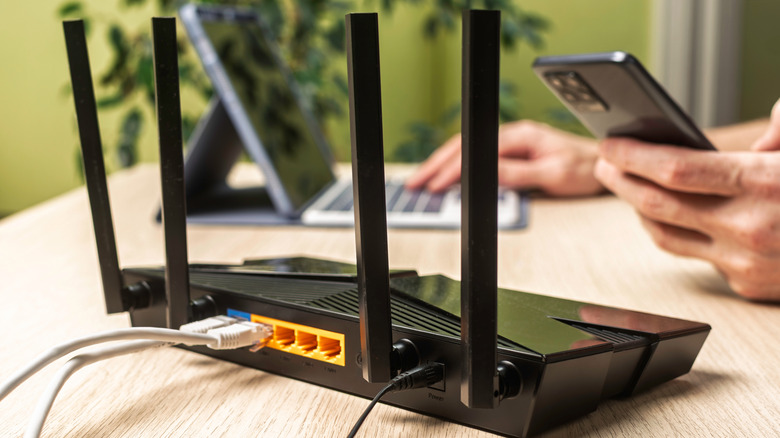
The short answer is yes, there are very few, if any, feasible occasions where I'd recommend using Cat8 Ethernet cable for a home network. From an installation point of view, snapping RJ45 ends and sockets onto unshielded Ethernet cables is difficult enough; throw in some shielding, and the challenge multiples. Category 8 Ethernet cables are shielded as part of the standard, and from experience, I can tell you that a little shielding can lead to a lot of hair-pulling when building a network.
Also, from a performance point of view, this just doesn't make sense either. You don't need that much internet speed for everyday use. In fact, the average fixed broadband speed for the U.S. is about 307Mbps as of May 2026. This is far slower than the Category 8 maximum speed and is easily within the speeds supported by Cat6 cables, even up to their maximum range. Similarly, most domestic networking hardware, like routers and attached devices, will max out at speeds well below Category 8's maximum.
What these cables are not intended for is to improve streaming quality or to allow you to zap more zombies online; they're simply not designed for the purpose — Cat8 cables are built with data centers and large server installations in mind. If you do feel that your home network is slow, it's worth checking to see if older Ethernet cables are slowing down your internet. If you find any, then upgrading them to Cat6 is more than adequate.