

5 New WhatsApp Features You Need To Start Using Right Now
WhatsApp changed the way we communicate with each other when it arrived in 2009. I personally started using WhatsApp right when it launched (on my Sony Xperia X10), when it was launched, and have seen this instant messaging evolve over the years. One thing is clear: WhatsApp doesn't overhaul its features, especially its calling tools, very often. So, when Meta drops five changes in a single announcement, it's worth checking out.
WhatsApp began rolling out new changes in July 2026, built entirely around the idea that whether you are on your phone or on your desktop, switching between the two should be zero hassle. If you have been using WhatsApp because it keeps every device on the same account without much fuss, then you will love the new features, as they lean on that strength. And probably that is the reason why WhatsApp is the best messenger app for Android. The best thing about this new update is that none of the new features feels like a filler and targets real friction points.
Browser calling that never quite matched the phone app, calls stranded on one device, group links open to anyone, video that looks muddy for the first few seconds, and background noise ruining otherwise fine conversations. None of this is flashy but practical progress that explains how WhatsApp grew into this massive messaging giant today.
Calling from the web
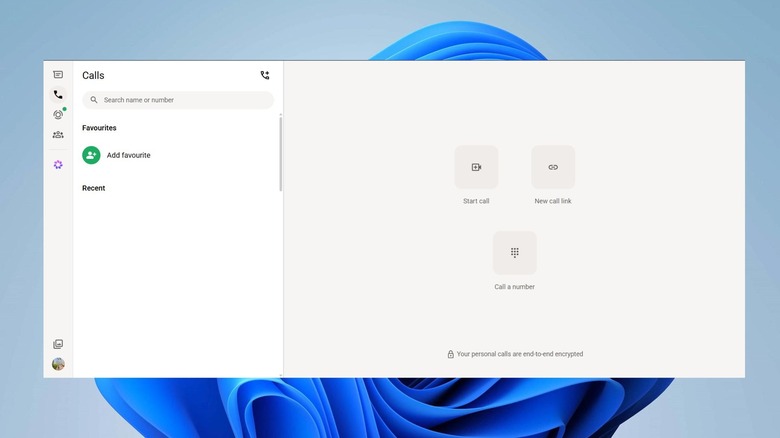
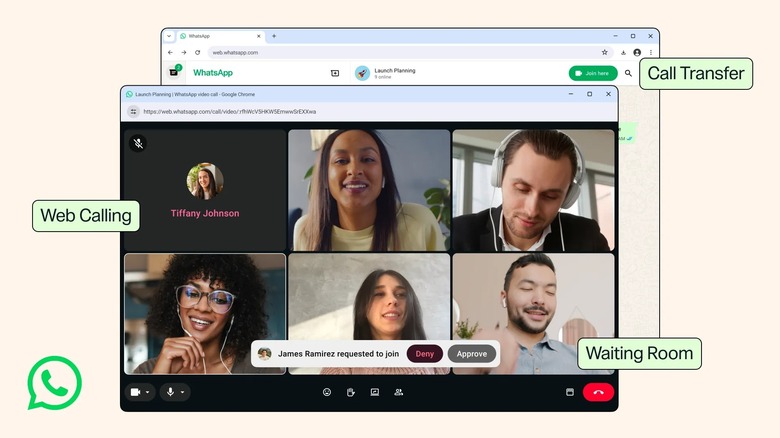
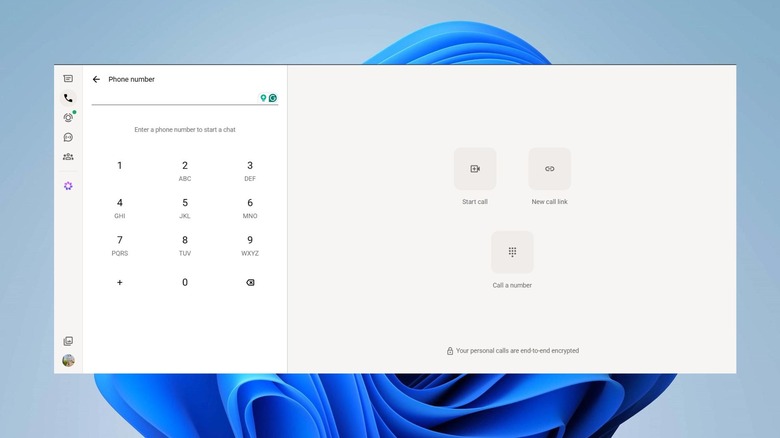
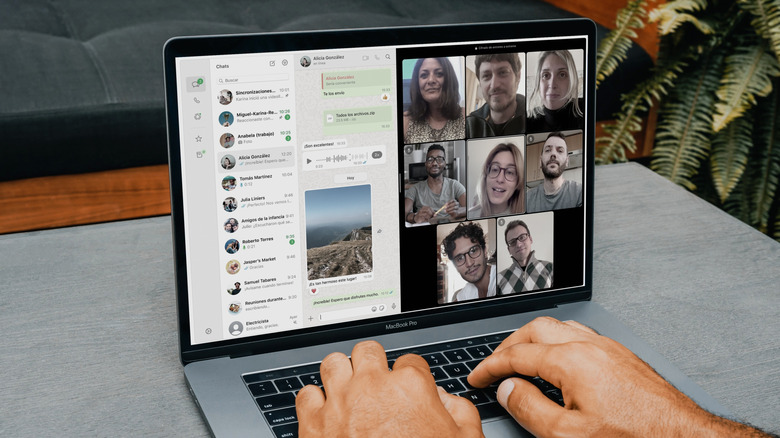
For years, when you switched from WhatsApp on your phone to the web version, you could feel that the latter was the odd one out. You could read messages, send files, and even reply to voice messages, but the second someone called, you had to grab your phone or switch to the desktop app to continue your conversation. That is finally changing because WhatsApp now lets you make and receive audio and video calls, both one-on-one and group, directly from WhatsApp Web. This eliminates the need to download a separate desktop app.
This works whether you are a college student on a shared computer, using a work laptop that blocks downloads, or you just prefer staying in your browser. This matters more than it sounds. Office laptops restrict installs; library computers or a desktop at your friend's home all become usable for WhatsApp calls now. Additionally, you still get screen sharing and a dedicated Calls tab with your full history and favorites intact, just like on other devices.
Meta has cut no corners to make this happen. Calls made through the web browser stay end-to-end encrypted, with no time limits and no extra cost, which puts to rest any worry that browser calling would be a stripped-down version. This is one of the perks that you don't need to pay for on WhatsApp.
Call Transfer
Previously, when you needed to switch from your phone to desktop while on a call, you had to first hang up the call on your phone, and then reconnect on the desktop just to switch to a bigger screen. Not anymore because WhatsApp has added the Call Transfer feature that removes that entire step of hanging up and placing another call. You can now move an active group call from one device to another without hanging up — start it on your phone or tablet and move it to WhatsApp Web or desktop once you are home or the other way around.
The aim here is simple, and it isn't really about convenience for its own sake but more about not losing moments when switching mid-way. You no longer need to say "hold on, let me call you back," and you can continue your conversation without killing the momentum. Moreover, while the transfer happens, the call itself continues running the entire time, so nobody else on the line even notices this switch.
It also lines up with how much WhatsApp calling has evolved over the years. What started as a basic voice call feature has turned into something closer to a full meeting tool. This latest addition treats WhatsApp calls less like a phone feature and more like something you can carry across your different devices.
Waiting room
WhatsApp group call links have always had one weak spot — anyone with the link could jump straight into the call, no questions asked. With the latest update, you can now create a WhatsApp call link with "Require approval to join." Turning on this feature, participants now land in a waiting room until you are ready to let them in. This way, no one can hop onto an important conversation midway, or you can stop the gossip you were having about someone without letting them hear it.
This is the closest WhatsApp has come to matching how tools like Zoom or Google Meet handle access control. Plus, it closes the gap that mattered more than people actually gave it credit for. A group call link shared in a public group chat, posted somewhere visible, or simply forwarded one too many times could let a stranger drop into what's meant to be a private call. The waiting room creates a human checkpoint.
This feature seems like a natural extension of how WhatsApp has been tightening privacy controls around groups. This could benefit teachers running a class call, small businesses hosting a Q&A, or just a family talking about throwing a surprise party for someone. It's a little thing, but it gives call hosts an extra measure of control.
QuickHD
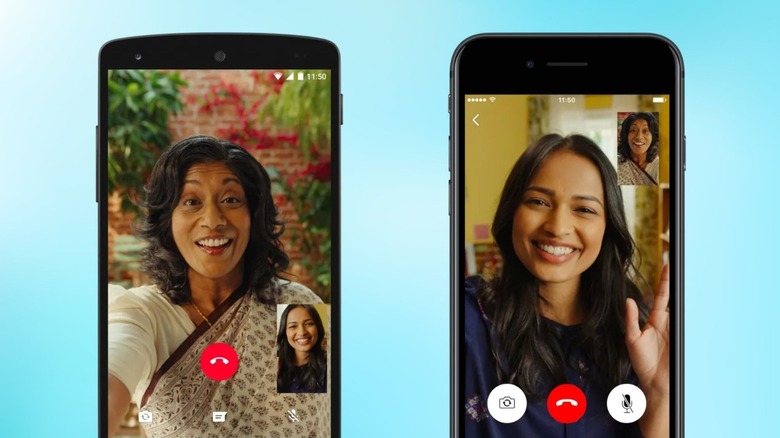
WhatsApp video calls can look a bit soft and pixelated for the first several seconds before they snaps into focus. I have experienced this even on my 1 Gbps Wi-Fi plan. With QuickHD, you should now get high-definition video immediately in the very first few seconds of the call. It may sound minor, but just wait until you are making the call and the person on the other end has to stare at a blurry version of you for a good 5-10 seconds.
Blurry video calls used to be a consistent complaint for WhatsApp users, especially when calls were placed from spottier mobile connections. Ramping up to full quality took noticeably longer than it should. QuickHD front-loads that adjustment so it happens before you even notice it.
Such changes don't get enough appreciation from people, but have been an issue for years. The app has quietly shipped a handful of these behind-the-scenes fixes over the years, such as camera tweaks, call stability patches, and other features most users never hear about until they benefit from them.
Noise Suppression

Previously, when you used to place a WhatsApp call, it couldn't suppress background noise, as there was no way to do it. This was an issue especially when you are placing call from a busy street, a noisy office, or shared apartment. Noise Suppression is the latest addition that removes that unwanted noise around you so your voice becomes clear to whoever you are calling even in loud or busy environments. It can be tweaked anytime from the in-call settings.
What makes it worth it is that it is not locked behind the newly introduced WhatsApp Plus subscription. Noise suppression feature is available to all and you don't need to pay for it. Meta has been more willing lately to charge for cosmetic upgrades through subscription, but this one slips through for everyone.
In our testing, WhatsApp's noise suppression feature works brilliantly, and brings it closer to dedicated meeting apps that offer AI-based audio cleanup. For anyone taking calls from a co-working space or parents dialing in from a house full of noise, this kind of feature make every call more about what you are saying rather than whats happening around you.