

What Is The Minimum Distance You Should Leave Between A Computer And The Wall?
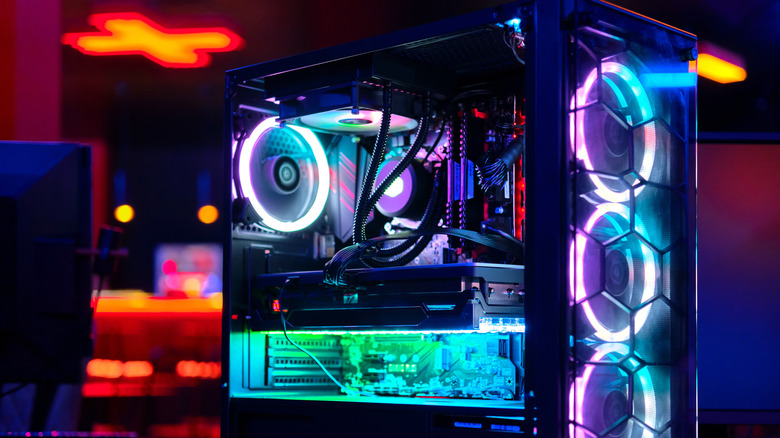
You may be tempted to place your PC wherever it's convenient, but remember that the placement affects its performance. The floor is the default choice for many people; this puts the PC out of sight and tends to provide easy access if needed. The problem with this placement is that the floor tends to be a great place for your PC fans to vacuum up dust, pet hair, dirt, carpet fibers, and other microscopic detritus. Most mid-size PC cases have a downward-mounted power supply that has an intake fan to pull in air, and these fans can easily pull in the aforementioned debris.
Keeping the PC on your desk is a popular alternative, and while that makes it less susceptible to pulling in debris, placement still matters here. If the desk is facing or adjacent to a wall, some users may be tempted to force the case against the wall to maximize desk space. This is a bad idea, as it can affect the computer's ventilation. The majority of PCs pull outside air from the front and bottom, and exhaust it at the rear. Blocking the rear, or any of the vents around the case where warm air can escape, can cause thermal issues. Even worse would be to put a PC inside a cabinet, where the heat would be trapped and quickly lead to the machine overheating, although some budget office PCs do fine in such scenarios.
Some amount of dust in your PC is unavoidable, which is why cleaning it is part of good maintenance, but airflow is critical to keeping it running smoothly. Many PC manufacturers recommend maintaining anywhere from 2 to 8 inches of clearance at the vents, depending on the machine.
Understanding airflow, and what some PC makers recommend
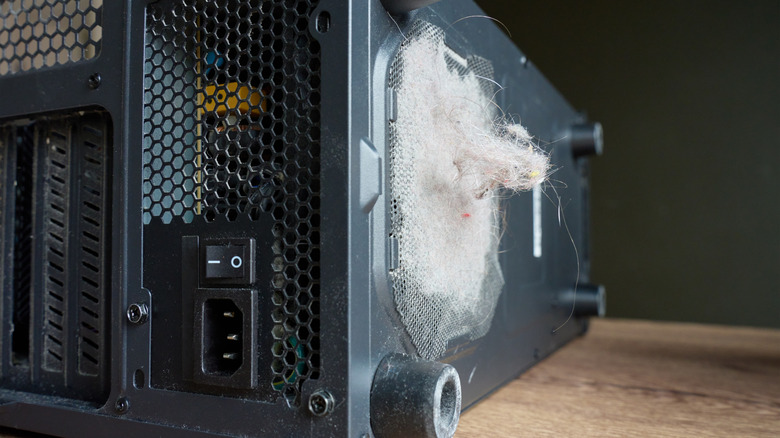
Many PC owners, as well as boutique gaming builders, prefer a positive pressure configuration, where there's more cool intake air entering the system than there is warm air leaving. The inverse of this is negative pressure, where there's more air being exhausted than there is air coming in. Both configurations have their merits, depending on your needs and your case. A positive airflow environment helps mitigate dust accumulation. Dust and hair will act as insulators, trapping heat inside the PC, which is why preventing dust and cleaning it out is important.
Just as you don't want to obstruct exhaust fans or vents, you don't want to obstruct intake fans, which is why keeping a certain amount of clearance around the PC is best. According to Dell, a minimum of 4 inches around the vented sides of the case is recommended for airflow on desktop PCs. Many Lenovo user manuals ask for 2 inches of air space around the vents. Maingear, maker of high-end gaming PCs, suggests 6 inches of clearance behind the PC, and keeping the front, top, and sides unobstructed. Maingear also recommends avoiding placing the PC against a wall, desk cubbies, or any other tight space.
For server-class, non-rack-mounted PCs, close to 8 inches is ideal, according to Hewlett Packard Enterprise (HPE). Unless you're a network operator or system administrator, it's unlikely you'll be dealing with enterprise-class machines, but it does give a wide snapshot of what computer makers actually recommend. Keeping proper clearance around your PC is the best way to keep it cool and quiet, and protect it from thermal degradation.