

How To Get The Highest-Quality Audio Out Of YouTube Music
There are several music streaming services that let you play tracks on multiple devices whenever and wherever you'd like. You might not own any of the songs in your library, but you may have decided it's not a bad compromise for the convenience of having millions of tracks available in your pocket. Out of the dozen or so leading music streaming apps around, YouTube Music is a popular one people default to.
It is especially convenient for those who already pay for a YouTube Premium subscription, which includes ad-free access to YouTube Music. There is even a helpful tool that lets you transfer your Spotify library to YouTube Music. Like other services, YouTube Music lets you change the quality of the songs it streams. If you have a decently fast internet connection, you actually might benefit from cranking this option all the way up.
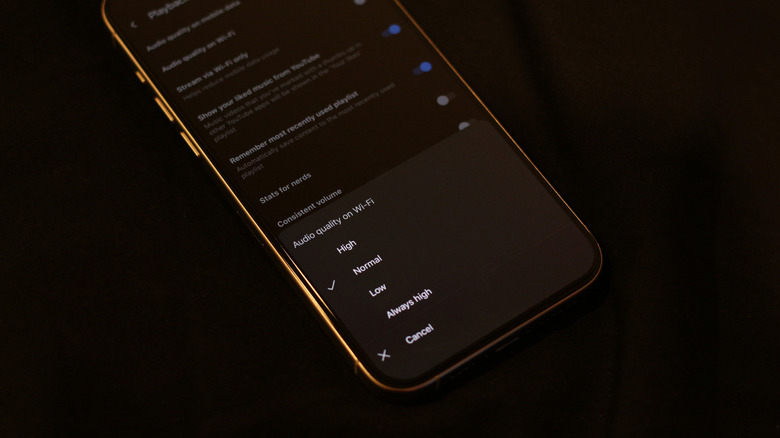
On Android, start by tapping your profile picture at the top-right corner of the display. Navigate to Settings > Data saving > Audio quality on Wi-Fi and select the Always High option. You can also change this setting for when you're streaming music on mobile data. If you're using an iPhone or iPad, you can find these options by heading to Settings > Playback and restrictions > Audio quality on Wi-Fi and then choose Always High. For higher-quality downloads, head to Settings > Download & storage > Audio quality and select High. You can tap on the Clear downloads option if you want to remove existing tracks before downloading them again in higher audio quality.
Is YouTube Music a good option for audiophiles?
There are a handful of great features that YouTube Music offers, like a sleep timer, a better way to discover music while you're managing your queue, and a Speed Dial section that keeps your frequently played tracks handy. Since it's well integrated with YouTube, you can watch music videos for tracks or even scroll through the comments section. The question, however, is how it fares against other music apps in terms of audio quality.
When set to the "Always High" option, YouTube Music streams tracks at up to 256 kbps using the AAC or Opus codecs. If you're a casual music listener who doesn't use hi-fi speakers or headphones, you'll probably have no complaints about the quality that YouTube Music has to offer. That said, other streaming platforms that support higher bitrates are easier to recommend if you do care about the tiny details that your audiophile-grade headphones can reproduce.
By comparison, Spotify's Premium Platinum plan unlocks lossless audio up to 840 kbps. Apple Music and Tidal are leading the race with even higher-quality streaming options and features such as Dolby Atmos. What Hi-Fi placed YouTube Music quite low in its ranking of the best music streaming services, explaining how it compresses music more heavily than its competitors. It does, however, benefit from a much broader selection of niche music that you might not always find on Spotify or Apple Music.