

Do DisplayPort To HDMI Adapters Affect Quality? What To Know Before You Buy
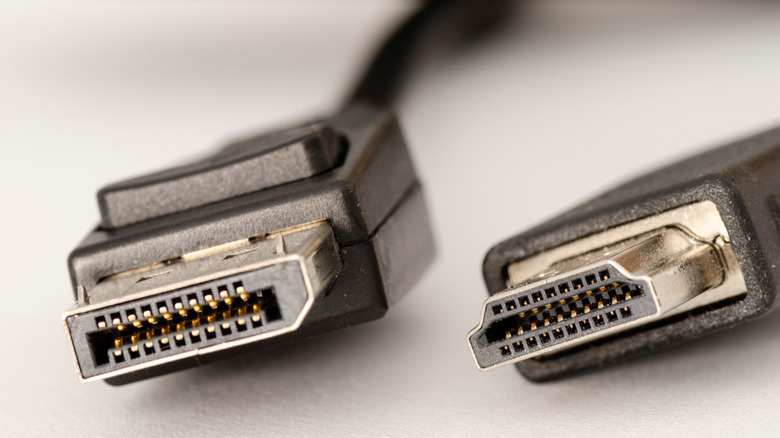
A DisplayPort (DP) to HDMI adapter is an easy, budget‑friendly way to hook up a computer to an HDMI TV or projector. Naturally, that's not the only use, but it's one of the more common ones, especially since most smart TVs don't use a DP connection. While there are some things to look out for when it comes to an adapter, the main question to ask is, do DisplayPort to HDMI adapters affect quality? In short, they don't. Both DP and HDMI transfer a full digital signal, meaning there is no loss of image (or audio) quality during a transfer.
However, what can happen is the adapter not being compatible with a device (and vice versa), which can cause some issues. Just as DisplayPort and HDMI have their differences, not all devices, or rather DisplayPort and HDMI versions, are the same, as they can support different resolutions and refresh rates. This means you may not get a desired resolution or refresh rate if you don't get a compatible DisplayPort to HDMI adapter.
For instance, say you have a gaming PC with DisplayPort 1.4 and a monitor that supports 4K at 144Hz over HDMI 2.1. If you use an older DisplayPort 1.2 to HDMI 1.4 adapter, it won't have the bandwidth for 4K 144Hz. You might end up with 4K at 30Hz or 1080p at a higher refresh rate, depending on the adapter. Technically, you won't lose picture quality, but it will run at a lower resolution or refresh rate because the adapter isn't 100% compatible. The same goes when connecting to other devices.
How DisplayPort to HDMI adapters work
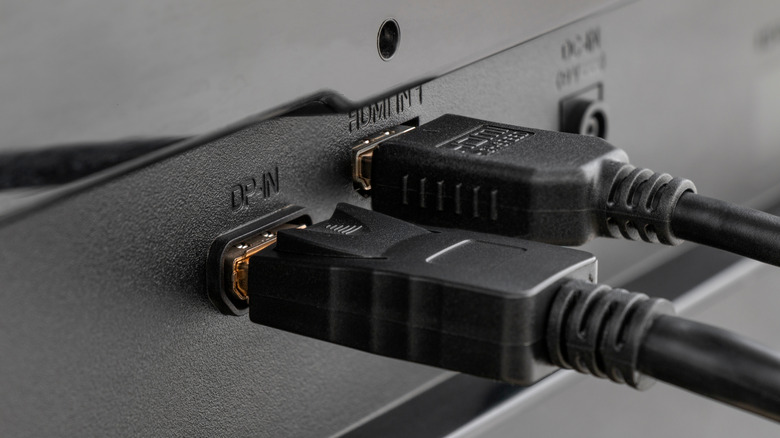
As mentioned, both DP and HDMI transfer digital signals, but they use different technologies and connectors. DisplayPort to HDMI adapters help the two technologies communicate with each other, allowing you to connect a device that only has a DisplayPort to one that has HDMI (bear in mind that some devices, such as laptops, might not even have an HDMI port). This can be done with either a passive or an active adapter.
Passive adapters are the simplest and least expensive solution, since the graphics card does most of the work, but it needs to support DP++ (DisplayPort Dual-Mode). Fortunately, this feature is widespread in almost all modern GPUs. So, once the GPU detects the passive adapter, it automatically changes its signal to be compatible with the HDMI device. The passive adapter doesn't do any actual conversion here, it just remaps the physical pin connections. Also, passive adapters only support resolutions up to 4K at 60Hz.
On the other hand, active adapters have built‑in chips that convert the signal, even if a graphics card doesn't support DP++. Since most modern GPUs support DP++, the most likely use for a DisplayPort to HDMI active adapter is to convert DP to HDMI when using multiple monitors. An active adapter is also a good option when you want higher resolution and refresh rate than what a passive one can provide. Either way, whatever adapter you choose, make sure to check the compatibility, its quality, what it supports, and any other relevant details for your device.