

What Is The 3-2-1 Rule For Backing Up Your Data?

Your data is one of your most valuable possessions. In this case, "data" is being used as an umbrella term to include any kind of information that you store digitally. Often, this means work files, but it also includes personal information, photos, personal documents, and more. If that data is ever lost, it can be anywhere from really annoying to absolutely devastating. That's why it's essential to back up your data.
A simple way to make sure you never lose data is by applying the 3-2-1 rule to your data and backups. Put simply, the 3-2-1 rule means you should always have at least three copies of your data, saved to at least two different types of storage media or devices, and at least one of those devices should be stored away from your primary location. The reasoning is fairly simple.
Even two copies of your data can be compromised if they're both stored at the same place. Imagine you have your data saved to your computer and an external hard drive, but then your house burns down. In that case, having two copies of your data isn't helpful. Adding a third copy in a remote location prevents all of your eggs from being in the same proverbial basket.
Use the cloud, but not just the cloud

Saving your work to a cloud service, like Google Drive, is a great idea because it fulfills the off-site requirement. You can even add Google Drive to your file explorer so you can save directly to your hard drive and have it sync to the cloud automatically, addressing the 3-2-1 points of saving to an off-site location and keeping two copies of your data.
Most cloud services have apps that you can install on your PC to automatically sync your files. They can be done on the fly as changes are made, or they can be done on a schedule. Either way, saving files to the cloud, or as it's commonly (with a hefty dose of snark) known as "someone else's computer," makes sure that your data is kept away from you physically and recoverable — assuming you have an internet connection. You can take your pick of the best cloud services out there to store your files.
Taking it a step further
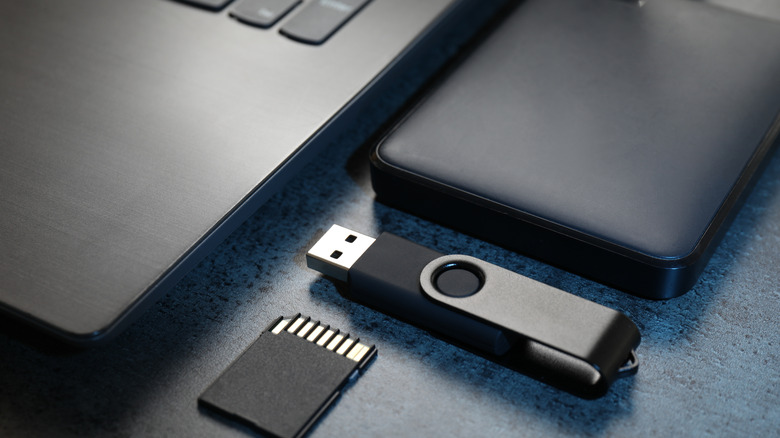
Given today's environment, there is an extra step you can take to make sure your data integrity remains intact regardless of the circumstances. These days, ransomware is very much a concern. Ransomware basically locks down all of your data and denies you access, and that often includes cloud services as well. After all, changes made to files locally sync to the cloud, so they can be infected as well. That's why security experts actually recommend the 3-2-1-1-0 rule. It's similar to the 3-2-1 rule, but it adds an extra layer of security.
The extra 1-0 in the rule adds one unchangeable copy of your files and a strict requirement of zero recovery errors. Basically, this rule means that you maintain at least one copy of your files that is air-gapped, or disconnected from any network, so it cannot be infected by any means. Additionally, the extra air-gapped set of files should also be kept off-site so it remains protected against physical destruction, and you should regularly test those backups to ensure they restore with zero errors.
At the end of the day, how you maintain your data backups depends on your priorities and how important your data is to you. Finding the right balance between convenience and security will be key to making sure that, if the worst happens, it won't take your data, too.