

Mini DisplayPort Vs. Thunderbolt: Are They The Same Thing?
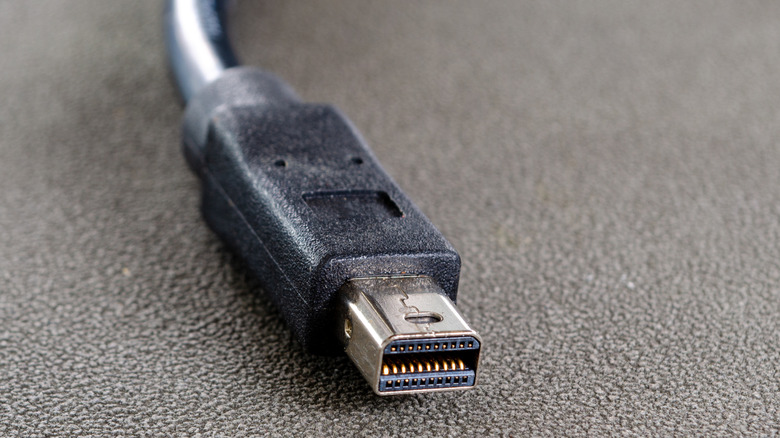
Modern thin-and-light laptops like the MacBook Air and its rivals have pretty much dropped every legacy port in favor of USB-C. It's smaller, reversible, and incredibly powerful, provided the circuitry itself supports newer protocols like USB4 or Thunderbolt. Unless you exclusively use newer devices, though, you will likely encounter older machines with other ports, including one that looks like a rectangle with two rounded-off corners. This is likely for a Mini DisplayPort connection, but it could also be a Thunderbolt 1 or Thunderbolt 2 port. This is because all three standards share the same connector, despite offering different capabilities.
The biggest difference between Mini DisplayPort and Thunderbolt is that the former is designed exclusively for audio and video. Apple launched Mini DisplayPort in 2008 as a compact version of the standard DisplayPort connector, with Macs released between 2008 and 2012 offering Mini DisplayPort connectivity. Depending on the DisplayPort version, a Mini DisplayPort connector can output video signals up to 8K at 60Hz while carrying multi-channel audio.
Thunderbolt, on the other hand, can also transfer data. It was the product of a collaboration between Apple and Intel and debuted in 2011. Thunderbolt 1 offered 10 Gbps of bandwidth, while Thunderbolt 2, which launched in 2013, doubled that. Since it uses the same connector type, you can connect a Mini DisplayPort monitor to a laptop with a Thunderbolt port and get a display signal. Thunderbolt devices that require data transfer won't work with a port running on the Mini DisplayPort standard, as it lacks PCIe support.
USB-C streamlines things

It's unlikely that you will find a Mini DisplayPort connector on modern laptops or computers. While full-size DisplayPort and HDMI ports remain popular options on gaming PCs, most laptops have switched over to USB-C. Modern MacBooks, for instance, come with Thunderbolt 4 and Thunderbolt 5 ports. The latter boasts a bidirectional bandwidth of up to 80 Gbps, with support for up to 120 Gbps in asymmetric mode. You can drive multiple 4K monitors and enjoy USB Power Delivery, which provides up to 240W of charging with compatible hardware.
USB4 is another popular standard that is technically different from Thunderbolt 4 but shares many of the same capabilities, including the connector. Either way, to take proper advantage of Thunderbolt or USB4, you will need a USB-C cable that supports the protocol. If you're wondering why some USB-C cables are more expensive than others, chances are you're paying for compatibility with these standards.
Newer USB-C generations also support video and audio output through DisplayPort Alt Mode. As long as a port supports Thunderbolt 3 or newer, you can use this DisplayPort Alt Mode to connect a display over USB-C. The bandwidth of these newer protocols also allows you to connect multiple devices to a single port via a laptop docking station.