

What Does Power Freeze Mode Mean On A Samsung Refrigerator?
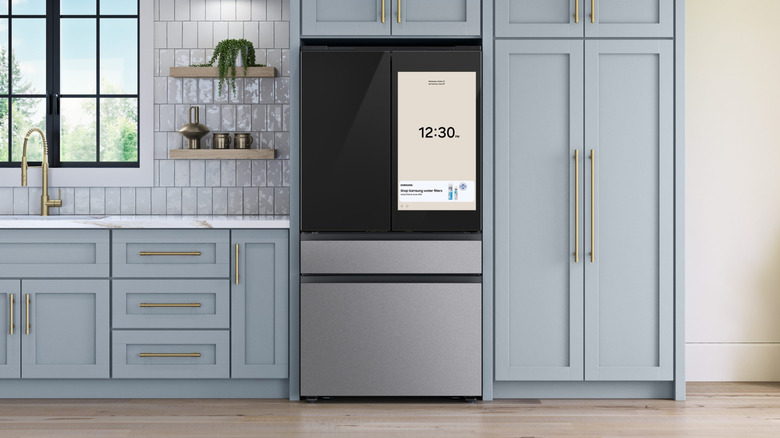
Many modern refrigerators come with price tags that stretch comfortably into four-figure territory, but they also come with more features than ever before. At the higher end of the market, offerings like Samsung's Bespoke refrigerator line come with many cool features, but even the brand's more everyday models might have a few buttons with functions that are not immediately obvious.
One of these you might have noticed on your Samsung refrigerator is the "Power Freeze" button. If you press and hold this button for three seconds, the freezer will increase its fan speed and crank its cooling powers up to a maximum. It will stay at that maximum level for up to 50 hours before automatically switching off, but you can also manually turn it off again by pressing the button for another three seconds. Once Power Freeze is deactivated, the freezer will revert to its normal settings.
As well as cooling down food to freezing temperatures as quickly as possible, you can also use the Power Freeze function to freeze a large amount of food at once. Samsung recommends enabling the Power Freeze function 20 hours before you intend to put your latest bulk buys into the freezer to make sure it's already as cold as possible when the new food is added. Samsung isn't the only brand to offer an enhanced freezing option in its fridge-freezers. Several rival brands have done the same, although the name of the function differs between brands. On an LG refrigerator, the "Ice Plus" button does the same job.
Power Freeze can also speed up ice making
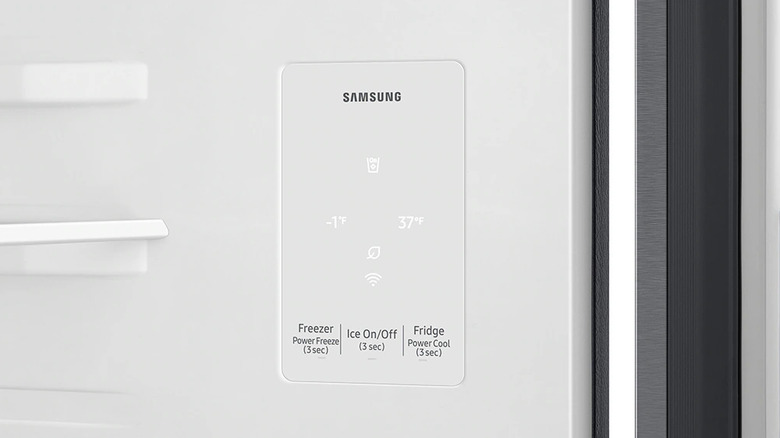
If you need your fridge-freezer to produce a larger amount of ice in a short period of time, Power Freeze might also come in handy. Samsung says that most of its fridge-freezers produce roughly 120 cubes of ice per day on normal settings, with the ice maker producing one tray of ice in around 90 minutes. If you turn on Power Freeze, the fridge-freezer should be able to produce a tray of ice in just under an hour. This increased ice production will continue until you either turn the Power Freeze function off, or until the ice bucket is full.
If your freezer is making significantly less ice than it should, it might be down to one of a handful of common causes. First, it's worth checking that the valve on the water supply line is completely open. If it isn't, the water supply might be restricted, which can reduce ice production. Another potential cause is a blocked water filter. Usually, your refrigerator will display a warning icon on its display to let you know when the filter needs replacing. However, it's worth checking it manually if you notice a decrease in ice production.
It's also best to check that the ice container isn't blocked if the ice maker hasn't been used for a while, since blockages are a common problem with Samsung refrigerators. You also might want to reset the ice dispenser, too. Instructions for how to do both tasks vary between models, so you'll need to consult your fridge's user manual.