

Instagram Instants: What Is This New Snapchat-Style Feature & How Do You Turn It Off?
Like most social media giants, Instagram frequently throws new ideas at the board to see what sticks. Unlike other networking apps, though, Instagram doesn't shy away from adopting features from the competition. For instance, it snatched the concept of stories from Snapchat and integrated it so deeply that the platform would now feel incomplete without it.
If you've launched Instagram and noticed a few cards tucked in the bottom-right corner of your messages tab, know that this is another one of Instagram's new ideas. It's a feature dubbed "Instants" that the company is trying out. Instants are essentially view-once photos that you can share with your friends. They can react to them or send you a reply, and that's about it. No screenshots, no second interactions.
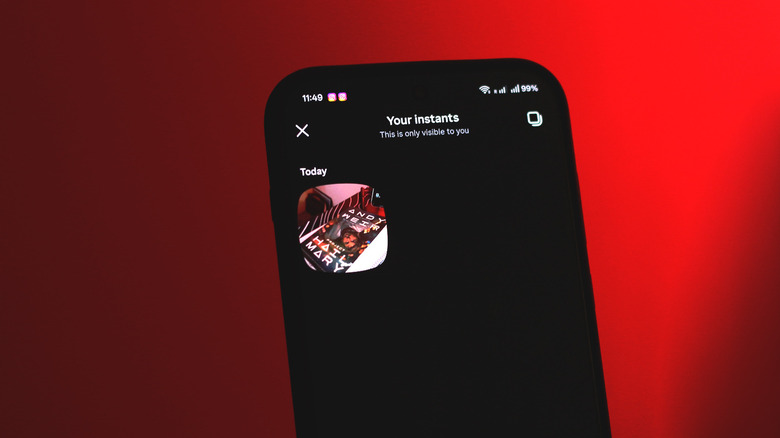
Instants are captured and shared as small, rounded squares, so don't expect to see or capture much detail when using this feature. You also get no editing tools here — it's just plain old point-and-shoot. For now, Instants sort of just live at the bottom of the messages tab in Instagram. You can flick them away by swiping right on them — this will temporarily hide them.
To disable this feature semi-permantently, navigate to Settings > Content Preferences, and enable the "hide Instants in inbox" toggle. This is going to keep them from popping up every time you switch back to the messages tab. If you can't spot the feature yet, make sure your Instagram app is updated to the latest version.
Using Instagram Instants
Photos you share with your friends that they only get to see once aren't exactly a new concept — that's exactly how Snapchat works, although the execution is a bit different. Still, with Instants, the ways of sharing content on Instagram have gotten quite diverse. You can already upload stories, or even send one-time images or videos directly to your friends via the messages tab. There's also the option to add a note or make yourself visible on the Instagram map.
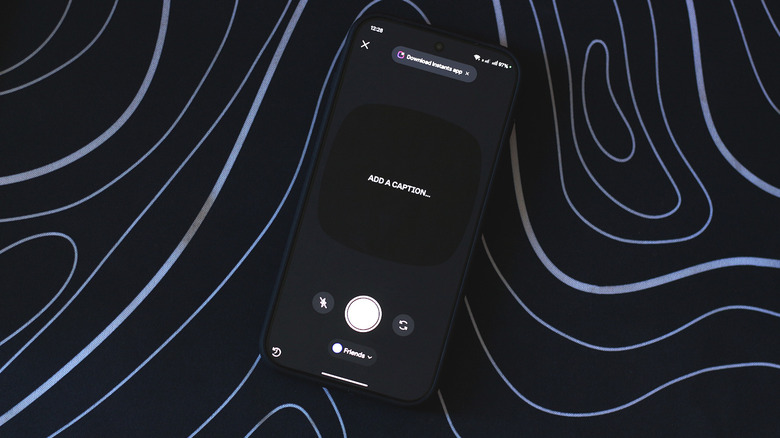
Instants only lets you share images for now, and the options are limited. You can toggle your phone's flash or switch between the front and rear cameras. You can also choose who you want to share an Instant with, such as your close friends or followers that you follow back. The moment you tap the shutter button, an Instant is shared. You can add a caption, but only before snapping a picture. Capturing and sharing an Instant on accident is actually surprisingly easy, which is why you get an undo button right after one goes through.
You can view shared Instants by tapping on the top-right corner. Here, you can delete or save them to your phone. The "Create Recap" button lets you quickly compile and share your Instants to your Instagram Story. Instagram is also testing a dedicated Instants app in select countries that's available on both Android and iOS. Instants you share using the app will show up in the usual spot for Instagram users to view.