

The MacBook Neo Is More Than A Chromebook Alternative, And You Know It

We may receive a commission on purchases made from links.
A new era of MacBook is upon us, and it goes by the name Neo. The arrival of Apple's budget-tier laptop — one that can be bought new for as low as $499 with the student discount ($599 without discount) — means you no longer have to browse refurbished and used markets to find a sub-$1k MacBook. Early commentary about the model, however, may give many buyers pause. The MacBook Neo packs an iPhone chipset and 8 GB of memory, a combination that led to big assumptions about the nature of the machine immediately upon launch: that the Neo is a Chromebook-tier device and that it can only serve the needs of those whose needs are very, very modest.
Three weeks of using the Neo as a daily work laptop has dismissed those claims — in fact, not only is the Neo capable of handling the kinds of tasks most people do on a laptop, it can even be used for gaming, as long as your expectations aren't too high. Does that mean it's the right laptop for you? Quite possibly, but there are a few things to keep in mind before you pull out your credit card.
The Neo feels like a MacBook

The budget laptop market is, in general, a mess of poorly made devices with creaky plastic shells, low-resolution displays, and barely functional trackpads. Early rumors about a budget-tier MacBook came with concerns that Apple, too, would go the plastic route, giving us something similar to the iPhone 5c or the polycarbonate MacBooks that were once a common sight across university campuses.
 Brittany Roston/SlashGear
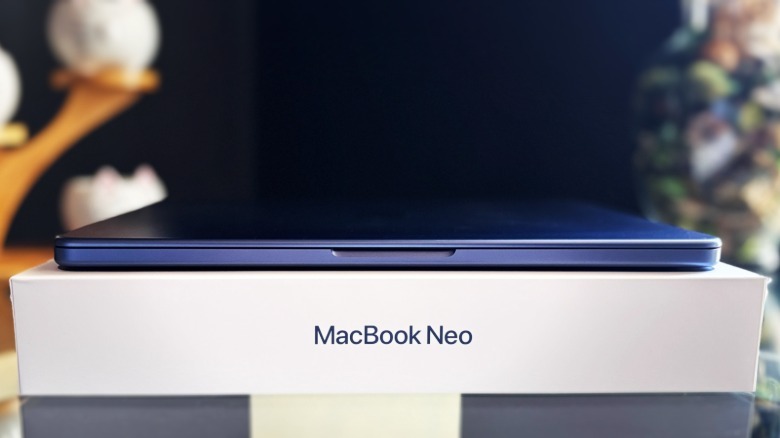
Apple clearly had bigger ambitions in mind, though, and the result is an affordable MacBook that looks and feels like a MacBook ... while putting the rest of the budget laptop market to shame. The Neo features an aluminum enclosure available in four colors (Silver, Indigo, Blush, and Citrus), and if you've ever used an aluminum MacBook, you know exactly what to expect: it's smooth and durable with rounded corners and excellent build quality.
Or, put another way, I'm confident the Neo could handle the same kinds of accidents and daily abuses as my Air, which took more than one knock off the table like a champ over its seven-year lifespan. The Neo very much feels like a premium laptop.
 Brittany Roston/SlashGear
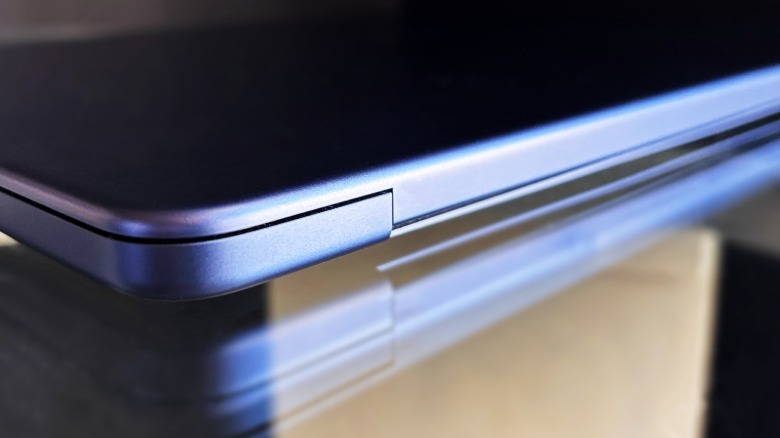
Yes, that build quality even extends to the Neo's hinge, which is superior to any other model you will find in this price range (and many found in higher price brackets) — you can open it with one hand, and it glides smoothly to any position within its range. Shaking the laptop with the display open produces no visible wobble. You can tip the laptop forward, and the screen stays put.
The Neo's keyboard is (almost) perfect

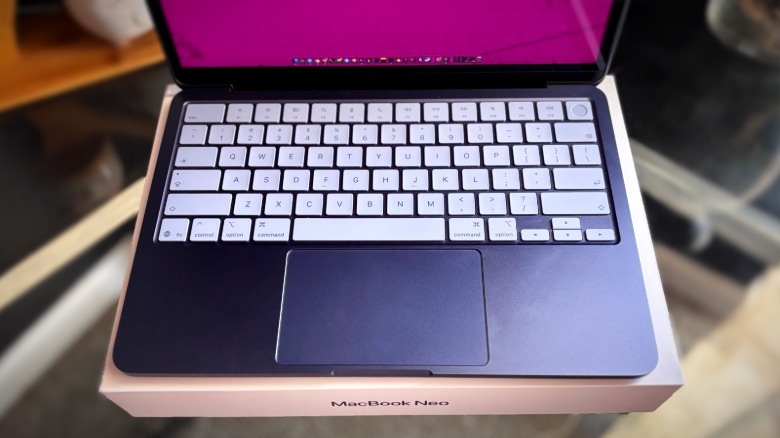
The Neo's low-profile keyboard — which features lighter keycaps than the Air, each tinted to reflect the laptop color you picked — feels like a MacBook keyboard, only without a backlight. Typing on the Neo is pleasant, as the keys are responsive and you get a nice, though not obtrusively loud, click with each press. If you compare the Neo's keyboard to the keyboards found on other MacBook models (like the 2025 MacBook Air we reviewed), however, you will notice subtle differences: a bit more noise, a sense of plastic, and the faintest hint of "mushiness" when pressed.
 Brittany Roston/SlashGear
To be clear, the Neo's keyboard is great. If you're coming from a cheap Windows laptop or Chromebook, the upgrade will likely feel immense. I've used much more expensive laptops with far worse keyboards.
If you're comparing this keyboard to the one found on, say, the latest MacBook Pro, however, you will notice the slight, though expected, decrease in quality. Does it offer an excellent typing experience? Yes. Is it identical to the one offered by the Air and Pro? No, but the differences are minor enough that you're unlikely to care regardless.
The display quality will surprise you
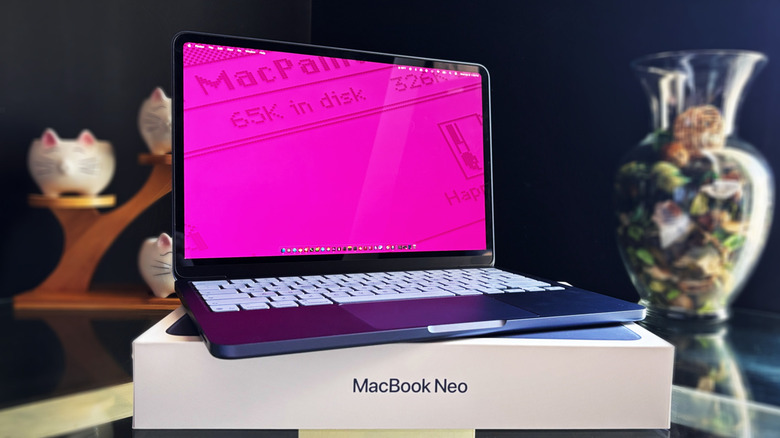
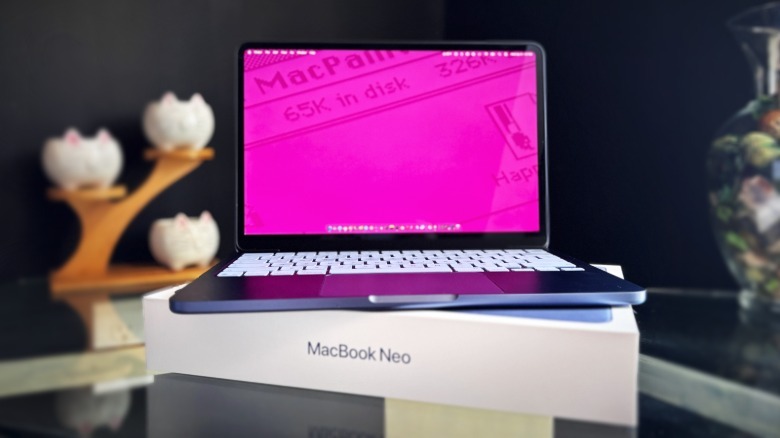
Budget laptops often pack lackluster displays plagued with everything from low resolutions to insufficient max brightness and poor viewing angles. I was certain that if the Neo arrived with a dealbreaker, it would be the screen. The first surprise came when Apple announced the Neo's display had a 2408 x 1506 resolution (219 ppi). The second surprise happened upon setting up the Neo and getting that first look at the desktop — the screen quality far exceeds what one would expect from a $600 laptop.
Colors are vibrant and crisp, and with 500 nits brightness, the display is comfortable to use in bright rooms. Buyers in the creative industries are likely to miss the support for P3 found on the Air/Pro, but for everyone else, the 1-billion-color sRGB panel will bring no complaints ... except, perhaps, over the 60 Hz refresh rate, which is noticeable if you're regularly using an iPhone and iPad featuring a 120 Hz ProMotion panel. Apple's decision to withhold ProMotion from the Neo was expected given the price and is typical of lower-end products from the company.
 Brittany Roston/SlashGear
Another notable difference with the Neo involves the display notch — in this case, the absence of it. The Neo's screen doesn't feature this same intrusive element found on the Air/Pro models. The trade-off there comes with the bezels, which are thicker on the Neo; the webcam is nicely hidden, but with larger margins around the display.
Despite that, the bezels are not obnoxious, nor do I even notice them during daily use. The question here becomes thus: do you want thin bezels but with a notch in the display, or do you prefer slightly thicker bezels to eliminate the notch? That comes down to personal opinion, but I prefer the Neo's more seamless notch-free style.
The MacBook Neo can be used to get work done

Early declarations that the Neo is a neat little Chromebook replacement vastly undersold what Apple's budget laptop is capable of. To be clear, you will not get the same performance from the Neo that you get from the MacBook Air and MacBook Pro lines — if you're buying with the expectation that they're basically the same, you will be disappointed. There are some hard compromises here that some buyers won't be able to tolerate, not the least of which is the secondary USB 2.0 port, 8 GB of RAM, and the slower SSD read/write speeds.
With that disclaimer out of the way, if you buy the Neo thinking it'll be good for only light web browsing and watching videos, prepare to be amazed at what Apple's A18 Pro chipset can handle. The Neo has been my only work laptop for three weeks. I started those three weeks anticipating the Neo would get bogged down by toggling between different apps and having a dozen Chrome tabs open. Now at the end of those three weeks, Apple has proven me wrong: the Neo is so capable that it can be my primary laptop.
Even with the burden of using Chrome as a primary work browser (outside of stress testing the device, Chrome is the only app that triggered a brief appearance of the spinning beach ball), the Neo handles my daily workflow without issues. Chrome, Slack, Apple Notes, Safari, Calendar, Messages, and Reminders are all running throughout my work day. As I type this, I have 17 Chrome tabs open and YouTube playing. Video calls are seamless even while multitasking. I have yet to find that threshold beyond which I need to start closing apps and tabs to keep things running smoothly.
The MacBook Neo can be used for fun, too

In the spirit of seeing just how much the Neo can handle, I threw some more demanding tasks at it — that is, I installed Steam and downloaded some games. Don't expect to play resource-intensive games on the Neo (it couldn't even handle the "Rust" start screen animations), but less demanding games aren't an issue.
"Valheim," for example, is playable on the Neo at max resolution, though with the graphics settings on "low" — you'll need to decrease the resolution if you want to boost the graphics. Other games like "Don't Starve Together" can be played at max-res without any issue and look great on the Neo's screen.
The Neo was also able to handle some modeling and render work in Blender, including rendering a scene with the Cycles engine — that took about 20 minutes and peaked at using roughly 4 GB of memory. Would I want to use the Neo for any sort of professional design work or heavy, complex modeling? Absolutely not. But for more modest work, such as designing a set of brackets destined for your 3D printer, the Neo can hold its own.
Webcam, microphones, and trackpad
The MacBook Neo features a 1080p camera, and I didn't notice much difference in quality when compared side-by-side with a new MacBook Air. If you just need a camera for work and school, the Neo will get the job done, though if you have an iPhone, it'll still be the better option. The only real downside with the webcam — depending on what you actually need from it — is the lack of Center Stage, which is the feature that keeps you centered in the video when you're moving around. Center Stage is limited to the newer MacBook Air and Pro models.
That webcam is paired with a dual-microphone array featuring directional beamforming. The quality during voice calls is exactly what you'd expect: clear, easy to hear, and capable of mitigating casual background noise. I tested the microphone against the AirPods 4 ANC, switching between the Neo's mic and the AirPods during a call. The person on the other side concluded that both sound about the same on a video call, saying the audio was clear regardless of which was used.
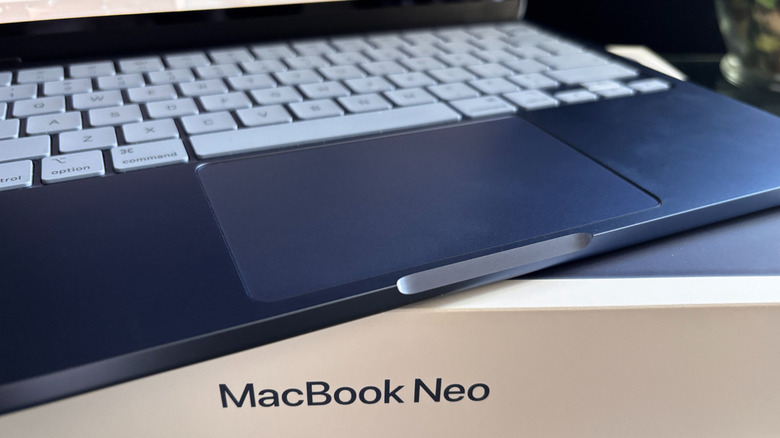
Then there's the trackpad. Unlike the Air and Pro, both of which feature Force Touch tech, the Neo has a mechanical trackpad. Put simply, this means you must physically press anywhere on the trackpad to click — just tapping it with your finger won't work.
It took a solid week to retrain myself to press the trackpad, but once that adjustment is made, the usage experience is superior to what you get from Windows machines. Gestures remain usable on the Neo, meaning you can quickly jump between full-screen apps using a three-finger swipe, for example. Apple may have compromised in this area to hit the lower price point, but it doesn't feel like a downgrade.
Audio quality is solid, but don't expect miracles
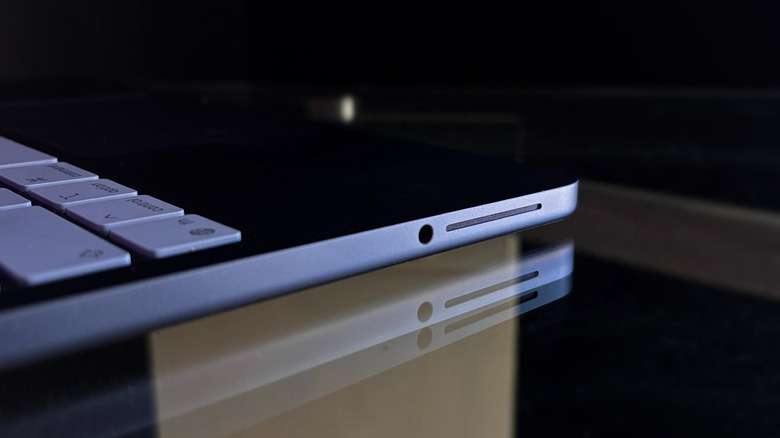
The speakers, meanwhile, are found along the front outer edges of the Neo's base, which differs from the down-firing speakers often found on laptops at this price point. As a result, the audio projects well, and the volume can be cranked up to intolerably loud levels. Sound quality is subjective, and if that is an important factor in your buying decision, it would be ideal to head to your nearest Apple Store to hear it in person.
With that said, I'd classify the Neo's audio quality as "good" — it's clear, loud, and doesn't sound like there's a tin can between the speakers and your ear. The hardware is sufficient for listening to podcasts or watching videos while getting work done. When contrasted with some other Apple products, the Neo's audio quality was about the same as that of the base iPhone 15 when playing the same YouTube video — though it tipped slightly in the iPhone's favor.
The difference was very noticeable when comparing the Neo with an iPad Pro, however. Unlike the tablet, the Neo's speakers have a noticeably weak bass response, resulting in an adequate, but not very satisfying, listening experience.
The battery's great, but the charger could be better

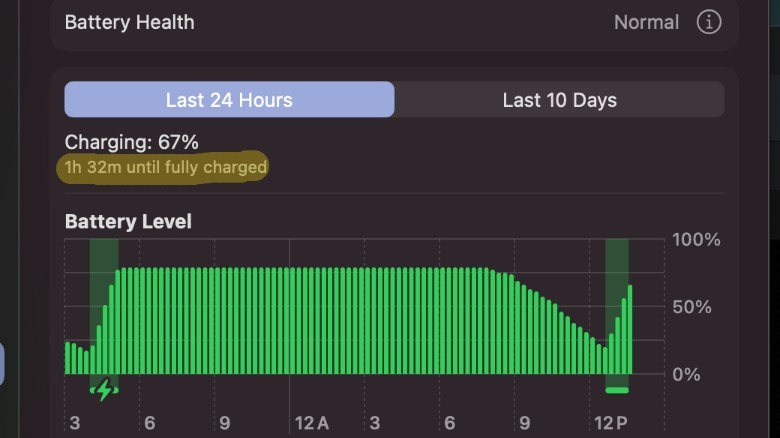
You won't get the same battery life offered by the Air and Pro models, but Apple still boasts 16 hours of runtime on the MacBook Neo. During daily usage, I've found that largely to be true, though it does depend on usage. When I'm using the Neo during the day, I keep the screen at max brightness; despite that, I still have roughly half the battery charge left when wrapping up my work day.
 Brittany Roston/SlashGear
Less ideal is the 20W charger Apple includes with the Neo — it'll take you about four hours to fully charge a dead laptop, which is glacially slow in this day and age. The lack of fast-charging support, however, isn't necessarily a dealbreaker, as the laptop can charge faster with a more powerful charger. After swapping out the 20W charging brick with a 60W USB-C laptop charger, which negotiates power delivery down to the 30W the Neo will accept, the total charge time dropped to a bit over three hours, which is tolerable when paired with such a long battery runtime.
MacOS on an iPhone chipset

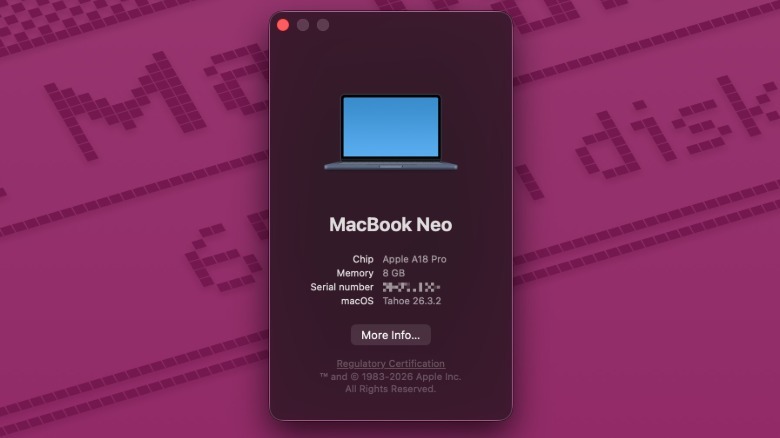
If you're considering getting the Neo as your first MacBook and wondering whether the macOS experience differs from other Mac products, you can rest easy: it is identical in every single way. Messages, FaceTime, Siri, and other Apple apps and features work seamlessly on the Neo. I had no issues pairing the laptop with an iPad Pro to use it as a second display with Sidecar. AirPods seamlessly connect with the Neo; AirDrop works just as well with the Neo as any other Apple device.
 Brittany Roston/SlashGear
Put simply, macOS runs very well on the Neo. Menus open quickly, apps minimize smoothly, and gestures carry you between open apps and screens without so much as a momentary hitch. If you're coming from a Windows laptop, the Neo will give you an excellent introduction to macOS ... and when paired with the high-end build quality, you'll likely find it difficult to go back.
Conclusion
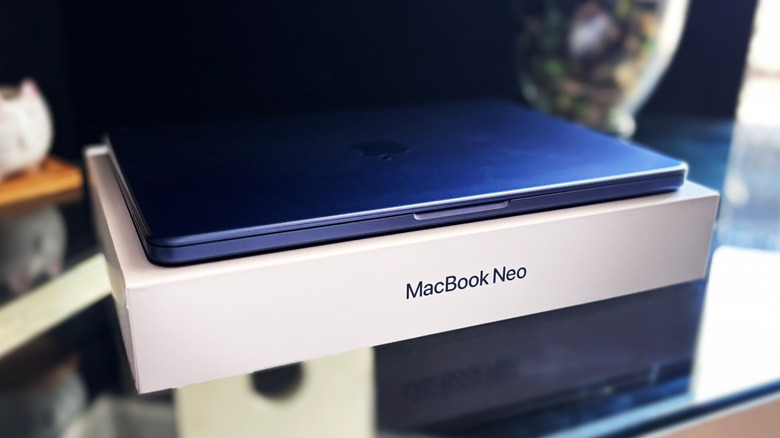
For many, the MacBook Neo will be their first experience with macOS, and it's clear Apple wanted to make the best introduction possible — without breaking the bank. At $599 for the 256 GB model and $699 for the 512 GB model with Touch ID (including on Amazon), you'll be hard-pressed to find a competing laptop that brings so much to the table, particularly when you factor in Apple's overall tightly integrated ecosystem and the seamless experience it offers across devices. If you already own an iPhone but still use Windows, now is the time to switch to Mac — and if you don't own an iPhone, you'll be tempted to get one after experiencing the Neo.
With that said, the Neo is still a budget laptop — arguably the best one out there, yes, but a budget offering nonetheless. If you're a professional content creator, designer, or anyone else who regularly performs demanding tasks using resource-intensive software, your laptop hunt should start at the base MacBook Air model and move upward from there.
For everyone else, however, the Neo is the MacBook that should get your attention. From the premium build quality to the long battery life, surprisingly capable A18 Pro chipset, excellent display quality, and highly repairable design, the only thing keeping the Neo from being the perfect daily driver laptop for the average consumer is the lack of a keyboard backlight ... and that, no doubt, will eventually come to the Neo line, too.